
Roku has solidified its position as a household name in the streaming device market, celebrated for its intuitive interface, vast content library, and affordability. For many, it’s the gateway to endless entertainment, offering access to thousands of official channels from popular services like Netflix, Hulu, Disney+, and countless others. However, a common question often surfaces among tech-savvy users and those seeking niche content: “Can you install 3rd party apps on Roku?” The answer, like many things in the world of technology, isn’t a simple yes or no. It requires a deeper understanding of Roku’s ecosystem, its security protocols, and the various ways users can access content beyond the official channel store.

This article delves into the nuances of installing unofficial or “3rd party” apps on Roku devices. We’ll explore what these terms truly mean in the Roku context, examine the methods available for accessing content outside the certified Roku Channel Store, discuss the inherent risks and potential rewards, and ultimately help you navigate this landscape responsibly to enhance your streaming experience. From a technological perspective, understanding these capabilities and limitations is crucial for maximizing your Roku device’s potential while maintaining digital security and performance.
Understanding Roku’s Ecosystem: A Walled Garden?
To properly address the question of 3rd party apps, it’s essential to first grasp the fundamental design philosophy behind Roku’s platform. Roku prides itself on offering a streamlined, secure, and user-friendly experience. This is largely achieved through a carefully curated and controlled ecosystem, often described as a “walled garden” – a common approach among major tech platforms like Apple’s iOS or Google’s ChromeOS.
What Constitutes a “Third-Party App” on Roku?
When users typically speak of “third-party apps” on other platforms like Android or Windows, they’re often referring to applications installed directly from sources other than the official app store (e.g., APK files on Android, EXE files on Windows). On Roku, the definition is a bit more nuanced because direct “sideloading” of arbitrary app files is not permitted for the general user base.
Instead, a “third-party app” on Roku usually refers to one of two categories:
- Private Channels (or Uncertified Channels): These are channels developed for the Roku platform but are not listed in the public Roku Channel Store. They don’t undergo Roku’s full certification process and are not publicly searchable. They are distributed via a direct code, typically shared by the developer or a community.
- Apps accessed via indirect methods: This isn’t about installing an app on the Roku device itself, but rather leveraging Roku’s capabilities (like screen mirroring or casting) to display content from an app running on another device (like your smartphone or computer).
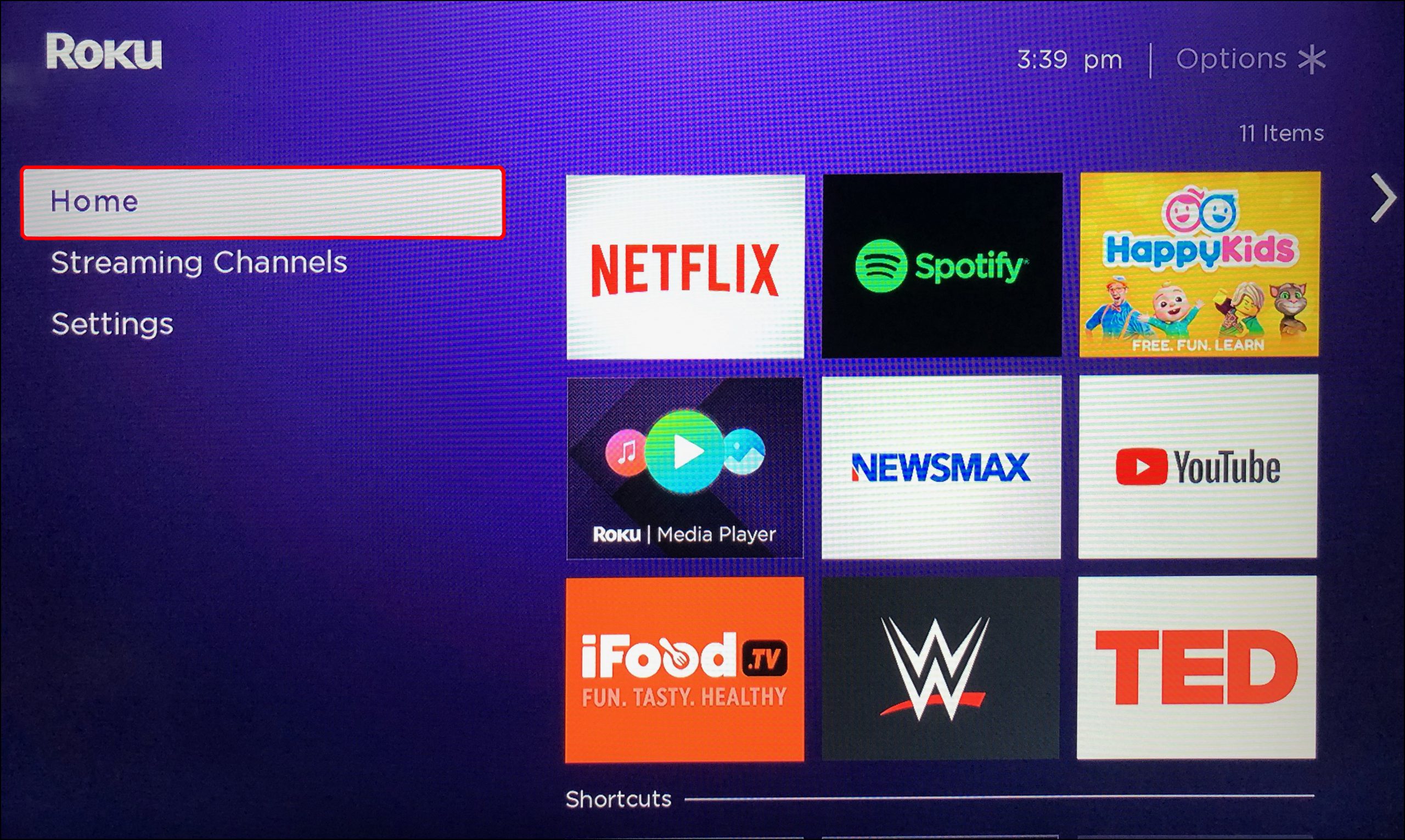
The Official Roku Channel Store is the primary, intended source for all applications. Every channel in this store has gone through a rigorous review process by Roku to ensure it meets their performance, security, and content guidelines. This includes ensuring channels are stable, safe, and provide a consistent user experience.
The Rationale Behind Roku’s App Vetting Process
Roku’s stringent vetting process for its official channel store isn’t arbitrary; it serves several critical purposes, aligning with best practices in platform management and digital security:
- Security: By controlling the distribution of apps, Roku can significantly reduce the risk of malware, spyware, or other malicious software being installed on user devices. Uncertified apps pose a higher risk of containing vulnerabilities or even malicious code that could compromise user data or device integrity. This focus on digital security is paramount in today’s interconnected world, protecting users from potential scams or data breaches.
- Stability and Performance: Roku aims to provide a consistent, smooth streaming experience. Certified channels are tested to ensure they run efficiently, don’t crash frequently, and don’t hog system resources. Unofficial channels, lacking this oversight, might be poorly optimized, leading to a frustrating user experience, slow performance, or device instability.
- User Experience (UX): A consistent interface and reliable performance contribute directly to a positive user experience. Roku’s brand promise is simplicity and reliability. Allowing unvetted apps could lead to a fragmented, confusing, or unreliable experience that tarnishes their brand reputation.
- Content Agreements and Partnerships: Roku has established extensive partnerships with content providers and broadcasters. These agreements often include stipulations about how content is delivered and protected, especially concerning intellectual property rights. The controlled environment helps Roku ensure these agreements are upheld, preventing unauthorized content distribution or piracy through its platform.
- Monetization and Business Model: While not always directly apparent to the user, Roku’s business model often involves revenue sharing from content providers and advertising within its platform. A controlled app ecosystem allows Roku to maintain and optimize these revenue streams, which in turn helps keep its hardware affordable and its services free for users.
From a brand perspective, Roku’s commitment to a curated experience reinforces its image as a trustworthy and reliable streaming solution. This careful balance between access and control ensures that users largely enjoy a predictable and secure environment, even if it means some limitations on “true” third-party app installation.
Navigating the Landscape: Methods for Unofficial Channels
Despite Roku’s tightly controlled ecosystem, there are indeed ways to access content that isn’t part of the public Roku Channel Store. These methods, however, come with caveats and are not equivalent to the open-ended “sideloading” capabilities found on other operating systems. They represent different levels of access and are designed for specific purposes, not as general workarounds for installing any app you desire.
The “Private Channel” Approach: Codes and Cautions
The most common method for accessing channels outside the official store is through what Roku terms “private channels” or “uncertified channels.” These channels are fully functional applications designed for Roku but are distributed using a unique code instead of being publicly listed.
How to Add a Private Channel:
- Log into your Roku account on the Roku website (my.roku.com).
- Under “Manage account,” click “Add a channel with a code.”
- Enter the specific private channel code provided by the developer or community.
- Confirm the addition. The channel should appear on your Roku device within 24 hours (or instantly after a system update).
Purpose and Use Cases:
- Beta Testing: Developers often use private channels to distribute beta versions of new apps to a select group of testers before launching them publicly. This allows them to gather feedback and fix bugs in a controlled environment.
- Niche Content and Communities: Some private channels cater to very specific interests or small communities, offering content that wouldn’t necessarily appeal to a mass audience or meet Roku’s broader certification criteria for public listing. This might include fan-made content, local community streams, or experimental projects.
- Legacy or Unofficial Apps: In some cases, services might start as private channels before they gain full official status, or sometimes a community might create an unofficial client for a service that doesn’t have an official Roku app. For example, Plex initially had a significant presence as a private channel before its official channel evolved.
Risks and Considerations:
- Stability and Support: Private channels do not undergo Roku’s rigorous testing. As such, they may be less stable, prone to bugs, or suffer from performance issues. There’s also no guarantee of ongoing support or updates from the developer, and they could cease functioning at any time.
- Security Concerns: Because private channels bypass Roku’s security review, they pose a higher security risk. They could potentially contain malicious code, compromise your privacy by collecting excessive data, or open your device to vulnerabilities. It’s crucial to only add private channels from trusted and verifiable sources.
- Content Legality: While Roku itself isn’t responsible for the content on private channels, some channels might host copyrighted or illegal content. Users should exercise caution and ensure they are not inadvertently accessing illicit material.
- Ephemeral Nature: Roku reserves the right to remove any private channel at any time if it violates their terms of service, even if it was added using a code.
The private channel method represents a controlled gateway, offering flexibility for developers and niche users while attempting to mitigate broader risks to the platform’s integrity. It’s a key distinction when discussing “3rd party apps” on Roku.
Roku’s Developer Mode: A Tool, Not a Loophole
Another method that occasionally comes up in discussions about sideloading is Roku’s Developer Mode. However, this is primarily a tool for app developers and not a viable option for the average user looking to install “3rd party apps.”
Enabling Developer Mode:
Developer Mode can be enabled through a specific sequence of button presses on the Roku remote. Once activated, it allows a developer to upload their uncompiled channel package directly to the Roku device for testing purposes.
Purpose and Limitations:
- App Development and Testing: Developer Mode is designed for individuals and companies actively developing channels for the Roku platform. It allows them to quickly test their applications on a physical device without going through the full certification and distribution process.
- Temporary and Technical: This mode is not intended for permanent installation of unofficial apps. Channels installed via Developer Mode are typically temporary and can be overwritten or removed easily. Furthermore, it requires technical knowledge, including setting up a development environment, understanding Roku’s SDK, and possessing the channel package file.
- Not a General Sideloading Solution: Crucially, Developer Mode does not provide a mechanism for users to simply download an arbitrary app file (like an APK) from the internet and install it on their Roku. You need the specific, Roku-formatted channel package (
.zipfile) and the technical expertise to upload it. It’s a tool for creators, not consumers seeking expanded app options. - Security Risks: Running a Roku device in Developer Mode can expose it to potential security vulnerabilities if not handled correctly, as it bypasses standard security checks.
For the vast majority of Roku users, Developer Mode offers no practical benefit for accessing content. Its purpose is strictly utilitarian for the development community, ensuring that Roku’s platform remains robust and well-supported by app creators.
Screen Mirroring and Casting: An Indirect Solution
While not a method for installing apps on your Roku, screen mirroring and casting capabilities offer a powerful indirect way to access virtually any content or app from another device and display it on your TV through your Roku.
How it Works:
- Screen Mirroring: This feature (available on many Android devices and Windows PCs) duplicates your device’s entire screen onto your TV via your Roku. Whatever you see on your phone or computer, you’ll see on your TV.
- Casting: Some apps (like YouTube, Netflix, Spotify) have a built-in “cast” button. When you tap this, the app sends the video or audio stream directly to your Roku device, which then plays it. Your phone acts as a remote, and the content streams from the internet to your Roku, not from your phone to your Roku. This is a more efficient method than mirroring.
- Apple AirPlay (on newer Roku models): For Apple users, newer Roku devices support AirPlay, allowing you to stream videos, photos, music, and more directly from your iPhone, iPad, or Mac to your Roku-connected TV.

Advantages:
- Access to Any App: If an app isn’t available on Roku, but it runs on your smartphone, tablet, or computer, you can typically mirror its content to your TV. This effectively bypasses the “no official Roku app” limitation for many services.
- No Installation Required on Roku: You’re not installing anything on the Roku device itself, meaning no security risks to the Roku’s operating system from untrusted apps.
- Convenience: It’s a quick and easy way to share content from your mobile device or computer with a larger audience on your TV.
Disadvantages:
- Requires Source Device: Your phone, tablet, or PC needs to be on and actively running the content. If the device’s battery dies or you move out of range, the stream will stop.
- Battery Drain: Mirroring, in particular, can be a significant drain on your mobile device’s battery.
- Performance and Quality: The quality of the mirrored image can depend on your Wi-Fi network’s strength, the source device’s capabilities, and the Roku’s processing power. Lag, stuttering, or lower resolution can sometimes occur compared to native streaming. Casting, being a direct stream, often offers better quality and uses less battery.
- Not a “Native” Experience: You’re still interacting with the app on your source device, not with a Roku-optimized interface.
Screen mirroring and casting are excellent indirect solutions for expanding your content options without technically installing “3rd party apps” on Roku. They leverage the Roku device as a display conduit, offering a bridge to a wider digital world.
Risks, Rewards, and Responsible Streaming
Exploring avenues beyond the official Roku Channel Store comes with a distinct set of trade-offs. While there are potential benefits to be gained, users must be acutely aware of the associated risks, particularly concerning digital security and device stability. Responsible streaming practices are paramount when venturing into the less-regulated territories of private channels.
Security and Stability Concerns
The most significant drawbacks of adding unofficial channels or engaging in less-than-mainstream methods revolve around security and the reliable performance of your Roku device.
- Malware and Privacy Risks: As highlighted earlier, private channels bypass Roku’s security vetting. This means they could potentially harbor malware designed to steal personal information, inject advertising, or even compromise your home network. Developers of private channels might also collect more user data than official channels, and their privacy policies may be less transparent or robust. For a user focused on digital security, this is a major red flag.
- Performance Issues and Instability: Uncertified channels are not optimized to the same standards as official ones. This can lead to frequent buffering, app crashes, slow loading times, or even cause your entire Roku device to become sluggish or unresponsive. Such issues can significantly degrade your overall streaming experience, leading to frustration and undermining the very reason you own a Roku – seamless entertainment.
- Lack of Support and Updates: If a private channel stops working or develops bugs, you have little recourse. There’s no official Roku support for these channels, and their developers might not be responsive or might abandon the project entirely, leaving you with a non-functional channel. This contrasts sharply with the reliable updates and customer support available for official channels.
- Violation of Terms of Service: While Roku is generally tolerant of private channels when used for their intended purposes (e.g., legitimate beta testing), distributing or using private channels that host illegal content, bypass DRM, or actively harm the user experience could violate Roku’s terms of service. This could theoretically lead to account suspension or limitations, though this is rare for simply adding a few legitimate private channels.
Potential Benefits of Exploring Beyond the Official Store
Despite the risks, there are legitimate reasons why users might seek out channels beyond the public store, particularly for niche content and specific user needs.
- Access to Niche and Independent Content: Private channels can be a treasure trove for specialized content that might not have a wide enough audience or enough commercial appeal to warrant an official Roku channel. This could include channels for specific hobbies, local community news, independent filmmakers, or content in less common languages. This democratizes content distribution to some extent.
- Early Access to Beta Services: For those keen on being early adopters, private channels offer a way to test new streaming services or features before their official public release. This can provide a competitive edge in knowing what’s coming next in the tech landscape.
- Restoring Functionality (Historically): In the past, some popular services (like Plex before its official channel) gained significant traction as private channels. While less common now for major services, this flexibility occasionally provided access to content that was otherwise unavailable on Roku.
- Unique User-Generated Content: Similar to niche content, some private channels might host unique user-generated or community-driven content that offers a different flavor of entertainment not found in mainstream offerings.
The reward lies in expanding your content horizons and potentially discovering hidden gems that cater specifically to your interests, moving beyond the curated mainstream offerings.
Best Practices for Safe Unofficial Channel Use
If you decide to venture into the world of private channels, it’s crucial to adopt a responsible and cautious approach to mitigate the inherent risks. Think of it as investing in your digital security.
- Thorough Research is Key: Before adding any private channel, do your homework. Search online for reviews, developer information, and community discussions about the channel. Look for red flags like a lack of information, suspicious permissions requests (if such details are available), or reports of issues from other users.
- Verify the Source: Only add private channels from reputable and known sources. If a random link or code appears in an untrustworthy forum, be extremely wary. Official developer websites, well-known tech blogs, or established community hubs are generally safer sources.
- Understand the Content: Be clear about what kind of content the private channel offers. If it promises free access to premium, copyrighted content, it’s likely illegal and carries significant risks.
- Limit Your Exposure: Don’t overload your Roku with dozens of private channels. Stick to a few that genuinely offer value and that you trust.
- Regularly Review and Remove: Periodically review the private channels you have installed. If a channel stops working, becomes unstable, or if you no longer use it, remove it from your Roku device and your account. This declutters your system and reduces potential attack surfaces.
- Maintain Roku System Updates: Always ensure your Roku device is running the latest software updates. These updates often include security patches that protect your device from known vulnerabilities, including those that unofficial channels might try to exploit.
- Consider a VPN (Though Limited on Roku): While a VPN can’t be directly installed on Roku, if your router supports VPNs, it can provide an additional layer of security and privacy for all devices on your network, including your Roku, masking your IP address from potentially intrusive private channels. This is more about general digital security than app-specific protection.
By adhering to these best practices, you can enjoy the extended functionality that private channels might offer while minimizing the risks to your Roku device and personal data. It’s about making informed choices regarding your tech usage.
Alternatives and Future Outlook
For users who find Roku’s “walled garden” approach too restrictive, or who require specific applications not available through any of the discussed methods, alternative streaming devices offer different philosophies regarding app installation and ecosystem openness. Moreover, the streaming landscape is in constant flux, with platforms continuously evolving their offerings.
When Your Desired App Isn’t on Roku: Other Streaming Devices
If your primary motivation for seeking “3rd party apps” is access to a specific application that simply isn’t available on Roku – officially or unofficially – it might be worth considering other streaming platforms.
- Amazon Fire TV Stick (Android-based): Fire TV devices run on a modified version of Android, which makes them much more open to “sideloading” Android APK files. This provides significantly more flexibility for installing applications from outside Amazon’s Appstore, making it a popular choice for those who want maximum app control.
- Android TV / Google TV Devices (e.g., Chromecast with Google TV, Nvidia Shield TV): These devices offer the full flexibility of the Android ecosystem, allowing for easy sideloading of APKs. Their app stores (Google Play Store) are also generally more expansive and less restrictive than Roku’s, offering a wider range of niche apps.
- Apple TV (iOS-based): While Apple’s ecosystem is also quite controlled, the Apple TV App Store is robust and generally features a wide array of high-quality applications. Sideloading in the traditional sense is not supported, but the sheer volume and quality of available apps often mitigate this need for Apple users.
Choosing the right streaming device often comes down to balancing ease of use, cost, and the specific apps or content you prioritize. If extensive app customization and access to obscure services are high on your list, an Android-based platform might be a more suitable “tech investment” than Roku.
The Evolving Streaming Landscape
The world of streaming technology is dynamic. Roku, like its competitors, continuously expands its official channel store, adding new services and features regularly. The lines between “official” and “third-party” can also blur over time as services gain traction and mature. What starts as a niche private channel might eventually become an officially recognized and certified channel.
Roku’s brand identity is built on simplicity, reliability, and security. While this commitment limits direct “sideloading,” it also ensures a largely trouble-free experience for millions of users. The platform’s ongoing efforts to attract more content providers mean that many popular and even niche apps eventually find their way into the official store, reducing the need to seek out unofficial alternatives. The balance between maintaining a secure, user-friendly environment and offering an expansive content library is a continuous challenge that all major streaming platforms navigate.
Conclusion
The question “Can you install 3rd party apps on Roku?” doesn’t have a simple yes or no. Direct, open-ended sideloading of arbitrary apps, as seen on Android-based platforms, is not officially supported by Roku. The platform’s design prioritizes a curated, secure, and stable user experience, which is achieved through its rigorous channel certification process.
However, users do have methods to access content beyond the public Roku Channel Store:
- Private channels offer a gateway to niche content and beta programs, provided you have a specific code and exercise caution regarding their source and stability.
- Roku’s Developer Mode is a powerful tool for app creators, but not a practical solution for general users seeking expanded app options.
- Screen mirroring and casting provide an excellent indirect workaround, allowing you to display content from virtually any app running on your smartphone, tablet, or computer directly onto your TV via your Roku device.
Each method comes with its own set of risks and rewards. While exploring private channels can unlock unique content, it demands vigilance regarding security, stability, and privacy. For most users, relying on Roku’s official channels, complemented by screen mirroring or casting for specific needs, offers the best balance of content access and digital security.
Ultimately, choosing a streaming platform is a personal decision guided by your tech comfort level, your desired app ecosystem, and your priorities regarding security and content freedom. Roku remains a strong contender for its ease of use and reliability, providing a robust streaming experience within its well-defined ecosystem. Understanding these nuances empowers you to make informed decisions and truly unlock your streaming potential, regardless of whether it’s through official channels or carefully vetted alternatives.
aViewFromTheCave is a participant in the Amazon Services LLC Associates Program, an affiliate advertising program designed to provide a means for sites to earn advertising fees by advertising and linking to Amazon.com. Amazon, the Amazon logo, AmazonSupply, and the AmazonSupply logo are trademarks of Amazon.com, Inc. or its affiliates. As an Amazon Associate we earn affiliate commissions from qualifying purchases.