
In an age where our smartphones are increasingly becoming command centers for our lives, understanding their myriad features is key to unlocking their full potential. Among the less talked about, yet incredibly powerful, technologies embedded in nearly every modern smartphone is Near Field Communication, or NFC. While the acronym might sound intimidatingly technical, NFC is the silent workhorse behind some of the most convenient and secure interactions we have daily with our devices, from tapping to pay for coffee to instantly pairing accessories. This article delves deep into what NFC is, how it functions on your phone, its widespread applications, and what the future holds for this discreet but indispensable technology.

Demystifying Near Field Communication (NFC): The Basics
At its core, Near Field Communication is a short-range wireless technology that enables two electronic devices to establish communication when they are brought within a few centimeters of each other. Unlike other wireless protocols that might require pairing processes, network connections, or line of sight, NFC is designed for quick, intuitive interactions based purely on close proximity. It operates on the principle of electromagnetic induction, allowing a simple ‘tap’ or ‘wave’ to initiate data exchange.
What is NFC? A Quick Definition
NFC is a set of communication protocols for communication between two electronic devices over a distance of 4 cm (1.6 in) or less. It typically involves an initiator and a target. The initiator actively generates a radio frequency (RF) field that can power a passive target. This means that one device (like your phone) can communicate with another device or an NFC tag without the need for the second item to have its own power source. This unique characteristic is what makes NFC incredibly versatile and efficient for many applications, particularly those requiring quick, low-power interactions. It’s essentially a very short-range radio connection, designed for simplicity and security.
How Does NFC Differ from Other Wireless Technologies?
To truly appreciate NFC, it’s helpful to compare it with its more widely known wireless cousins, Bluetooth and Wi-Fi. While all three facilitate data transfer wirelessly, they serve distinct purposes and operate under different parameters:
- Range: NFC has the shortest range, typically 4 cm (1.6 inches) or less. Bluetooth operates up to 10 meters (33 feet), and Wi-Fi extends even further, often hundreds of meters depending on the standard and environment. This short range is a deliberate design choice for NFC, enhancing security and simplifying interactions.
- Speed: Wi-Fi offers the fastest data transfer speeds, suitable for streaming high-definition video or large file transfers. Bluetooth is moderately fast, sufficient for audio streaming and smaller file transfers. NFC is the slowest of the three, but its speed is perfectly adequate for its intended applications—small data packets for payments, pairing, or tag reading.
- Power Consumption: NFC is incredibly power-efficient. In passive mode, NFC tags don’t require any power, drawing it from the initiating device. Active NFC devices (like your phone) consume minimal power during interaction. Bluetooth is also low-power, especially Bluetooth Low Energy (BLE), but still requires more power than passive NFC. Wi-Fi consumes the most power, necessary for its high speeds and longer range.
- Setup: NFC boasts the simplest setup: just bring devices close. No pairing codes, no network selection. Bluetooth requires a pairing process, often involving device discovery and PIN entry. Wi-Fi requires selecting a network and entering a password.
In essence, NFC isn’t trying to replace Bluetooth or Wi-Fi; rather, it complements them. It excels in scenarios where quick, close-proximity, low-power, and secure interactions are paramount.
The Fundamental Principles of NFC Operation
NFC operates based on two main modes of communication:
- Passive Mode: In this mode, one device (the initiator, e.g., your smartphone) generates an RF field that powers a passive device (the target, e.g., an NFC tag or a payment terminal). The passive device then modulates the initiator’s field to send data back. This is highly efficient as the target doesn’t need its own power source, making NFC tags incredibly cheap and easy to embed almost anywhere.
- Active Mode: Here, both devices generate their own RF fields and alternate transmitting and receiving data. This mode is used when two active devices (e.g., two smartphones) communicate with each other, typically for peer-to-peer data exchange like file sharing.
Both modes rely on a 13.56 MHz frequency band and work through an antenna that acts as an inductor. When the initiator’s electromagnetic field passes through the target’s antenna, it induces a current, allowing for data transfer without physical contact. This elegant simplicity is what underpins all NFC interactions.
The Mechanics Behind the Magic: How NFC Works on Your Smartphone
Your smartphone isn’t just a phone; it’s a miniature supercomputer equipped with a sophisticated array of sensors and communication modules, including the NFC chip. While you might not see it, this tiny component is constantly ready to spring into action whenever you bring your device near another NFC-enabled object.
The Anatomy of an NFC Chip in Your Phone
Deep within your phone’s circuitry lies a small, specialized NFC chip, typically integrated into a broader communication module. This chip contains an antenna, which is usually a coil of wire located near the back or top of your phone. The position of this antenna is crucial, as it dictates where you need to tap or wave your phone for successful communication. Manufacturers often indicate the NFC sweet spot with a small logo or instructions, though many phones are designed for broad coverage for ease of use. This chip is responsible for generating the electromagnetic field when your phone acts as an initiator and for detecting and responding to fields when it acts as a target.
Active and Passive Modes: Enabling Interaction
Your smartphone is capable of operating in both active and passive NFC modes, making it an incredibly versatile NFC device:
- Active Mode (Initiator): When you use your phone to make a contactless payment, read an NFC tag, or pair with another device, your phone acts as the initiator. It generates the RF field, powering the passive payment terminal or NFC tag and facilitating data exchange. This is the most common way users interact with NFC.
- Passive Mode (Target): In some less common scenarios, your phone can also act as a passive target. For instance, if another NFC-enabled phone or reader wants to read specific data from your phone (e.g., a digital business card stored in a specific app), your phone might briefly operate in a passive mode. However, for security reasons, explicit user permission is almost always required for your phone to expose data in this manner.
The seamless switching between these modes, managed by your phone’s operating system, is what allows NFC to power such a diverse range of applications.
Establishing a Connection: Proximity and Data Exchange
The connection process for NFC is remarkably straightforward due to its limited range and focus on simplicity. When you bring your NFC-enabled phone within the operational range (usually 1-4 cm) of another NFC device or tag, the following sequence occurs:
- Detection: Your phone’s NFC chip detects the presence of another NFC field (if it’s a passive tag or another initiator) or generates its own field to search for passive targets.
- Handshake: A very quick “handshake” occurs between the two devices, establishing a communication link. This involves identifying the type of device or tag and the capabilities of each.
- Data Exchange: Once the link is established, a small amount of data can be exchanged. For payments, this might be encrypted transaction details. For pairing, it could be Bluetooth credentials. For an NFC tag, it could be a URL or a command.
- Disconnection: As soon as the devices move out of range or the intended action is completed, the connection is automatically terminated.
This entire process happens almost instantaneously, often within milliseconds, giving NFC its characteristic “tap-and-go” convenience. The minimal interaction required also means that NFC is often more energy-efficient for these specific tasks compared to other wireless methods that might need to maintain a continuous connection.
Unlocking Everyday Convenience: Practical Applications of NFC
While the underlying technology of NFC is sophisticated, its real brilliance lies in the effortless convenience it brings to our daily lives. From speeding up transactions to simplifying device setup, NFC has silently revolutionized how we interact with both our devices and the world around us.
Revolutionizing Payments: Mobile Wallets and Contactless Transactions
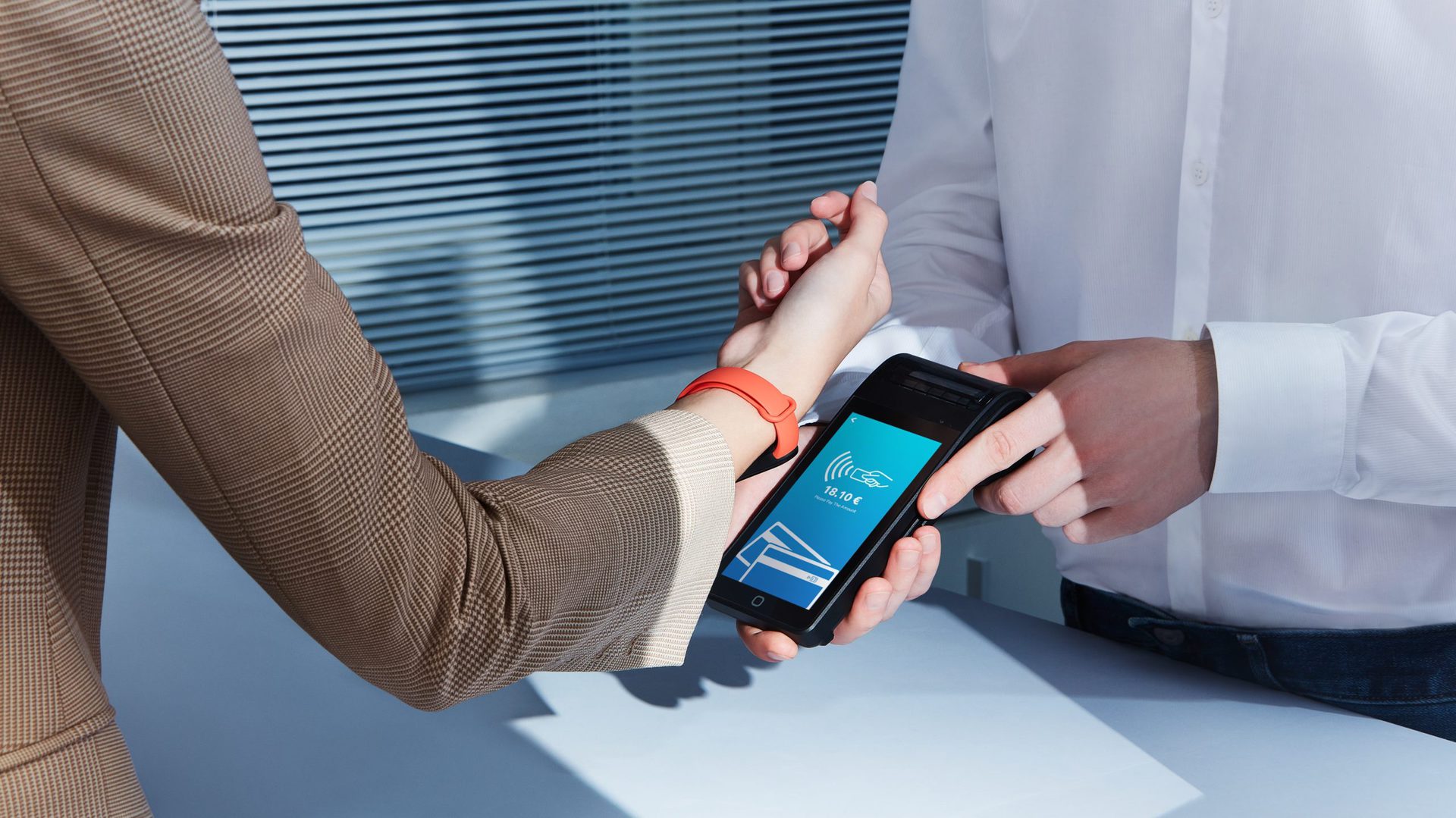
Perhaps the most prominent and widely adopted application of NFC on phones is contactless payments. Mobile wallet services like Apple Pay, Google Pay, and Samsung Pay leverage NFC technology to allow users to make secure payments by simply tapping their smartphone (or smartwatch) on a compatible payment terminal.

Here’s how it works:
When you initiate a payment, your phone’s NFC chip transmits encrypted payment information to the point-of-sale terminal. This transaction is secured through tokenization, where your actual card number is replaced with a unique, one-time-use token, significantly reducing the risk of fraud. The short range of NFC also means that you must intentionally bring your phone very close to the terminal, minimizing accidental payments. This blend of speed, convenience, and robust security has made NFC payments an increasingly popular alternative to traditional cards and cash.
Effortless Pairing and Data Transfer: Beyond Bluetooth
NFC isn’t just for payments; it’s a master of simplification, especially when it comes to connecting devices. Instead of navigating through Bluetooth settings, searching for devices, and entering PINs, NFC can streamline the entire process.
- Device Pairing: Many Bluetooth accessories, such as headphones, speakers, and smartwatches, are NFC-enabled. A quick tap of your phone against the accessory can instantly initiate the Bluetooth pairing process, exchanging the necessary credentials without any manual input. This eliminates the often-frustrating discovery and pairing steps, making connecting new devices a breeze.
- File Sharing: While less common than Bluetooth or Wi-Fi Direct for large files, NFC can be used for quick, small-file transfers between two NFC-enabled phones. A tap can initiate a transfer of a photo, contact, or web link, though the actual data transfer might then switch to Bluetooth or Wi-Fi Direct for faster throughput, using NFC solely as the connection trigger.
- Quick App Launch: Some apps can be configured to launch or perform a specific action when your phone taps another NFC-enabled device or tag. For example, tapping your phone on an NFC-enabled smart home device might instantly open its control app.
Smart Tags and Automation: Bringing the Physical World to Life
NFC tags are small, inexpensive, passive chips that can be programmed with specific information or commands. When your NFC-enabled phone taps one of these tags, it reads the embedded data and performs a corresponding action.
- Smart Posters and Advertising: Businesses can embed NFC tags in posters, flyers, or product displays. Tapping your phone on such a tag could instantly open a website, provide more product information, download a coupon, or play a promotional video.
- Home Automation: NFC tags can be used to trigger automation routines in your smart home. Place a tag by your bed that, when tapped, turns off all lights, sets the alarm, and puts your phone on silent. A tag by the front door could disarm your security system and adjust the thermostat when you leave.
- Personal Automation: You can program NFC tags for countless personal uses. Place one in your car to automatically launch your navigation app and connect to your car’s Bluetooth. Stick one on your desk to toggle Wi-Fi, open your work calendar, and set your phone to vibrate mode. The possibilities are limited only by your imagination and the capabilities of your phone’s automation tools.
Access Control and Ticketing: Streamlining Your Entry
NFC is increasingly finding its way into access control and ticketing systems, offering a more convenient and secure alternative to traditional cards and paper tickets.
- Digital Keys and Access Cards: Some modern offices, hotels, and even homes use NFC for keyless entry. Your phone can act as a digital keycard, granting you access with a simple tap. This is also seen in car key applications, where your phone can unlock and even start your vehicle.
- Public Transit and Event Ticketing: Many public transportation systems worldwide now support NFC-enabled mobile ticketing. Instead of purchasing a physical ticket, you can simply tap your phone at the turnstile. Similarly, event venues are adopting NFC for digital tickets, allowing for quick, secure entry and reducing counterfeit issues.
- Loyalty Programs: Digital loyalty cards stored on your phone can be tapped at NFC-enabled terminals to automatically apply discounts or accumulate points without fumbling for physical cards or inputting numbers.
These applications highlight NFC’s strength in creating seamless, intuitive interactions that enhance efficiency and convenience in our daily routines.
Security, Performance, and the Future Landscape of NFC
While NFC offers unparalleled convenience, understanding its security mechanisms, performance characteristics, and future potential is crucial for a complete picture. This technology is continually evolving, promising even more innovative uses in the years to come.
Understanding NFC Security: Built-in Protections and Best Practices
NFC’s inherent short range (just a few centimeters) is its primary security feature. Unlike Wi-Fi or Bluetooth, which broadcast signals over wider areas, NFC requires extremely close proximity, making it significantly harder for unauthorized parties to intercept data. You must intentionally bring your phone into contact with an NFC reader.
Furthermore, when used for sensitive applications like payments, NFC transactions are often encrypted and leverage advanced security protocols such as tokenization (as mentioned earlier). Data is exchanged over secure channels, and for mobile wallets, transactions usually require user authentication—a fingerprint, face scan, or PIN—before they can be completed.
However, no technology is entirely impervious. While the risk is low, theoretical vulnerabilities exist, such as:
- Eavesdropping: Although difficult due to the short range, a sophisticated attacker could potentially intercept data if positioned precisely between two communicating devices.
- Data Corruption: Intentional interference could theoretically corrupt data during transmission.
- Malicious NFC Tags: A compromised NFC tag could be programmed to redirect users to phishing websites or trigger unwanted actions on their phone.
To mitigate these risks, users should always:
- Ensure their phone’s operating system and apps are up to date.
- Only tap NFC tags from trusted sources.
- Enable screen lock and biometric authentication for mobile payments.
- Disable NFC when not actively using it (though modern implementations are very secure even when enabled).
Performance Advantages: Speed and Energy Efficiency
NFC excels in specific performance aspects that make it ideal for its core applications:
- Speed of Connection: The “tap-and-go” nature means connection establishment is virtually instantaneous. There’s no waiting for devices to discover each other or for network handshakes, unlike Wi-Fi or Bluetooth pairing. This makes NFC incredibly efficient for quick, repetitive actions like payments or data reading.
- Energy Efficiency: For passive NFC tags, no power is required, leading to extremely low operational costs and virtually infinite battery life for the tags themselves. For active devices like smartphones, the power consumption during an NFC interaction is minimal compared to other wireless communication methods. This low power draw helps preserve your phone’s battery life, even with frequent use of NFC features.
While its data transfer speed is lower than Wi-Fi or Bluetooth, this is a deliberate trade-off, optimized for small data packets and quick interactions rather than large file transfers.
Activating and Troubleshooting NFC on Your Device
Most modern smartphones come with NFC enabled by default. However, if you need to check or toggle its status:
- Android: Go to
Settings->Connected devices->Connection preferences->NFC. You’ll usually see a toggle to turn it on or off. Some phones might also have a quick toggle in the notification shade. - iOS: For iPhones (iPhone 6 onwards), NFC is always on and cannot be manually toggled off by the user. It’s automatically activated when an app (like Apple Pay) requires it, or when the system detects an NFC tag. This seamless integration is part of Apple’s design philosophy.
If you’re having trouble using NFC:
- Check Placement: Ensure your phone’s NFC antenna (often near the top or middle of the back) is directly over the reader or tag.
- Remove Case: Thick phone cases can sometimes interfere with the NFC signal. Try removing it temporarily.
- Software Glitch: Restarting your phone can often resolve minor software hiccups.
- Clear Cache: For Android, clearing the cache of the app using NFC (e.g., your mobile wallet app) might help.
- Update Software: Ensure your phone’s operating system is updated to the latest version.
What’s Next for NFC: Innovations and Emerging Trends
The journey of NFC is far from over. As technology evolves, so too do the applications and capabilities of this versatile communication method:
- Integration with IoT (Internet of Things): NFC is becoming a key enabler for simplified setup and interaction with IoT devices. Imagine tapping your phone to a new smart bulb to instantly configure it to your home network, or tapping an appliance for diagnostic information.
- Enhanced User Experiences: Expect more personalized and context-aware interactions. NFC could allow dynamic content delivery based on your location (e.g., tapping a museum exhibit tag to get a personalized audio guide in your preferred language).
- NFC in Healthcare: Streamlining patient identification, accessing medical records quickly (with proper security), or even embedding NFC chips in medical devices for easy data reading and maintenance.
- Automotive Industry: Beyond digital car keys, NFC could facilitate personalized in-car experiences, instant pairing with infotainment systems, or even vehicle-to-infrastructure communication for smart parking or toll payments.
- NFC-enabled Charging: While still in nascent stages, the concept of charging devices via NFC is being explored, potentially offering ultra-short-range wireless power delivery for small gadgets.
In conclusion, NFC on your phone is much more than a cryptic acronym. It’s a fundamental technology that has quietly woven itself into the fabric of modern convenience, security, and connectivity. From powering our everyday transactions to simplifying our digital lives, NFC’s discreet efficiency makes it a truly invaluable feature in the palm of your hand, with an exciting future ahead.
aViewFromTheCave is a participant in the Amazon Services LLC Associates Program, an affiliate advertising program designed to provide a means for sites to earn advertising fees by advertising and linking to Amazon.com. Amazon, the Amazon logo, AmazonSupply, and the AmazonSupply logo are trademarks of Amazon.com, Inc. or its affiliates. As an Amazon Associate we earn affiliate commissions from qualifying purchases.