
In the rapidly evolving world of web development and digital architecture, the visual fidelity of a website or application is no longer just a design concern—it is a technical one. As screens move toward Ultra-High Definition (UHD) and mobile devices demand increasingly efficient data usage, the standard formats of the past, like JPEG and PNG, often fall short. Enter the SVG, or Scalable Vector Graphic.
Unlike traditional image formats that rely on a grid of colored pixels, an SVG is a unique beast: it is a text-based, XML-coded description of a graphic. To understand what an SVG is, one must look beyond the image itself and into the code that powers it. In this technical deep dive, we will explore the architecture of SVG files, their performance benefits, and why they have become the backbone of modern UI/UX design and responsive web engineering.
Understanding the DNA of SVG: From Pixels to Mathematics
To comprehend the significance of the SVG format, we must first distinguish between the two primary ways digital images are rendered: raster and vector.
The Core Difference: Raster vs. Vector
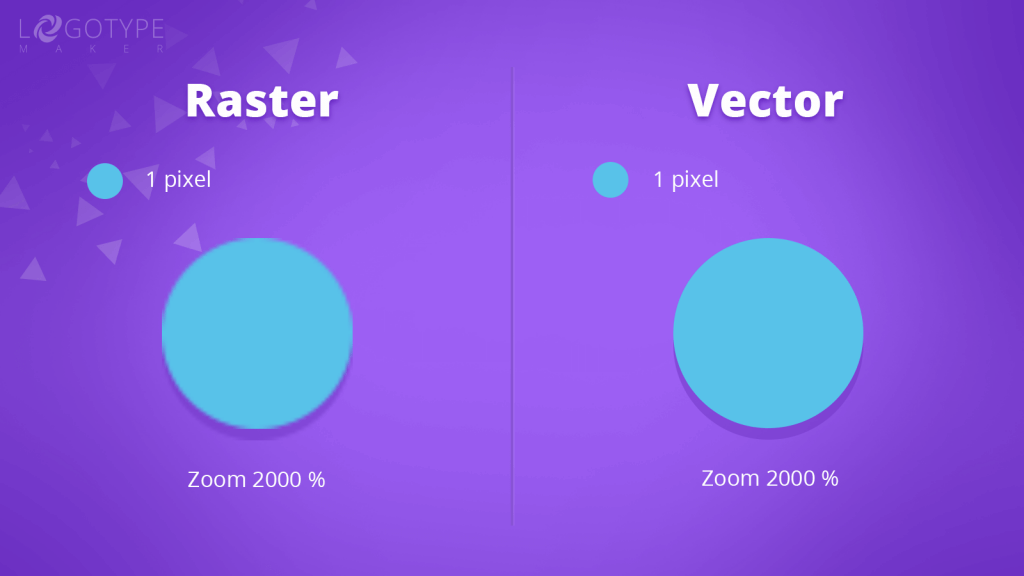
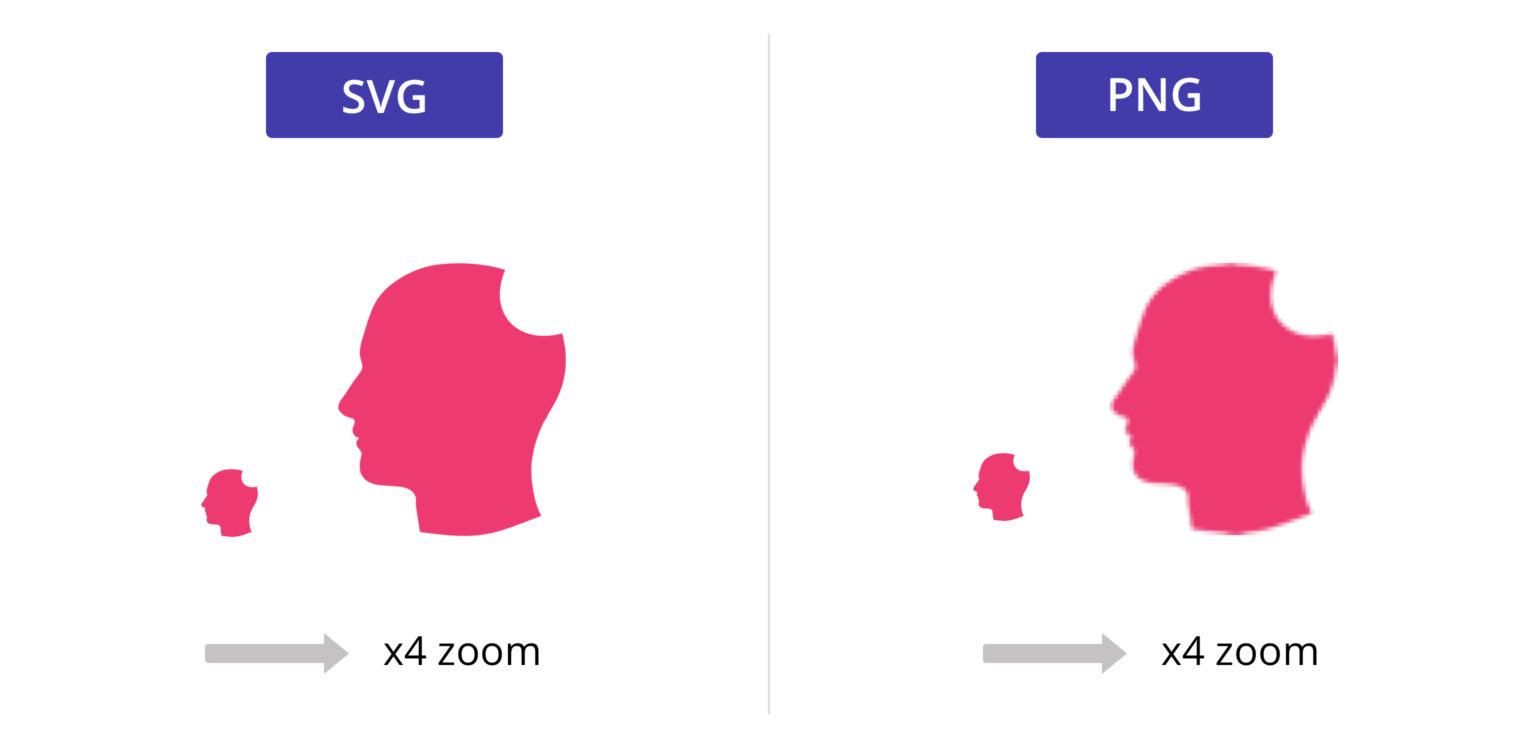
Most users are familiar with raster graphics. Formats like JPEG, GIF, and PNG are composed of a fixed grid of pixels. When you zoom into a raster image, the computer simply enlarges those squares, resulting in “pixelation”—the blurry, jagged edges that occur when an image is stretched beyond its original dimensions.
In contrast, an SVG is a vector format. Instead of storing information about individual pixels, an SVG stores mathematical instructions. It tells the browser to “draw a circle with a radius of 50 at these coordinates using this hex code.” Because these are mathematical paths, the browser can recalculate the image at any scale. Whether you are viewing an icon on a 2-inch smartwatch or a 100-inch 8K television, the SVG remains perfectly crisp.
How XML Defines Your Visuals
The most fascinating technical aspect of an SVG is that it is written in XML (Extensible Markup Language). If you were to open a PNG file in a text editor, you would see a chaotic string of binary gibberish. If you open an SVG file in a text editor, you see human-readable code.
An SVG file looks remarkably similar to HTML. It uses tags like <rect>, <circle>, and <path> to define shapes. It utilizes attributes like fill, stroke, and opacity to define styles. This means that an SVG is not just a “file” in the traditional sense; it is a document that can be indexed by search engines, manipulated by developers, and compressed with standard web protocols.
The Technical Advantages of Using SVG in Modern Web Development
From a technical standpoint, the transition from raster assets to SVGs is driven by three main pillars: performance, scalability, and accessibility.
Infinite Scalability and Resolution Independence
In the era of “Retina” displays and high-pixel-density screens, providing sharp imagery is a challenge for raster formats. To make a PNG look sharp on a high-end smartphone, developers often have to serve an image that is 2x or 3x the actual display size, which increases page weight.
SVGs eliminate this problem entirely. Because they are resolution-independent, a single SVG file serves every screen size and density perfectly. This “write once, render everywhere” capability simplifies the asset management pipeline for software engineers and ensures a consistent user experience across the entire device ecosystem.
Performance and SEO Benefits
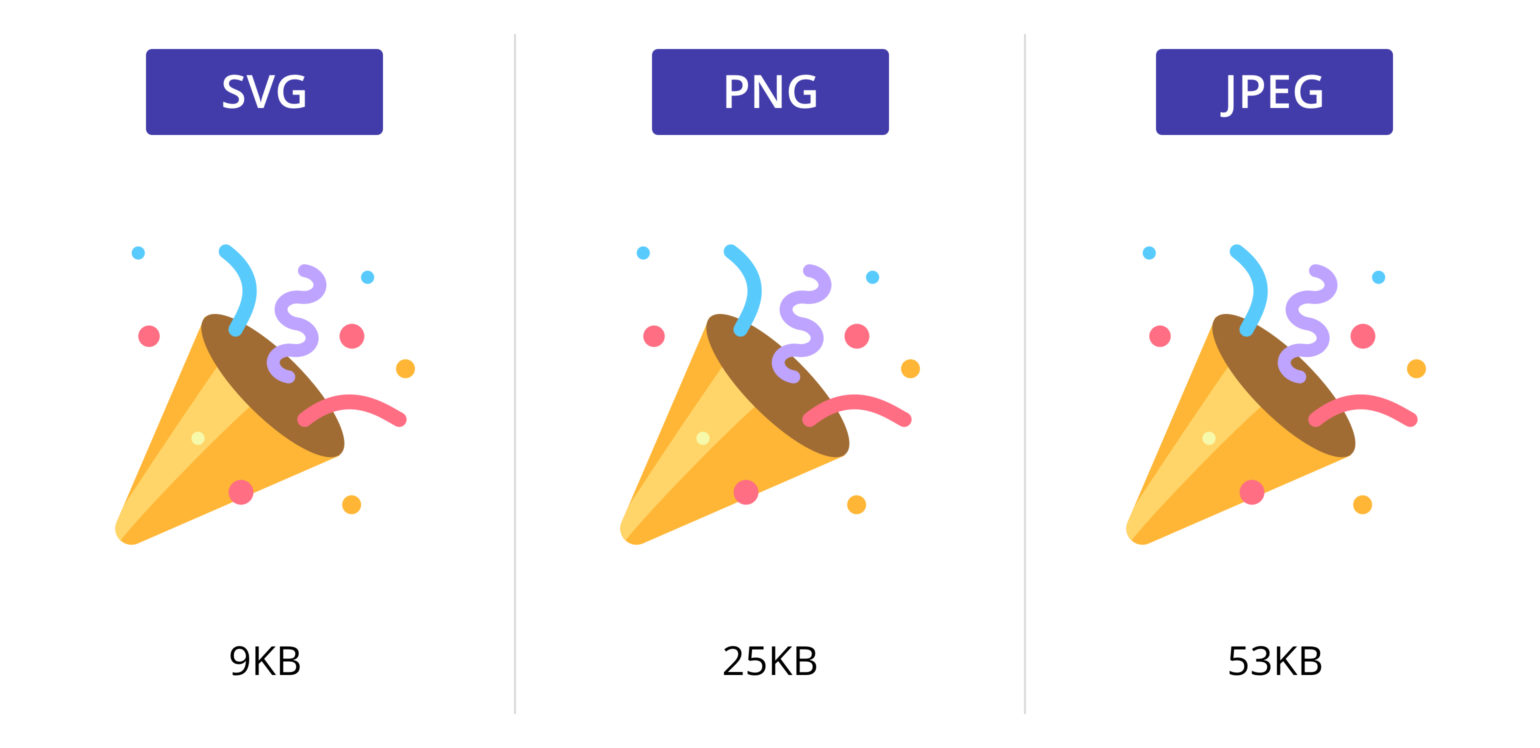
Page load speed is a critical metric for both user retention and search engine rankings. Because SVGs are often just small snippets of code, their file size is typically a fraction of an equivalent high-resolution PNG.
Furthermore, because SVGs are XML-based, the text contained within them (such as labels in an infographic) is readable by Google’s web crawlers. While a search engine sees a JPEG as a “black box” of data, it sees an SVG as a structured document. This allows for better SEO (Search Engine Optimization) and ensures that your visual content contributes to the discoverability of your platform.
Accessibility and DOM Integration
Web accessibility (a11y) is a mandatory consideration in modern software development. Since SVGs exist within the Document Object Model (DOM), they can be interacted with by screen readers. By using the <title> and <desc> tags inside the SVG code, developers can provide highly descriptive metadata for visually impaired users, far exceeding the capabilities of a simple “alt” attribute on a standard image tag.
Advanced SVG Capabilities: Interactivity and Animation
One of the most powerful features of the SVG format is its ability to bridge the gap between static design and dynamic software. Because an SVG is essentially code, it can be styled and manipulated just like any other element on a webpage.
CSS and JavaScript Manipulation
Since SVG elements are part of the DOM, they can be targeted with CSS. A developer can change the color of an icon on hover, adjust the thickness of a line, or change the opacity of a specific shape—all without loading a new image file.
Furthermore, JavaScript can be used to interact with SVGs in real-time. This is why SVGs are the gold standard for data visualization libraries like D3.js. When you see an interactive chart where bars grow or map regions highlight as you click them, you are likely looking at a series of SVG paths being manipulated by JavaScript logic.
SMIL vs. CSS Animations
There are multiple ways to animate SVGs. For simple transitions, CSS is the preferred method due to its hardware acceleration and ease of use. For more complex, path-based animations—such as a line “drawing” itself across the screen—developers often turn to SMIL (Synchronized Multimedia Integration Language) or robust libraries like GreenSock (GSAP). This technical flexibility allows for sophisticated UI micro-interactions that feel premium and responsive without the heavy overhead of video files or bulky GIFs.
Best Practices for Creating and Optimizing SVG Files
While SVGs are powerful, they must be handled correctly to maximize their benefits. Poorly exported SVGs can contain “junk code” that increases file size and complicates implementation.
Choosing the Right Export Settings
When exporting an SVG from design tools like Adobe Illustrator, Figma, or Sketch, it is important to choose settings that favor web use. This includes:
- Converting fonts to outlines: This ensures the text looks correct even if the user doesn’t have the specific font installed, though it does remove the SEO benefit of readable text.
- Minimizing decimal places: Vector coordinates don’t usually need seven decimal points of precision. Reducing precision can shave significant bytes off the file size.
- Removing Metadata: Many design tools embed “Creator” information or hidden layers that aren’t necessary for the final render.
Tools for SVG Compression and Minification
Before deploying an SVG to a production environment, it should be minified. Tools like SVGO (SVG Optimizer) or its web-based interface, SVGOMG, are essential in a developer’s toolkit. These tools strip out unnecessary XML namespaces, comments, and redundant paths. A well-optimized SVG can often be reduced by 50% to 80% in size without any loss in visual quality.
The Future of SVGs in the Age of AI and Responsive Design
As we look toward the future of technology, the role of SVGs is only set to expand. We are moving away from static layouts and toward generative, fluid interfaces.
Dynamic Asset Generation
With the rise of AI and algorithmic design, we are seeing systems that generate UI components on the fly. Because SVGs are code-based, they are the perfect medium for AI-generated graphics. An AI can output a string of SVG code much faster than it can render a high-resolution bitmap, allowing for personalized, real-time visual experiences.
Why SVGs Remain the Gold Standard for UI/UX
Despite the emergence of new technologies like WebGL or Canvas for complex 3D rendering, the SVG remains the undisputed king of the 2D interface. Its blend of human-readable code, mathematical precision, and native browser support makes it irreplaceable. As design systems become more programmatic and “headless” architectures become the norm, the SVG stands as the most versatile asset format in a developer’s arsenal.
In conclusion, an SVG is far more than an image file. It is a sophisticated technological tool that offers unparalleled scalability, performance, and flexibility. For any professional working in the tech space—whether a frontend developer, a systems architect, or a technical product manager—mastering the SVG is not just an advantage; it is a necessity for building the high-performance digital experiences of tomorrow.
aViewFromTheCave is a participant in the Amazon Services LLC Associates Program, an affiliate advertising program designed to provide a means for sites to earn advertising fees by advertising and linking to Amazon.com. Amazon, the Amazon logo, AmazonSupply, and the AmazonSupply logo are trademarks of Amazon.com, Inc. or its affiliates. As an Amazon Associate we earn affiliate commissions from qualifying purchases.