
The landscape of television consumption has undergone a radical transformation over the last decade. The shift from traditional coaxial cables and satellite dishes to high-speed internet protocols has redefined how we access “Big Three” networks like ABC. For the modern tech enthusiast, watching ABC is no longer about flipping a physical switch; it is about navigating a complex ecosystem of Over-the-Top (OTT) platforms, optimizing network bandwidth, and ensuring hardware compatibility.
Whether you are looking for live news, prime-time entertainment, or local sports, understanding the technological infrastructure behind ABC’s digital distribution is essential. This guide explores the specific streaming services that host ABC, the underlying technology that powers them, and the hardware necessary to achieve a seamless viewing experience.
Understanding the Digital Architecture of ABC Streaming
To understand where ABC is available, one must first understand how broadcast signals are digitized for the web. Unlike “pure” streaming services like Netflix, ABC relies on a network of local affiliates. This creates a unique technological challenge: the streaming service must detect your geographic location to serve you the correct local feed.
The Shift from Linear to Digital Distribution
Traditional broadcasting uses radio frequency (RF) waves to transmit data to antennas. However, streaming ABC requires the conversion of these signals into data packets that can travel over the internet via the Transmission Control Protocol/Internet Protocol (TCP/IP). Services that offer ABC must negotiate digital distribution rights not just with the national ABC brand (owned by Disney), but often with the local station owners (such as Nexstar or Sinclair). This is why a streaming service might offer ABC in New York City but not in a rural zip code—the tech stack must include robust geo-fencing to comply with these legal and technical boundaries.
How Geo-Location Technology Affects Local ABC Feeds
When you log into a streaming service to watch ABC, the platform uses a combination of IP address mapping and GPS data (on mobile devices) to verify your location. This ensures that the “local news” you see is actually relevant to your area. For tech-savvy users, this means that using a VPN (Virtual Private Network) can sometimes interfere with the ability to stream ABC, as the service may detect a mismatch between your account’s home area and your current IP location, resulting in a “blackout” or a generic national feed.
Top-Tier Streaming Platforms Hosting ABC
For those looking to replace their cable box with a software-based solution, several “Skinny Bundle” services—formally known as Virtual Multichannel Video Programming Distributors (vMVPDs)—provide full access to ABC.
Hulu + Live TV: The Integrated Ecosystem
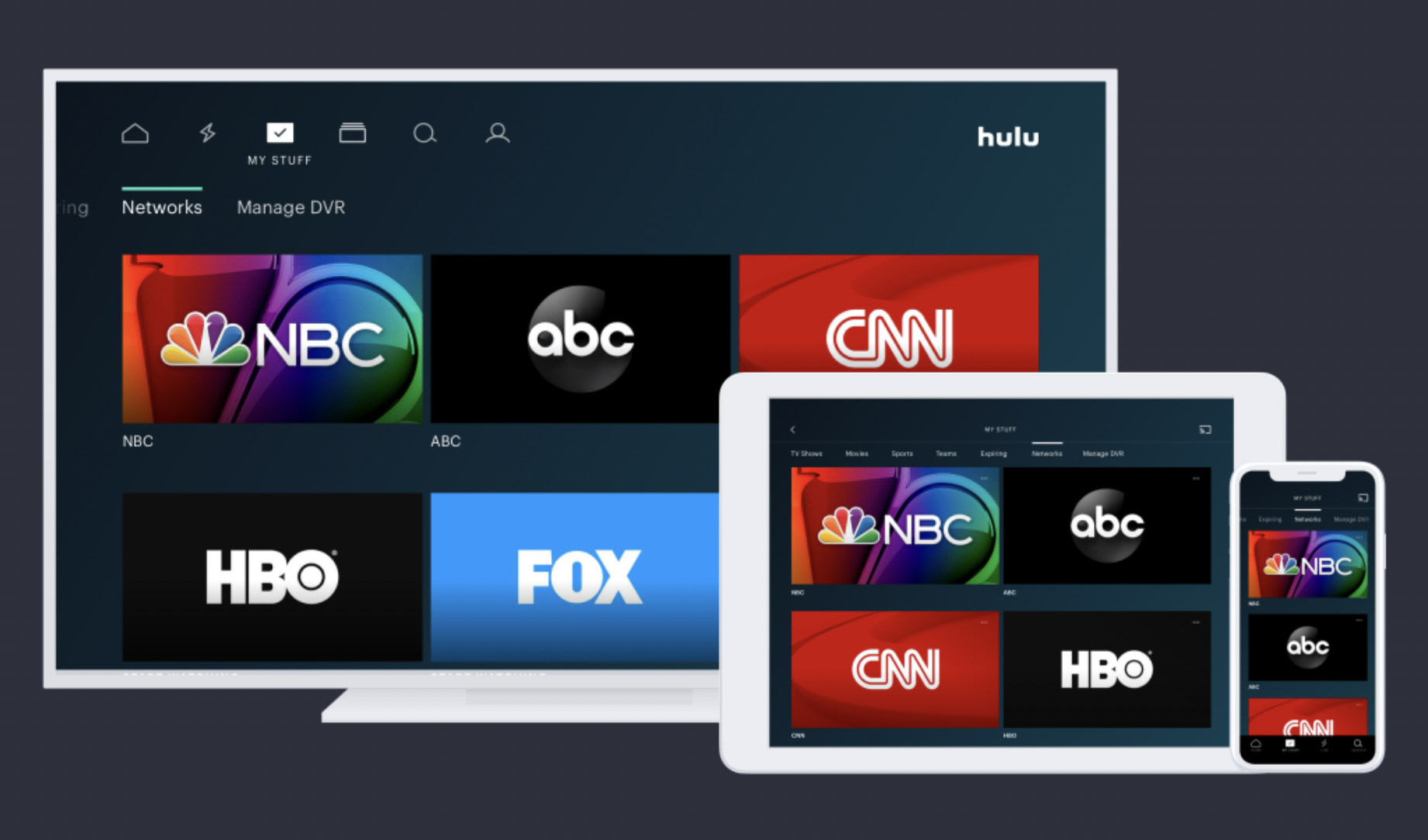
Hulu + Live TV is perhaps the most seamless way to access ABC, largely because both entities share a parent company: Disney. From a technical standpoint, Hulu + Live TV integrates the live ABC broadcast directly into the Hulu app UI.
- The Tech Advantage: Hulu uses an advanced recommendation engine that merges live broadcast data with on-demand metadata. This means if you miss a live airing of an ABC show, the system can instantly pivot you to the VOD (Video On Demand) version within the same interface.
- Cloud DVR: Hulu’s server-side recording allows users to save ABC programs to the cloud, removing the need for physical hard drive space on a local device.
YouTube TV: Cloud DVR and Multi-Device Compatibility
YouTube TV is often cited as the gold standard for streaming technology. It offers ABC in almost every US market with a focus on high-frame-rate streaming, which is crucial for the sports often broadcast on the network.
- The Tech Stack: YouTube TV utilizes Google’s massive global CDN (Content Delivery Network) to minimize latency. This is particularly important for live events like the Oscars or NBA games on ABC, where a 30-second delay could lead to “spoilers” via social media notifications.
- Unlimited Storage: Their proprietary cloud architecture allows for unlimited DVR storage, a feat of data management that sets it apart from competitors.
FuboTV and DirecTV Stream: High-Bitrate Alternatives
For viewers who prioritize image fidelity, FuboTV and DirecTV Stream offer ABC with high-bitrate streams. While ABC typically broadcasts in 720p or 1080i, these services use advanced transcoding algorithms to ensure that the image remains crisp even during high-motion scenes. FuboTV, in particular, has built a tech niche around “sports-first” features, offering multi-view capabilities on certain devices (like Apple TV) that allow you to watch ABC alongside other channels simultaneously.
The ABC App and Technical Access Requirements

Aside from third-party aggregators, ABC maintains its own proprietary digital infrastructure. The ABC App (and the ABC.com website) represents a “TV Everywhere” (TVE) solution, acting as a bridge between traditional credentials and modern mobility.
Authentication Protocols (TV Everywhere)
The ABC app operates on an authentication protocol known as OIDC (OpenID Connect) or SAML (Security Assertion Markup Language). When you “sign in with a provider,” the app does not see your password; instead, it receives a digital “token” from your streaming service (like YouTube TV or Fubo) or cable provider. This secure handshake confirms your subscription status and unlocks the live stream. This technology allows users to watch ABC on the go without being tethered to their home Wi-Fi network.
OS Compatibility: From Smart TVs to Mobile Interfaces
The engineering team behind the ABC app must maintain versions for a wide array of Operating Systems (OS). This includes:
- tvOS (Apple TV): Leveraging high-end processors for smooth UI transitions.
- Android TV / Google TV: Ensuring compatibility across diverse hardware from Sony to Hisense.
- Roku OS: Optimizing for lower-powered processors found in budget streaming sticks.
- Fire OS (Amazon): Integrating with Alexa for voice-activated channel switching.
Each of these platforms requires specific API integrations to ensure that features like “closed captioning” and “audio descriptions” meet accessibility standards while maintaining a high-performance stream.
Optimizing Your Hardware for High-Definition ABC Broadcasts
Streaming ABC is only as good as the hardware and network it runs on. To avoid the dreaded buffering wheel, certain technical standards should be met at the consumer level.
Streaming Sticks vs. Integrated Smart TV Apps
While most modern TVs come with a built-in ABC app or YouTube TV integration, dedicated streaming hardware often provides a superior experience. Devices like the Nvidia Shield TV or the Apple TV 4K possess superior GPUs (Graphics Processing Units) capable of better upscaling. Since ABC broadcasts in a lower native resolution than 4K, these devices use AI-driven upscaling to sharpen the image, making it look much closer to Ultra-HD on a large 4K screen.
Network Infrastructure: Bandwidth Requirements
To stream ABC in HD (1080p), a stable downstream of at least 10 Mbps is recommended. However, for a jitter-free experience—especially if multiple people in the household are using the internet—a 25 Mbps “overhead” per stream is safer.
- Ethernet vs. Wi-Fi: For live television, latency (ping) is as important as speed. Whenever possible, connecting a streaming device via a Cat6 Ethernet cable is preferable to Wi-Fi, as it eliminates signal interference from household appliances and walls.
- Wi-Fi 6 (802.11ax): If you must use wireless, upgrading to a Wi-Fi 6 router can significantly improve the delivery of high-bitrate video packets to your TV, reducing the “handshake” time when you first click on the ABC icon.
The Future of Network Broadcasting Technology
As we look toward the future, the way we access ABC is likely to evolve further through the integration of new broadcast standards and artificial intelligence.
ATSC 3.0 and the Evolution of Over-the-Air Signals
While this guide focuses on streaming, a new technology called ATSC 3.0 (branded as NextGen TV) is merging the worlds of broadcast and internet. ATSC 3.0 is an IP-based broadcast standard. This means that in the near future, an antenna could deliver ABC in 4K with Dolby Atmos sound, while simultaneously using your internet connection to provide interactive features, targeted advertising, and personalized content. It effectively turns “over-the-air” TV into a hybrid streaming service.

AI-Driven Personalization in Network Streaming
Artificial Intelligence is beginning to play a massive role in how ABC content is served. Algorithms now predict what you want to watch based on the time of day and your viewing history, pre-loading (caching) certain data to make the stream start instantly. Furthermore, AI is being used in the backend for “Dynamic Ad Insertion” (DAI). Instead of everyone seeing the same commercial on ABC, the streaming server injects a specific ad file into the stream in real-time based on your user profile, a feat of engineering that happens in milliseconds without interrupting the broadcast.
In summary, ABC is available on nearly all major live streaming platforms, including Hulu + Live TV, YouTube TV, FuboTV, and DirecTV Stream, as well as via its own dedicated app. By understanding the tech stack—from geo-location and authentication protocols to hardware optimization and the rise of ATSC 3.0—viewers can ensure they are getting the highest quality, most reliable access to one of the world’s most popular television networks.
aViewFromTheCave is a participant in the Amazon Services LLC Associates Program, an affiliate advertising program designed to provide a means for sites to earn advertising fees by advertising and linking to Amazon.com. Amazon, the Amazon logo, AmazonSupply, and the AmazonSupply logo are trademarks of Amazon.com, Inc. or its affiliates. As an Amazon Associate we earn affiliate commissions from qualifying purchases.