
In the modern era of high-speed fiber optics and 5G connectivity, the word “speed” is often used as a catch-all term for internet quality. When users run an internet speed test, their eyes instinctively gravitate toward the download and upload numbers, usually measured in Megabits per second (Mbps). However, there is a third metric—often overlooked but arguably more critical for a seamless digital experience: Ping.
While download speed determines how much data you can pull from the server at once, ping determines how quickly that data begins to move. In the tech industry, this is known as latency. Understanding ping is essential for anyone who relies on real-time digital interaction, from competitive gamers and remote professionals to stock traders and tech enthusiasts.

Understanding Ping: The Heartbeat of Your Internet Connection
At its most fundamental level, ping is a signal sent from one device to another on a network to see if it is reachable and how long it takes for a response to return. It is named after the sound a sonar makes on a submarine, reflecting the same principle of sending out a “pulse” and waiting for the echo.
What Exactly is Ping?
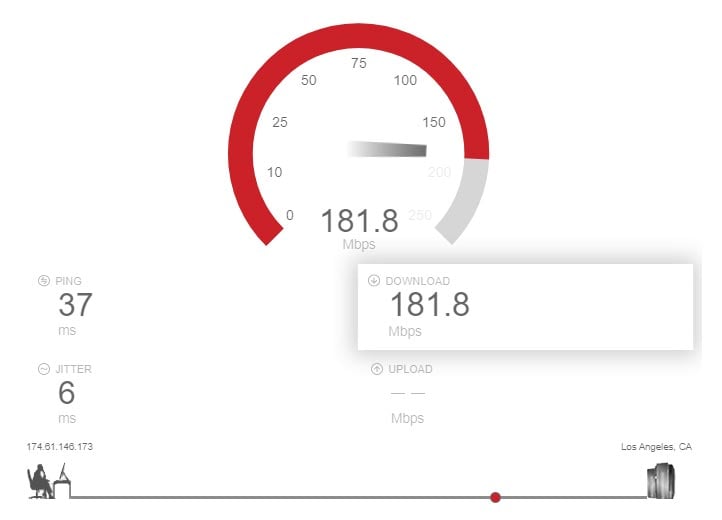
In technical terms, ping is a utility used to test the reachability of a host on an Internet Protocol (IP) network. When you run a speed test, your computer sends a small packet of data (an ICMP Echo Request) to a server. The server then sends an “Echo Reply” back. The time it takes for this round trip to occur is what we call ping.
It is measured in milliseconds (ms). A ping of 20ms means it took 20 thousandths of a second for the data to travel to the server and back to your device. While this sounds instantaneous, these milliseconds accumulate rapidly during complex digital tasks.
Latency vs. Bandwidth: The Difference Between Speed and Response
A common misconception in consumer tech is that high bandwidth equals a “fast” connection. To understand the difference, imagine a highway.
Bandwidth (Mbps) is the number of lanes on the highway. The more lanes you have, the more cars (data) can travel at the same time. This is why high bandwidth is great for downloading large files or streaming 4K video.
Ping (Latency) is the speed limit and the efficiency of the interchanges. Even if you have a 20-lane highway, if the cars are forced to stop at every exit or the road is incredibly long, it will still take a long time for a single car to get from Point A to Point B. For tasks that require instant feedback—like a video call—latency is more important than having “more lanes.”
How Ping is Measured in Speed Tests
Most speed tests measure ping in three stages:
- Idle Ping: The response time when your network is not being used.
- Download Latency: How the ping reacts when you are actively downloading data.
- Upload Latency: How the ping reacts when you are sending data out.
If your ping spikes significantly during download or upload tasks (a phenomenon known as “bufferbloat”), it indicates that your router or modem is struggling to manage traffic efficiently.
Why Ping Matters: Impact on Real-World Performance
Low latency is the “secret sauce” of a responsive internet experience. While you might not notice a high ping while browsing a static website or watching a pre-buffered YouTube video, it becomes a deal-breaker in interactive environments.
The Competitive Edge in Online Gaming
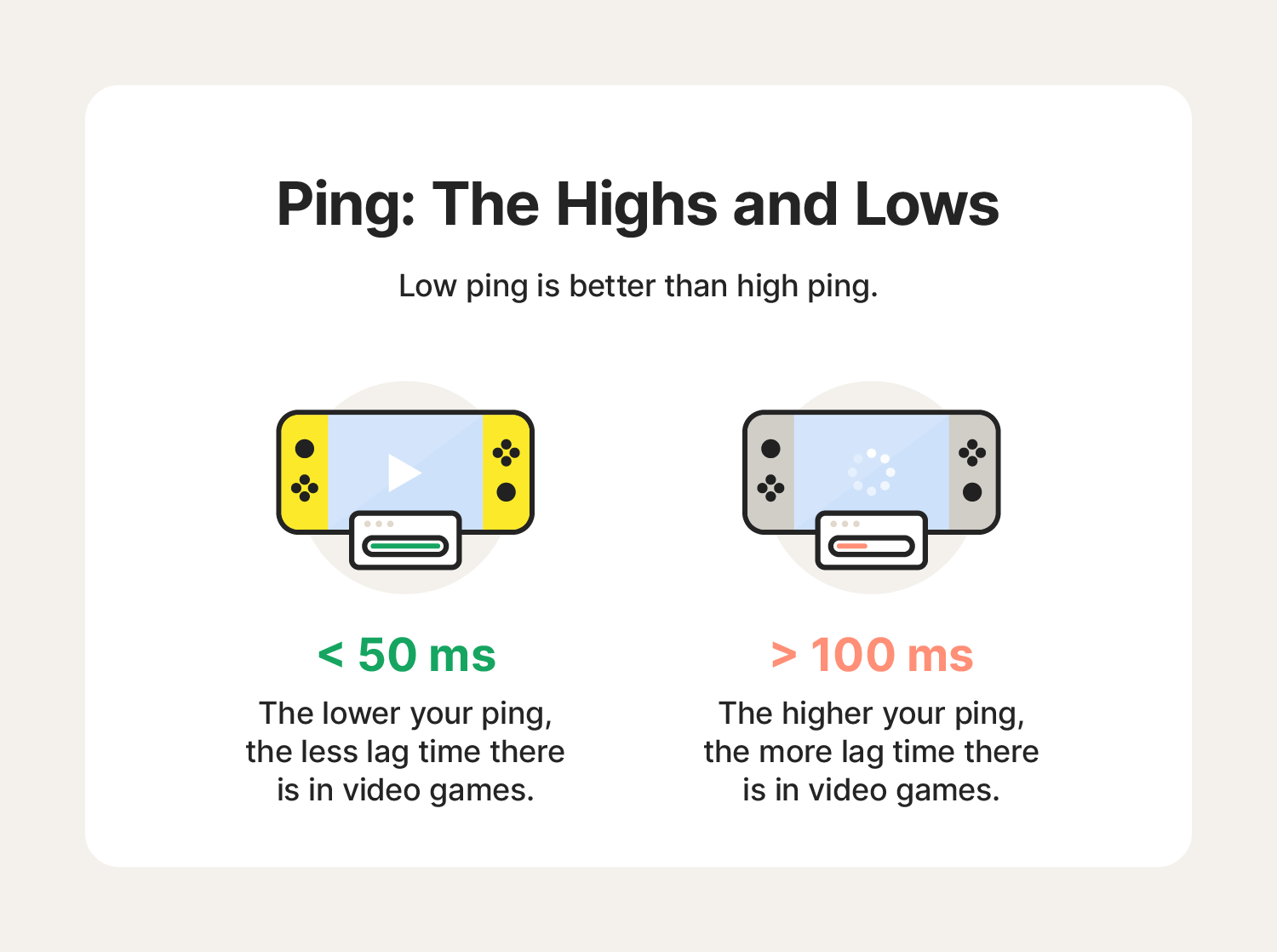
For the gaming community, ping is the ultimate metric. In fast-paced genres like First-Person Shooters (FPS) or Multiplayer Online Battle Arenas (MOBA), a difference of 50ms can be the difference between winning and losing.
If you have a high ping (often called “lagging”), your actions are delayed. You might click “fire” on your mouse, but by the time that signal reaches the game server and returns to you, your opponent has already moved. High ping results in “rubber-banding,” where your character appears to jump back to a previous position because the server and your client are out of sync.
Smooth Video Conferencing and VoIP
In the world of remote work, ping is what makes a Zoom or Microsoft Teams call feel natural. When latency is high, you experience audio lag. This leads to that awkward situation where two people start talking at the same time because neither realized the other had already begun speaking. If your ping is consistently above 150ms, voice-over-IP (VoIP) calls become nearly impossible to navigate effectively.
The Psychology of “Web Lag”
Even in general web browsing, ping affects the “snappiness” of the experience. Every time you click a link, your browser must perform a DNS lookup and establish a connection with a server. If the ping is high, there is a noticeable hesitation before the page begins to load. For tech-savvy users, a low-latency connection makes the internet feel like a local extension of their own computer rather than a distant resource.
Factors That Influence Your Ping Score
Several physical and technical variables determine how high or low your ping will be. Some are within your control, while others are inherent to the infrastructure of the internet.
Physical Distance and Server Location
The most significant factor in latency is the speed of light. Data cannot travel faster than light, and while fiber optics use light to transmit data, the signal still has to travel through thousands of miles of glass cabling and various routers.
If you are in New York and trying to connect to a server in London, your ping will inherently be higher than if you were connecting to a server in New Jersey. This is why many online services and games allow you to choose “regions” to ensure you are connected to the closest possible data center.
Connection Types: Fiber, Cable, and Satellite
The medium through which your data travels matters immensely:
- Fiber Optic: The gold standard. It offers the lowest latency because it uses light signals and has massive capacity.
- Cable (DOCSIS): Generally good, but latency can increase during peak hours when many neighbors are using the same node.
- Satellite: Historically the worst for ping. Because the signal must travel to space and back (Starlink has improved this by using Low Earth Orbit satellites, but it still struggles to match terrestrial fiber).
Hardware Constraints: Routers and Network Cards
Your home network setup is often a bottleneck. Old routers with outdated firmware cannot process packets as quickly as modern Wi-Fi 6 or 6E routers. Furthermore, the “Quality of Service” (QoS) settings on a router can prioritize certain types of traffic (like gaming) to keep ping low even when others are using the network.
How to Interpret and Improve Your Speed Test Results
When you hit “Go” on a speed test, you need to know what the numbers actually mean for your specific needs.
What is a “Good” Ping?
- < 20ms: Excellent. This is the ideal range for professional gaming and high-end tech applications.
- 20ms – 50ms: Very Good. You will not notice any lag in 99% of activities.
- 50ms – 100ms: Average. Acceptable for most users, though gamers might start to feel a slight delay.
- 100ms – 150ms: Functional but sluggish. Noticeable lag in calls and gaming.
- > 150ms: Poor. Significant “lag” will occur in any real-time application.
Jitter: The Hidden Enemy of Stability
While running a speed test, you might see a metric called “Jitter.” Jitter is the variance in your ping over time. If your ping is 20ms, then 100ms, then 20ms again, you have high jitter. For streaming and gaming, a steady 50ms ping is actually better than a ping that fluctuates wildly between 10ms and 100ms, as the inconsistency causes stuttering.
Actionable Tips to Lower Your Ping
If your speed test reveals a high ping, consider these steps:
- Use an Ethernet Cable: Wi-Fi is prone to interference and signal degradation. A hardwired connection is almost always faster and more stable.
- Close Background Applications: Programs like BitTorrent, cloud backups (OneDrive/Dropbox), or high-def updates can saturate your connection and increase latency.
- Update Your Firmware: Ensure your router and network adapters are running the latest software to optimize packet handling.
- Restart Your Hardware: The “turn it off and on again” trope exists for a reason; clearing the cache on your modem and router can resolve routing inefficiencies.
The Future of Latency: 5G and Edge Computing
The tech industry is currently obsessed with “ultra-low latency,” and for good reason. We are entering an era where high ping isn’t just a nuisance—it’s a barrier to innovation.
How 5G is Revolutionizing Mobile Response Times
While 4G LTE offered decent download speeds, its latency was often high (50ms+). 5G technology is designed to bring latency down to sub-10ms levels. This is critical for the development of autonomous vehicles, which need to communicate with traffic signals and other cars in real-time to make split-second safety decisions.
Edge Computing: Bringing the Data Closer
To combat the physical limitations of distance, the tech world is moving toward “Edge Computing.” Instead of having one massive data center in a single city, companies are placing smaller servers at the “edge” of the network—physically closer to the end-user. By shortening the physical distance data must travel, companies can provide nearly instantaneous response times for AI tools, augmented reality (AR), and cloud gaming services like Xbox Cloud Gaming or NVIDIA GeForce Now.
Conclusion
Ping is more than just a number on a speed test; it is a vital indicator of the health and responsiveness of your digital life. As we move toward a future defined by the “Internet of Things” (IoT), remote surgery, and the Metaverse, the focus will shift away from how much data we can download and toward how quickly we can interact with that data. By understanding and optimizing your ping, you ensure that your technology works for you at the speed of thought, rather than leaving you waiting for the “echo.”
aViewFromTheCave is a participant in the Amazon Services LLC Associates Program, an affiliate advertising program designed to provide a means for sites to earn advertising fees by advertising and linking to Amazon.com. Amazon, the Amazon logo, AmazonSupply, and the AmazonSupply logo are trademarks of Amazon.com, Inc. or its affiliates. As an Amazon Associate we earn affiliate commissions from qualifying purchases.