
In the contemporary digital era, we often quantify the quality of our internet connection by a single metric: speed. We look for high megabits per second (Mbps) to ensure our 4K movies stream without buffering and our large files download in seconds. However, there is a silent, often overlooked hero in the world of networking that determines the actual “feel” of your online experience. That metric is “ping.”
Whether you are a professional gamer requiring frame-perfect precision, a remote executive relying on seamless video conferencing, or a tech enthusiast curious about the mechanics of data transmission, understanding ping is essential. It is the heartbeat of your internet connection, representing the responsiveness and stability of the digital bridges we cross every day.
What is Ping? Decoding the Language of Latency
To the average user, the internet feels like an instantaneous ocean of information. In reality, every action you take online involves a physical journey of data packets traveling across thousands of miles of fiber-optic cables, routers, and switches. Ping is the measurement of this journey’s duration.
The Definition and Origin of Ping
Technically known as “latency,” ping is the time it takes for a small set of data (a packet) to travel from your device to a server on the internet and then back to your device. It is measured in milliseconds (ms). The lower the number, the more responsive the connection.
The term “ping” itself finds its roots in sonar technology. Submarines send out an acoustic pulse—a “ping”—and listen for the echo bouncing off nearby objects to determine their distance and location. In the networking world, Mike Muuss created the PING utility in 1983 to troubleshoot network problems, utilizing the same concept: sending a digital signal to see if a remote host is “alive” and how long it takes to hear back.
How Ping Works: The Request and Response Cycle
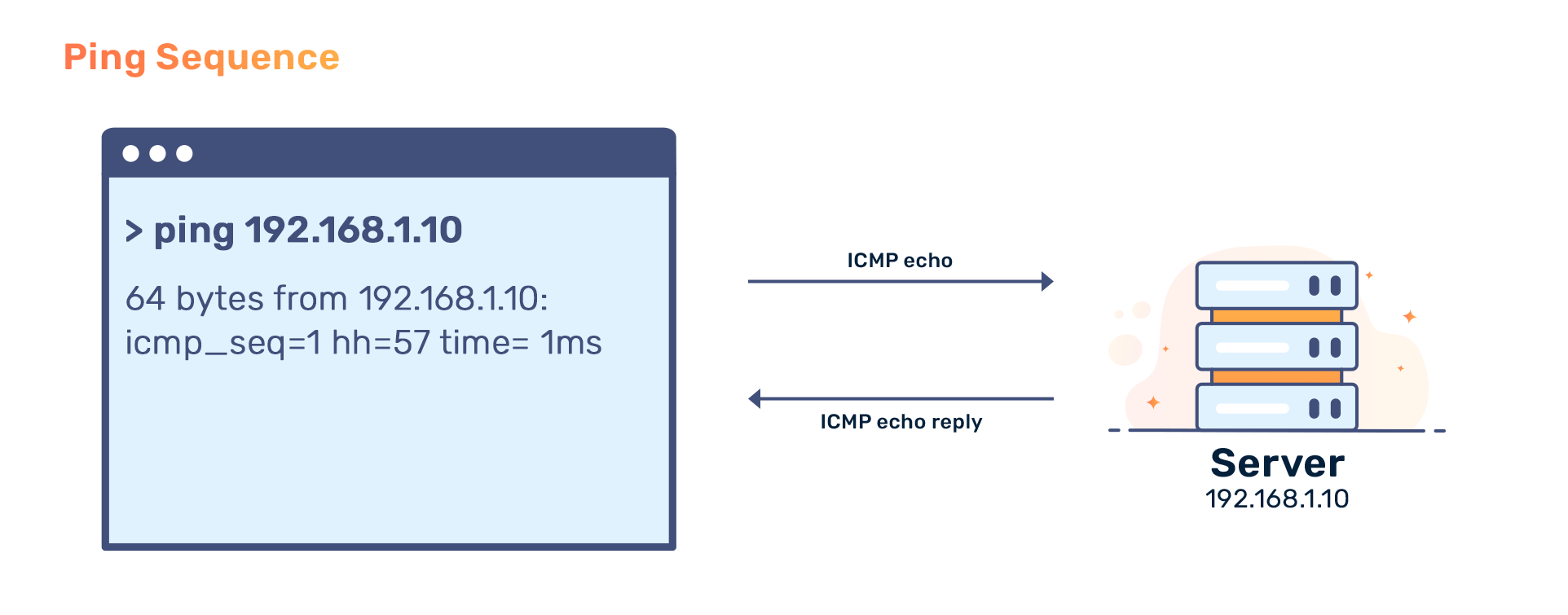
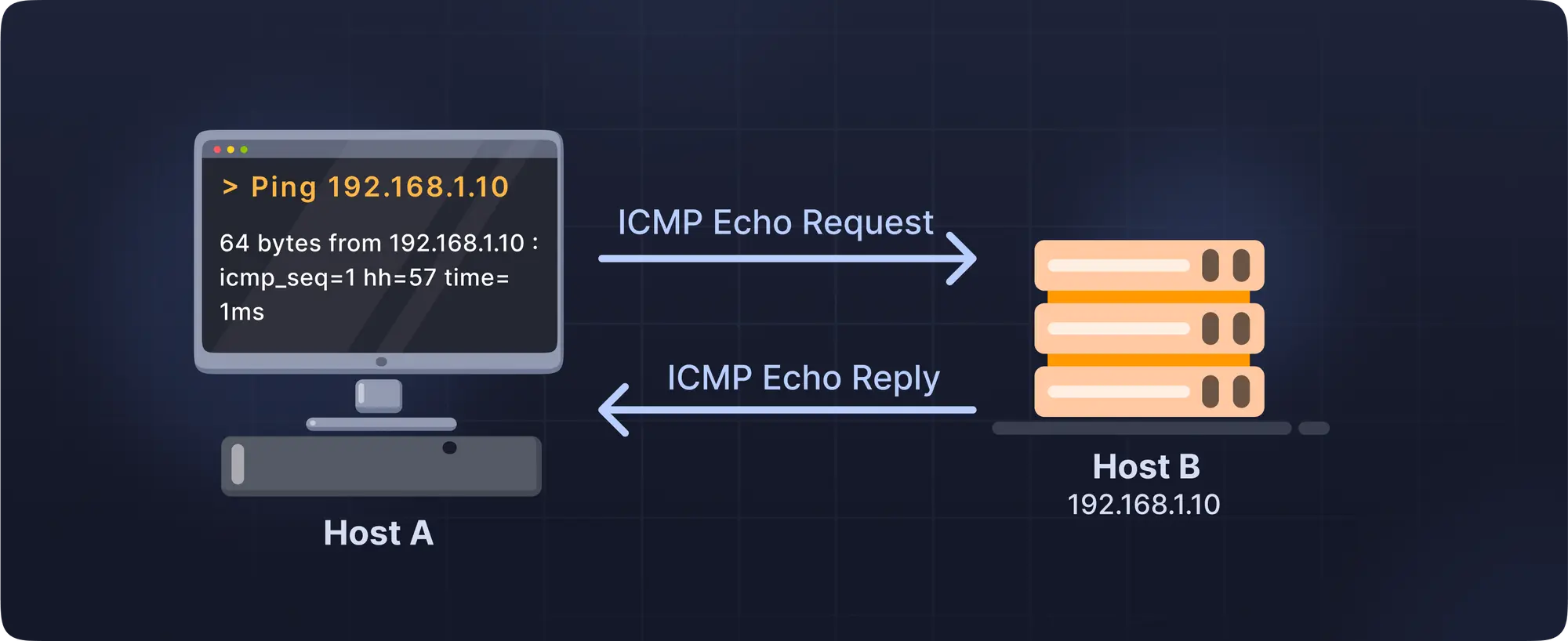
The mechanics of a ping involve the Internet Control Message Protocol (ICMP). When you initiate a ping—either through a speed test or a command-line interface—your computer sends an “Echo Request” packet to a specific IP address.
Once that packet reaches the destination server, the server acknowledges it by sending an “Echo Reply” packet back to the sender. The total “round-trip time” (RTT) is recorded. If the packet fails to return, it is referred to as “packet loss,” which is a primary cause of stuttering and disconnected sessions in online applications.
Why Ping Matters in the Modern Digital Landscape
High-speed bandwidth is like the width of a highway; it determines how many cars (data) can travel at once. Ping, on the other hand, is the speed limit and the lack of traffic lights. Even if you have a massive 1Gbps connection, a high ping will make the internet feel sluggish and unresponsive.
The Critical Role of Ping in Online Gaming
In the world of competitive e-sports and online gaming, ping is often the difference between victory and defeat. In fast-paced titles like Counter-Strike, Valorant, or League of Legends, player actions are processed in real-time.
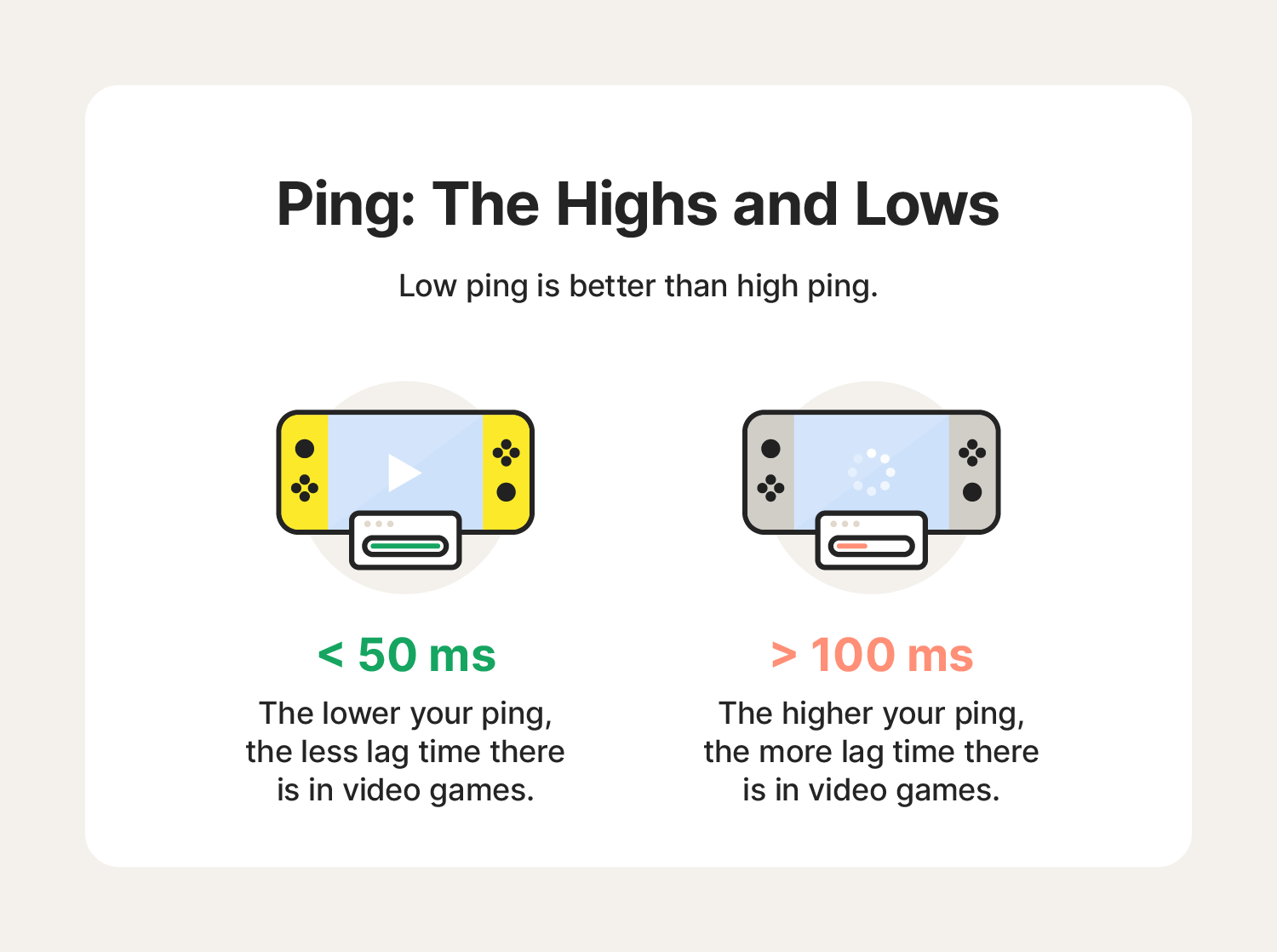
If a player has a ping of 20ms, their actions are registered by the server almost instantly. However, if a competitor has a ping of 150ms, there is a noticeable delay. This discrepancy results in “lag,” where a player might see an opponent in one position, only to realize the opponent has already moved. For gamers, “low latency” is the ultimate goal, often prioritized even over high-resolution graphics.
Ping and Remote Work: Video Conferencing and Stability
As remote work becomes a global standard, tools like Zoom, Microsoft Teams, and Google Meet have become essential. These platforms rely on real-time data streaming. Unlike a Netflix movie, which can “buffer” (download a few minutes of video ahead of time), a live conversation cannot be buffered.
High ping in a video call leads to awkward pauses, “talking over” one another due to delays, and desynchronized audio and video. When latency fluctuates wildly—a phenomenon known as “jitter”—the call quality degrades further, leading to robotic voices and frozen frames. A stable, low-ping connection is the bedrock of professional digital communication.
Streaming and General Browsing Performance
While high ping is less detrimental to watching YouTube or scrolling through social media, it still affects the “snappiness” of the experience. Every time you click a link, your browser must perform a DNS lookup and establish a handshake with a server. If your ping is high, there is a perceptible delay between the click and the page beginning to load. In a world optimized for instant gratification, even a 200ms delay can make a website feel broken or poorly optimized.
The Factors Influencing Your Connection Speed and Response Time
Ping is not a static number; it is influenced by a complex web of geographical and technical factors. Understanding these variables can help users diagnose why their connection feels slow despite paying for high-speed internet.
Physical Distance and the Speed of Light
The most significant factor in latency is distance. Even though data travels at roughly two-thirds the speed of light through fiber-optic cables, the laws of physics still apply. A signal traveling from New York to London and back will inherently have a higher ping than a signal traveling across the street. This is why many software companies use Content Delivery Networks (CDNs) to host data on servers physically closer to the end-user.
Network Congestion and Hardware Limitations
The “path” between you and a server is rarely a straight line. Your data packets must pass through various “hops”—routers and switches owned by different Internet Service Providers (ISPs). If any of these nodes are congested with high traffic, your data sits in a “queue,” increasing your ping. Furthermore, outdated home hardware, such as an aging router or a low-quality network interface card, can add processing delay to every packet sent and received.
The Impact of Connection Type: Fiber vs. Cable vs. Wi-Fi
The medium through which your data travels matters immensely.
- Fiber Optics: The gold standard. Fiber uses light signals, which are highly resistant to interference and travel with minimal latency.
- Cable/DSL: These use copper wires. While effective, they are more susceptible to electromagnetic interference and signal degradation over distance.
- Satellite: Historically the worst for ping. Because signals must travel to space and back, pings are often 500ms or higher, making real-time interaction nearly impossible.
- Wi-Fi vs. Ethernet: Wi-Fi introduces “wireless interference” from walls, microwaves, and other devices. For the lowest possible ping, a hardwired Ethernet connection is always superior because it eliminates the variability of radio waves.
How to Measure and Interpret Ping Results
Knowing how to check your ping is the first step in troubleshooting a poor connection. Most users are familiar with web-based speed tests, but tech professionals often dive deeper.
Using Command-Line Tools (CMD and Terminal)
Every major operating system includes a built-in ping tool. By opening the Command Prompt (Windows) or Terminal (macOS/Linux) and typing ping google.com, you can see a real-time readout of your latency. This tool provides the minimum, maximum, and average RTT, as well as the percentage of packet loss. It is a raw, unvarnished look at your connection’s health without the overhead of a web browser.
Interpreting the Numbers: What is a “Good” Ping?
The definition of “good” depends on the activity:
- < 20ms: Excellent. Ideal for professional gaming and high-end tech applications.
- 20ms – 50ms: Very Good. The standard for high-quality broadband; perfect for all residential needs.
- 50ms – 100ms: Average. Noticeable in fast-paced gaming but perfectly fine for web browsing and video calls.
- 100ms – 250ms: Poor. Noticeable lag in most real-time applications.
- > 250ms: Bad. Frequent “timeouts,” stuttering video, and a frustrating user experience.
Practical Strategies to Lower Ping and Improve Performance
If you find your ping is consistently high, there are several technical interventions you can take to optimize your digital environment.
Optimizing Local Hardware and Software Settings
Start with the basics: restart your router. Routers can suffer from memory leaks or overheated processors that slow down packet handling. Secondly, ensure your network drivers are updated. In some cases, background applications—such as Windows Updates or cloud syncing services like Dropbox—can saturate your upload bandwidth, causing “bufferbloat,” which spikes your ping.
Gamers should also look into “Quality of Service” (QoS) settings on their routers. QoS allows you to prioritize specific types of traffic (like gaming or VoIP) over less time-sensitive data (like file downloads), ensuring your most important packets get to the front of the line.
Choosing the Right ISP and Service Tier
Not all ISPs are created equal. Some utilize more direct routing paths to major internet hubs, while others may “throttle” certain types of traffic or route data through inefficient circuits to save on costs. If low latency is a priority for your profession or lifestyle, researching ISPs that offer “Fiber to the Home” (FTTH) is the single most effective way to permanently lower your ping.
In conclusion, while download speeds capture the headlines, ping is the metric that truly defines the quality of our digital lives. By understanding what ping is, how it is measured, and what factors influence it, we can better navigate the complexities of the modern web and ensure our connection to the world remains as seamless and responsive as possible.
aViewFromTheCave is a participant in the Amazon Services LLC Associates Program, an affiliate advertising program designed to provide a means for sites to earn advertising fees by advertising and linking to Amazon.com. Amazon, the Amazon logo, AmazonSupply, and the AmazonSupply logo are trademarks of Amazon.com, Inc. or its affiliates. As an Amazon Associate we earn affiliate commissions from qualifying purchases.