
In today’s digitally interconnected world, social media platforms have become indispensable tools for communication, entertainment, and even professional growth. Among the most dominant and visually driven platforms is Instagram. Whether you’re looking to share your life’s moments with friends and family, build a personal brand, or explore the latest trends in fashion, food, or travel, Instagram offers a vibrant ecosystem. This comprehensive guide will walk you through the simple yet essential process of installing Instagram, ensuring you’re ready to dive into its world of visual storytelling and community engagement.
Understanding the Instagram Ecosystem: More Than Just an App
Before we delve into the “how-to” of installation, it’s beneficial to understand what makes Instagram such a powerful platform. At its core, Instagram is a mobile-first application focused on photo and video sharing. However, its influence extends far beyond mere content posting, touching upon various aspects of our digital lives:
The Tech Foundation: An App Designed for Engagement
Instagram’s success is deeply rooted in its technological underpinnings. Developed by Meta Platforms, it’s a sophisticated piece of software designed for seamless user experience.
- App Architecture: Instagram is primarily an app-based platform, meaning its full functionality is best experienced on a smartphone or tablet. This design choice prioritizes quick photo and video capture, editing, and sharing, leveraging the mobile device’s camera and processing power. The app is meticulously optimized for both iOS and Android operating systems, ensuring broad accessibility.
- AI and Machine Learning: Behind the scenes, artificial intelligence and machine learning play a crucial role in curating your feed, suggesting content you might like, and identifying potential policy violations. This personalization makes the platform engaging, while also aiding in content moderation.
- Digital Security: As with any online service, digital security is paramount. Instagram implements various measures to protect user accounts, including two-factor authentication and tools to report suspicious activity. Understanding these features is vital for a safe experience.
- Productivity and Creativity Tools: Beyond basic sharing, Instagram offers a suite of built-in editing tools, filters, and creative features like Stories, Reels, and Live videos. These tools empower users to produce high-quality content with ease, fostering creativity and enhancing productivity in content creation.
The Brand Powerhouse: Building Presence and Reputation
For individuals and businesses alike, Instagram has evolved into a critical platform for brand building and marketing.
- Personal Branding: Individuals can use Instagram to showcase their talents, expertise, and personality, cultivating a unique personal brand. This can lead to networking opportunities, collaborations, and even career advancements.
- Corporate Identity and Marketing: Businesses leverage Instagram to connect with their target audience, build brand loyalty, and drive sales. Through visually appealing content, strategic campaigns, and influencer collaborations, companies can effectively communicate their brand identity and marketing messages.
- Reputation Management: The platform also serves as a space for reputation management. Businesses can engage with customer feedback, address concerns publicly, and showcase positive testimonials, thereby shaping their public perception.
- Case Studies in Success: Numerous brands have achieved remarkable success by mastering Instagram marketing. Analyzing these case studies provides invaluable insights into effective strategies for content creation, community engagement, and campaign execution.
The Financial Nexus: Opportunities for Income and Investment
While not a direct financial platform in the traditional sense, Instagram has opened up significant avenues for income generation and has a tangential relationship with personal finance and business finance.
- Online Income and Side Hustles: For many, Instagram has become a primary source of online income. Influencers, content creators, and small businesses generate revenue through sponsored posts, affiliate marketing, selling their own products or services, and even through direct monetization features offered by the platform. It’s a fertile ground for side hustles that can potentially grow into full-time ventures.
- Financial Tools and Business Growth: While Instagram itself isn’t a financial management tool, businesses operating on the platform often utilize various financial tools to track sales, manage expenses, and analyze their return on investment from marketing efforts. Understanding the financial implications of marketing strategies on Instagram is crucial for sustainable growth.
- Personal Finance Through Inspiration: For individuals, Instagram can be an inspiring place to learn about personal finance, investing, and wealth-building. Many financial educators and influencers share valuable tips and strategies, demystifying complex financial concepts and encouraging better money management.
Installing Instagram: A Step-by-Step Journey
Now that you understand the breadth of Instagram’s impact, let’s get down to the practicalities of installing the app. The process is straightforward and differs slightly depending on whether you’re using an iOS device (like an iPhone or iPad) or an Android device.
Installing Instagram on iOS (iPhone/iPad)
For Apple users, the App Store is your gateway to all applications.
- Locate the App Store: Find the blue “App Store” icon on your iPhone or iPad’s home screen. Tap to open it.
- Search for Instagram: Once the App Store is open, tap on the “Search” tab, usually located at the bottom right corner of the screen. In the search bar at the top, type “Instagram” and tap the search button on your keyboard.
- Identify the Official App: Look for the official Instagram app, typically represented by its iconic camera logo. It will be listed along with its developer (Meta Platforms, Inc.) and ratings.
- Download and Install: Tap the “Get” button next to the Instagram app. You may be prompted to authenticate your download using your Apple ID password, Face ID, or Touch ID.
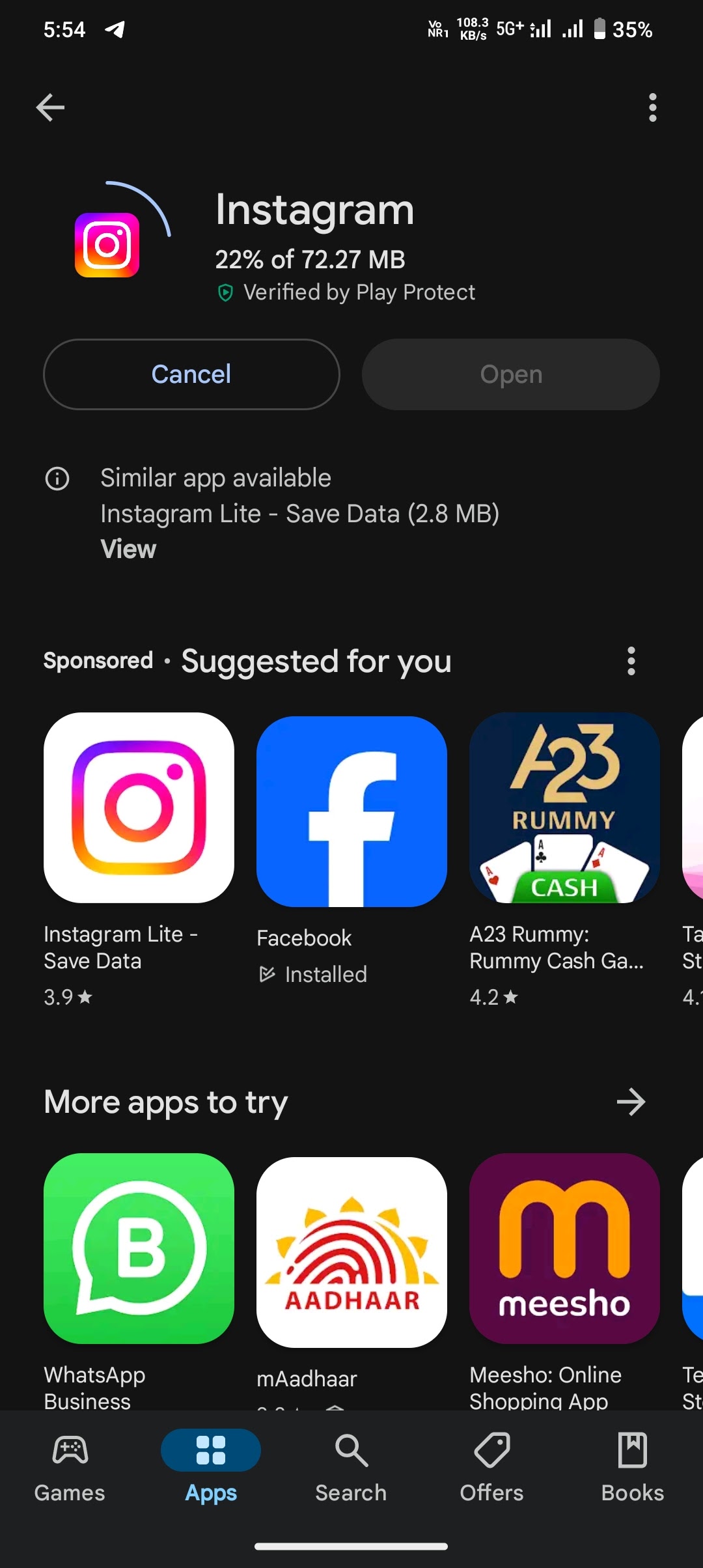
- Wait for Installation: The app will begin downloading and installing automatically. You’ll see a progress indicator on the app icon.
- Open Instagram: Once installed, the “Get” button will change to “Open.” Tap it to launch Instagram.
Installing Instagram on Android Devices
For Android users, the Google Play Store is the primary source for app downloads.
- Locate the Google Play Store: Find the “Play Store” icon on your Android device’s home screen or app drawer. It’s usually a colorful triangle. Tap to open it.
- Search for Instagram: In the Play Store, tap on the search bar at the top of the screen. Type “Instagram” and then tap the search icon or magnifying glass.
- Identify the Official App: Similar to iOS, look for the official Instagram app with its distinctive camera logo and developer information (Meta Platforms, Inc.).
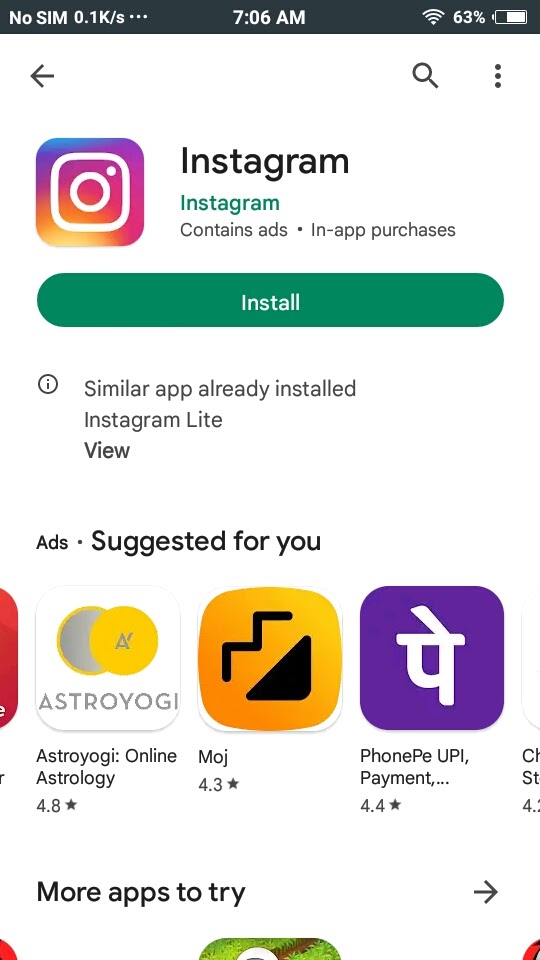
- Install the App: Tap the “Install” button. The app will begin downloading and installing onto your device.
- Grant Permissions: During the installation process, or upon first launch, Instagram may request certain permissions (e.g., access to your camera, microphone, contacts, or storage). Review these permissions carefully and grant what you are comfortable with. For full functionality, granting access to your camera and storage is essential.
- Launch Instagram: Once the installation is complete, you’ll see an “Open” button. Tap it to start using Instagram.
Setting Up Your Instagram Profile: Making Your Mark
After successfully installing the app, the next crucial step is to set up your profile. This is your digital identity on the platform and plays a significant role in how others perceive you.
Creating Your Account
When you first open Instagram, you’ll be presented with options to log in or sign up.
- Sign Up with Email or Phone Number: Tap “Sign Up.” You can choose to sign up using your email address or mobile phone number. Enter the required information.
- Create a Username and Password: You’ll need to choose a unique username (your handle, which starts with “@”) and a strong password. Your username is how other users will find and tag you. Try to make it memorable and reflective of you or your brand.
- Complete Your Profile: Instagram will guide you through setting up your profile, which typically includes:
- Full Name: This is your real name or the name of your business.
- Profile Picture: Upload a clear, high-quality image that represents you or your brand.
- Bio: Write a concise and engaging bio (up to 150 characters) that tells people who you are or what you do. You can include relevant hashtags and even a link to your website or other social media profiles.
- Connecting with Facebook (Optional): You can choose to connect your Instagram account to your Facebook account, which can help you find friends who are already on Instagram and enable easier cross-posting.
Exploring Initial Settings and Discovering Content
Once your profile is set up, you’ll land on the Instagram feed. Take some time to familiarize yourself with the interface.
- Navigation Bar: At the bottom of the screen, you’ll find the main navigation bar with icons for Home, Search, Reels, Shopping, and your Profile.
- Following and Discovering: To start seeing content, you’ll need to follow other users. You can search for friends, celebrities, brands, or explore trending topics and accounts through the Search tab. Instagram’s algorithm will also begin suggesting accounts based on your initial interactions.
- Privacy Settings: Consider your privacy. You can choose to make your account public (anyone can see your posts) or private (only approved followers can see your posts). Access these settings through your profile by tapping the three horizontal lines (menu) in the top right corner, then “Settings and privacy.”
Leveraging Instagram for Your Goals: Beyond the Installation
Installing Instagram is just the first step. The true value lies in how you utilize the platform to achieve your personal and professional objectives.
Building Your Brand and Community
- Content Strategy: Plan the type of content you want to share. Is it personal photos, professional updates, artistic creations, or product showcases? Consistency in your aesthetic and messaging is key.
- Engagement: Interact with your followers and other users. Like, comment, and share posts that resonate with you. Respond to comments and direct messages promptly.
- Utilizing Features: Experiment with Stories for ephemeral updates, Reels for short-form video, and Live for real-time interaction.
Monetization and Business Opportunities
- E-commerce Integration: If you’re a business, explore Instagram Shopping to tag products and make them directly purchasable.
- Influencer Marketing: As an individual with a following, you might explore partnerships with brands. As a business, consider collaborating with influencers to reach new audiences.
- Analytics: Utilize Instagram Insights (available for business and creator accounts) to understand your audience, track post performance, and refine your strategy.
By following these steps and understanding the multifaceted nature of Instagram, you’re well on your way to becoming an active and engaged member of this dynamic social media landscape. Happy posting!
aViewFromTheCave is a participant in the Amazon Services LLC Associates Program, an affiliate advertising program designed to provide a means for sites to earn advertising fees by advertising and linking to Amazon.com. Amazon, the Amazon logo, AmazonSupply, and the AmazonSupply logo are trademarks of Amazon.com, Inc. or its affiliates. As an Amazon Associate we earn affiliate commissions from qualifying purchases.