
In the expansive landscape of digital design and engineering, the complexity of a project is often reflected in the file formats used to build it. While the average user is familiar with PDFs or JPEGs, professionals in architecture, engineering, and construction (AEC) operate in a realm of high-precision data. At the heart of many of the world’s most significant infrastructure projects—from high-speed railways to massive hydroelectric dams—lies the DGN file.
A DGN file (short for “design”) is the native file format used by Bentley Systems’ MicroStation and other Intergraph-based software. It is a robust, highly scalable format specifically engineered to handle the massive datasets required for large-scale infrastructure. Unlike standard graphic files, a DGN file is a repository of geometric data, metadata, and spatial relationships that allow engineers to simulate reality with millimeter precision.

The Evolution and Architecture of DGN Files
To understand what a DGN file is, one must first understand its evolution. The format has undergone significant transformations to keep pace with the increasing demands of modern computing and global infrastructure needs.
From V7 to V8: A Paradigm Shift
Historically, the DGN format was divided into two major versions: V7 and V8. The V7 format, which was the industry standard for decades, was based on an older 32-bit architecture. While revolutionary for its time, it had inherent limitations, such as a maximum file size and a restricted number of levels (layers).
The release of DGN V8 marked a turning point in CAD technology. Bentley Systems redesigned the format to be based on the IEEE floating-point standard, effectively removing the constraints of the V7 era. The V8 format allows for a virtually unlimited number of levels, an enormous coordinate system range, and much larger file sizes. Crucially, Bentley ensured that the V8 format remained stable; it has served as the core standard for over two decades, providing a level of data longevity that is rare in the tech world.
The Internal Data Structure
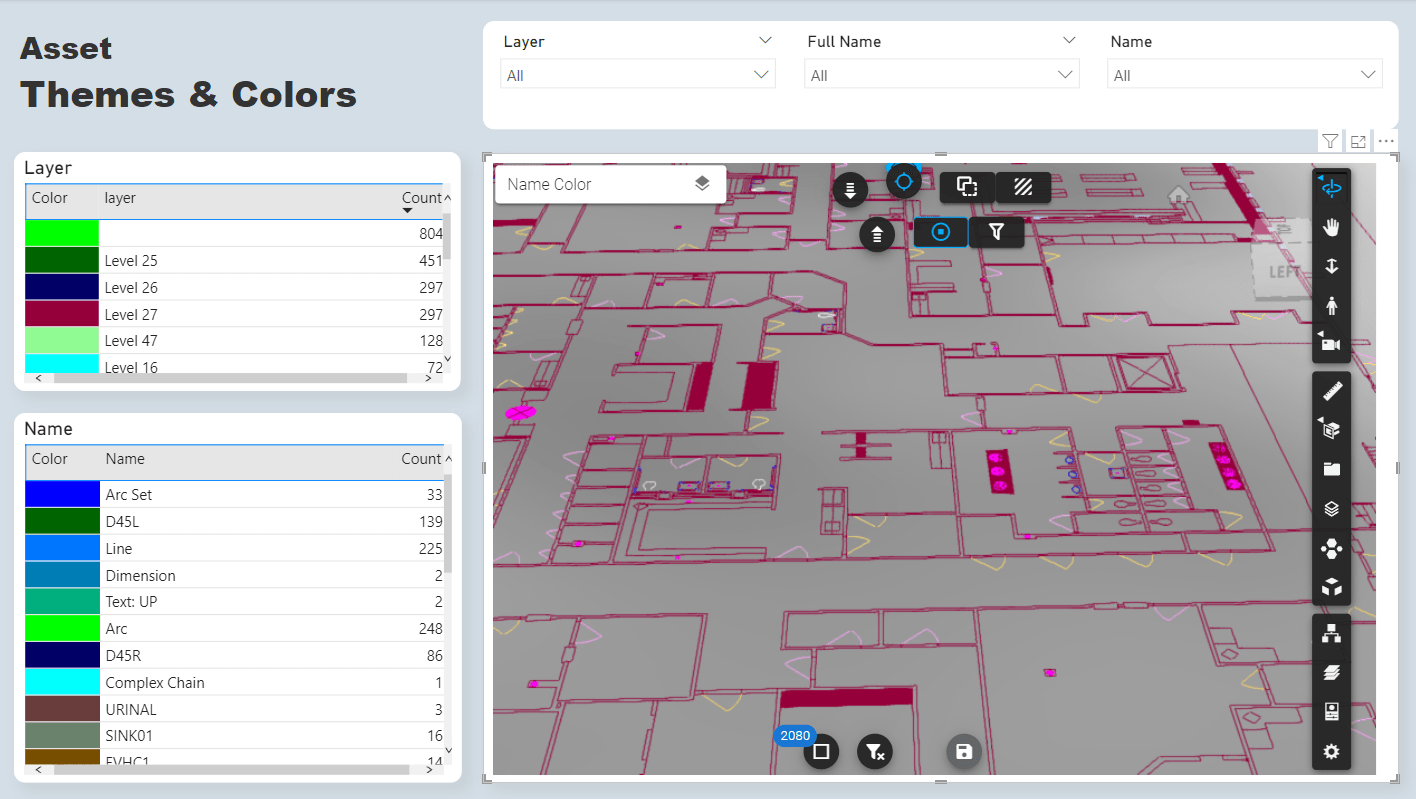
Internally, a DGN file is more than just a drawing. It is structured as a container of “models.” Within a single DGN file, a user can host multiple 2D and 3D models, each with its own scale and orientation. This hierarchical structure allows for complex project management within a single file environment. The data is stored in “elements”—the fundamental building blocks such as lines, arcs, shapes, and complex 3D solids. Each element carries not only visual attributes (like color and weight) but also non-graphical business data (attributes), making it a precursor to modern Building Information Modeling (BIM).
DGN vs. DWG: Navigating the CAD Ecosystem
In the world of Computer-Aided Design (CAD), the competition between Bentley’s DGN and Autodesk’s DWG format is legendary. While both serve the purpose of digital drafting, they cater to slightly different philosophies and industrial niches.
Architectural Philosophies
The primary difference lies in how they handle data. DWG is often seen as the “de facto” standard for general architecture and mechanical drafting due to the ubiquity of AutoCAD. However, DGN is frequently the preferred choice for massive-scale civil engineering. The DGN format was built from the ground up to support “reference files” (XREFs) with incredible efficiency. In large projects where hundreds of engineers must work on different sections of a single bridge or city plan, the DGN format’s ability to link files without slowing down the system is a significant technical advantage.
Interoperability and Compatibility
For a long time, moving data between DGN and DWG was a source of friction for tech teams. However, the Open Design Alliance (ODA) and direct collaboration between Bentley and Autodesk have streamlined this process. Modern versions of MicroStation can open, edit, and save DWG files natively, and AutoCAD has improved its DGN import/export capabilities. Despite this, “round-tripping”—converting a file back and forth—can still result in data loss or “proxy objects” if the specific metadata of the DGN format (like complex line styles or specific cell libraries) doesn’t have a direct equivalent in the DWG environment.
Industry Applications and Use Cases
The DGN file is rarely used for simple house plans or small-scale product design. Instead, its “Tech DNA” is woven into the most complex engineering feats on the planet.
Large-Scale Infrastructure and Civil Engineering
The DGN format is the standard for Departments of Transportation (DOTs) across the United States and global engineering firms. When designing a highway interchange, the software must account for the curvature of the Earth, complex drainage systems, and precise topographic data. The DGN format’s high-precision coordinate system ensures that when two sections of a tunnel meet under a mountain, they align perfectly. Its ability to handle “federated models”—where various disciplines (electrical, structural, environmental) overlay their designs—makes it indispensable for civil works.
Plant Design and Industrial Modeling
In the oil, gas, and power industries, DGN files are used to manage “Intelligent Models” of refineries and power plants. These are not just visual representations; every pipe, valve, and pump in a DGN-based plant model is linked to a database. This allows engineers to perform “clash detection” (identifying if a pipe occupies the same space as a structural beam) and manage the lifecycle of the asset. The format’s stability is key here; a nuclear power plant may have a lifespan of 60 years, and the engineering data must remain accessible and accurate throughout that entire duration.
How to Access and Manipulate DGN Data
For those outside the immediate sphere of Bentley Systems software, accessing DGN files requires specific tools. As a specialized format, it demands professional-grade software for full interaction, though viewing options are more accessible.
Professional CAD Software
The primary tool for creating and editing DGN files is MicroStation. However, Bentley has developed a suite of “Open” applications—such as OpenRoads, OpenBridge, and OpenBuildings—that utilize the DGN format for specific vertical industries. Other high-end CAD packages, including Intergraph’s SmartPlant and certain versions of Rhino 3D, also provide robust support for DGN workflows.
Viewing and Converting for Non-Engineers
If a tech professional who is not a CAD specialist receives a DGN file, they don’t necessarily need an expensive MicroStation license.
- Bentley View: A free utility provided by Bentley that allows users to open, view, and measure DGN files with high fidelity.
- Cloud-based Viewers: Modern SaaS platforms like Autodesk Construction Cloud or Bentley’s iTwin platform allow DGN files to be viewed in a web browser, making the data accessible to project stakeholders on mobile devices.
- Conversion Tools: For those who need the data in a different format, software like Safe Software’s FME (Feature Manipulation Engine) is the gold standard for converting DGN data into GIS (Geographic Information System) formats or other CAD types while preserving the critical metadata.
The Future of DGN: Digital Twins and AI Integration
The DGN format is not a relic of the past; it is evolving into the backbone of the “Digital Twin” revolution. As the tech industry moves toward real-time data and IoT (Internet of Things) integration, the role of the DGN file is shifting.
Transitioning to iModels and Digital Twins
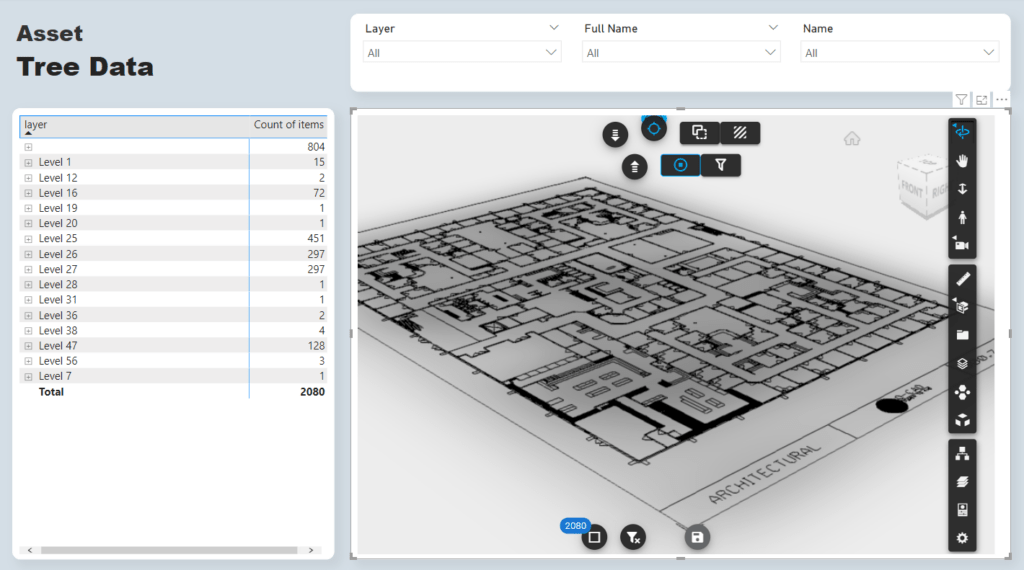
Bentley Systems is increasingly moving toward “iModels” and the iTwin framework. While the DGN file remains the “file of record” for design, the data is increasingly being synchronized to the cloud to create a Digital Twin—a living, breathing digital representation of a physical asset. In this ecosystem, the DGN data is combined with real-time sensor data to predict when a bridge might need maintenance or how a building’s energy consumption can be optimized.
AI and Automation in DGN Workflows
Artificial Intelligence is beginning to transform how DGN files are generated. Machine learning algorithms can now scan thousands of legacy DGN files to identify patterns, automate the placement of standard components, and even check designs against local building codes automatically. Because the DGN format is so structured and data-rich, it provides an excellent foundation for training AI models in the engineering space.
The DGN file is far more than just a computer graphic; it is a sophisticated piece of software engineering that enables the physical world to be built with digital precision. As we move toward smarter cities and more resilient infrastructure, the DGN format will continue to be the silent engine driving the technical realization of our most ambitious designs. For the tech-savvy professional, understanding the power and structure of this format is essential for navigating the future of the built environment.
aViewFromTheCave is a participant in the Amazon Services LLC Associates Program, an affiliate advertising program designed to provide a means for sites to earn advertising fees by advertising and linking to Amazon.com. Amazon, the Amazon logo, AmazonSupply, and the AmazonSupply logo are trademarks of Amazon.com, Inc. or its affiliates. As an Amazon Associate we earn affiliate commissions from qualifying purchases.