
As Discord has evolved from a niche communication tool for gamers into a global powerhouse for communities, study groups, and professional collaborations, the platform has had to refine its user interface and security protocols. With millions of active users interacting across thousands of servers, the need for robust moderation and personal privacy tools is paramount. Among these tools, the “Block” function is perhaps the most critical for individual user safety.
Understanding the technical mechanics of what happens when you block someone on Discord is essential for maintaining a secure and pleasant digital environment. This article explores the granular details of Discord’s blocking system, the shifts in user experience (UX) for both parties, and the broader implications for digital security and privacy within the app’s infrastructure.

The Immediate Impact on Direct Communication and Friend Lists
The most significant and immediate changes occur at the interpersonal level. Discord’s architecture is designed to prioritize user autonomy, meaning that once a block is initiated, the software immediately severs the direct links between the two accounts to prevent further unwanted contact.
Automatic Removal from the Friends List
When you block another user, Discord’s database instantly updates the relationship status between the two IDs. If the person was on your Friends List, they are removed immediately without a specific notification. From a technical standpoint, the “Friend” flag is deleted from the relational database for both users.
On the other side of the interaction, the blocked user will simply see your name vanish from their list. While Discord does not send a “User X has blocked you” notification—a design choice intended to prevent immediate retaliation—the absence of the name is a clear indicator to an observant user. Furthermore, any pending friend requests between the two parties are automatically canceled and purged from the system.
Restrictions on Direct Messaging (DMs)
Direct Messaging is the core of Discord’s one-on-one interaction. Once a block is active, the software’s messaging protocol undergoes a strict change. For the person who performed the block, the existing DM history remains visible (though it can be manually deleted), but the input field is disabled.
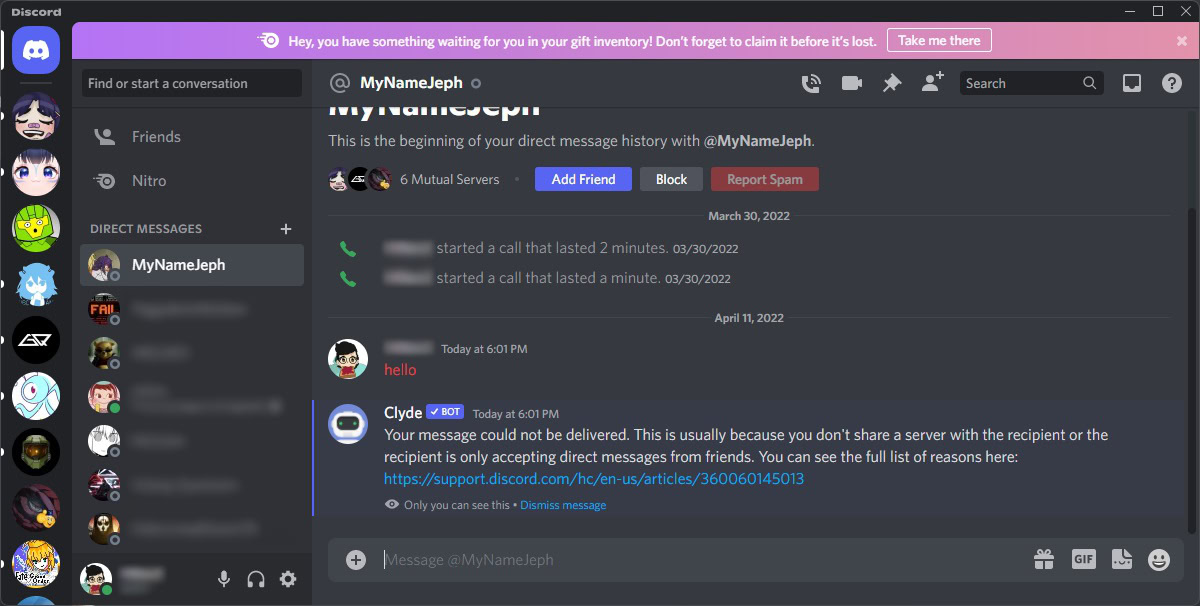
For the blocked user, the experience is more restrictive. If they attempt to send a message to the person who blocked them, the message will fail to deliver. Instead of a standard delivery receipt, the blocked user usually receives a generic error message from the “Clyde” bot (Discord’s automated system assistant), stating that the message could not be delivered. This usually cites reasons such as the users not sharing a server, the recipient only accepting messages from friends, or a block being in place. This technical barrier ensures that the “blocked” status is enforced at the server-side level, preventing the message from ever reaching the recipient’s client.
Shared Server Dynamics: How Blocking Alters Group Interactions
While Direct Messages are easily restricted, shared servers (guilds) present a more complex technical challenge. Because servers are public or semi-public spaces managed by third-party administrators, Discord cannot simply “hide” a user entirely without disrupting the flow of conversation for other members.
The “Blocked Message” Placeholder
In a shared server, the Discord interface utilizes a specific UX element to handle messages from a blocked user. Instead of showing the content of the message, the software collapses it into a small, gray bar labeled “1 Blocked Message.”
This design choice serves a dual purpose. From a software engineering perspective, it maintains the chronological integrity of the chat log for all users in the channel. From a user experience perspective, it gives the blocker the choice to engage. You can click “Show Message” to reveal the content if you need context for a group discussion, but by default, the content is shielded. This ensures that you are not accidentally exposed to potentially harmful or distressing text while still participating in a broader community.
Visibility of Reactions and Voice Channels
The blocking logic extends to non-verbal interactions as well. On Discord, “reactions” (emojis added to messages) are a significant part of the social fabric. If you have blocked someone, you will not see their reactions on any messages in a shared server. Similarly, they will be unable to react to your messages; the software will simply prevent the reaction from “sticking” if they attempt to click an emoji on your post.
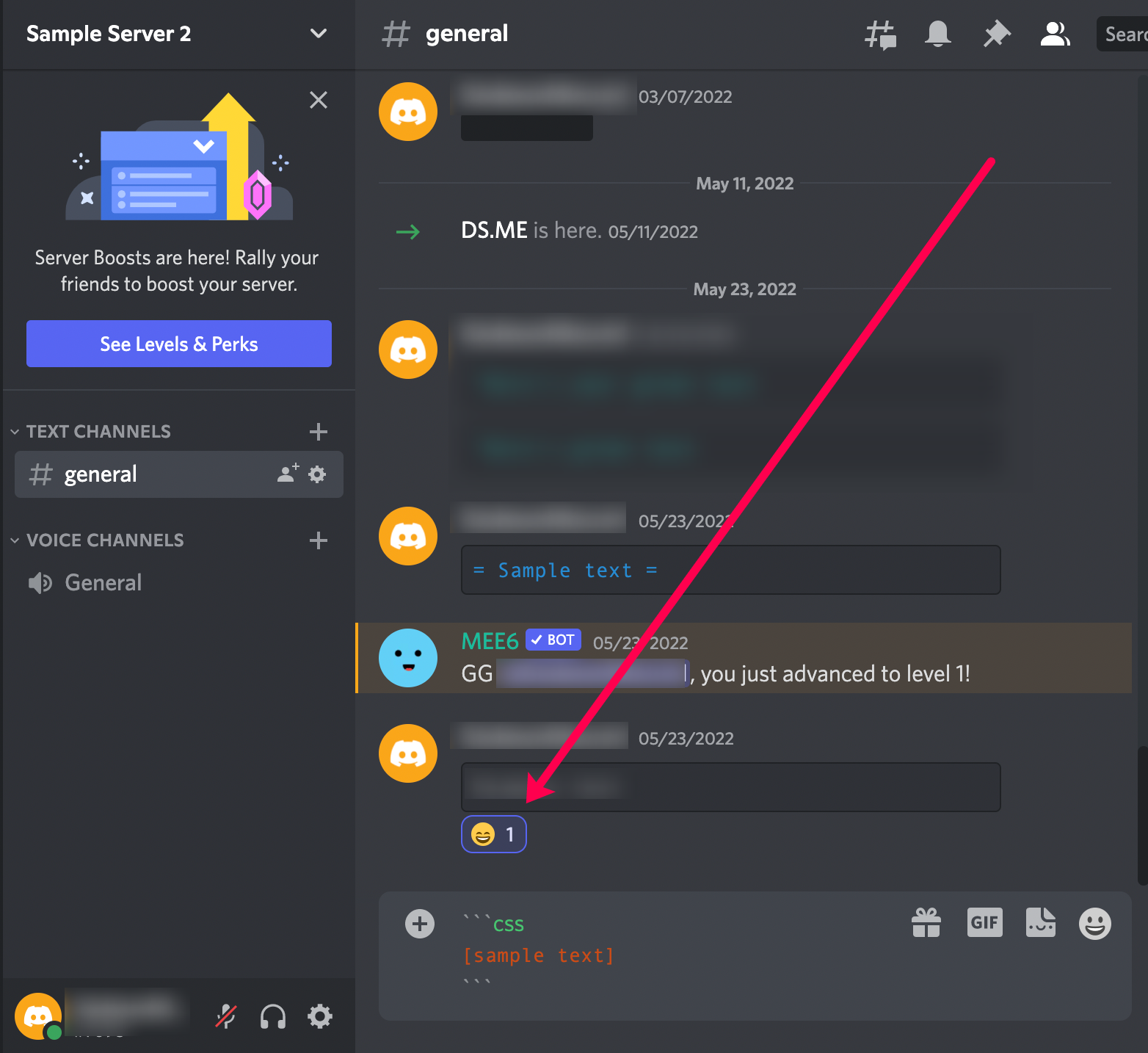
Voice channels follow a similar protocol of automated mitigation. If you enter a voice channel where a blocked user is present, the Discord client automatically mutes them for you. You will see their avatar, but you will not hear their audio stream. While you have the technical option to manually unmute them, the default state is silence. This allows users to coexist in large community events without the necessity of direct auditory interaction.
Privacy and Security Implications of the Block Feature
Beyond the social convenience of avoiding an ex-friend or a persistent nuisance, the block feature is a foundational component of Discord’s digital security suite. It acts as a primary defense against harassment, “raiding,” and social engineering.
Preventing Harassment and Unwanted Data Exposure
Blocking is a critical tool for mitigating cyber-harassment. By cutting off the DM pipeline, a user significantly reduces their surface area for “DDoS” threats (if the attacker is trying to use social engineering to get an IP), phishing links, or malicious files.
From a technical security standpoint, blocking someone prevents them from seeing your “Active Status.” In a normal state, Discord shows what games you are playing, what Spotify tracks you are listening to, or what code you are writing in VS Code through “Rich Presence.” Once blocked, this data stream is terminated for that user. They can no longer track your online habits or know when you are active, which is a vital protection against digital stalking.
Limitations of the Block Function (Profile Visibility)
It is important to understand what blocking cannot do, as there are technical limitations to the current Discord infrastructure. Blocking is not a “vanish” tool. The blocked user can still see your profile if they have a direct link to it or if you share a server. They can see your avatar, your username, and your “About Me” section.
Because Discord is a semi-open platform, blocking does not prevent a dedicated harasser from creating a “sockpuppet” account (a secondary account) to bypass the block. For this reason, Discord’s security experts recommend combining blocking with strict “Privacy & Safety” settings, such as “Restricting DMs from server members” and “Filtering explicit content.”
Managing Your Digital Environment: Best Practices for Discord Safety
To truly master the Discord ecosystem, users should view the block function as one part of a multi-tiered approach to digital security and community management.
Privacy Settings vs. Blocking
While blocking is reactive, privacy settings are proactive. Within the “User Settings” menu, the “Privacy & Safety” tab offers granular controls that can prevent the need for blocking in the first place. For instance, the “Safe Direct Messaging” feature uses Discord’s machine-learning algorithms to scan and delete DMs that contain explicit content.
Technically, users can also toggle “Allow direct messages from server members” to “Off.” This creates a “walled garden” effect where only people on your approved Friends List can contact you. For high-profile users or those in large public servers (like those for popular AI tools or gadgets), this is often a more effective technical solution than blocking individuals one by one.
Reporting Violations to Discord Trust & Safety
Blocking solves the problem for the individual, but if a user is violating Discord’s Terms of Service (ToS)—for example, through doxxing, distribution of malware, or systemic harassment—blocking them does not stop them from harming others.
In these cases, users should utilize the “Report” function before or after blocking. When you report a message, Discord’s Trust & Safety team receives a snapshot of the message ID, the user ID, and the channel ID. Unlike a simple block, which is a local client/server instruction for your account, a report initiates a manual or algorithmic review of the offender’s account, which can lead to platform-wide bans or hardware-level “ID bans.”
Conclusion
The “Block” feature on Discord is a sophisticated piece of software logic that balances individual privacy with the functional requirements of large-scale community interaction. By understanding that blocking removes friend connections, filters shared-server messages, and terminates Rich Presence data streams, users can better navigate the platform with confidence. In the modern age of digital communication, mastering these software tools is not just about convenience—it is about maintaining the integrity of your digital life and ensuring a secure environment for technological exploration and community building.
aViewFromTheCave is a participant in the Amazon Services LLC Associates Program, an affiliate advertising program designed to provide a means for sites to earn advertising fees by advertising and linking to Amazon.com. Amazon, the Amazon logo, AmazonSupply, and the AmazonSupply logo are trademarks of Amazon.com, Inc. or its affiliates. As an Amazon Associate we earn affiliate commissions from qualifying purchases.