
In the modern digital landscape, the “unsubscribe” function is often viewed as a simple convenience—a way to clear a cluttered inbox. However, from a technological standpoint, the unsubscribe mechanism is a sophisticated intersection of software engineering, communication protocols, and cybersecurity frameworks. It is the primary tool for digital hygiene, allowing users to exercise control over their data and their attention in an era of information overload.
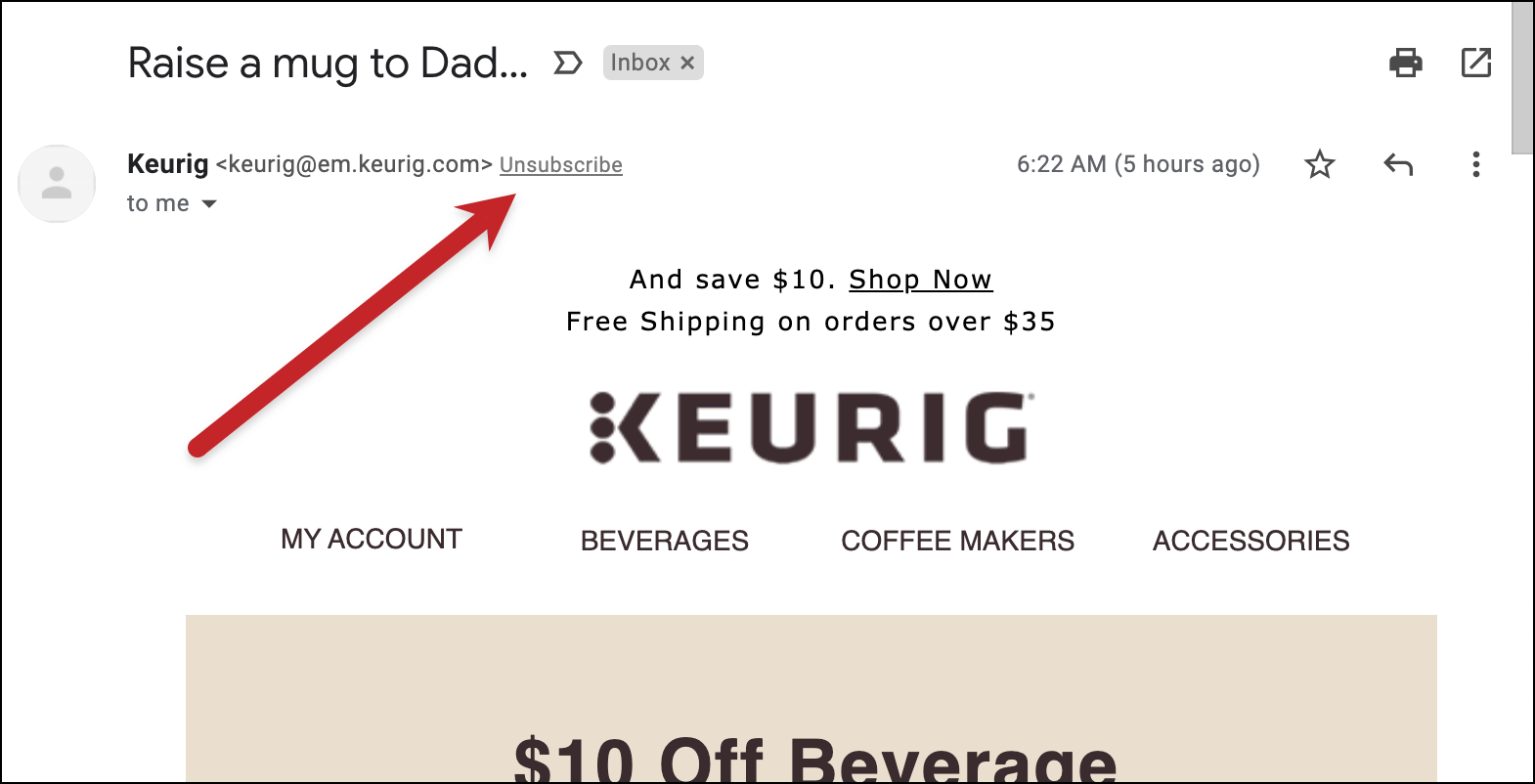
To understand what “unsubscribe” truly is, one must look beyond the blue hyperlinked text at the bottom of an email. It is a command sent from a client to a server, a status change in a relational database, and a critical component of global anti-spam infrastructure. This article explores the technical architecture of the unsubscribe process, its role in digital security, and the evolving software tools that manage our digital boundaries.
The Technical Architecture of the Unsubscribe Protocol
At its core, the act of unsubscribing is a request for a state change. When you click that link, you are initiating a sequence of events across several layers of the internet’s communication stack. While most users see a web page confirming their removal, the underlying technology involves complex handshakes between mail servers and databases.
How List-Unsubscribe Headers Work
One of the most important technical developments in email technology is the “List-Unsubscribe” header. This is a piece of metadata embedded within the hidden code of an email. Unlike the unsubscribe link found in the body of the message, which is part of the HTML content, the header is designed to be read by the Email Service Provider (ESP) or the local mail client (like Outlook or Apple Mail).
There are two primary methods used in these headers:
- mailto: This sends an automated, invisible email back to the sender’s server with a specific command to remove the recipient.
- http: This directs the mail client to ping a specific URL that triggers a database update on the sender’s side.
By utilizing these headers, modern software can provide a “one-click unsubscribe” button at the top of the interface, bypassing the need for the user to hunt through the email’s footer. This improves user experience and reduces the technical friction associated with managing subscriptions.
Database Synchronization and API Integrations
When an unsubscribe command is received, it must be processed by the sender’s Customer Relationship Management (CRM) system or an Email Marketing Software (EMS). This is rarely a simple deletion. Instead, the user’s unique identifier is moved to a “Suppression List” or a “Do Not Contact” (DNC) table.
In enterprise-level tech stacks, this change must propagate across multiple platforms via APIs (Application Programming Interfaces). For instance, if you unsubscribe from a newsletter, the EMS must notify the centralized data warehouse to ensure that different departments—such as sales or customer support—do not inadvertently trigger a manual email. Maintaining “state” across these distributed systems is a significant challenge in cloud architecture.
Digital Security: Unsubscribe vs. Phishing Risks
While the unsubscribe function is a tool for privacy, it is also a potential vector for cyberattacks. From a digital security perspective, knowing when—and when not—to click “unsubscribe” is a vital skill. Security professionals often view the unsubscribe link as a “double-edged sword” in the context of phishing and malware distribution.
Identifying Fake Unsubscribe Links
Malicious actors often use the concept of unsubscribing to trick users into compromising their security. A common tactic in phishing campaigns is to include a prominent “Unsubscribe” button in a fraudulent email. When a user clicks this link, they are not removed from a list; instead, they are directed to a malicious website that may:
- Attempt to install “drive-by” malware or ransomware via browser vulnerabilities.
- Prompt the user to enter their email and password to “confirm” the unsubscribe, thereby stealing their credentials.
- Redirect the user through a series of ad-tracking loops that generate fraudulent revenue for the attacker.
Technically, users can verify these links by hovering over them to inspect the URL. If the domain does not match the purported sender or looks like a random string of characters (e.g., bit.ly/3xYz9 or secure-unsub-login.com), it is a red flag.
The “Live Lead” Confirmation Trap
In the world of gray-hat spam and aggressive data harvesting, clicking an unsubscribe link can actually result in more spam. When you click a link in a spam email, you are sending a signal back to the spammer’s server that your email address is “active” and that a human being is checking the inbox.
This confirms you are a “live lead.” Your address may then be flagged as high-value and sold to other third-party lists. In these specific tech scenarios, security software and experts recommend using the “Block” or “Report Spam” function within the email client rather than interacting with the content of the email itself. Reporting a message as spam trains the underlying machine learning algorithms to identify similar patterns in the future, providing a technical shield for the entire network.
Tools and Software for Managing Digital Clutter
As the volume of digital communication has grown, a new category of software has emerged to automate the unsubscribe process. These tools leverage AI and advanced filtering to help users regain control of their digital environment without manual intervention.
Built-in Email Client Intelligence
Major tech giants like Google (Gmail) and Microsoft (Outlook) have integrated sophisticated “unsubscribe” logic directly into their platforms. These systems use heuristic analysis to identify newsletters and bulk mail.
For example, Gmail’s “Unsubscribe” prompt appears if the system detects you haven’t opened an email from a specific sender in over 30 days. This is powered by a feedback loop between the user’s behavior and the mail server’s categorization engine. By automating the identification of “low-engagement” mail, the software reduces the cognitive load on the user, effectively acting as an automated digital janitor.
Third-Party Privacy and Decluttering Applications
Beyond standard email clients, third-party applications like Unroll.me, Clean Email, and Leave Me Alone have gained popularity. These tools function by requesting OAuth access to your email account. Once granted, the software scans the headers of every message in your archive to compile a comprehensive list of every active subscription.
From a technical standpoint, these tools are fascinating because they aggregate thousands of different unsubscribe protocols into a single dashboard. Some use “ghost” email addresses or alias routing to ensure that once you unsubscribe, the sender can never reach your primary inbox again. However, users must be wary of the privacy trade-offs, as these tools require deep access to personal data to function.
The Evolution of Anti-Spam Legislation and Technical Compliance
The “unsubscribe” link is not just a feature; in many jurisdictions, it is a legal requirement backed by technical standards. The intersection of law and technology ensures that the “right to be forgotten” is built into the architecture of the internet.
CAN-SPAM, GDPR, and Technical Requirements
Regulations such as the CAN-SPAM Act (USA) and the General Data Protection Regulation (GDPR, EU) mandate that every commercial email must contain a clear and functional way to opt-out. Technically, this means:
- Persistent Links: The unsubscribe link must remain functional for at least 30 days after the email is sent.
- Processing Speed: The request must be processed within 10 business days (though most modern software handles this in milliseconds).
- No Barriers: Users should not be required to log in or provide any information other than their email address to opt-out.
These laws have forced software developers to prioritize “Unsubscribe-as-a-Service” modules within their codebases, ensuring that compliance is automated rather than manual.
The Rise of One-Click Unsubscribe Standards
In 2024, major email providers like Google and Yahoo implemented new requirements for bulk senders (those sending over 5,000 emails a day). These senders are now technically required to support the “one-click unsubscribe” standard (RFC 8058).
This technical standard ensures that when a user clicks “Unsubscribe” in their mail client’s interface, the server sends a POST request to the sender. This is a “silent” interaction that does not require the user to visit a landing page or confirm their choice. It represents the pinnacle of unsubscribe technology—a seamless, high-speed protocol that prioritizes user intent over sender marketing.

Conclusion: The Future of the Unsubscribe Mechanism
The “unsubscribe” function is the frontline of the battle for digital focus. As AI continues to evolve, we can expect the unsubscribe process to become even more proactive. Future software may not wait for us to click a link; it will likely use predictive modeling to “pre-unsubscribe” us from content that no longer serves our interests or poses a security risk.
Understanding what unsubscribe is requires recognizing it as a vital technical protocol. It is the mechanism that allows the individual to navigate a hyper-connected world without being overwhelmed by the noise. Whether it is through header metadata, API-driven database updates, or advanced AI filters, the technology of unsubscribing remains one of the most essential tools in our digital arsenal. It is the “undo” button for the information age, ensuring that our digital identities remain under our own technical control.
aViewFromTheCave is a participant in the Amazon Services LLC Associates Program, an affiliate advertising program designed to provide a means for sites to earn advertising fees by advertising and linking to Amazon.com. Amazon, the Amazon logo, AmazonSupply, and the AmazonSupply logo are trademarks of Amazon.com, Inc. or its affiliates. As an Amazon Associate we earn affiliate commissions from qualifying purchases.