
In the modern digital landscape, the way we consume software is largely dictated by “walled gardens”—the curated ecosystems managed by tech giants like Apple and Google. When you want a new app, you go to the App Store or the Google Play Store. However, there is a secondary method of software acquisition that bypasses these gatekeepers entirely: sideloading.
Sideloading is the process of installing an application on a mobile device or computer without using the official, platform-sanctioned distribution channel. While it offers unparalleled freedom and customization, it also opens the door to significant security vulnerabilities. Understanding sideloading requires a deep dive into how modern operating systems function, the shifting regulatory environment, and the technical risks involved in stepping outside the traditional software lifecycle.

The Mechanics of Sideloading Across Different Platforms
To understand what sideloading is, one must first understand how it differs from “frontloading” (the standard process of downloading from an official store). Sideloading typically involves transferring an installation file—such as an APK for Android or an IPA for iOS—from a computer to a mobile device, or downloading it directly from a website or third-party repository.
Sideloading on Android: The Open Ecosystem
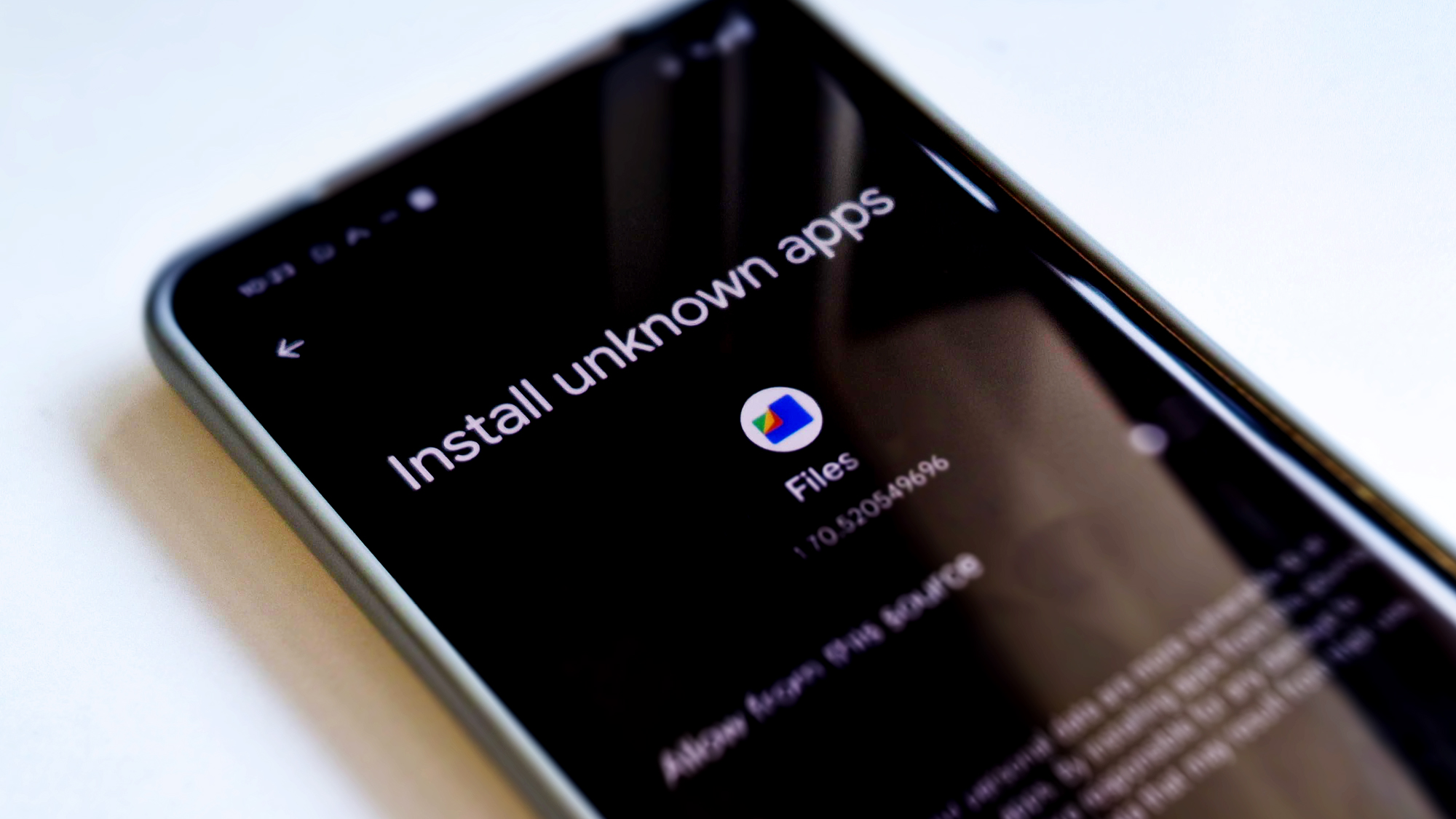
Android has long been the most permissive major mobile operating system regarding sideloading. Since its inception, Google has allowed users to install software from “Unknown Sources.” In older versions of Android, this was a global toggle in the settings. In modern versions, Android uses a more granular permission model where users must grant specific permission to individual apps (like a web browser or a file manager) to “Install Unknown Apps.”
The file format used is the Android Package Kit (APK). When a user downloads an APK, the Android Package Installer parses the file, checks for compatibility, and installs the application. This flexibility has allowed for the rise of alternative app stores like F-Droid, which focuses exclusively on Free and Open Source Software (FOSS), and the Amazon Appstore.
iOS and the “Walled Garden” Transition
For over a decade, Apple’s iOS was the antithesis of sideloading. Apple argued that the only way to ensure user privacy and device stability was to route every single piece of software through their App Store review process. For years, the only way to sideload on iOS was through “jailbreaking”—exploiting hardware or software vulnerabilities to gain root access—or by using enterprise certificates intended for internal corporate apps.
However, the tide is shifting. Due to the European Union’s Digital Markets Act (DMA), Apple has been forced to allow “alternative app marketplaces” in the EU. While this isn’t “pure” sideloading in the sense of clicking a random link and installing a file, it represents a fundamental break in Apple’s monopoly over software distribution.
Desktop Environments: Windows and macOS
On desktop platforms, sideloading is actually the historical norm. When you download a .exe file from a developer’s website or a .dmg on a Mac, you are sideloading. However, even these platforms are moving toward a mobile-style model. Windows now features “S Mode,” which restricts installations to the Microsoft Store, and macOS utilizes “Gatekeeper,” a security layer that requires apps to be notarized by Apple before they can run without a series of manual overrides.
The Benefits of Sideloading: Why Users Bypass App Stores
If official app stores are easy to use and generally safe, why do millions of users choose to sideload? The motivations range from technical necessity to ideological stances on digital ownership.
Access to Niche and Unofficial Applications
Many apps do not meet the strict (and sometimes arbitrary) guidelines of official stores. This includes:
- Emulators: Apple traditionally banned video game emulators from the App Store (though this has recently softened). Sideloading allowed enthusiasts to turn their iPhones into portable retro consoles.
- Open-Source Tools: Many developers prefer to distribute their software via GitHub or F-Droid to avoid the fees and bureaucratic hurdles of the Play Store.
- Beta Testing: Developers often distribute early versions of their apps via sideloading to a small group of testers before a public release.
Avoiding Geo-Restrictions and Censorship
App stores are localized. A user in one country might not have access to a banking app, a news outlet, or a social media platform available in another. Sideloading allows users to bypass these “geo-fences” by downloading the installation file directly. In regions where governments demand the removal of certain apps from official stores to suppress information, sideloading serves as a vital tool for maintaining access to communication and information.
Economic Freedom and Developer Incentives
The “App Store Tax”—the 15% to 30% commission taken by Apple and Google on every digital purchase—has been a point of major contention. Sideloading allows developers to distribute software directly to consumers without losing a third of their revenue. This was the core of the Epic Games v. Apple legal battle. By sideloading, users can sometimes access cheaper subscription rates or support developers more directly.
Security Risks and Ethical Concerns
While sideloading offers freedom, it removes the safety net provided by platform holders. The security risks are not just theoretical; they are a primary vector for mobile malware.
Malware, Spyware, and Adware
Official app stores use automated and manual scanning to detect malicious code. When you sideload an APK from a random website, you are bypassing these checks. Malicious actors often take popular paid apps, inject them with spyware or “trojans,” and offer them for free on third-party sites. Once installed, these apps can steal contact lists, track GPS location, or even intercept two-factor authentication codes from SMS.
The Problem of Stale Software
One of the greatest benefits of official stores is automatic updates. When a security vulnerability is found in an app, the developer pushes an update, and the store ensures it is installed on the user’s device. Sideloaded apps usually do not have this luxury. Users often forget to manually check for updates, leaving them running “stale” versions of software with unpatched vulnerabilities. This makes sideloaded devices a prime target for long-term exploitation.
Piracy and Intellectual Property
Sideloading is frequently associated with software piracy. Websites that host “cracked” versions of premium apps allow users to bypass paywalls and licensing checks. While this is a “benefit” for some users, it harms the tech ecosystem by depriving developers of the resources needed to maintain and improve their software. Furthermore, these pirated files are the most likely to contain hidden malware.
The Changing Regulatory Landscape and the Future of Sideloading
The debate over sideloading has moved from technical forums to the halls of government. Regulators are increasingly viewing the control held by Apple and Google as an antitrust issue.
The Impact of the Digital Markets Act (DMA)
The EU’s DMA is the most significant piece of legislation in this space. It designates companies like Apple and Google as “gatekeepers” and mandates that they must allow third-party software installation. This is forcing a technical redesign of mobile operating systems. In the EU, iOS users can now access third-party marketplaces, which is a hybrid approach—offering more freedom than the App Store but more oversight than “wild west” sideloading.
Toward a “Notarized” Future
To balance security and freedom, the industry is moving toward “notarization.” In this model, even if an app is sideloaded, it must still be digitally signed or scanned by the OS provider to ensure it doesn’t contain known malware. This allows the OS to block a malicious app even if it wasn’t downloaded from the official store. This represents a middle ground: users get to choose where their software comes from, but the platform provider maintains a baseline of security.
The Role of User Responsibility
As sideloading becomes more accessible, the burden of digital hygiene shifts to the user. In the future, “tech literacy” will involve knowing how to verify the digital signature of a file and understanding the reputation of different software repositories. Sideloading is transforming from a “hacker” activity into a standard feature of digital citizenship.
Conclusion
Sideloading is a double-edged sword that defines the current era of software sovereignty. On one hand, it represents the fundamental right of a hardware owner to run the software of their choice—a principle that has governed computing since the days of the first PCs. On the other hand, it dismantles the protective barriers that have made mobile devices significantly more secure than their desktop predecessors.
As we move forward, the “walled garden” model is unlikely to disappear, but it will certainly become more porous. Whether through regulatory pressure or user demand, the ability to sideload is becoming a standard expectation. For the savvy user, it offers a world of niche tools and economic flexibility; for the unwary, it is a gateway to digital compromise. The key to navigating this landscape lies in understanding the technology, respecting the risks, and choosing sources that value security as much as they value freedom.
aViewFromTheCave is a participant in the Amazon Services LLC Associates Program, an affiliate advertising program designed to provide a means for sites to earn advertising fees by advertising and linking to Amazon.com. Amazon, the Amazon logo, AmazonSupply, and the AmazonSupply logo are trademarks of Amazon.com, Inc. or its affiliates. As an Amazon Associate we earn affiliate commissions from qualifying purchases.