
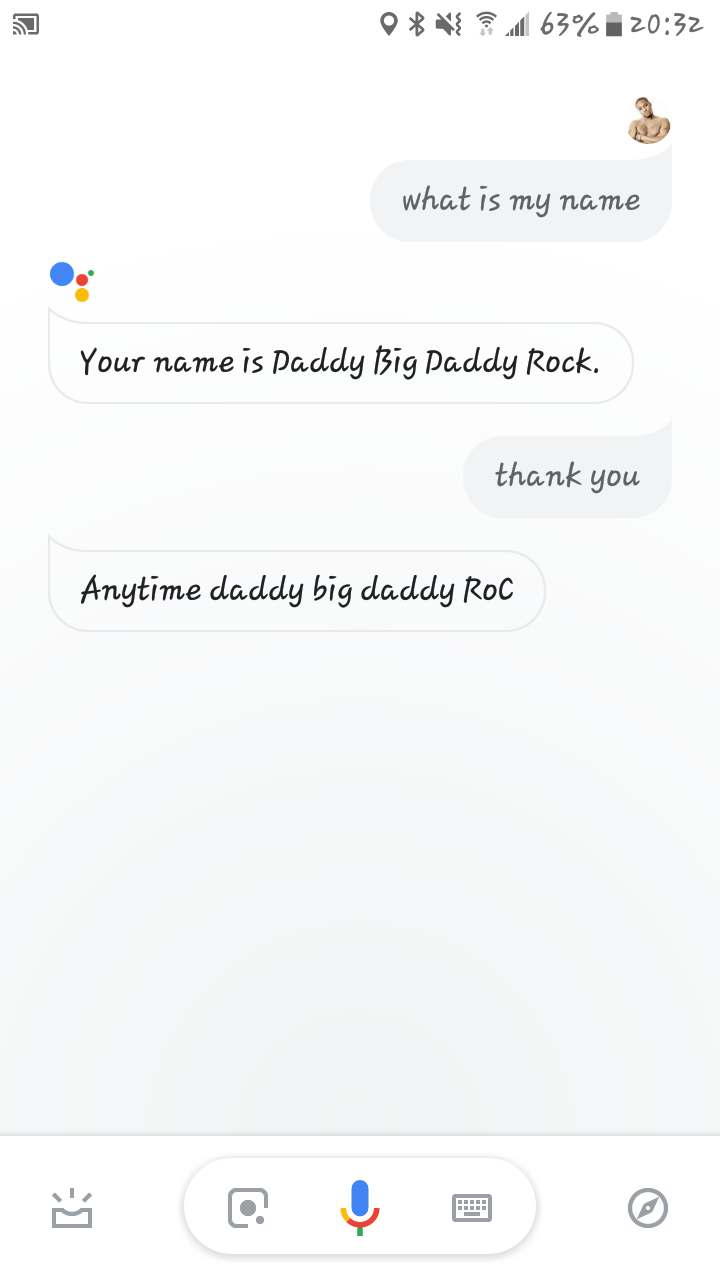
For many, the first interaction with a smart speaker or a modern smartphone begins with a simple, almost existential question: “Hey Google, what is my name?” While it may seem like a trivial parlor trick, the ability of a machine to instantly identify an individual and respond with their preferred name represents a pinnacle of modern software engineering. It is the intersection of cloud computing, natural language processing (NLP), and sophisticated identity management.
This query—”what is my name Google”—is more than just a request for a data point. It is a gateway into the massive ecosystem of the Google Account and the AI-driven technologies that power our digital lives. In this article, we will explore the technical architecture that allows Google to recognize you, how personalization is managed across the ecosystem, and the critical security protocols that keep your identity safe.
The Architecture of Recognition: AI and Natural Language Processing
When you ask Google Assistant to identify you, the process is far from a simple database lookup. It involves a multi-layered sequence of technological events that occur in milliseconds. This is the realm of “Voice Match” and advanced machine learning algorithms.
Google Assistant and Natural Language Processing (NLP)
The core of the “What is my name” interaction is Natural Language Processing. NLP is a branch of artificial intelligence that helps computers understand, interpret, and manipulate human language. When the Assistant receives your voice command, it first converts the acoustic signal into a digital format. From there, it uses “intent recognition” to determine that you are asking for a specific piece of personal information stored in your profile.
Google’s NLP models are trained on billions of parameters, allowing them to understand various accents, dialects, and speech patterns. The “Tech” here isn’t just in the response, but in the filtering of background noise and the parsing of the sentence structure to ensure the AI doesn’t confuse a personal name request with a general search query.
Voice Match: The Biometric Signature
One of the most impressive technical feats in the Google ecosystem is Voice Match. This technology allows Google Assistant to differentiate between multiple users in a single household. When you set up Voice Match, you are essentially training a neural network to recognize the unique frequencies and characteristics of your vocal cords.
This biometric signature is stored as a mathematical model. When someone asks, “What is my name?” the device compares the live audio input against its database of registered models. If the “voiceprint” matches, the Assistant accesses the specific user profile associated with that voice. If it does not match, the Assistant will typically provide a generic response or ask the user to identify themselves, protecting the primary user’s data from unauthorized access.
Navigating the Google Account Ecosystem
To answer the question “What is my name?”, Google doesn’t just look at a single field. It draws from a complex web of interconnected services and metadata stored within your Google Account. Understanding where this data lives is essential for any user looking to master their digital footprint.
Syncing Identity Across Devices
The Google ecosystem is designed for seamless continuity. Whether you are on an Android phone, a Wear OS watch, a Chrome browser, or a Google Home speaker, your identity remains consistent. This is achieved through real-time cloud synchronization.
When you change your name or nickname in your account settings, that update is pushed to the Google Cloud. The next time you interact with any Google-enabled hardware, the device fetches the updated metadata. This infrastructure relies on robust API calls that ensure low-latency updates, so your “new” name is recognized across the globe in seconds.
Personal Info Settings and the “Nickname” Feature
Technically, Google handles two types of names: your legal/account name and your “nickname.” The legal name is used for billing, Workspace emails, and official services. However, the Google Assistant “nickname” is a specific software preference designed for a more conversational UI.
Users can access these settings through the Google Home app or Assistant settings. By navigating to “Basic Info” or “Nicknames,” users can teach the AI how to pronounce their name or even assign a completely different moniker. This layer of the software allows for a more personalized “Human-Computer Interaction” (HCI), making the technology feel more intuitive and less like a database.
Privacy, Security, and Identity Data
The convenience of a personalized AI comes with significant technical responsibilities regarding data security. When you ask Google “What is my name?”, you are interacting with sensitive personal identifiable information (PII). Google’s digital security framework is designed to prevent this information from being exploited.
How Google Stores and Encrypts Identity Data
Identity data is not stored in plain text on your device. Instead, Google utilizes advanced encryption standards (typically AES-256) both at rest and in transit. When your voice command travels from your smart speaker to Google’s servers, it is protected by Transport Layer Security (TLS), ensuring that hackers cannot intercept the “What is my name” request to gain insights into your identity.
Furthermore, Google’s “On-Device Processing” is a growing trend in their tech stack. With the introduction of specialized AI chips like the Google Tensor, many identity-related tasks—including voice recognition—are moving away from the cloud and onto the device itself. This “Edge Computing” approach means that your voice signature never has to leave your phone, drastically reducing the attack surface for potential data breaches.
Managing Activity Controls and Voice Logs
A common concern in the tech world is how long Google “remembers” these interactions. Every time you ask Google a question, a log is created in your “My Activity” portal. From a technical standpoint, these logs are used to retrain models and improve accuracy.
However, users have the power to manage this data through “Auto-delete” functions. You can set your account to automatically purge voice and audio recordings every 3, 18, or 36 months. Understanding these toggle switches is vital for maintaining digital hygiene. By deleting these logs, you are effectively telling the algorithm to “forget” the specific acoustic instances of your name-calling, while still retaining the core profile settings.
The Future of Proactive AI Interaction
We are currently moving away from reactive AI—where the machine only speaks when spoken to—toward proactive, contextual AI. This shift will fundamentally change how Google treats your identity and your name.
Beyond Simple Identification to Predictive Context
The next generation of Google Assistant, powered by Large Language Models (LLMs) like Gemini, will not just know your name; it will understand your context. In the future, the answer to “What is my name?” might be followed by relevant, personalized information based on the time of day, your location, and your upcoming schedule.
Technically, this involves “Contextual Awareness” algorithms. These systems analyze secondary signals—such as your proximity to your home office or the fact that you have a meeting in five minutes—to tailor the response. For example, if you are in a professional setting, the Assistant might use your formal name, whereas at home, it might use your nickname. This represents a leap from static data retrieval to dynamic, intelligent interaction.
The Role of Gemini in Personalized AI
With the integration of Gemini into the Google ecosystem, the “Tech” behind identity is becoming more conversational. Previous iterations of Google Assistant relied on rigid “If-This-Then-That” (IFTTT) logic. Gemini, however, uses reasoning to understand nuance.
If you ask, “Google, what is my name in my gaming profile versus my work profile?” Gemini can parse those two distinct identities within the same account structure and provide a nuanced answer. This capability stems from “Multimodal” AI training, where the system understands text, voice, and even visual cues to create a 360-degree view of the user’s digital identity.
Conclusion: The Power of a Digital Identity
The next time you trigger your device and ask, “What is my name, Google?” remember that you are initiating one of the most complex sequences in modern software history. From the biometric verification of your vocal cords to the encrypted handshake with the cloud, every part of the process is a testament to the power of the Google tech stack.
As AI continues to evolve, our relationship with these tools will become even more personal. The goal is no longer just for a machine to know your name, but for it to understand your needs, protect your privacy, and provide a seamless interface between your physical and digital lives. Staying informed about the settings, the security, and the software updates behind your Google Account is the best way to ensure that this technology continues to work for you—safely and efficiently.
aViewFromTheCave is a participant in the Amazon Services LLC Associates Program, an affiliate advertising program designed to provide a means for sites to earn advertising fees by advertising and linking to Amazon.com. Amazon, the Amazon logo, AmazonSupply, and the AmazonSupply logo are trademarks of Amazon.com, Inc. or its affiliates. As an Amazon Associate we earn affiliate commissions from qualifying purchases.