
In the modern digital landscape, Google functions as more than just a search engine; it is a central hub for our personal data, professional communications, and financial transactions. As we integrate more deeply into the Google ecosystem, the security measures protecting these accounts become increasingly complex. One of the most common points of confusion for users is the “Google PIN.” Unlike a single password, a Google PIN can refer to several different security layers depending on the device or service being accessed.
Understanding what your Google PIN is, where it is used, and how to manage it is essential for maintaining robust digital security. Whether you are trying to verify a purchase, unlock a mobile device, or secure your Google Fi account, this guide provides a deep dive into the technical architecture of Google’s personal identification numbers.
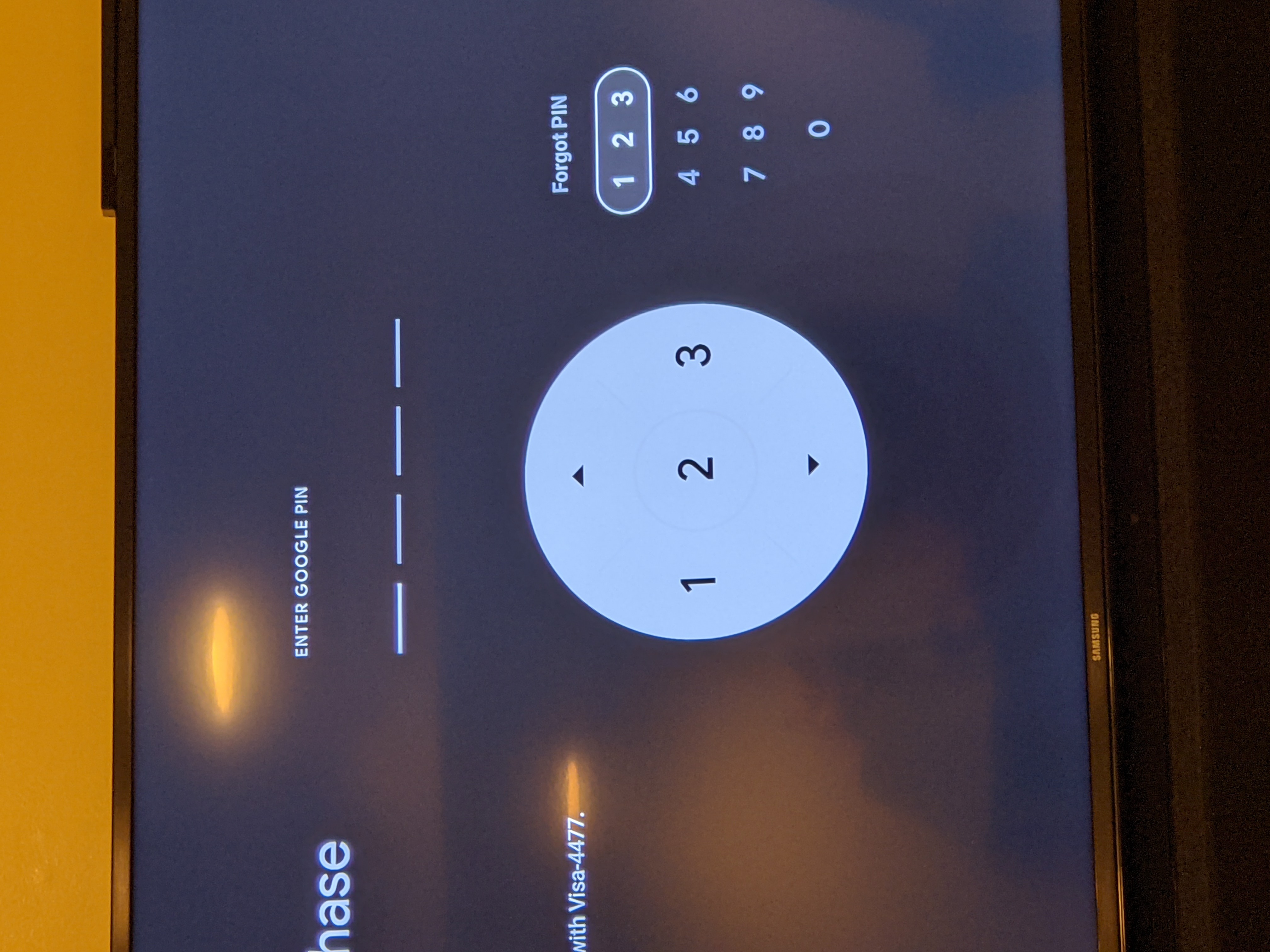
Understanding the Different Types of Google PINs
The question “What is my Google PIN?” often arises because Google utilizes different PINs for distinct services. There is no singular “universal” PIN that unlocks every aspect of the Google universe. Instead, these numeric codes serve as specialized keys for specific locks.
The Google Account Security PIN
The most common form is the Google Account PIN. This is a four-digit (or longer) code that you create to verify your identity when using certain Google services or performing sensitive actions. For instance, if you are setting up a Google Home device or accessing specific parental controls in the Play Store, Google may prompt you for this PIN to ensure that the person making changes is the account owner. It acts as an additional layer of verification that is less cumbersome than a full password but more secure than no protection at all.
Google Pay and Wallet PIN
For users of Google Pay (now integrated into Google Wallet), the PIN serves a critical financial security function. This is often separate from your phone’s screen lock. When you attempt to make a high-value transaction or access sensitive payment methods, Google Pay may require a specialized PIN to authorize the data transfer. This ensures that even if someone manages to bypass your primary device security, they cannot easily drain your linked bank accounts or use your stored credit cards.
Google Fi and Voice Verification PINs
If you are a subscriber to Google Fi (Google’s telecommunications service) or use Google Voice, you possess a specialized PIN used for “porting” or administrative changes. This PIN is vital for preventing “SIM swapping” attacks—a technique where hackers attempt to steal your phone number to bypass two-factor authentication on other accounts. This PIN is usually set during the initial service configuration and is rarely used unless you are making structural changes to your mobile plan.
Android Device Screen Lock PIN
While technically an operating system feature rather than a service-specific code, the Android PIN is often conflated with a “Google PIN.” This is the numeric code used to decrypt your device’s storage upon startup and unlock the screen. Because your Android device is inextricably linked to your Google Account, this PIN often serves as the primary gateway to your Google apps and data on mobile hardware.
How to Recover or Reset Your Google PIN
Since Google prioritizes security, it does not store your PINs in a plain-text format that you can simply “view.” Instead, if you have forgotten your PIN, the technical protocol involves verifying your identity through other means and then creating a new code.
Managing Your Google Account PIN via Browser
To manage or reset your general Google Account PIN, you must navigate to the security settings of your Google profile.
- Log in to your Google Account and navigate to the “Security” tab.
- Search for the “How you sign in to Google” section.
- Locate “Google Account PIN.”
- To reset it, you will be required to enter your primary Google password. Once authenticated, you can choose a new numeric sequence.
This process highlights the hierarchy of Google’s security: your password (something you know) remains the master key that allows you to reset secondary factors like PINs.
Resetting the Google Pay PIN
If you are locked out of your payment settings, the process is slightly different. Within the Google Wallet app, you can often find security settings that allow you to toggle between using your device’s biometric data (fingerprint or face unlock) and a manual PIN. If you choose to reset the PIN specifically for payments, Google may require you to re-verify your linked payment methods to ensure no unauthorized entity is attempting to hijack the wallet.

Handling a Forgotten Android Device PIN
The Android device PIN is the most difficult to recover because it is tied to hardware encryption. In modern Android versions, if you forget your screen lock PIN, you cannot simply “reset” it remotely for security reasons (as this would allow thieves to bypass locks). Usually, the only path forward is a factory reset of the device via the “Find My Device” portal or Recovery Mode. While this deletes local data, once the device is reset, you can sign back into your Google Account to restore synced cloud data and set a new device PIN.
The Role of PINs in the Google Security Ecosystem
PINs are not merely arbitrary numbers; they are integral components of a “Defense in Depth” strategy. In cybersecurity, this refers to using multiple layers of security so that the failure of one layer does not lead to a total compromise.
Multi-Factor Authentication (MFA) Integration
A Google PIN often serves as the “Knowledge” factor in multi-factor authentication. By requiring a PIN in addition to a physical device (the “Possession” factor), Google ensures that a stolen phone is not an open door to your digital life. Even if a bad actor has your device, they still need the specific numeric sequence to access high-level settings or payment gateways.
Hardware-Level Encryption and Secure Enclaves
On modern hardware, such as Google Pixel phones equipped with the Titan M2 security chip, PINs are processed within a “Secure Enclave.” This is a dedicated piece of hardware isolated from the main processor. When you enter your PIN, the main operating system doesn’t even “see” the number; it sends the input to the Titan chip, which then returns a “yes” or “no.” This prevents malware on the device from logging your PIN entries, representing a significant leap in mobile security architecture.
Best Practices for Creating a Secure PIN
In a tech-heavy environment, the strength of your PIN is your first line of defense. Many users fall into the trap of choosing “weak” PINs for the sake of convenience, which negates the security benefits provided by Google’s infrastructure.
Avoiding Predictable Patterns
The most common PINs are 1234, 0000, and 2580 (the middle column of a keypad). Sophisticated “brute-force” scripts and social engineering tactics prioritize these common sequences. Furthermore, users often use birth years or anniversary dates. In the age of social media, where such dates are often public, using them as a PIN is a significant security risk.
The Advantage of Longer PINs
While the 4-digit PIN is the industry standard, Google often allows for 6-digit or even longer PINs. Moving from a 4-digit code (10,000 possible combinations) to a 6-digit code (1,000,000 possible combinations) increases the security margin by a factor of 100. For anyone concerned with digital privacy, opting for a 6-digit sequence is a simple yet highly effective tech upgrade.
The Evolution of Access: From PINs to Biometrics and Passkeys
As we look toward the future of technology, the traditional PIN is beginning to evolve. Google is at the forefront of the “passwordless” movement, which seeks to replace static codes with more dynamic and secure forms of authentication.
Biometric Integration
Modern Google services allow users to bypass PIN entry using biometrics. Fingerprint sensors and 3D facial recognition offer a higher level of security because they are unique to the individual. However, the PIN remains the “fail-safe.” If the biometric sensor fails or the device restarts, the underlying architecture always reverts to the PIN. This is because the PIN is a digital constant that doesn’t change based on lighting conditions or physical injury.
The Rise of Passkeys
Google has recently introduced “Passkeys,” a new standard based on the FIDO Alliance protocols. Passkeys allow you to sign in to your Google Account using the same local authentication you use to unlock your device—whether that is a PIN, a pattern, or biometrics.
The technical brilliance of passkeys lies in their resistance to phishing. Unlike a PIN that you might accidentally type into a fake website, a passkey uses a cryptographic pair. Your device holds a private key, and Google holds a public key. The PIN you type into your phone merely “unlocks” the private key locally; it is never sent over the internet. This ensures that even if a hacker intercepts your communication, they gain nothing.

Conclusion: Mastering Your Digital Gateways
Knowing “what is my Google PIN” is the first step in mastering your personal digital security. By recognizing that different PINs serve different purposes—from securing your Google Wallet to protecting your Android hardware—you can better navigate the complexities of the Google ecosystem. As technology shifts toward passkeys and biometric hardware, the humble PIN remains a foundational element of security, acting as the reliable fallback that keeps your data safe in an increasingly connected world. Always prioritize unique, non-obvious sequences, and regularly audit your security settings to ensure your digital identity remains under your exclusive control.
aViewFromTheCave is a participant in the Amazon Services LLC Associates Program, an affiliate advertising program designed to provide a means for sites to earn advertising fees by advertising and linking to Amazon.com. Amazon, the Amazon logo, AmazonSupply, and the AmazonSupply logo are trademarks of Amazon.com, Inc. or its affiliates. As an Amazon Associate we earn affiliate commissions from qualifying purchases.