
In the modern household, appliances are no longer mere utilitarian objects; they are sophisticated pieces of technology designed to simplify our lives. Samsung, a global leader in innovation, equips its washing machines with advanced diagnostic capabilities, allowing them to communicate issues directly to the user through error codes. While these codes are incredibly helpful, they can also be a source of frustration and confusion when they appear, halting your laundry mid-cycle. Among the various codes you might encounter, “4C” or sometimes “4E” is one of the most common and, thankfully, often one of the most straightforward to resolve. Understanding what this code signifies is the first step towards getting your laundry routine back on track.
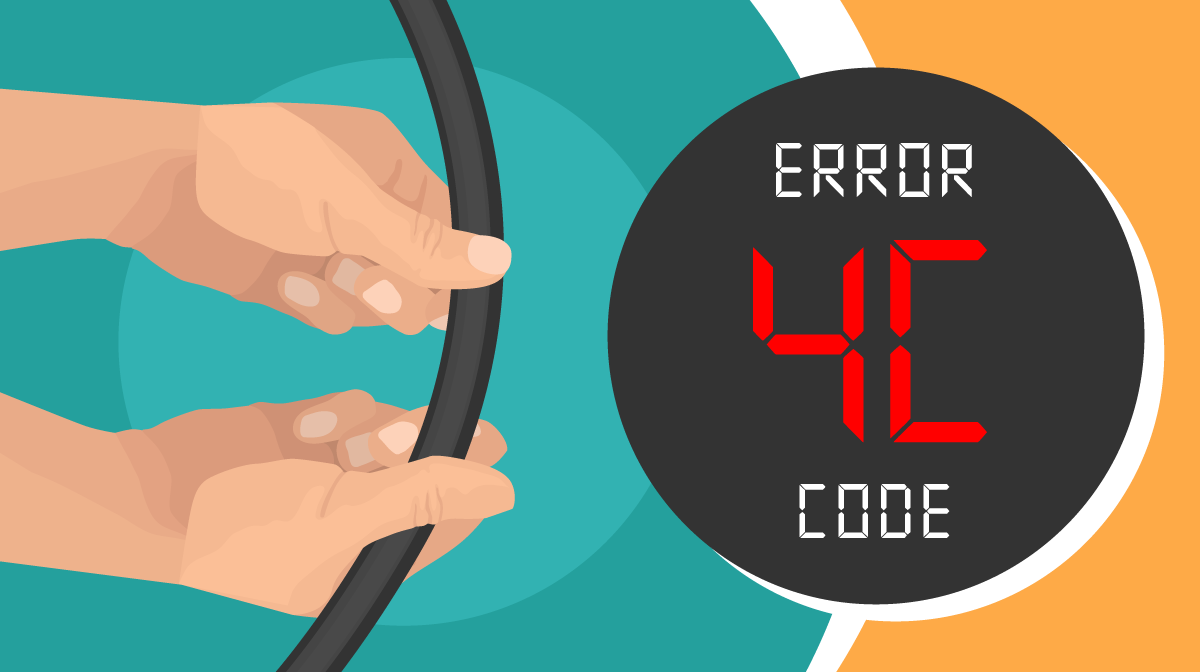
The 4C error code on a Samsung washer primarily indicates a problem with the water supply. Essentially, your machine isn’t receiving enough water, or it’s detecting an issue with the water flow into the drum. This can be due to a variety of reasons, ranging from simple oversight to minor technical glitches. Given the investment in a quality appliance like a Samsung washer, understanding how to diagnose and fix such issues can save you both time and money, extending the life and efficiency of your machine. This guide will delve into the precise meaning of the 4C code, walk you through comprehensive troubleshooting steps, discuss when professional intervention is necessary, and offer tips for proactive maintenance to prevent future occurrences, all while touching upon the broader implications for technology, brand loyalty, and personal finance.
Deciphering the 4C Code: The Core Problem
At its heart, the 4C error code is your Samsung washer’s way of saying, “I’m thirsty!” It’s a critical safety and operational measure, as the machine cannot proceed with a wash cycle without an adequate water supply. Modern washing machines are equipped with sensors that monitor water levels and flow rates. When these sensors detect an anomaly – such as no water entering the drum, insufficient water pressure, or water not reaching the programmed level within a specified timeframe – they trigger the 4C error. This mechanism not only protects the machine from running dry (which could damage internal components) but also ensures the wash cycle is performed effectively. Understanding the various facets of this water supply issue is crucial for targeted troubleshooting.
Water Supply Issues: The Primary Culprit
The most frequent cause behind a 4C error is a direct problem with the water supply to the machine. This category encompasses several common scenarios that can impede water flow. First, check the obvious: are the hot and cold water taps connected to the washer fully open? It’s surprisingly common for one or both to be partially or completely closed, either accidentally or during a previous maintenance task. Secondly, inspect the water inlet hoses themselves. Kinks, twists, or blockages in these hoses can severely restrict water flow. Over time, sediment or mineral deposits can also accumulate inside the hoses, narrowing the path for water. Lastly, low household water pressure can also trigger this error. If your home’s water pressure is generally weak, or if other appliances are drawing water simultaneously, your washer might not receive enough water quickly enough to satisfy its sensors, leading to the 4C code. This interplay of external factors and the washer’s internal mechanisms highlights the complex relationship between household utilities and advanced appliance technology.
Drain Issues: A Less Obvious Connection
While the 4C code explicitly points to a water supply issue, in some rare cases, a problem with the machine’s drainage system can indirectly contribute to its appearance. This might seem counterintuitive, but it boils down to how the washer’s sensors and control board interpret various signals. If the machine is unable to properly drain previous water, or if a partial blockage in the drain system creates a back pressure effect, the sensors might mistakenly interpret this as an inability to fill. For example, if residual water from a previous cycle isn’t fully evacuated, the pressure sensor might detect a “full” state even when it’s attempting to fill, thus preventing new water from entering and eventually triggering a 4C code. While not the primary cause, it’s a diagnostic avenue worth considering, especially if direct water supply checks yield no immediate solutions. This complexity underscores the sophistication of modern appliance “Tech” and the need for a holistic troubleshooting approach.
Sensor Malfunctions: The Tech Behind the Trouble
Modern Samsung washers are equipped with various sensors that play a pivotal role in their operation, including those dedicated to water management. A key component is the water level sensor (often a pressure sensor), which detects the amount of water in the drum. If this sensor is faulty or obstructed, it might inaccurately report water levels to the main control board. For instance, a malfunctioning sensor could report that the drum is full even when it’s empty, preventing the water inlet valves from opening. Conversely, it might report a lack of water despite adequate flow, leading to the 4C error. Similarly, the water inlet valves themselves, which are electronically controlled, can fail. If a valve sticks closed, even with sufficient water pressure, water won’t enter the machine. These are more intricate internal “Tech” failures that, while less common than external supply issues, can certainly be the root cause of a persistent 4C code. Diagnosing these requires a deeper understanding of the washer’s internal mechanics and often professional tools.
Step-by-Step Troubleshooting: Your DIY Guide
Before contacting a professional service technician, there are several straightforward troubleshooting steps you can perform yourself. Many 4C errors can be resolved with a few simple checks, saving you time and potentially significant repair costs. Approaching these steps systematically will help you isolate the problem efficiently and get your Samsung washer back online. This DIY approach embodies the spirit of practical “Tech” literacy, empowering users to understand and maintain their gadgets.
Checking the Water Supply Lines
This is the most fundamental step. Begin by ensuring that both the hot and cold water faucets supplying your washing machine are fully open. These are typically located behind the washer, against the wall. Turn them clockwise to ensure they are completely open. While you’re there, visually inspect the hoses connected to these faucets and to the back of your washer. Look for any obvious kinks, bends, or damage. Straighten any kinks you find. If a hose appears visibly damaged or corroded, it might be worth replacing it. Also, consider the water pressure. If you notice a general drop in water pressure throughout your house, this could be the culprit. You can test the water pressure from the washer’s faucets by disconnecting the hoses (with towels ready for spills) and briefly turning on the water to see if there’s a strong, steady flow.
Cleaning the Inlet Filters
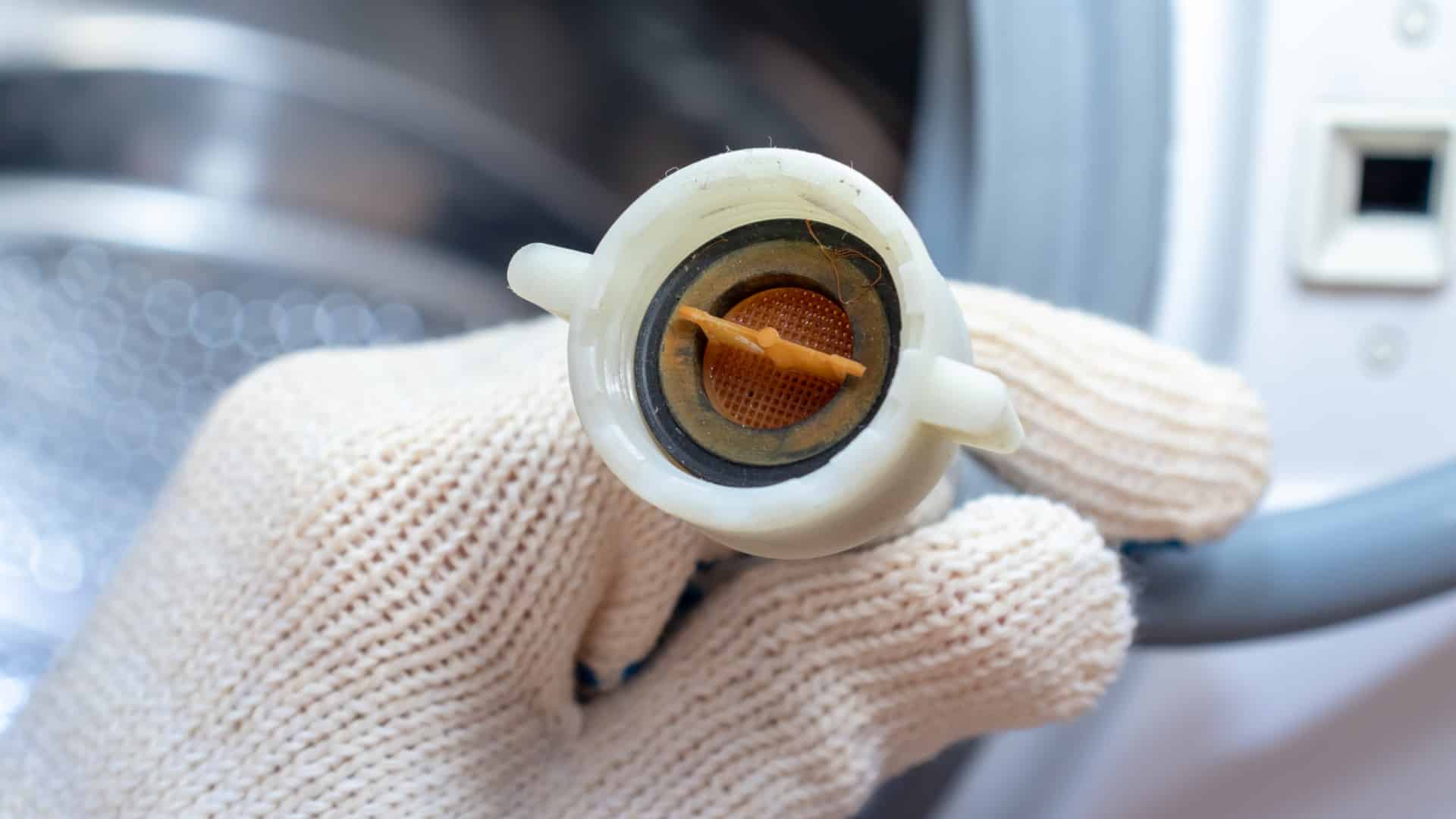
Over time, sediment, rust particles, or mineral deposits from your household water supply can accumulate in the small mesh filters located where the water inlet hoses connect to the back of your Samsung washer. These filters are designed to protect the machine’s internal components from debris but can become clogged, severely restricting water flow. To clean them:
- Turn off the water supply: Close both the hot and cold water faucets tightly.
- Disconnect the hoses: Place a towel or bucket underneath and carefully unscrew the hot and cold water inlet hoses from the back of the washer. Be prepared for some residual water to drain out.
- Remove the mesh filters: You’ll see small mesh screens inside the water inlet openings on the back of the washer. Use a pair of needle-nose pliers or tweezers to carefully pull these filters out.
- Clean the filters: Rinse the filters under running water. If they are heavily clogged, you can use a small brush (like an old toothbrush) or soak them in a descaling solution (like vinegar) to remove stubborn deposits.
- Reinsert and reconnect: Once clean, carefully reinsert the filters, ensuring they are seated properly. Reconnect the water inlet hoses, tightening them firmly by hand, then an additional quarter turn with pliers (do not overtighten).
- Turn on the water: Slowly open the hot and cold water faucets. Check for any leaks at the connections.
This simple maintenance task is a prime example of how basic “Tech” upkeep can prevent frustrating errors and contribute to the longevity of your appliance.
Inspecting for Kinks and Blockages

Beyond the inlet hoses, it’s important to check the main drain hose for any kinks or obstructions. While primarily related to drainage, a severely kinked drain hose can sometimes indirectly affect water intake sensors or cause back pressure that mimics other issues. Ensure the drain hose is properly installed and not pushed too far down into the standpipe, which can create a siphon effect. Also, if you live in an area with hard water, mineral buildup isn’t exclusive to the inlet filters; it can also affect the internal plumbing of the machine. Though not typically user-serviceable without deeper disassembly, being aware of this potential issue can guide your decision to call a professional.
Resetting Your Samsung Washer
Often, electronic devices, including smart appliances, can experience temporary glitches or software freezes that manifest as error codes. A simple power cycle, or “hard reset,” can clear these transient issues. To reset your Samsung washer:
- Unplug the washer: Disconnect the power cord from the electrical outlet.
- Wait: Leave the washer unplugged for at least 5 to 10 minutes. This allows the internal control board to fully discharge and reset.
- Plug it back in: Reconnect the power cord to the outlet.
- Restart a cycle: Select a new wash cycle and see if the 4C error reappears.
This basic “Tech” troubleshooting step is surprisingly effective for a wide range of electronic issues and should always be attempted before moving on to more complex diagnostics.
When to Call for Professional Help: Recognizing Limitations
While many 4C errors are fixable with DIY troubleshooting, there are instances where the problem lies beyond simple external checks. Recognizing when to call a professional service technician is important for both the safety of your appliance and your own peace of mind, potentially saving “Money” in the long run by preventing further damage. This also reflects on the “Brand” reputation of Samsung and its commitment to service.
Advanced Component Failures
If you’ve meticulously followed all the DIY troubleshooting steps and the 4C error persists, the issue likely stems from an internal component failure. These can include:
- Faulty Water Inlet Valves: These are electrically controlled valves that open to allow water into the drum. If one or more of these valves fail to open or become clogged internally, water won’t flow, even with adequate external pressure.
- Malfunctioning Pressure Sensor: As discussed, this sensor monitors water levels. If it’s faulty, it might give inaccurate readings, causing the control board to incorrectly signal a water supply issue.
- Control Board Issues: In rare cases, the main control board (the “brain” of the washer) itself might be faulty, misinterpreting sensor signals or failing to properly operate the water inlet valves. This is the most complex and expensive repair.
These internal “Tech” components require specialized tools and expertise for diagnosis and replacement. Attempting to repair them yourself without proper training could void your warranty, cause further damage, or even pose safety risks.
Understanding Warranty and Service
Before calling a technician, check your Samsung washer’s warranty status. If your machine is still under warranty, repairs for internal component failures may be covered, saving you significant “Money.” Contacting Samsung’s official customer support or an authorized service center is generally the best approach in such cases. Even if your warranty has expired, professional technicians are equipped with diagnostic tools and replacement parts specific to Samsung appliances, ensuring the repair is done correctly and safely. A reliable service experience also reinforces the “Brand” loyalty and perception of Samsung’s product quality and support. Be prepared to describe the error code and the troubleshooting steps you’ve already performed, as this will help the technician narrow down the potential cause.
Proactive Maintenance: Preventing Future 4C Codes
Prevention is always better than cure, especially when it comes to sophisticated “Tech” appliances like your Samsung washer. Implementing a routine of proactive maintenance can significantly reduce the likelihood of encountering a 4C error or other operational issues, extending your machine’s lifespan and ensuring efficient performance, ultimately saving you “Money” on repairs and energy.
Regular Filter Cleaning
Making the cleaning of the water inlet filters a regular part of your appliance maintenance routine is crucial. Depending on the hardness of your water and the presence of sediment, you might need to clean these filters every six months to a year. This simple task, as detailed in the DIY troubleshooting section, takes only a few minutes but can prevent serious flow restrictions that lead to the 4C error. It’s a small investment of time for significant preventive benefits.
Ensuring Proper Water Pressure
Regularly monitoring your home’s water pressure can also help prevent 4C errors. If you consistently experience low water pressure, it might be worth investigating the cause with a plumber. Sometimes, simple adjustments to your home’s main water valve can make a difference. For those with particularly low pressure, booster pumps can be installed, though this is a more significant “Money” investment. Ensuring consistent, adequate water pressure benefits not just your washer but all water-using appliances in your home.
Smart Usage Habits
Beyond specific hardware maintenance, adopting smart usage habits can contribute to the overall health of your washing machine. Avoid overloading the washer, as this can strain the motor and potentially interfere with water distribution. Use the correct amount and type of detergent recommended by Samsung; excessive suds can sometimes interfere with water level sensors. Periodically running a “Self Clean” or “Eco Drum Clean” cycle with a washer cleaner can help remove detergent residue and mineral buildup from inside the drum and internal components, contributing to better water flow and overall hygiene. These mindful practices are extensions of good “Tech” stewardship, ensuring your high-performance appliance continues to deliver its best.
In conclusion, encountering a 4C error on your Samsung washer can be a momentary inconvenience, but it’s rarely a sign of a catastrophic failure. By understanding that this code primarily indicates a water supply issue, you can systematically work through the troubleshooting steps, from checking the taps and hoses to cleaning the inlet filters and performing a hard reset. Most often, these DIY solutions will resolve the problem, empowering you with a practical understanding of your appliance’s “Tech.” However, knowing when to escalate to professional assistance for more complex internal component failures is equally important. Through proactive maintenance and smart usage habits, you can significantly extend the life of your Samsung washer, safeguarding your “Money” investment and reinforcing your trust in the “Brand” that aims to simplify your daily life.
aViewFromTheCave is a participant in the Amazon Services LLC Associates Program, an affiliate advertising program designed to provide a means for sites to earn advertising fees by advertising and linking to Amazon.com. Amazon, the Amazon logo, AmazonSupply, and the AmazonSupply logo are trademarks of Amazon.com, Inc. or its affiliates. As an Amazon Associate we earn affiliate commissions from qualifying purchases.