
The iPhone, a device that has become an extension of ourselves, often harbors subtle nuances and functionalities that can leave even seasoned users scratching their heads. One such curious element that frequently pops up in digital conversations and online searches is the appearance of a moon icon on an iPhone. This seemingly simple graphic can signify a range of things, from a familiar notification setting to a more obscure system status. Understanding these icons is key to unlocking the full potential of your device and ensuring you’re not missing vital information.
The moon icon, in its various iterations on iOS, primarily relates to how your device manages notifications and its overall operational state. It’s a visual shorthand that, once deciphered, provides a quick and intuitive way to gauge your iPhone’s current behavior. This article will delve into the multifaceted meaning of the moon icon on your iPhone, exploring its connection to core iOS features and functionalities within the realm of Tech. We will dissect its appearances, understand its implications for your user experience, and provide you with the knowledge to interpret these lunar indicators with confidence.
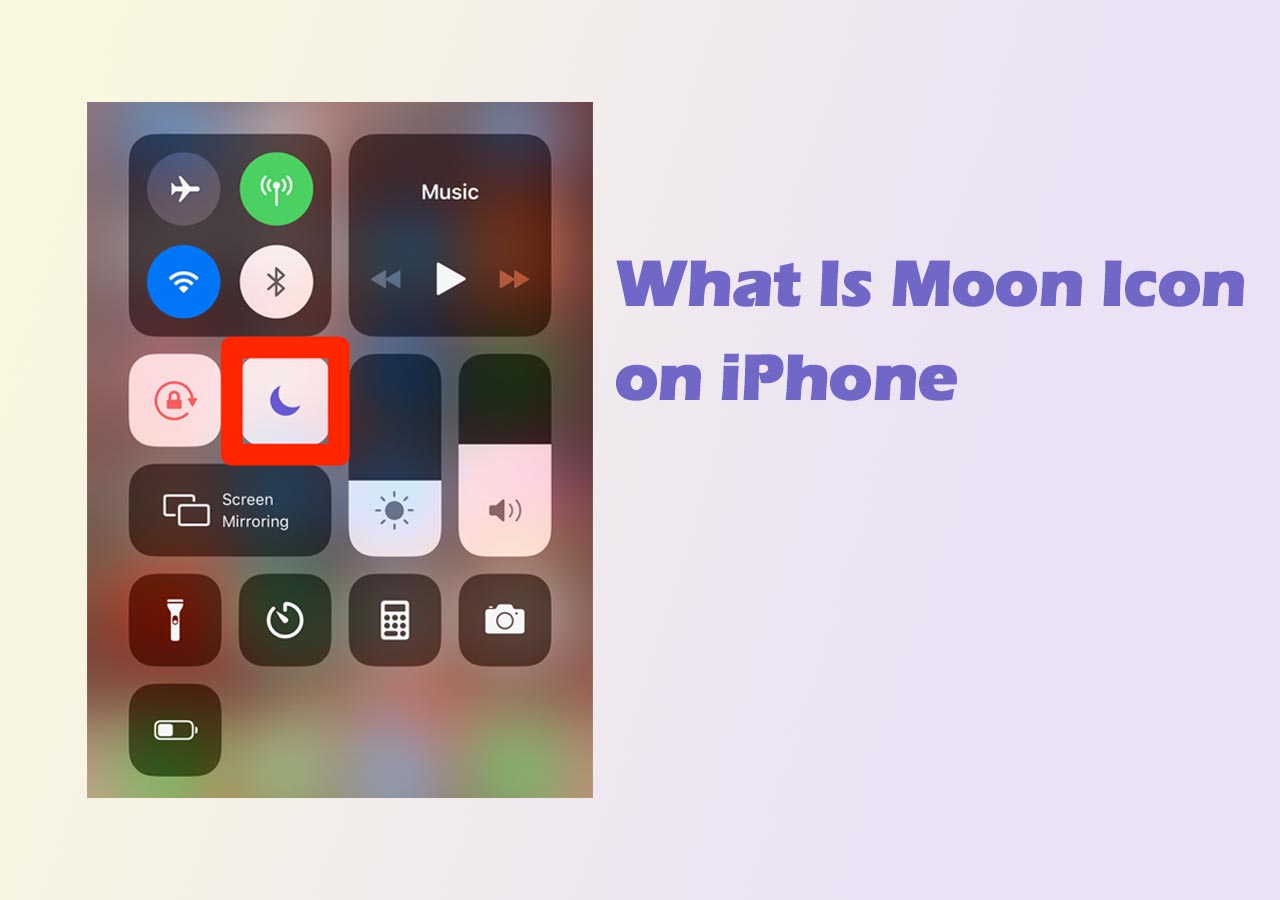
The Primary Driver: Do Not Disturb Mode
The most common and widely recognized interpretation of the moon icon on an iPhone is its direct association with Do Not Disturb mode. This core iOS feature is designed to help users minimize distractions by silencing incoming calls, alerts, and notifications. When enabled, the moon icon appears prominently in the status bar, serving as a constant visual cue that your iPhone is in a state of reduced interruption.
Understanding the Do Not Disturb Functionality
Do Not Disturb mode isn’t a one-size-fits-all solution. Apple has integrated a sophisticated system that allows for granular control over which alerts are suppressed and which can still break through. This flexibility is crucial for balancing the need for uninterrupted focus with the importance of staying connected for essential communications.
When you manually activate Do Not Disturb, either through the Control Center or the Settings app, the moon icon will appear. This signifies that all sounds and vibrations associated with incoming alerts will be silenced. However, the true power of Do Not Disturb lies in its customization options. You can designate specific contacts whose calls will still ring through, ensuring that urgent communications from loved ones or colleagues are not missed. This “Favorites” list is a lifesaver for those who need to be accessible during specific times but want to avoid constant disruptions.
Scheduled Do Not Disturb: Automating Your Peace
Beyond manual activation, iOS offers the powerful ability to schedule Do Not Disturb mode. This feature allows you to set specific times when the mode will automatically turn on and off. This is particularly useful for ensuring a peaceful night’s sleep, uninterrupted work periods, or focused study sessions. For instance, you can schedule Do Not Disturb to activate every night from 10 PM to 7 AM. During these hours, your iPhone will remain silent, and the moon icon will be visible. When the scheduled time elapses, the icon will disappear, and your iPhone will resume normal notification behavior.
Bedtime Mode and Sleep Integration
Further enhancing the Do Not Disturb experience, Apple has integrated it with the Bedtime feature within the Clock app, now part of the Health app. When Bedtime mode is active, Do Not Disturb automatically turns on during your designated sleep schedule. This also contributes to a more restful sleep by dimming the Lock Screen and hiding all notifications until your alarm rings. The moon icon will be present, signaling that your device is optimized for sleep. This seamless integration highlights Apple’s commitment to using technology to promote well-being.
Beyond Do Not Disturb: Other Lunar Indicators
While Do Not Disturb is the primary context for the moon icon, it’s important to acknowledge that in some less common scenarios, a lunar symbol might appear in different parts of the iOS interface, potentially indicating other system states or features. However, it’s crucial to differentiate these from the prominent status bar moon.
App-Specific Icons (Rare Occurrences)

In very rare instances, third-party applications might employ a moon icon within their own interfaces to denote specific functionalities. These are not system-wide indicators and are entirely dependent on the app developer’s design choices. For example, a weather app might use a crescent moon to indicate nighttime conditions in a forecast. It’s always wise to consult the app’s help documentation or settings if you encounter an unfamiliar icon within a specific application. However, for the vast majority of users, the moon icon signifies system-level notification management.
Potential for System Status (Historical or Future)
While not a current mainstream feature, the possibility exists that Apple might utilize a moon icon for other system-wide statuses in future iOS updates. Operating system designers often leverage familiar visual cues to convey information efficiently. If a new feature were introduced that involved a state of limited visibility or passive operation, a moon icon could be a logical choice. However, as of current iOS versions, the status bar moon is unequivocally linked to Do Not Disturb. Users should remain aware of potential changes with each major software update, but for practical purposes, the Do Not Disturb association is paramount.
Maximizing Your iPhone Experience with Notification Management
Understanding the moon icon is more than just a trivia point; it’s a gateway to better managing your digital life. By effectively utilizing Do Not Disturb mode and its associated functionalities, you can significantly improve your focus, reduce stress, and reclaim your time from constant digital interruptions.
Tailoring Do Not Disturb to Your Lifestyle
The power of Do Not Disturb lies in its adaptability. Don’t treat it as a blunt instrument; customize it to fit your unique needs. Explore the “Allow Calls From” setting to ensure you never miss important calls from family or key colleagues. Utilize “Repeated Calls” to allow a second call from the same person within a three-minute window to ring through, a feature designed for genuine emergencies.
For work, consider setting up specific schedules for Do Not Disturb. If you have a regular commute where you prefer to listen to podcasts without interruption, schedule it accordingly. If you have deep work sessions, block out those hours to ensure maximum productivity. The goal is to create a digital environment that supports your workflow and well-being, rather than hindering it.
Integrating with Focus Modes
With the introduction of Focus modes in iOS, Do Not Disturb has become even more integrated into a comprehensive system for managing distractions. Focus modes allow you to create custom profiles for different activities, such as Work, Personal, Sleep, and more. Each Focus mode can have its own set of allowed notifications, apps, and even customized Home Screen pages. When you activate a Focus mode, the associated Do Not Disturb settings and the moon icon (if configured) will be applied. This allows for a more sophisticated and context-aware approach to notification management. For example, your “Work” Focus might allow notifications from work-related apps and specific colleagues, while your “Sleep” Focus would be entirely silent.
The Psychological Impact of Controlled Notifications
The constant barrage of notifications has been linked to increased anxiety, decreased attention spans, and reduced overall productivity. By actively managing these interruptions through features like Do Not Disturb, you are taking a proactive step towards improving your mental well-being. The simple act of seeing the moon icon can provide a sense of control and reassurance, knowing that you are deliberately creating pockets of uninterrupted time. This psychological benefit is often overlooked but is a significant aspect of embracing technology mindfully.
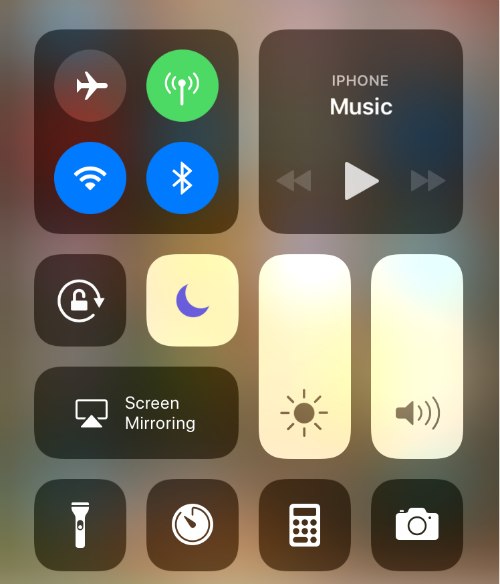
Conclusion: The Moon as a Beacon of Control
The moon icon on your iPhone is, in its most prevalent form, a clear indicator of Do Not Disturb mode. It’s a subtle yet powerful visual cue that signifies a deliberate choice to minimize distractions and reclaim your focus. By understanding its primary function and the various ways it can be configured, users can leverage this feature to enhance their productivity, improve their sleep, and ultimately, foster a healthier relationship with their technology.
Whether you’re manually activating it for a focused work session, relying on a scheduled Do Not Disturb for peaceful evenings, or integrating it with more advanced Focus modes, the moon icon serves as a consistent reminder that you are in control of your digital experience. In a world saturated with constant connectivity, mastering the nuances of your iPhone’s notification system, symbolized by that gentle lunar glow, is an essential skill for navigating the modern digital landscape effectively and maintaining a balanced, productive life.
aViewFromTheCave is a participant in the Amazon Services LLC Associates Program, an affiliate advertising program designed to provide a means for sites to earn advertising fees by advertising and linking to Amazon.com. Amazon, the Amazon logo, AmazonSupply, and the AmazonSupply logo are trademarks of Amazon.com, Inc. or its affiliates. As an Amazon Associate we earn affiliate commissions from qualifying purchases.