
The term “archive messages” has become increasingly commonplace in our digital lives, appearing across a multitude of communication platforms, from email clients to instant messaging apps. While the core concept is straightforward – to move messages out of immediate view without deleting them – the nuances, implications, and functionalities associated with archiving can vary significantly depending on the specific platform and user intent. In the realm of technology, understanding what it means to archive messages is crucial for efficient digital organization, data management, and maintaining a streamlined user experience. This article will delve into the technical underpinnings, functional aspects, and practical benefits of archiving messages within the technology landscape, exploring its role in modern digital communication and data stewardship.
The Technical Foundation of Message Archiving
At its heart, archiving messages is a data management process. When a message is “archived,” it’s not simply hidden; its underlying data is typically moved from an active, readily accessible storage location to a more long-term, less frequently accessed repository. This distinction is vital for understanding the technical implications.
Data Storage and Retrieval Mechanisms
When you send or receive a message, the data associated with it – the text, sender, recipient, timestamp, and any attached files – is stored within a database managed by the service provider. In active communication, these messages reside in a primary database, optimized for quick retrieval and display in your inbox or chat window.
Archiving, from a technical standpoint, involves migrating this data. Instead of being purged, the message records are transferred. The exact destination varies:
- Separate Database/Storage: Many platforms maintain a distinct archive database or a designated storage area, often leveraging cloud storage solutions like Amazon S3, Google Cloud Storage, or Azure Blob Storage. This storage is optimized for durability and cost-effectiveness over frequent access.
- Indexed Storage: Archived messages are still indexed, meaning the system knows where they are. This allows for efficient searching and retrieval when you explicitly request to view or restore an archived message. The indexing mechanism might differ from the real-time indexing of active messages, potentially involving slower, batch-oriented processes.
- Data Compression and Deduplication: To save storage space, especially for large archives, platforms may employ data compression techniques on archived messages. Deduplication, where identical message content across multiple archives is stored only once, can also be a feature.
The retrieval process for archived messages involves a query to the archive repository. This query might take slightly longer than accessing an active message because the data is stored on different infrastructure or in a less immediately accessible format. However, modern systems are designed to make this process seamless for the end-user, often appearing as a simple search result.
Platform-Specific Implementations
The technical implementation of archiving is heavily influenced by the platform’s architecture and its intended use case:
- Email Clients (Gmail, Outlook): These platforms have robust archiving features. When you archive an email, it’s removed from your inbox view but remains accessible through a dedicated “Archive” folder or search functionality. Technically, the email record is moved from the “Inbox” view (which is often a dynamic query on the database) to a different state within the same underlying storage system or a dedicated archive store, with its metadata updated to reflect its archived status. Search indices are updated to include these messages, allowing them to be found via the search bar.
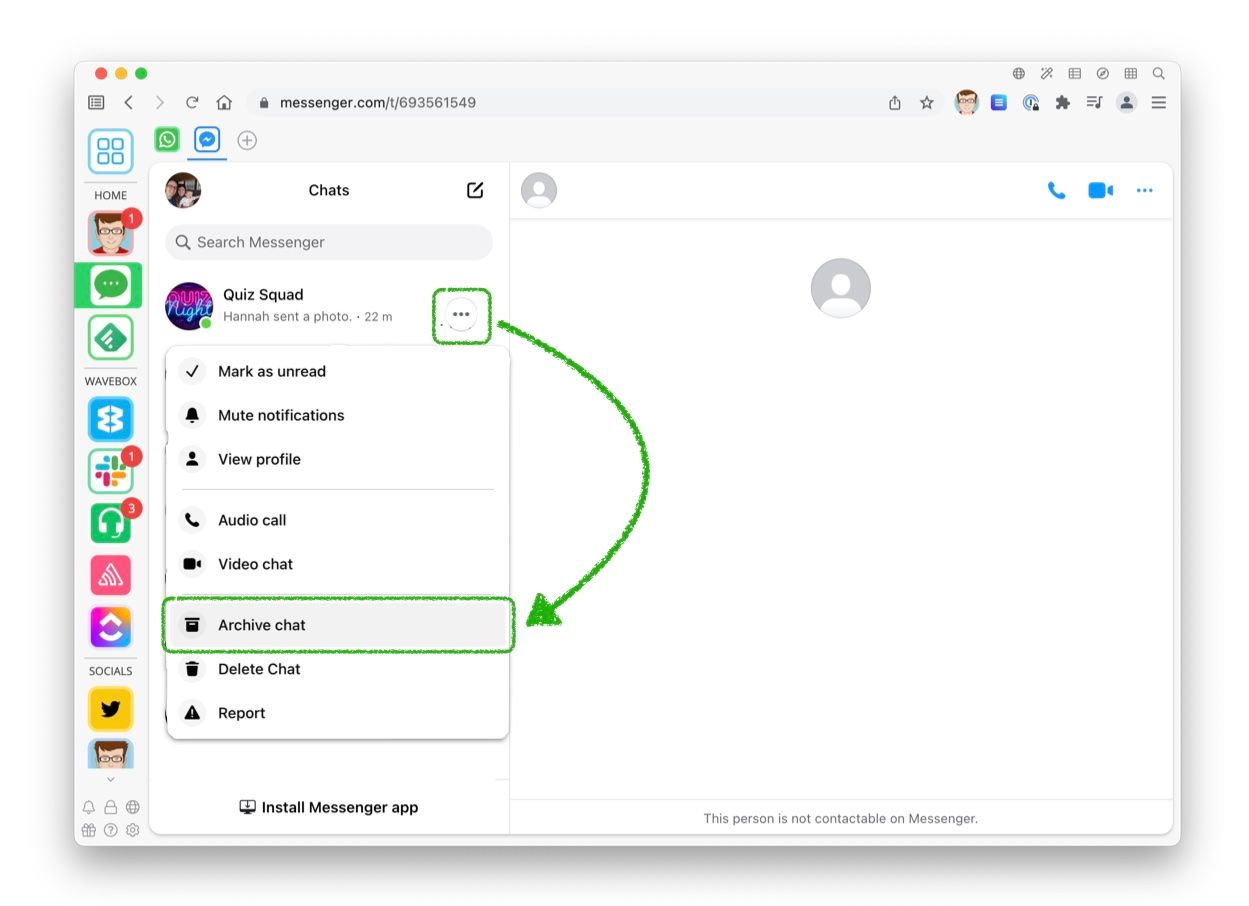
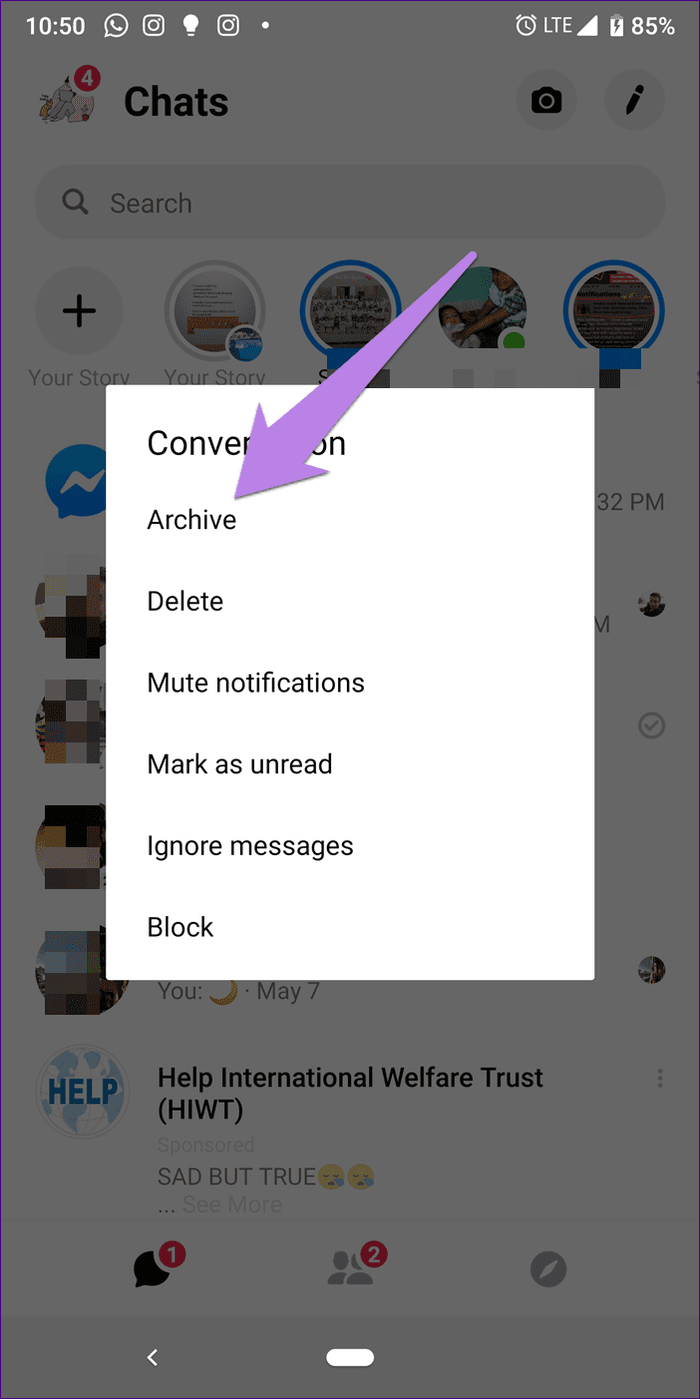
- Messaging Apps (Slack, Microsoft Teams, WhatsApp): In these real-time communication tools, archiving often refers to hiding a conversation or channel from the main list. The messages themselves are typically retained on the service’s servers. When you archive a chat, the conversation is moved to a separate “Archived Chats” section. Technically, this might involve a flag in the database indicating the conversation’s archived status for that specific user, or it could involve moving the entire conversation thread to a separate, less active data store. Re-activating or unarchiving brings the conversation back into the primary view.
- Enterprise Communication Platforms: For businesses, archiving messages often has a legal and compliance dimension. Platforms like Proofpoint, Barracuda, or internal enterprise solutions are designed to retain messages for extended periods, often for regulatory compliance. Technically, this involves a robust, immutable storage system, often in a separate data center or secure cloud environment, with strict access controls and audit trails. The archiving process might be automated based on retention policies.
Functional Benefits and User Experience
Beyond the technical architecture, archiving messages offers significant functional benefits that directly impact user experience, productivity, and digital well-being.
Streamlining Digital Interfaces
One of the most immediate benefits of archiving is the decluttering of digital interfaces. In our daily digital interactions, inboxes and chat lists can quickly become overwhelmed with messages, many of which are no longer immediately relevant but might be needed for future reference.
- Inbox Zero and Beyond: For email, archiving is a cornerstone of achieving “Inbox Zero” or a similarly organized inbox. By archiving messages that have been dealt with, responded to, or are no longer actionable, users can focus on what’s currently important. This reduces cognitive load and makes it easier to spot new, critical communications. The archived messages are not deleted, so the fear of losing them is alleviated, which is a key psychological barrier to deleting emails.
- Focusing on Active Conversations: In messaging apps, archiving can help users manage numerous ongoing conversations and group chats. Archiving a chat that is temporarily inactive or less critical allows users to prioritize active discussions and avoid distraction from constant notifications. This is particularly useful in professional settings where numerous project-specific or team-wide discussions are taking place simultaneously.
- Personalized Information Consumption: Archiving allows users to curate their active digital spaces according to their current needs and priorities. This personalization leads to a more efficient and less stressful digital experience, as the user is presented with information that is most relevant to them at any given moment.
Long-Term Information Retrieval and Searchability
The primary purpose of archiving, from a user’s perspective, is to preserve messages for future reference without cluttering their active workspace. This capability is enabled by powerful search functionalities.
- Historical Record Keeping: Archived messages serve as a historical record of communications. This can be invaluable for recalling past decisions, tracking project progress, finding specific details from previous discussions, or even for personal reminiscence. For instance, a user might archive an email containing an important warranty for a product or a record of a significant purchase, knowing they can easily retrieve it years later.
- Efficient Search Capabilities: Most platforms that offer archiving also provide robust search engines. These engines are designed to scan through all messages, including archived ones, to quickly locate specific keywords, phrases, senders, or date ranges. Advanced search operators can further refine results, making it possible to pinpoint a needle in a haystack of digital communication.
- Cross-Platform Search: Some advanced tools and services can even aggregate and search across archives from multiple platforms, providing a unified search experience across your entire digital communication history. This is particularly useful for professionals who use various tools for different purposes.
Digital Well-being and Reduced Anxiety
The constant influx of digital messages can contribute to digital fatigue and anxiety. Archiving offers a psychological benefit by providing a sense of control and order.
- Managing Information Overload: By moving messages out of sight, users can reduce the feeling of being overwhelmed. This allows for a more focused approach to communication and task management, reducing the pressure to respond to every message immediately.
- Separation of Active and Archived Information: Archiving helps to create a mental separation between active, immediate tasks and historical information. This can be conducive to better focus and reduce the anxiety associated with an ever-growing, unmanageable inbox or chat list.
- Peace of Mind: Knowing that important messages are not being deleted but are safely stored and retrievable provides peace of mind. This allows users to be more assertive in decluttering their active digital spaces without the fear of losing valuable information.
Advanced Use Cases and Compliance Considerations
While everyday users archive messages for organization and convenience, advanced use cases, particularly in enterprise and professional contexts, highlight the deeper technical and strategic importance of message archiving.
E-Discovery and Legal Compliance
In legal and regulatory environments, the ability to access and present past communications is often a critical requirement. This is where message archiving takes on a more formal and demanding role.
- E-Discovery (Electronic Discovery): When legal proceedings occur, companies are often required to produce relevant electronic evidence. Archived messages form a significant part of this evidence. Robust archiving systems ensure that all communications are preserved, making them available for e-discovery processes. The technical requirement here is for systems that can reliably store, retrieve, and present this data in a legally admissible format, often with strict audit trails and metadata preservation.
- Regulatory Compliance: Many industries are subject to specific regulations that mandate the retention of communications for a certain period. For example, financial institutions must retain trading records and client communications, and healthcare providers must comply with HIPAA. Archiving solutions are essential for meeting these obligations. These systems are designed with features like immutable storage (where data cannot be altered or deleted), legal holds (which prevent data from being purged even when its retention period expires), and detailed logging of access and actions.
- Data Governance: Beyond legal requirements, organizations implement archiving as part of their data governance strategy. This involves managing data throughout its lifecycle, ensuring it is stored securely, accessible when needed, and disposed of appropriately when no longer required. This helps in managing storage costs, improving data quality, and reducing security risks associated with holding unnecessary data.
Business Continuity and Disaster Recovery
Message archives are a critical component of business continuity and disaster recovery plans, ensuring that vital communication data remains accessible even in the face of unforeseen events.
- Data Redundancy and Backup: Archiving systems are typically designed with high levels of redundancy and are often part of a broader backup strategy. This means that even if primary communication servers fail, the archived messages are safe and can be used to restore critical information. This is often achieved through geographically distributed data centers and regular backup rotations.
- Restoration of Operations: In the event of a major data loss incident, having a reliable archive of messages can be instrumental in restoring business operations. Users can access historical communication to understand ongoing projects, client needs, and operational details, allowing for a quicker and more informed recovery process.
- Auditing and Historical Analysis: Beyond immediate recovery, archived messages provide an invaluable resource for post-incident analysis. Organizations can review past communications to understand what led to an incident, identify process improvements, and strengthen their security posture. This historical data is crucial for continuous improvement in IT and communication strategies.

Integration with Other Business Tools
Modern archiving solutions are increasingly integrated with other business tools and workflows, further enhancing their utility and efficiency.
- CRM and ERP Integration: Archiving systems can be integrated with Customer Relationship Management (CRM) and Enterprise Resource Planning (ERP) systems. This allows for richer context by linking communications to specific customer records, projects, or transactions. For example, an archived email related to a particular client can be automatically associated with that client’s profile in the CRM.
- Data Analytics and Business Intelligence: Archived message data can be a valuable source for data analytics and business intelligence. By analyzing communication patterns, sentiment, and key topics, organizations can gain insights into customer behavior, employee collaboration, and market trends. This requires sophisticated data extraction and analysis tools that can process the archived information.
- Workflow Automation: Archiving can be a trigger for automated workflows. For instance, when a message is archived under specific conditions, it might initiate a task, create a support ticket, or update a project status in another system. This automation streamlines business processes and reduces manual intervention.
In conclusion, “what does archive messages mean” transcends a simple definition of moving data out of sight. Within the tech domain, it represents a sophisticated interplay of data storage, retrieval mechanisms, user experience design, and strategic data management. From decluttering personal inboxes to fulfilling stringent legal and compliance requirements, archiving is an indispensable feature of modern digital communication, ensuring that valuable information is preserved, accessible, and managed effectively throughout its lifecycle. As technology continues to evolve, so too will the sophistication and integration of message archiving, further cementing its role as a critical component of our digital infrastructure.
aViewFromTheCave is a participant in the Amazon Services LLC Associates Program, an affiliate advertising program designed to provide a means for sites to earn advertising fees by advertising and linking to Amazon.com. Amazon, the Amazon logo, AmazonSupply, and the AmazonSupply logo are trademarks of Amazon.com, Inc. or its affiliates. As an Amazon Associate we earn affiliate commissions from qualifying purchases.