
Facebook Marketplace, a ubiquitous digital bazaar, has become an indispensable tool for millions looking to buy and sell goods, from vintage furniture to everyday essentials. Unlike a standalone app that requires a direct download and installation, Facebook Marketplace is an integrated feature within the Facebook platform itself. This distinction is crucial. You don’t “install” Facebook Marketplace in the traditional sense of downloading an application. Instead, you access it through the existing Facebook app or website. This article will delve into how to access, utilize, and optimize your experience with Facebook Marketplace, touching upon its technological underpinnings, its role in personal and brand marketing, and the financial opportunities it presents.
Understanding Facebook Marketplace: More Than Just a Feature
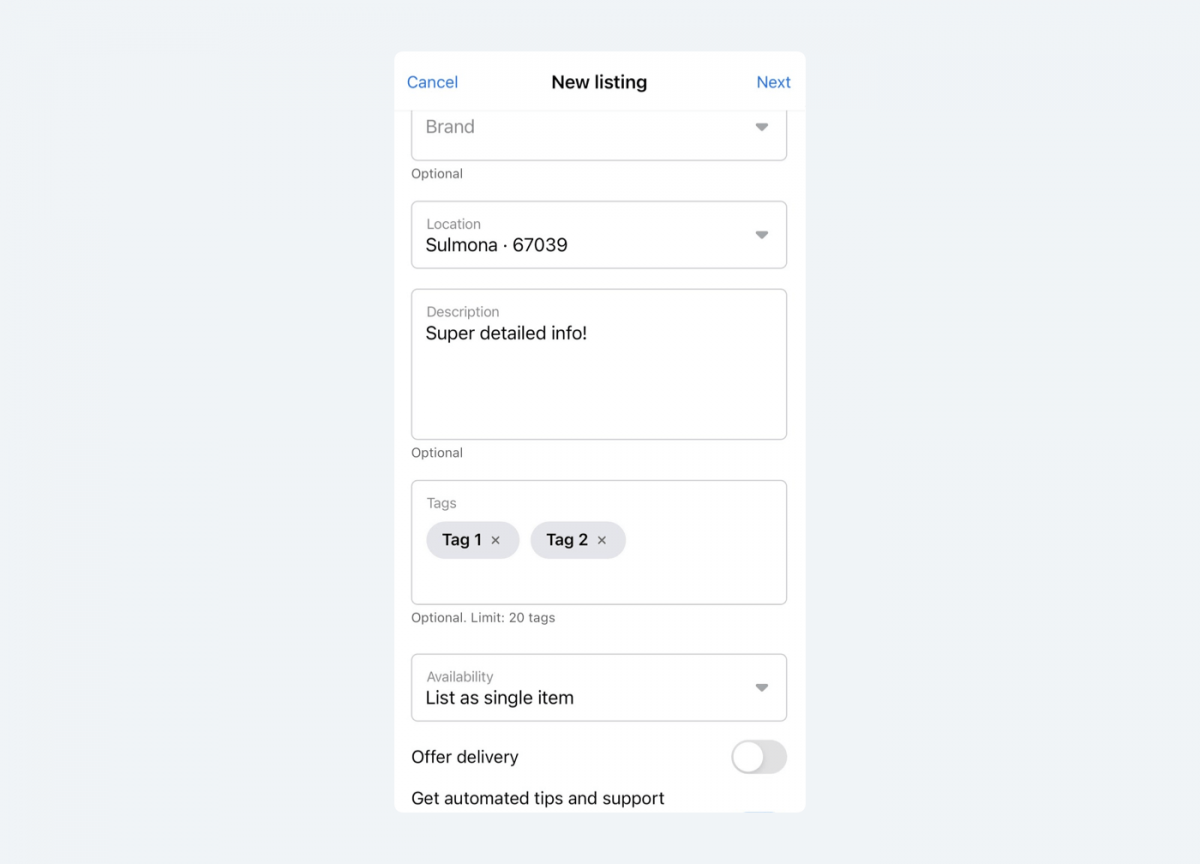
At its core, Facebook Marketplace is a testament to the power of seamless integration within a vast social network. It leverages the existing infrastructure of Facebook, meaning its “installation” is inherently tied to your Facebook account and the device you use to access it. This approach offers significant advantages in terms of user accessibility and network effects, as it capitalizes on the billions of users already engaged with the platform.
The Technology Behind the Convenience
The technological prowess of Facebook Marketplace lies in its sophisticated algorithms and data integration. When you access Marketplace, the platform is not just presenting a static list of items. Instead, it’s dynamically curating suggestions based on your location, browsing history, past purchases, and even your network of friends and their interests. This personalized approach is powered by:
- Location Services: To ensure relevant listings, Marketplace heavily relies on your device’s location data. This allows you to see items for sale in your immediate vicinity, facilitating local pick-ups and reducing shipping costs. The accuracy and privacy settings of your location services play a direct role in the effectiveness of your Marketplace experience.
- User Data and Personalization: Facebook’s extensive user data is the engine behind Marketplace’s personalized recommendations. By analyzing your interactions – what you’ve searched for, liked, or previously sold – the platform can predict items you might be interested in buying or buyers who might be interested in your listings. This is a prime example of AI tools at work, constantly refining user experience.
- Search Algorithms: Powerful search algorithms allow users to quickly find specific items. These algorithms go beyond simple keyword matching, considering synonyms, product categories, and even the intent behind a search query. This ensures that whether you’re looking for a “vintage leather armchair” or a “comfy couch,” you’re likely to find relevant results.
- Integrated Messaging System: A core component of Marketplace is its built-in messaging system, which allows buyers and sellers to communicate directly without needing to exchange personal contact information initially. This offers a layer of digital security and convenience, streamlining negotiations and logistics.
Accessing Marketplace on Different Devices
The “installation” process, therefore, translates to ensuring you have the latest version of the Facebook app or are using a compatible web browser.
On Mobile Devices (iOS and Android):
- Ensure You Have the Facebook App: If you don’t already have the Facebook app installed on your smartphone or tablet, download it from your device’s app store (App Store for iOS, Google Play Store for Android).
- Log In to Your Account: Open the Facebook app and log in with your existing Facebook credentials. If you don’t have an account, you’ll need to create one.
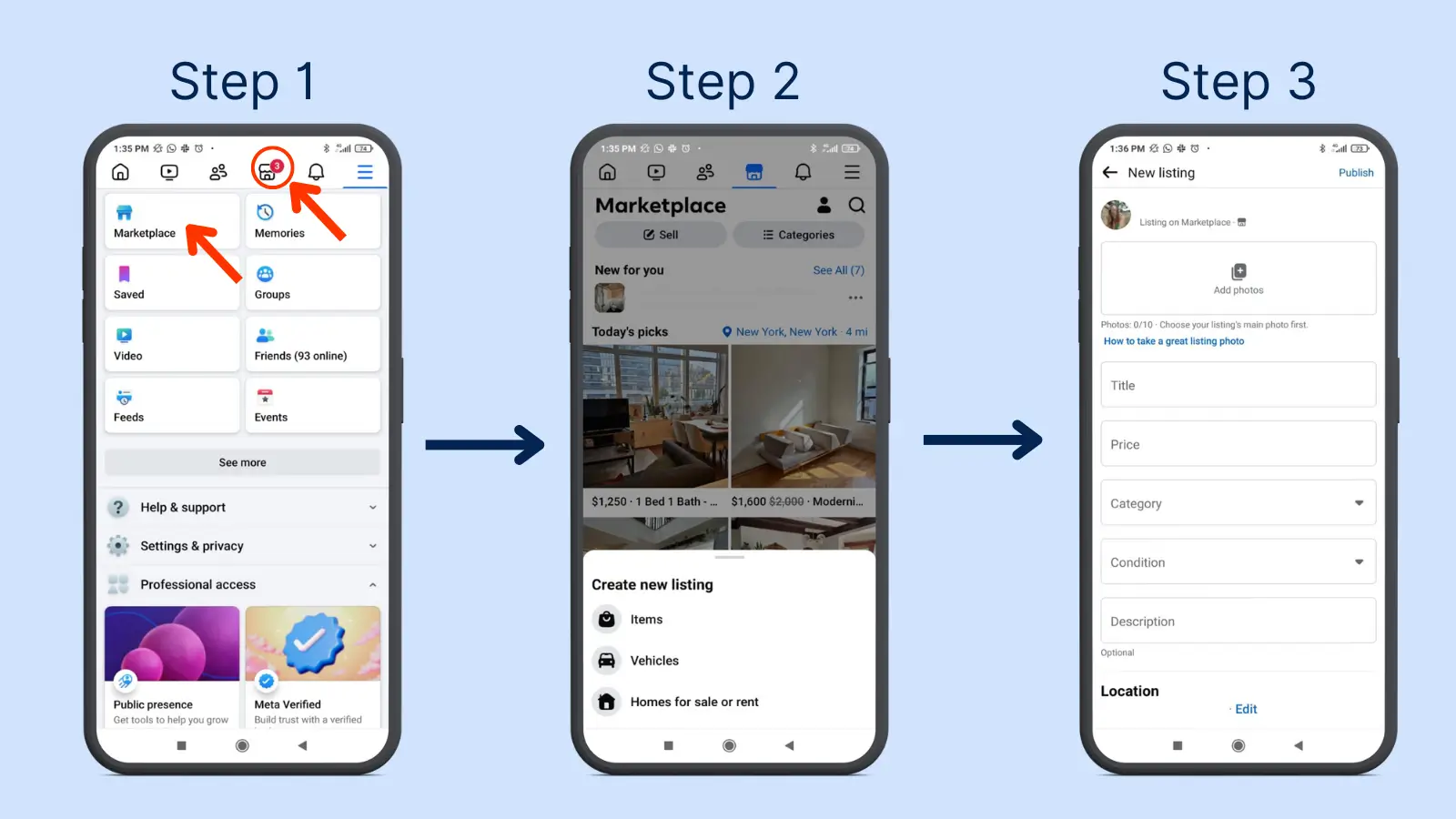
- Locate the Marketplace Icon: On the Facebook app, the Marketplace icon is typically found in the bottom navigation bar. It usually resembles a shop storefront. Tap on this icon.
- Start Browsing or Listing: Once you tap the icon, you’ll be taken directly to the Facebook Marketplace interface. You can then start browsing listings or tap “Sell” to begin listing your own items.
On Desktop/Web Browser:
- Navigate to Facebook.com: Open your preferred web browser (Chrome, Firefox, Safari, Edge, etc.) and go to www.facebook.com.
- Log In to Your Account: Enter your Facebook login details and sign in.
- Find the Marketplace Link: On the left-hand side menu of your Facebook homepage, you will find a “Marketplace” option. Click on it.
- Explore and Engage: The Marketplace will load in your browser, allowing you to search, browse, and interact with listings.
Troubleshooting “Installation” Issues:
If you are having trouble accessing Marketplace, it’s usually not an “installation” problem but rather an issue with your Facebook app or account:
- Update the Facebook App: Ensure your Facebook app is updated to the latest version. Outdated versions can sometimes lead to features not displaying correctly.
- Clear App Cache/Cookies: For mobile apps, clearing the cache can resolve glitches. For web browsers, clearing cookies and cache can also help.
- Check Your Internet Connection: A stable internet connection is essential for the dynamic loading of Marketplace content.
- Facebook Account Issues: Ensure your Facebook account is in good standing and not restricted in any way.
Facebook Marketplace: A Hub for Brand and Personal Branding
Beyond its transactional utility, Facebook Marketplace has evolved into a significant platform for both personal and corporate branding. For individuals, it’s an opportunity to build a reputation as a reliable seller, fostering trust through positive reviews and consistent engagement. For businesses, it can be an extension of their marketing strategy, allowing them to reach a highly targeted local audience.
Personal Branding Through Selling
Every transaction on Marketplace is an interaction that can shape your personal brand. As a seller, your approach to pricing, communication, and item description directly impacts how buyers perceive you.
- Professionalism in Listings: High-quality photos, detailed and honest descriptions, and competitive pricing contribute to a positive seller image. This builds trust and encourages repeat business or positive word-of-mouth.
- Responsive Communication: Prompt and courteous replies to inquiries are crucial. This demonstrates respect for potential buyers and a commitment to a smooth transaction.
- Building a Reputation: The rating and review system on Marketplace is a powerful tool for personal branding. Consistently positive reviews build social proof, making you a more attractive seller. Conversely, negative feedback, while undesirable, can be a learning opportunity to improve your selling practices.
Corporate Identity and Marketing on Marketplace
While not a primary advertising platform in the traditional sense, businesses can leverage Facebook Marketplace strategically. This is particularly true for small businesses, local retailers, and those selling unique or refurbished items.
- Reaching Local Demographics: Marketplace’s location-based nature is invaluable for businesses targeting customers in a specific geographic area. This can be more effective and cost-efficient than broad advertising campaigns for certain products.
- Showcasing Products: Businesses can use Marketplace to list individual items, especially those that might not fit neatly into a larger e-commerce store, or to offer special deals to a wider audience.
- Brand Awareness: Even if a sale doesn’t occur, an engaging listing with clear branding elements (even subtle ones like a consistent tone or style) can contribute to brand awareness. For companies that have a dedicated “Shop” on Facebook, Marketplace listings can act as a gateway to explore their full product range.
- Case Studies in Local Sales: Successful Marketplace sales can become informal case studies for businesses, demonstrating their ability to connect with and serve local customers effectively.
Financial Opportunities and Smart Practices on Facebook Marketplace
Facebook Marketplace is not just a place to declutter; it’s a dynamic environment for generating income, saving money, and practicing smart financial habits. It democratizes access to buying and selling, making it a valuable tool within the realms of personal finance and online income.
Generating Online Income and Side Hustles
For many, Facebook Marketplace has become a significant source of supplemental income or even a full-fledged side hustle.
- Reselling and Flipping: Identifying undervalued items, purchasing them, and reselling them for a profit is a popular strategy. This requires market knowledge, negotiation skills, and an understanding of current trends.
- Selling Crafts and Handmade Goods: Artisans and crafters can reach a broad audience eager for unique, handmade items, bypassing the fees associated with some dedicated craft platforms.
- Decluttering and Monetizing: The most straightforward income stream is selling unwanted items. This not only generates cash but also helps declutter homes, contributing to financial well-being by reducing the “cost” of unused possessions.
- Sourcing for Other Ventures: Businesses and individuals can use Marketplace to source inventory for their own online stores, flea market stalls, or other resale ventures at potentially lower prices.
Smart Shopping and Financial Tools
On the flip side, Facebook Marketplace is an excellent resource for frugal shopping and making your money go further.
- Finding Bargains: From furniture and electronics to clothing and vehicles, Marketplace often features items at significantly lower prices than traditional retail. Patience and a keen eye can lead to substantial savings.
- Negotiation: The platform encourages negotiation, allowing savvy shoppers to secure even better deals.
- Local Acquisition: For large or heavy items, buying locally on Marketplace eliminates or reduces shipping costs, a significant financial advantage.
- Budgeting and Financial Planning: By consciously choosing to buy pre-owned items from Marketplace, individuals can allocate their budget more effectively towards essential needs or savings goals. This aligns with principles of personal finance and mindful consumption.
- Understanding Market Value: Regularly browsing Marketplace can also provide insights into the real market value of goods, helping individuals make more informed purchasing and selling decisions across various platforms.
Financial Tools and Best Practices for Transactions
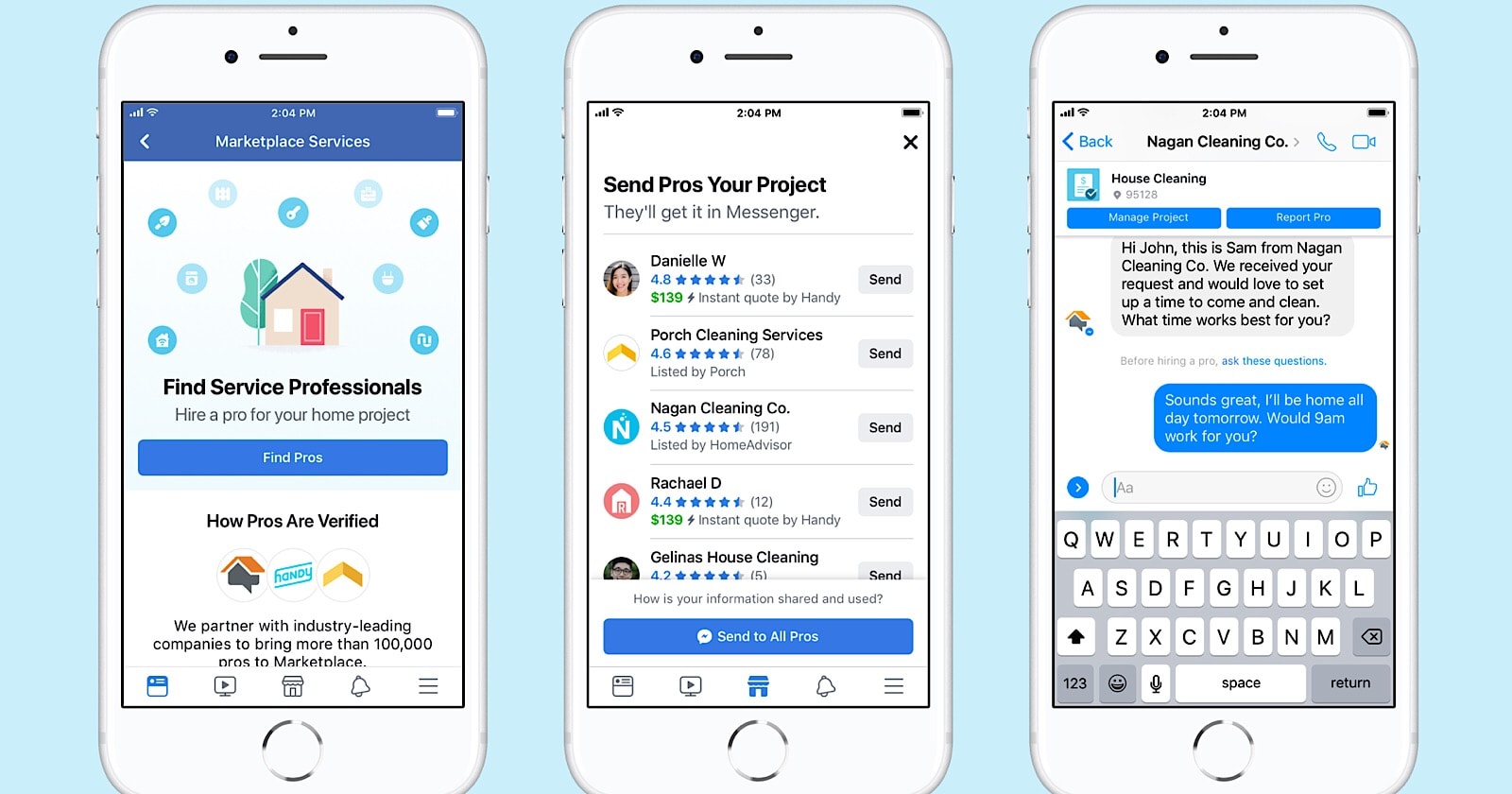
While Marketplace itself doesn’t offer integrated financial tools like escrow services (though payment options are evolving), users can employ external financial tools and best practices to ensure secure and successful transactions.
- Payment Methods: Be cautious when accepting or making payments. While Facebook Pay is increasingly integrated, for local pick-ups, cash is often preferred. For shipped items, secure payment platforms like PayPal (with buyer/seller protection) are advisable.
- Scam Prevention: Be aware of common scams. Never pay for an item before seeing it in person or verifying the seller’s legitimacy if shipping. Be wary of sellers who insist on unusual payment methods or pressure you to act quickly. Digital security is paramount.
- Record Keeping: For significant purchases or sales, keep records of your communication and payment to serve as a reference in case of disputes.
- Budgeting for Purchases: Treat Marketplace purchases as you would any other expenditure. Factor them into your personal budget to maintain financial discipline.
In conclusion, while the question “how do I install Facebook Marketplace” might seem straightforward, it opens the door to understanding a sophisticated feature deeply embedded within the Facebook ecosystem. It’s about accessing and utilizing a powerful tool that spans technology, brand building, and significant financial opportunities. By understanding its inner workings and employing smart strategies, users can harness Facebook Marketplace for a wide array of personal and economic benefits.
aViewFromTheCave is a participant in the Amazon Services LLC Associates Program, an affiliate advertising program designed to provide a means for sites to earn advertising fees by advertising and linking to Amazon.com. Amazon, the Amazon logo, AmazonSupply, and the AmazonSupply logo are trademarks of Amazon.com, Inc. or its affiliates. As an Amazon Associate we earn affiliate commissions from qualifying purchases.