
Navigating the digital marketplace, particularly on a behemoth like Amazon, often involves understanding the nuances of payment methods. Among the most prevalent and convenient options is the credit card. While seemingly straightforward, a comprehensive understanding of how to leverage credit cards for your Amazon purchases can unlock a range of benefits, from enhanced security to optimized reward accumulation. This guide delves into the multifaceted aspects of using your credit card on Amazon, exploring the process, security considerations, and strategies for maximizing your financial advantage.
The Mechanics of Adding and Managing Credit Cards on Amazon
The initial step to utilizing a credit card on Amazon is its secure addition to your account. This process is designed to be user-friendly while prioritizing the protection of your financial information. Once added, you have the ability to manage these cards, ensuring your payment details are always up-to-date and accessible for seamless transactions.
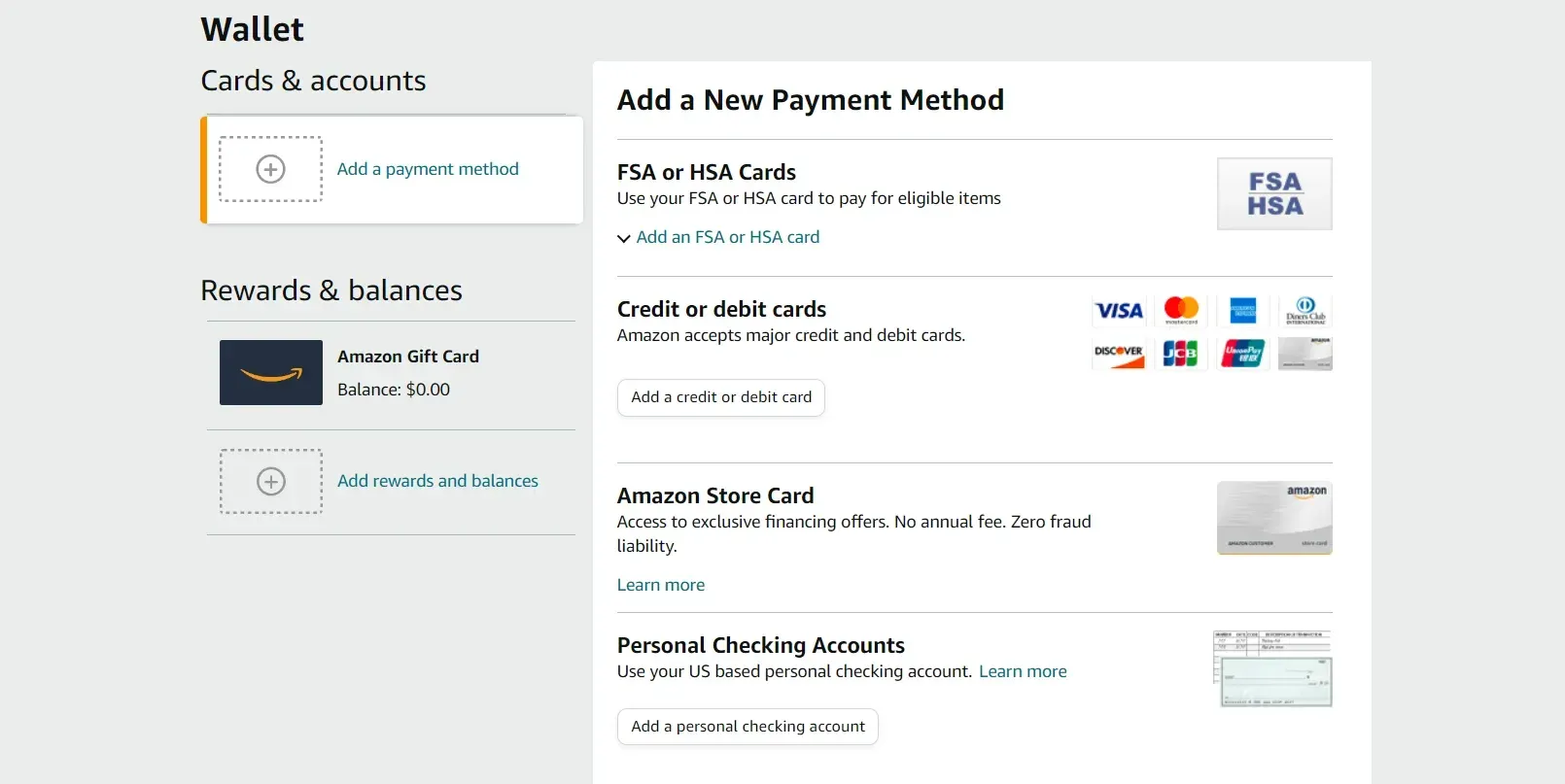
Adding a New Credit Card to Your Amazon Account
When you’re ready to make your first credit card purchase or add a new card, Amazon provides a clear and intuitive interface.
- Initiating the Process: The journey begins within your Amazon account settings. Navigate to “Your Account,” and then select “Payment options.” Here, you will find the option to “Add a payment method” or “Add a credit or debit card.”
- Entering Card Details: You will be prompted to enter your 16-digit credit card number, followed by the expiration date (month and year). Crucially, you’ll also need to input the card’s security code, often referred to as the CVV (Card Verification Value) or CVC (Card Verification Code). This is typically a three or four-digit number found on the back of your card, or on the front for American Express cards.
- Billing Address Verification: For security purposes, Amazon requires you to confirm the billing address associated with your credit card. This is the address that appears on your credit card statements. Accuracy here is paramount to prevent transaction declines.
- Saving for Future Use: Once the information is entered and verified, you have the option to save the card for future purchases. This eliminates the need to re-enter your card details for every transaction, streamlining your shopping experience.
Managing Existing Payment Methods
Your Amazon “Payment options” section serves as a central hub for all your stored payment methods. This allows for efficient management and ensures your account remains current.
- Editing Card Information: If your card has expired or been reissued with a new number, you can easily update the details. Select the card you wish to edit and follow the on-screen prompts to modify the card number, expiration date, or security code.
- Setting a Default Payment Method: For frequent Amazon shoppers, designating a default payment method can further expedite the checkout process. This selected card will automatically be chosen during checkout, though you can always change it before completing your purchase.
- Removing a Payment Method: If you no longer use a particular credit card or wish to remove it from your account for security reasons, you can do so within the “Payment options” section. Simply select the card and choose the option to remove it.
Leveraging Credit Cards for Enhanced Security and Consumer Protection
One of the significant advantages of using credit cards for online purchases, especially on platforms like Amazon, is the robust security and consumer protection mechanisms they offer. These features provide a valuable layer of defense against fraud and offer recourse in cases of disputes or unsatisfactory transactions.
Fraud Protection Measures

Credit card companies invest heavily in sophisticated fraud detection and prevention systems. When you use your credit card on Amazon, these systems are actively working to safeguard your account.
- Zero Liability Policies: Most major credit card issuers offer zero liability policies. This means that if your credit card number is stolen and used for unauthorized purchases, you will not be held responsible for those charges. Amazon also has its own security protocols in place to monitor for suspicious activity.
- Tokenization: Amazon, in conjunction with payment processors, employs tokenization technology. Instead of storing your actual credit card number on their servers, a unique token is generated. This token is used for transactions, significantly reducing the risk of your sensitive card data being compromised in the event of a data breach.
- Transaction Monitoring: Both Amazon and your credit card issuer continuously monitor transactions for unusual patterns. If a purchase deviates significantly from your typical spending habits (e.g., a large purchase in a foreign country), you may receive an alert or the transaction might be temporarily flagged for verification.
Dispute Resolution and Chargebacks
In the unfortunate event of a problem with a purchase, credit cards offer a powerful avenue for resolution through the chargeback process.
- What is a Chargeback? A chargeback is a process where a cardholder disputes a transaction with their credit card issuer. This can be initiated for various reasons, including non-receipt of goods, receiving damaged or defective items, or unauthorized charges.
- How Amazon Transactions Work with Chargebacks: If you encounter an issue with an item purchased on Amazon, the first step is typically to contact Amazon customer service. They are generally very responsive and will attempt to resolve the issue directly, such as offering a refund or replacement. However, if you are unable to reach a satisfactory resolution with Amazon, you can then initiate a chargeback with your credit card company.
- The Chargeback Process: When you file a chargeback, your credit card issuer will investigate the dispute. They will contact the merchant (Amazon in this case) for their side of the story and any supporting evidence. If the investigation finds in your favor, the funds will be reversed from the merchant’s account and credited back to your card. It is important to have clear documentation and communication records to support your claim.
Maximizing Benefits: Rewards, Cashback, and Credit Building
Beyond simply making purchases, using credit cards strategically on Amazon can yield significant financial rewards. Understanding the different types of credit card benefits and how they apply to your Amazon shopping can transform a routine transaction into a financially advantageous one.
Earning Rewards and Cashback
Many credit cards offer rewards programs designed to incentivize spending. These often translate into tangible benefits for your Amazon purchases.
- General Rewards Cards: Most general travel or cashback rewards cards will allow you to earn points or a percentage of cashback on all your purchases, including those on Amazon. The rate of earning can vary, so it’s worth comparing different cards.
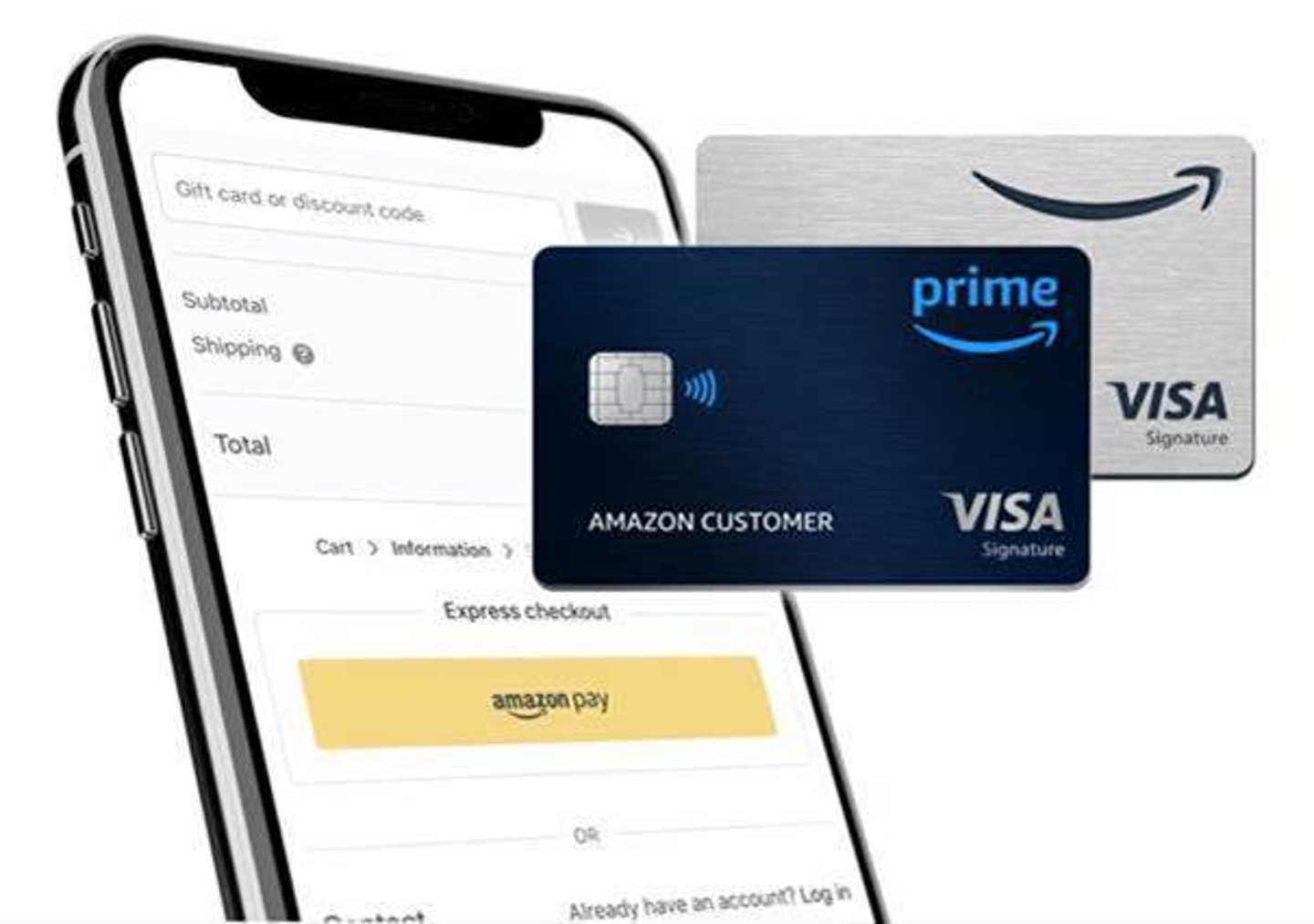
- Amazon-Specific Cards: Amazon offers its own co-branded credit cards, such as the Amazon Prime Rewards Visa Signature Card. These cards often provide elevated rewards rates on Amazon.com and Amazon Whole Foods Market purchases, making them particularly attractive for frequent Amazon shoppers. For example, these cards might offer 5% back on Amazon purchases for Prime members.
- Category Bonuses: Some credit cards offer bonus rewards for specific spending categories, such as online shopping or general merchandise. Check your card’s terms and conditions to see if your Amazon purchases fall into any of these bonus categories.
Building and Maintaining Good Credit
Responsible credit card usage is fundamental to building a strong credit history. Consistent, timely payments on your Amazon purchases contribute positively to your credit score.
- Payment History: The most significant factor influencing your credit score is your payment history. Making all your credit card payments on time, including those for Amazon purchases, is crucial. Late payments can negatively impact your score.
- Credit Utilization Ratio: This refers to the amount of credit you are using compared to your total available credit. Keeping your credit utilization low (ideally below 30%) demonstrates responsible credit management. This means not maxing out your credit cards, even for large Amazon purchases.
- Credit Reporting: Your credit card issuer reports your payment activity to the major credit bureaus (Equifax, Experian, and TransUnion). Positive activity, like on-time payments and low utilization, will be reflected in your credit report, helping to build a good credit score over time. A good credit score can lead to better interest rates on loans, easier approval for credit, and even better insurance rates.
By understanding how to add, manage, and strategically utilize your credit cards on Amazon, you can ensure a secure, efficient, and financially rewarding shopping experience. From safeguarding your information to accumulating valuable rewards, your credit card is a powerful tool in your digital commerce arsenal.
aViewFromTheCave is a participant in the Amazon Services LLC Associates Program, an affiliate advertising program designed to provide a means for sites to earn advertising fees by advertising and linking to Amazon.com. Amazon, the Amazon logo, AmazonSupply, and the AmazonSupply logo are trademarks of Amazon.com, Inc. or its affiliates. As an Amazon Associate we earn affiliate commissions from qualifying purchases.