
Navigating the digital landscape of peer-to-peer payments has become an everyday reality for millions. Cash App, a popular financial service developed by Block, Inc. (formerly Square, Inc.), has cemented its position as a go-to platform for sending and receiving money, investing in stocks and Bitcoin, and even managing direct deposits. While its ease of use for transactions is widely lauded, a crucial aspect of the user experience involves the ability to convert digital balances back into spendable fiat currency. This process, often referred to as “cashing out,” is fundamental to maximizing the utility of any digital financial tool. This article delves into the various methods and considerations for successfully cashing out your funds from Cash App, ensuring you can seamlessly transition your digital holdings back into your traditional financial ecosystem.
The concept of “cashing out” from Cash App primarily revolves around moving funds from your Cash App balance to an external bank account or, in some instances, directly to a linked debit card for immediate access. Understanding the nuances of these transfer mechanisms, their associated timelines, and any potential fees is paramount for effective financial management. Whether you’re looking to withdraw earnings from a side hustle managed through Cash App, consolidate funds from multiple peer-to-peer transactions, or simply access your savings, a clear grasp of the “cash out” process will empower you to make informed decisions and avoid any unnecessary complications.
Understanding Your Cash App Balance and Withdrawal Options
Your Cash App balance is the readily available sum of money within your Cash App account. This can originate from received payments, direct deposits, or even profits from selling Bitcoin or stocks within the app. Before you can “cash out,” it’s essential to distinguish between your Cash App balance and funds that are still pending or associated with specific transactions. Cash App provides two primary avenues for withdrawing your available balance: standard transfer to a linked bank account and instant transfer to a linked debit card. Each method serves a different purpose and comes with its own set of characteristics regarding speed and cost.
Standard Transfer: Free and Reliable
The most common and cost-effective method for cashing out your Cash App balance is through a standard transfer to your linked bank account. This process involves initiating a withdrawal from your Cash App wallet directly to the bank account associated with your Cash App profile.
-
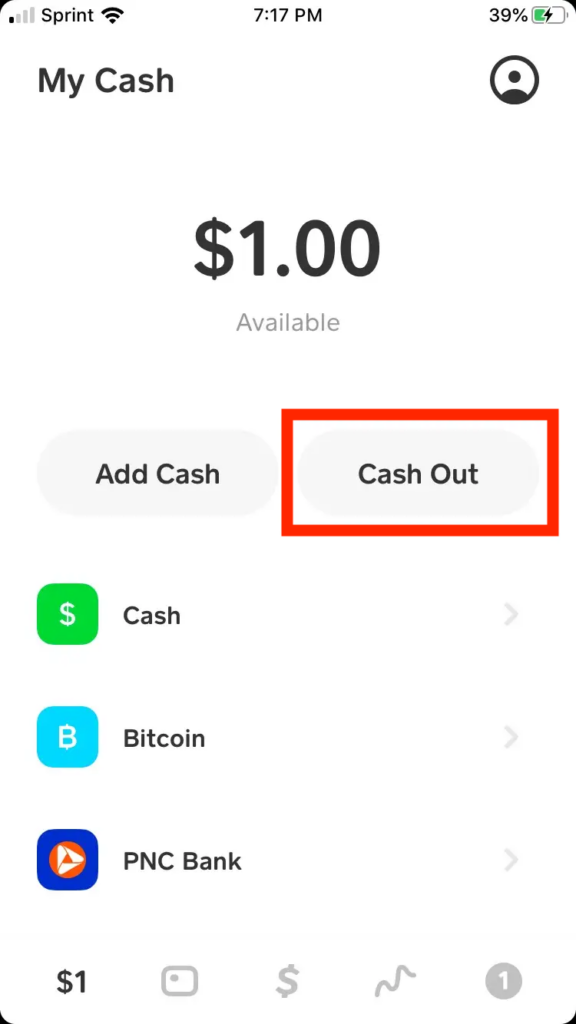
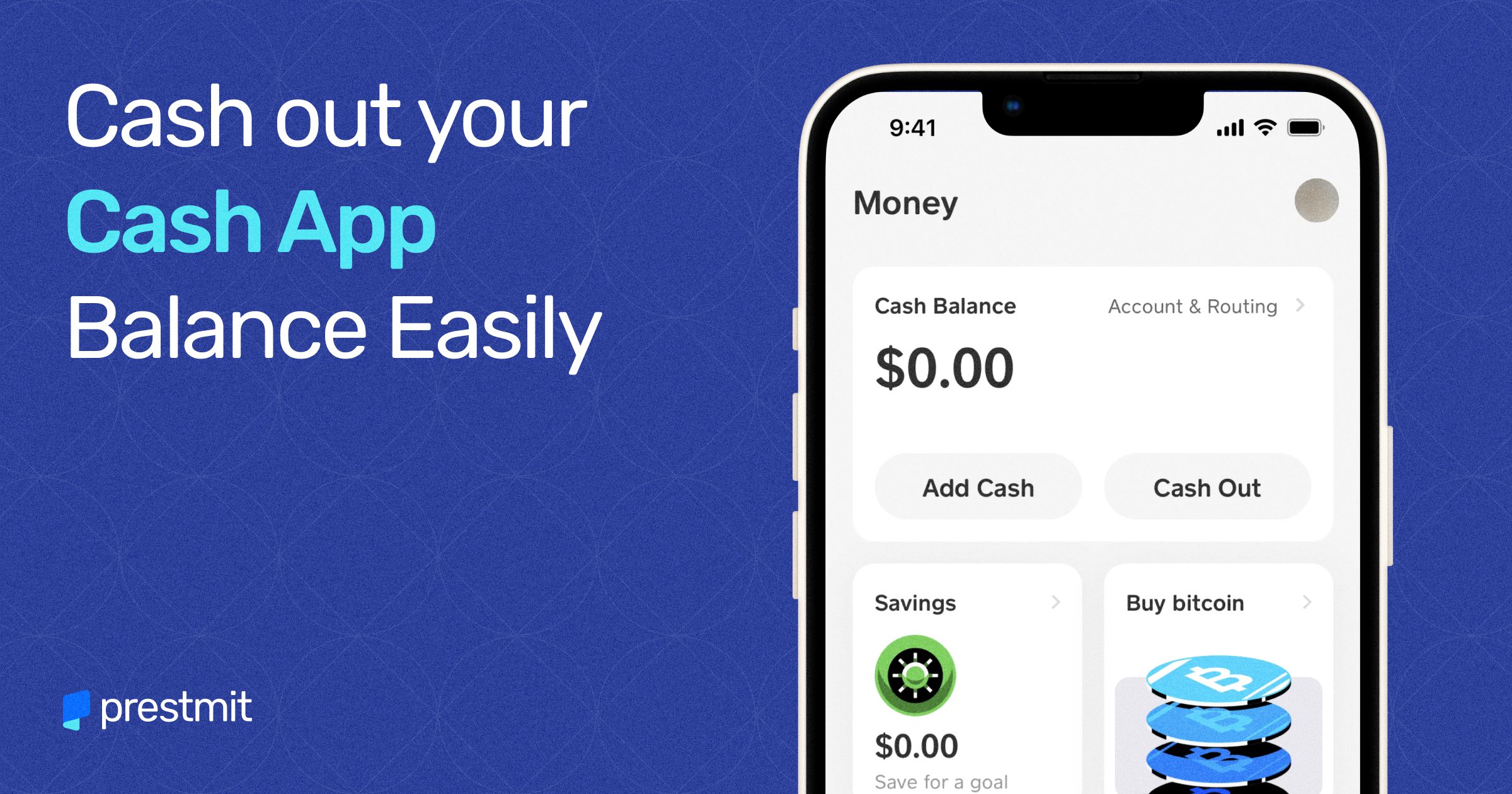
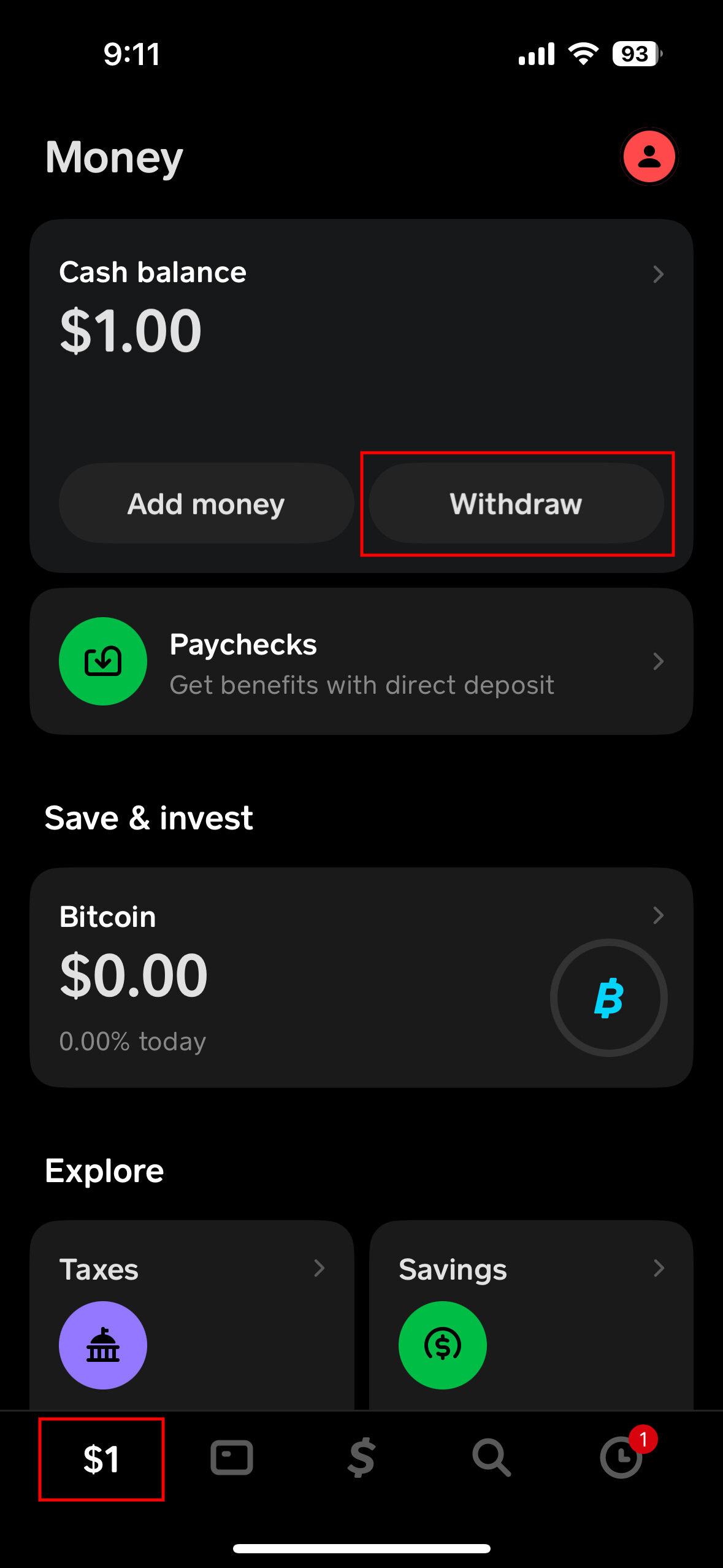
How it Works: To initiate a standard transfer, navigate to the “Cash” tab within the Cash App. You will see your current Cash App balance prominently displayed. Tap on “Cash Out,” and you will be presented with options to choose the amount you wish to transfer. Select “Standard” and confirm the transaction. Cash App will then initiate the transfer to your linked bank account.
-
Processing Time: The “standard” in standard transfer refers to its processing speed. These transfers typically take 1–3 business days to reflect in your linked bank account. This timeframe is influenced by bank processing times and may vary slightly depending on the day of the week the transfer is initiated and your bank’s specific policies. Weekends and holidays can extend the delivery time.
-
Fees: The primary advantage of the standard transfer is its cost. Cash App does not charge any fees for standard transfers to your linked bank account. This makes it the preferred option for users who are not in immediate need of their funds and are looking to maximize their available capital.
-
Best For: Standard transfers are ideal for consolidating funds, saving money, or when you have a few days to wait for the money to become accessible in your bank account. It’s the most budget-friendly way to move your Cash App balance into your traditional banking system.
Instant Transfer: Speed at a Premium
For users who require immediate access to their funds, Cash App offers an “instant transfer” option. This method bypasses some of the standard banking processing steps to make funds available much more quickly.
-
How it Works: Similar to the standard transfer, you begin by tapping “Cash Out” from your Cash App balance. You will again select the desired withdrawal amount. This time, choose the “Instant” option. The funds will then be transferred directly to your linked debit card. It’s crucial to ensure that the debit card you have linked to your Cash App is the one you intend to receive the instant transfer on.
-
Processing Time: The allure of instant transfer lies in its speed. Funds transferred via this method are typically available in your linked bank account within minutes, often in less than 30 minutes. This provides a significant advantage for urgent financial needs.
-
Fees: The convenience of instant transfers comes with a fee. Cash App charges a nominal fee, typically 1.5% of the transfer amount, with a minimum fee of $0.25. This fee is deducted from the amount you are cashing out, so if you request to cash out $100 instantly, you will receive $98.50 in your bank account, assuming the minimum fee doesn’t apply. This fee structure is designed to cover the costs associated with expedited transactions.
-
Best For: Instant transfers are invaluable for situations where you need immediate access to cash. This could include covering an unexpected bill, making a last-minute purchase, or simply having funds readily available for immediate use. The fee is a trade-off for the unparalleled speed and convenience.
Linking and Managing Your Bank Accounts and Debit Cards
The ability to seamlessly cash out from Cash App hinges on correctly linking your external financial accounts. Cash App supports linking both bank accounts and debit cards, which serve as the destinations for your withdrawals. Understanding how to add, verify, and manage these links is a fundamental aspect of utilizing the platform effectively.
Adding and Verifying Bank Accounts
To perform standard transfers, you will need to link a bank account to your Cash App. This process typically involves providing your bank’s routing number and your account number.
-
Procedure: Access the “Banking” section within your Cash App profile. You will find an option to “Link Bank.” Enter your bank’s routing number and your account number. Cash App may then prompt you to verify your account by either making a small deposit to your bank account that you need to confirm in the app, or by logging into your bank account through a secure portal directly within Cash App.
-
Verification Importance: Verification is a critical security step to ensure that you are the legitimate owner of the bank account and that the details provided are accurate. An unverified account may limit your ability to perform certain transactions, including cash outs. Ensure you have accurate details from your bank statements or by contacting your bank directly.
- Troubleshooting: If you encounter issues linking your bank account, double-check the routing and account numbers. Some smaller banks or credit unions might have specific procedures, so consulting with your bank directly is always a good step. Occasionally, temporary glitches can occur, so trying again later might resolve the issue.
Linking Debit Cards for Instant Transfers
For instant transfers, you will need to link a compatible debit card. This card should be linked to the bank account from which you intend to receive the funds.
-
Procedure: In the “Banking” section of your Cash App profile, select “Link Debit Card.” You will be prompted to enter your debit card number, expiration date, and CVV code. Cash App securely stores this information for quick processing of instant transfers.
-
Card Compatibility: While most major debit cards are compatible, it’s essential to ensure your card issuer supports these types of instant transactions. Visa and Mastercard debit cards are generally well-supported. Prepaid debit cards might have limitations depending on their issuer and how they are configured.
-
Security Considerations: When linking any financial card, ensure you are doing so on a secure Wi-Fi network and that your device’s operating system is up to date. Cash App employs robust security measures, but user vigilance also plays a vital role in protecting financial information.
Additional Considerations for Cashing Out
Beyond the primary methods of standard and instant transfers, several other factors can influence your experience when cashing out from Cash App. These include understanding daily and weekly withdrawal limits, exploring alternative cash-out methods, and being aware of potential account limitations.
Withdrawal Limits and Their Implications
Like most financial platforms, Cash App implements withdrawal limits to manage risk and comply with regulatory requirements. These limits can affect how much money you can cash out at any given time or within a specific period.
-
Daily and Weekly Limits: Cash App typically has a daily withdrawal limit and a weekly withdrawal limit. These limits can vary and are subject to change by Cash App. For instance, you might be limited to cashing out a certain amount per day and a higher amount per week. These limits are usually clearly stated within the app or on Cash App’s support pages.
-
Impact on Large Transactions: If you are expecting to cash out a significant sum of money, it’s crucial to be aware of these limits. You may need to plan your withdrawals over several days or weeks to move the entire amount. For exceptionally large sums, you might need to explore alternative strategies or contact Cash App support for specific guidance.
-
Verifying Current Limits: The most accurate way to determine your current withdrawal limits is to check within the Cash App itself or visit the official Cash App support website. Limits can be adjusted based on your account history, verification status, and other factors.
Exploring Alternative Cash-Out Scenarios
While direct transfers to bank accounts or debit cards are the primary methods, there are other, less conventional ways users might conceptualize “cashing out” or accessing their Cash App funds in a more tangible form.
-
Using Cash App Card: If you have a Cash App Card (a Visa debit card issued by Cash App), you can use it for purchases directly, effectively spending your Cash App balance without an explicit transfer. You can also use the Cash App Card at ATMs to withdraw cash, though this often incurs ATM fees, which can be significant. This is a form of cashing out directly to physical currency, but with associated costs.
-
Selling Bitcoin/Stocks: If your Cash App balance includes profits from selling Bitcoin or stocks, the process to cash out the fiat currency equivalent is similar to cashing out your general Cash App balance. Once you sell your digital assets, the proceeds are converted into USD within your Cash App account and can then be transferred out using the standard or instant transfer methods.
-
Peer-to-Peer Reimbursement: While not a direct cash-out from your Cash App balance, if you’ve received money from someone and need cash, you could arrange to send them money via Cash App and ask them to give you cash in return. This requires trust and mutual agreement and is effectively a cash-out facilitated by another user.
Account Verification and Potential Limitations
Your account’s verification status with Cash App can significantly impact your ability to cash out, as well as the limits you are subject to.
-
Unverified Accounts: Unverified accounts on Cash App generally have lower sending and receiving limits, and they may also have restrictions on withdrawal amounts or frequency. To unlock higher limits and a more robust cash-out experience, it is advisable to complete the identity verification process.
-
Verification Process: The verification process typically involves providing personal information such as your full name, date of birth, and the last four digits of your Social Security number. In some cases, you may be asked to upload a photo of your government-issued ID.
-
Benefits of Verification: Beyond increased limits, a verified account often provides access to a wider range of Cash App features and a more secure user experience. It demonstrates to Cash App that you are a legitimate user, which can translate to greater flexibility in managing your funds, including cashing out larger sums more efficiently.
In conclusion, cashing out on Cash App is a straightforward process that offers flexibility to users needing to access their digital funds. By understanding the distinction between standard and instant transfers, managing your linked bank accounts and debit cards diligently, and being aware of withdrawal limits and verification requirements, you can ensure a smooth and efficient experience. Whether you prioritize cost savings with standard transfers or immediate access with instant transfers, Cash App provides the tools to seamlessly integrate your digital finances with your everyday spending needs.
aViewFromTheCave is a participant in the Amazon Services LLC Associates Program, an affiliate advertising program designed to provide a means for sites to earn advertising fees by advertising and linking to Amazon.com. Amazon, the Amazon logo, AmazonSupply, and the AmazonSupply logo are trademarks of Amazon.com, Inc. or its affiliates. As an Amazon Associate we earn affiliate commissions from qualifying purchases.