
In the realm of personal finance and business management, the ability to calculate percentages accurately is not merely a mathematical skill; it is a foundational pillar of fiscal literacy. Whether you are determining the impact of inflation on your savings, calculating the total cost of a loan after interest, or evaluating the performance of a stock portfolio, the “percent” function on your calculator is your most frequently used ally. Understanding how to use a calculator for percentages—and more importantly, understanding the financial logic behind those buttons—empowers individuals to make informed, data-driven decisions that can significantly alter their long-term financial trajectory.

The Fundamentals of Percentage Calculations in Personal Finance
To master financial tools, one must first demystify the mechanics of the percentage key. On most standard and financial calculators, the percent (%) key is more than a shortcut; it is a function that automates the conversion of a whole number into its decimal equivalent for the purpose of multiplication or division.
The Basic Formula and the Calculator’s Logic
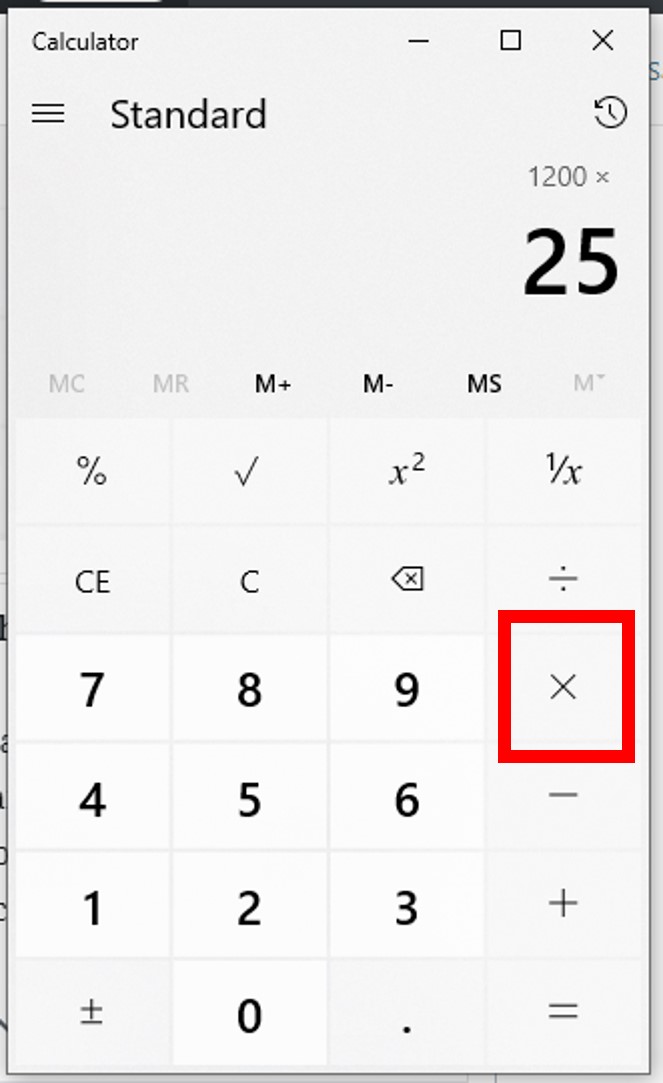
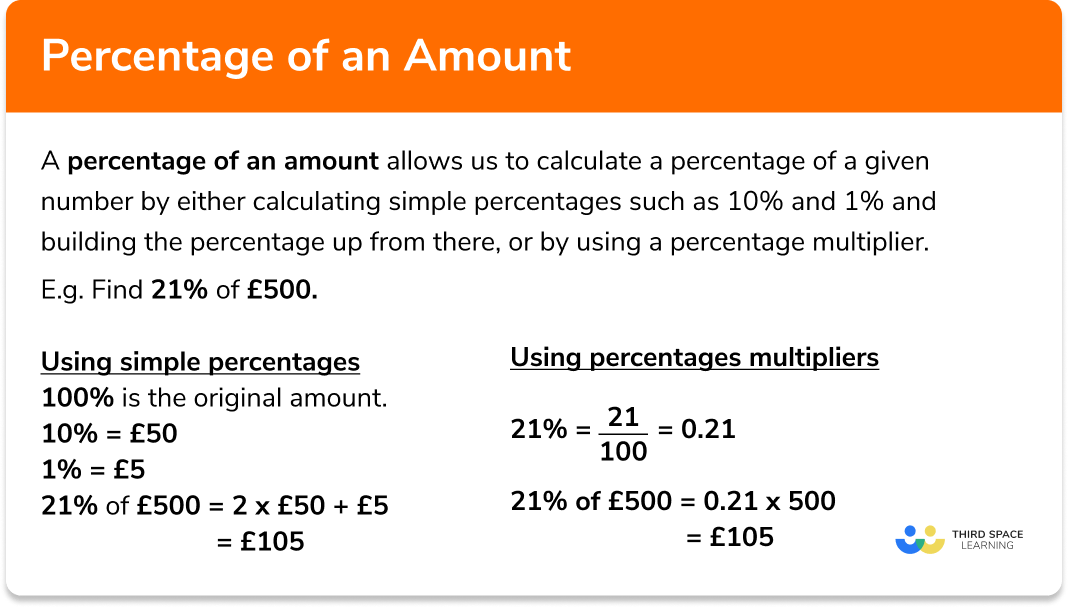
At its core, a percentage represents a fraction of 100. When you type “5” and hit the percent key, the calculator internally processes this as 0.05. However, the sequence in which you input these numbers is critical. For a basic calculation—such as finding 15% of $200—the standard sequence is: 200 × 15 % =.
The calculator interprets this command as “Multiply 200 by 0.15.” Many modern smartphones and scientific calculators have changed this UI/UX slightly, requiring users to understand whether their device treats the percent sign as a standalone operator or a terminal command. Mastering this basic interaction is the first step toward avoiding costly errors in budgeting and expense tracking.
Decimal Conversions and Manual Overrides
In professional financial settings, many analysts prefer to bypass the percent key altogether in favor of manual decimal conversion. This reduces the risk of input error, especially when working with complex spreadsheets or advanced financial calculators like the HP 12C or TI BA II Plus. To convert any percentage to a decimal, you simply move the decimal point two places to the left. For example, 7.5% becomes 0.075. Understanding this manual process ensures that you remain “digitally fluent,” capable of verifying the calculator’s output through mental estimation—a vital skill when reviewing a contract or a bank statement on the fly.
The Role of the Percent Key in Incremental Adjustments
One of the most powerful yet underutilized features of the calculator percent key is its ability to handle “add-on” or “discount” logic. If you are calculating the total cost of an item including a 10% tax, many calculators allow the sequence 100 + 10 % =. This sequence adds 10% of the original 100 back to the total. Conversely, 100 – 10 % = calculates a discount. This shorthand is invaluable for retail business owners and savvy shoppers alike, providing an instant view of net versus gross figures.
Advanced Financial Calculations: Beyond the Basic Percent Button
While basic percentages are helpful for daily tasks, professional wealth management requires a deeper dive into how percentages interact over time. This is where the distinction between simple interest and compound interest becomes paramount.
Calculating Compound Interest
Compound interest has been famously called the “eighth wonder of the world” because of its power to grow wealth exponentially. To calculate this using a standard calculator, you cannot simply use a one-off percentage key. You must use the formula $A = P(1 + r/n)^{nt}$.
For a financial professional, the “percent” button is just the starting point for determining the “r” (rate). If you are looking at a 7% annual return, you are working with a multiplier of 1.07. On a calculator, seeing how $10,000 grows over 10 years at 7% involves multiplying 10,000 by 1.07 ten times, or using the power function ($1.07^{10}$). Understanding how to manipulate these percentages on a device allows an investor to visualize the “cost of waiting” and the massive benefits of early retirement planning.
Understanding APR vs. APY
In the world of credit cards and savings accounts, not all percentages are created equal. The Annual Percentage Rate (APR) reflects the simple interest rate over a year, while the Annual Percentage Yield (APY) accounts for the effect of compounding. When using a calculator to compare two financial products, you must be able to convert APR to APY. If a credit card has an APR of 18% compounded monthly, your calculator can help you find the “effective” rate by dividing the 18% by 12 (1.5% per month) and then compounding that monthly rate. Failing to use a calculator for this distinction can lead to a misunderstanding of the true cost of debt.
Margin vs. Markup
For entrepreneurs and side-hustlers, the calculator is a tool for ensuring profitability. A common mistake in business finance is confusing “markup” with “margin.” If an item costs $70 to produce and you want a 30% profit margin, you do not simply add 30% to $70 (which would be a markup). Instead, you use the calculator to divide the cost by the inverse of the margin: 70 / 0.70 = $100. Here, the percentage calculation is used to protect the bottom line, ensuring that the business remains solvent after all expenses are accounted for.
Practical Applications: Leveraging Calculators for Daily Financial Decisions
Transitioning from theory to practice, the use of percentage calculations on a daily basis serves as a protective barrier against lifestyle creep and poor spending habits.
Sales Tax, Discounts, and Real-World Value
When navigating the consumer market, the “percent off” button is a psychological trap. A 50% discount on a $200 item is still a $100 expense. Using a calculator to determine the “cost-per-use” or the “after-tax price” provides a moment of friction that allows for better impulse control. For instance, in a state with an 8.25% sales tax, a professional would calculate the total by multiplying the price by 1.0825. This precision prevents “register shock” and ensures that the budget is respected to the cent.
Calculating Tips and Service Gratuities
While many modern Point-of-Sale (POS) systems suggest tips, these are often calculated on the post-tax total rather than the pre-tax subtotal. To be a fiscally responsible consumer, one should know how to use their phone’s calculator to determine a fair tip based on the service value. The standard method—moving the decimal of the subtotal one place to the left to find 10%, then doubling it for 20%—is a classic mental calculator trick. However, for a precise 18% on a large group bill, the calculator sequence Subtotal × .18 remains the gold standard for accuracy.
Mortgage and Loan Distributions
For most individuals, a mortgage is the largest financial commitment of their lives. A calculator helps break down how a percentage-based interest rate affects the monthly payment. Using the percentage key to understand how much of your first payment goes toward interest versus principal is an eye-opening exercise. For a $300,000 loan at a 6% interest rate, your calculator reveals that $1,500 of your first month’s payment is merely covering interest. This insight often motivates homeowners to make extra principal payments, using their calculator to track how each additional dollar reduces the long-term interest percentage.
Digital Tools and the Evolution of Financial Computation
As we move further into the digital age, the physical calculator is being supplemented, and in some cases replaced, by sophisticated software and AI-driven financial tools. However, the logic remains the same.
Spreadsheets vs. Handheld Calculators
Software like Microsoft Excel or Google Sheets has revolutionized percentage calculations. Instead of a single “percent” button, these tools use cell formatting. By typing =A1*0.15, a user can calculate a percentage across thousands of rows instantly. This is the “Tech” of “Money.” For a business owner, the transition from a handheld calculator to a spreadsheet represents a move from tactical math to strategic financial modeling. Understanding the basic calculator logic is what allows a user to write the correct formulas in a digital environment.
Financial Apps and Automated Percentages
Today, apps like Mint, YNAB, or personal banking portals often provide percentage-based breakdowns of your spending (e.g., “You spent 15% of your income on dining out”). While these tools automate the calculation, the professional approach is to use your own calculator to verify these percentages against your goals. If your “Investment Percentage” is lower than your “Entertainment Percentage,” the calculator serves as a mirror, reflecting your true financial priorities.
The Future: AI and Algorithmic Finance
We are entering an era where AI can perform complex percentage-based forecasting with simple voice commands. However, the risk of “black box” finance is high. If you ask an AI to calculate your “burn rate” or “runway,” you must still possess the fundamental knowledge of how those percentages are derived. The calculator remains the “sanity check” for the modern investor. By manually running the numbers on a handheld device or a basic app, you maintain a tactile connection to your money, ensuring that you are the master of the tools, rather than a passive observer of the algorithms.
In conclusion, knowing “how to do percent on a calculator” is the entry point into a much larger world of financial mastery. It is the tool that transforms raw data into actionable intelligence. From the simplicity of a retail discount to the complexity of compound interest in a 401(k), the percentage is the language of growth, risk, and value. By refining your ability to calculate these figures, you are not just solving a math problem—you are calculating your path to financial independence.
aViewFromTheCave is a participant in the Amazon Services LLC Associates Program, an affiliate advertising program designed to provide a means for sites to earn advertising fees by advertising and linking to Amazon.com. Amazon, the Amazon logo, AmazonSupply, and the AmazonSupply logo are trademarks of Amazon.com, Inc. or its affiliates. As an Amazon Associate we earn affiliate commissions from qualifying purchases.