
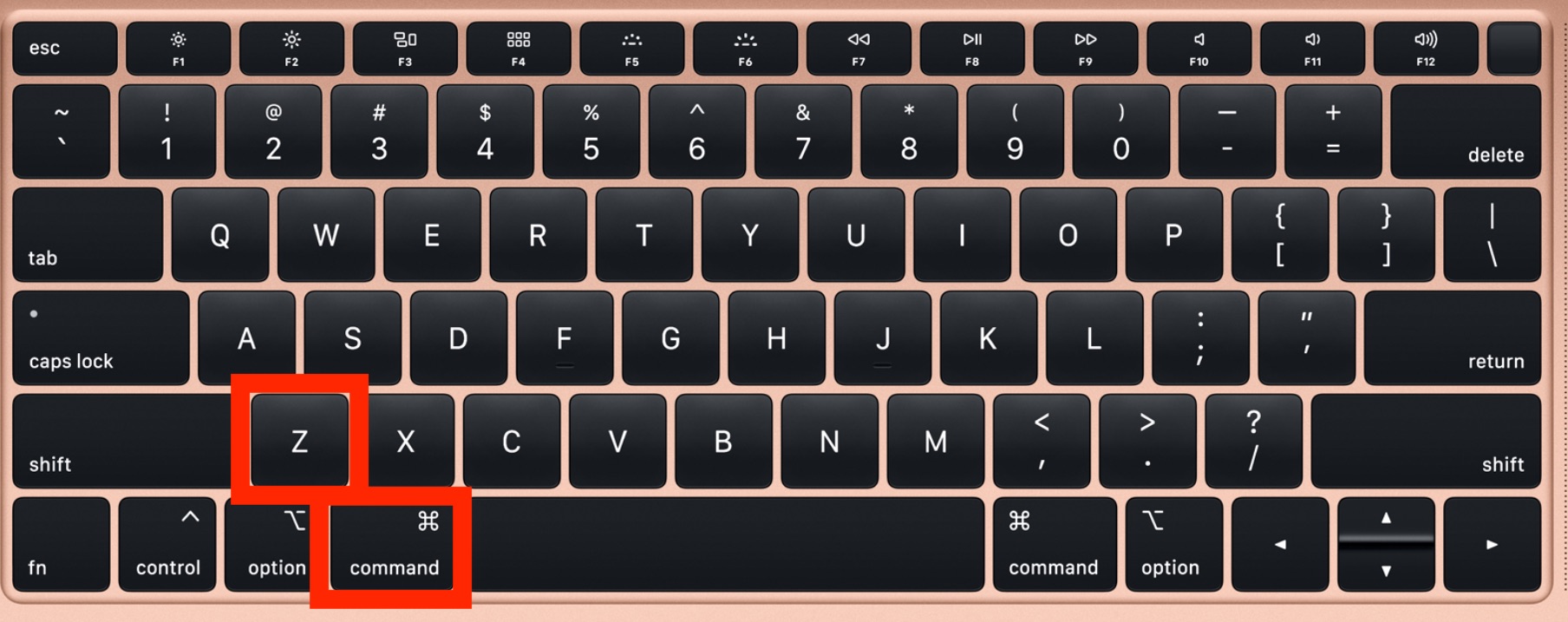
In the lexicon of modern computing, few commands are as culturally ubiquitous as “Command + Z.” It is the digital safety net, the universal eraser, and the ultimate arbiter of “oops.” Whether you are a graphic designer who accidentally deleted a complex layer or a writer who cut a paragraph in a fit of doubt, Command + Z (or Control + Z on Windows) is the mechanism that allows for human fallibility in a digital space.
However, the question often arises for power users and novices alike: what is the opposite of Command + Z? While the immediate technical answer is “Redo,” the technological implications of reversing a reversal go far deeper than a simple keyboard shortcut. Understanding the “opposite” of Undo is essential for mastering digital workflows, protecting data integrity, and leveraging the full power of modern software environments.
The Mechanics of Digital Reversal: Defining the Redo
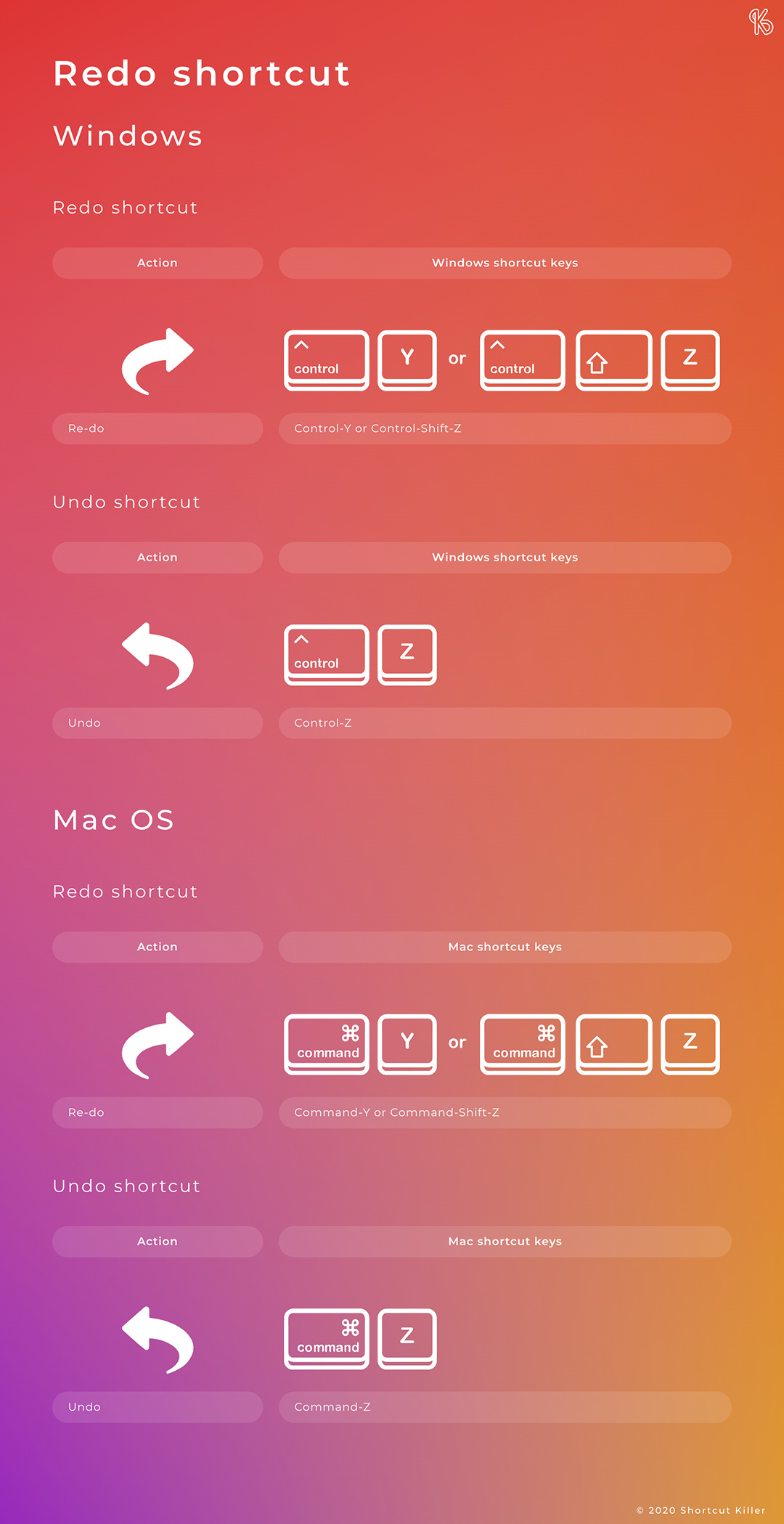
The direct functional opposite of Command + Z is the “Redo” command. If Command + Z moves you backward through your action history, the Redo command moves you forward, re-applying the actions you just undid.
The Windows vs. macOS Divide
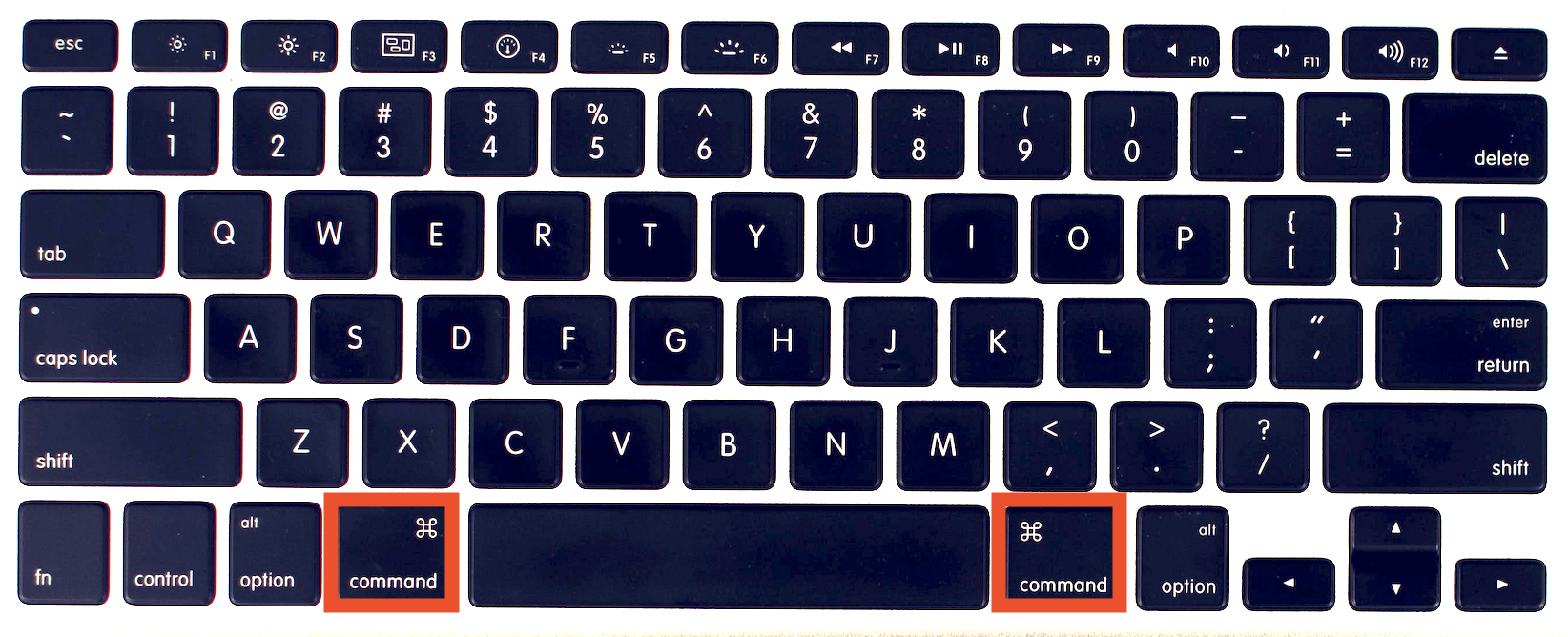
In the ecosystem of Apple’s macOS, the standard “opposite” of Command + Z is Command + Shift + Z. This keyboard shortcut is almost universal across creative suites like Adobe Creative Cloud, Final Cut Pro, and the iWork suite. However, Microsoft adds a layer of complexity. In many Windows-based applications and even some cross-platform software like Microsoft Word for Mac, the opposite of Command + Z is Command + Y (or Ctrl + Y on PC).
Understanding this distinction is the first step in digital literacy. While “Shift + Command + Z” feels more intuitive to some—as it literally adds a modifier to the Undo command—the “Y” key has historical roots in early word processing. Mastering both ensures that your productivity remains high, regardless of the operating system or software environment you inhabit.
Why the Keyboard Shortcut Matters for Productivity
The reason power users obsess over these shortcuts is the concept of “flow state.” Every time a user has to move their hand from the keyboard to the mouse to navigate a “Edit > Redo” menu, they break their cognitive momentum. By internalizing the opposite of Command + Z, users can experiment more freely. Digital creativity is often a process of trial and error; knowing you can instantly jump back and forth between two versions of a design or a line of code allows for a more aggressive, iterative approach to work.
The Evolution of Version Control and Non-Destructive Editing
While Redo is the immediate answer, the broader technological “opposite” of a simple Undo is the concept of non-destructive editing and comprehensive version control. In professional Tech environments, relying solely on a linear Undo/Redo stack is considered a high-risk strategy.
History Panels and Snapshotting
Modern professional software, such as Adobe Photoshop or Logic Pro, has moved beyond the simple linear stack. Instead of just “Undo” and “Redo,” these tools offer “History Panels.” In this context, the opposite of a blind Command + Z is the ability to view a visual list of every state the project has inhabited since it was opened.
This is a technological leap because it allows for non-linear navigation. If you made twenty changes and realized the fifth change was the mistake, you don’t have to undo fifteen correct actions to fix the one error. You can simply “snapshot” your current state and revert to a specific point in time. This represents a more sophisticated “opposite” to the binary nature of the Undo command.
The Rise of Real-Time Collaboration and Conflict Resolution
In the era of cloud-based tools like Google Docs, Figma, and Notion, the “opposite” of Command + Z has shifted toward collaborative synchronization. In a multi-user environment, if User A presses Command + Z, it should not undo the work User B just contributed.
The technology behind this is known as Operational Transformation (OT) or Conflict-free Replicated Data Types (CRDT). These are complex algorithms that ensure that the “Undo/Redo” logic is localized to the individual user while maintaining a consistent state for the group. In this landscape, the “opposite” of Undo is “Sync”—the technological force that ensures all changes are preserved and merged correctly across a global network.
Advanced Software Implementation: Beyond Simple Redo
For software developers and high-end digital creators, the opposite of a simple “Undo” isn’t just a “Redo”; it is a robust versioning system. In the world of DevOps and software engineering, the Command + Z mindset is replaced by sophisticated tools that handle history with much higher granularity.
Git and Versioning: The Ultimate Command + Z Alternative
In programming, the Command + Z command is insufficient for managing thousands of lines of code. The professional “opposite” is Git. While Command + Z might fix a typo you made ten seconds ago, Git allows you to “Undo” an entire week of work across a hundred different files without losing the progress you made on other features.
Commands like git revert or git checkout serve as the industrial-grade version of the Redo/Undo cycle. This technology allows developers to branch off into “alternate realities” of their software, testing new features (the forward momentum) and merging them back or discarding them (the reversal) with surgical precision.
Cloud Auto-Saves and Revision History
We have moved into an era where the “Save” button is becoming obsolete, and with it, the stakes of the Undo command have changed. In applications like Microsoft 365 or Evernote, every keystroke is recorded. The opposite of Command + Z here is “Version History.”
If you accidentally delete a file and then close the program—effectively clearing your Undo/Redo stack—the version history becomes your only savior. This cloud-based architecture ensures that “Undo” is no longer a temporary state stored in your computer’s RAM, but a permanent, searchable record stored on a server.
The Psychology of the “Safety Net” in User Experience (UX)
The existence of Command + Z and its opposite, the Redo, has fundamentally changed how humans interact with technology. This is a core tenet of User Experience (UX) design: the principle of “User Control and Freedom.”
Designing for Error Prevention
Great software design assumes that the user will make mistakes. The “Undo” function is a psychological safety net that encourages exploration. If a user is afraid that one wrong click will destroy their work, they will interact with the software with hesitation. By providing a clear, easily accessible “opposite” to every action, designers create an environment of confidence.
Modern UX has expanded this. Think of the “Undo Send” feature in Gmail. This isn’t a true technical reversal of a sent email; rather, it is a programmed delay that simulates an Undo command. The “opposite” is the eventual, inevitable release of the data to the server.
The Mental Model of Reversibility
When we ask “what is the opposite of Command + Z,” we are really asking about the mental model of reversibility. As technology advances, we see more “Destructive Actions” requiring extra confirmation. In these cases, there is no Command + Z. If you empty your “Trash” or “Bin” on a computer, the software often warns you that “This action cannot be undone.” In the world of data security and tech, the true opposite of the Undo command is the “Permanent Delete”—the point of no return where data is scrubbed from the hardware.
Future-Proofing Productivity: AI and Predictive Corrections
As we look toward the future of technology, the binary of Undo and Redo is being disrupted by Artificial Intelligence. We are entering an era where software can predict the “opposite” of our mistakes before we even realize we’ve made them.
AI-Driven Error Detection
Tools like GitHub Copilot or Grammarly act as a proactive “Redo.” Instead of you typing something, realizing it’s wrong, and hitting Command + Z, the AI suggests the “correct” version in real-time. In this sense, the opposite of moving backward to fix a mistake is the AI moving forward to prevent it.
The Next Frontier: Context-Aware Redo
Imagine a creative suite where “Redo” isn’t just a step forward in time, but a contextual suggestion. If you undo a color change, an AI might suggest three alternative color palettes that fit your project’s theme. Here, the “opposite” of deleting a mistake is the generative creation of a better alternative. We are moving from a linear timeline of actions to a multi-faceted web of possibilities.
The simple question “what is the opposite of Command + Z” opens the door to the most fundamental aspects of how we interact with the digital world. While the keyboard shortcut might be Command + Shift + Z or Command + Y, the technological reality is a complex system of history stacks, version control, cloud synchronization, and user-centric design. Mastering these tools allows us to work faster, experiment bolder, and navigate the digital landscape with the confidence that no mistake is truly final.
aViewFromTheCave is a participant in the Amazon Services LLC Associates Program, an affiliate advertising program designed to provide a means for sites to earn advertising fees by advertising and linking to Amazon.com. Amazon, the Amazon logo, AmazonSupply, and the AmazonSupply logo are trademarks of Amazon.com, Inc. or its affiliates. As an Amazon Associate we earn affiliate commissions from qualifying purchases.