
In the realm of digital literacy, few symbols are as foundational yet multifaceted as the “more than” sign. While most individuals are introduced to the character (>) in primary school mathematics as a means to compare numerical values, its role in the modern technology stack is far more complex. From defining the architecture of the World Wide Web to directing data streams in a server terminal, the greater-than symbol—often referred to in technical circles as a right angle bracket or a closing chevron—is a critical component of syntax, logic, and user interface design.
Understanding what the more than sign looks like is only the first step. For developers, data scientists, and IT professionals, mastering its application across various software environments is essential for building robust digital systems. This guide explores the visual identity, technical applications, and systemic importance of the “more than” sign within the technology landscape.
1. Visual Anatomy and Keyboard Mechanics
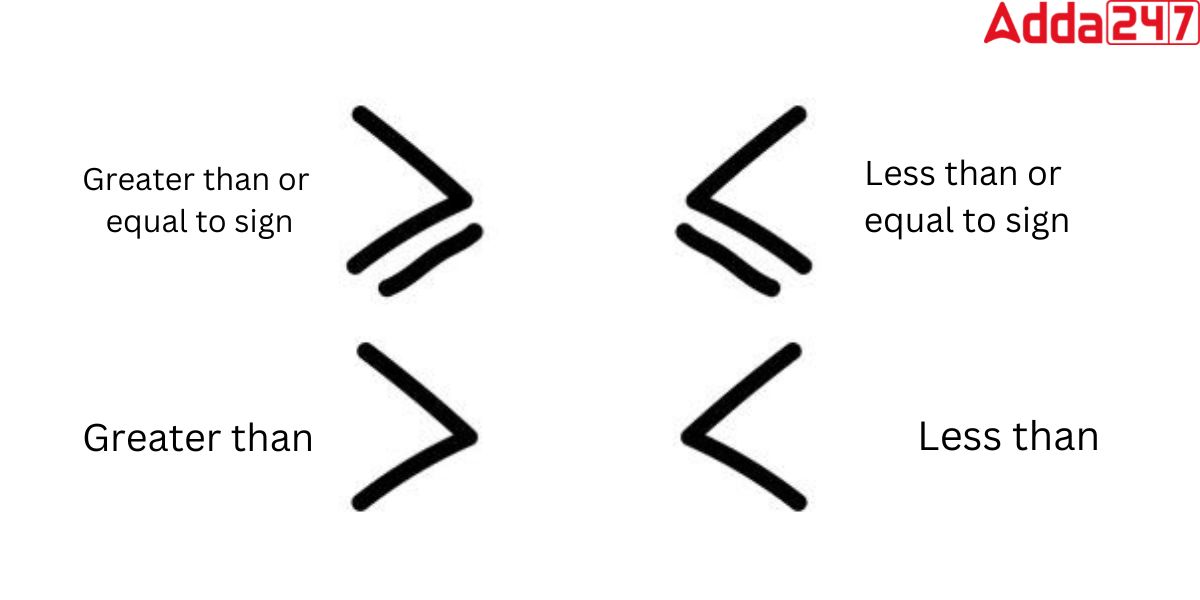
To the naked eye, the more than sign (>) consists of two rays starting from a common point (the vertex) and opening toward the left, forming an acute angle pointing to the right. In typography and UI design, its appearance can vary slightly depending on the font family—ranging from a sharp, geometric 90-degree angle to a more elegant, slanted glyph.
Defining the Greater-Than Symbol (>)
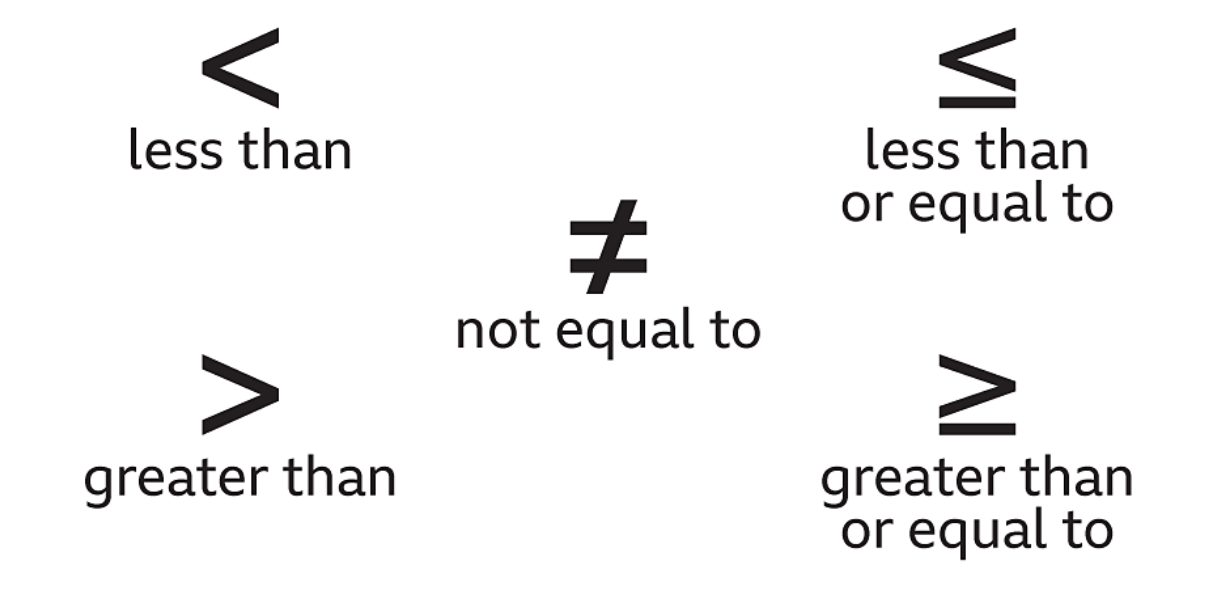
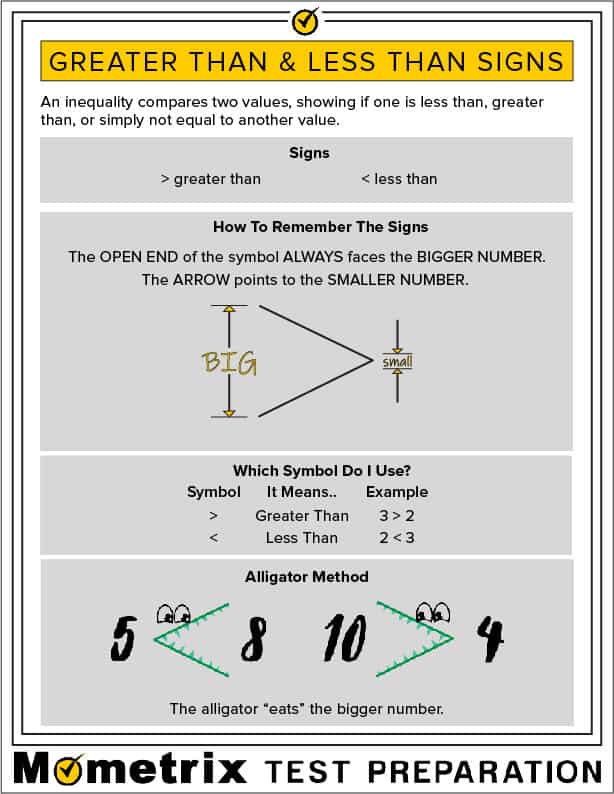
In the ASCII character set, the more than sign is assigned the decimal value 62. Its design is intentional: the wide, open end faces the larger value, while the pointed vertex indicates the smaller value. In technical documentation, this symbol is frequently grouped with its counterpart, the “less than” sign (<), under the umbrella term “angle brackets.” While they function as mathematical operators, in the context of computing, they act as delimiters, markers, and logical triggers.
Keyboard Shortcuts and International Layouts
On a standard QWERTY keyboard, the more than sign is located on the same key as the period (.). Accessing it requires holding the Shift key. However, for tech professionals working across international jurisdictions, the location of this symbol can shift. On many European layouts, such as the German (QWERTZ) or French (AZERTY) keyboards, the angle brackets are often clustered together near the left Shift key.
Furthermore, in specialized environments like mobile app development or coding on tablets, the symbol is often hidden behind a numeric or symbolic secondary layer. Understanding these mechanical variations is vital for maintaining “flow state” during high-speed programming or system configuration.
2. The Greater-Than Sign in Programming and Software Logic
Beyond simple arithmetic, the more than sign is a cornerstone of Boolean logic—the binary “true or false” system that governs how software makes decisions. Without this symbol, the conditional logic that powers everything from mobile apps to sophisticated AI models would be significantly hampered.
Comparison Operators in JavaScript, Python, and C++
In almost every high-level programming language, the > symbol serves as a relational operator. It compares two operands and returns a Boolean value. For example, in a Python script, the expression if user_age > 18: allows the program to gate content based on age.
Developers also utilize the symbol in composite operators, such as the “greater than or equal to” sign (>=). In modern languages like JavaScript or TypeScript, the symbol takes on even more varied roles, appearing in “arrow functions” (=>), which provide a concise syntax for writing function expressions. Here, the “more than” sign loses its mathematical meaning and becomes a piece of structural shorthand.
Bitwise Operations and Advanced Logic
For those working closer to the hardware, such as system architects or embedded systems engineers, the symbol is used in bitwise shifting. The double greater-than sign (>>) is the “right shift” operator. It moves the bits of a binary number to the right, effectively dividing the number by powers of two. This is a high-performance technique used in graphics processing, cryptography, and data compression, demonstrating that the symbol’s utility extends far beyond basic comparison.
3. Web Development and Markup Languages
The “more than” sign is perhaps most visible in the skeletal structure of the internet. If you were to “View Source” on any modern website, you would see thousands of these symbols working in tandem with the “less than” sign to define how information is presented to the user.
Tag Encapsulation in HTML and XML
HyperText Markup Language (HTML) and Extensible Markup Language (XML) use the more than sign as a closing delimiter for tags. Every time a web developer defines a paragraph <p>, a heading <h1>, or a container <div>, the > symbol tells the browser’s rendering engine that the tag definition is complete and the content is about to begin.
In this context, the symbol is not an operator but a structural boundary. A single missing > can break an entire webpage’s layout, causing the browser to misinterpret code as text or fail to render elements altogether. This makes it one of the most high-stakes characters in a web developer’s toolkit.
Working with HTML Entities (>)
Because the > sign has a specific functional role in HTML, developers cannot simply type it into a paragraph if they want it to appear as text on a screen. If a tech tutorial wants to display the text “5 > 3” on a webpage, the developer must use an HTML entity: >. This “escaped” character tells the browser to display the visual symbol of the more than sign without executing it as a piece of code. This distinction is a fundamental concept in digital security and data sanitization, preventing “Code Injection” attacks where malicious actors try to sneak functional code into text fields.
4. System Administration and Command-Line Operations
For systems administrators and DevOps engineers, the “more than” sign is an indispensable tool for data management within the Command Line Interface (CLI). In environments like Linux, Unix, and the Windows PowerShell, the symbol is used for “redirection.”
Output Redirection in Linux and Windows CMD
Standard redirection using the > symbol allows a user to take the output of a command—which would normally appear on the screen—and send it instead to a file. For example, the command systeminfo > log.txt captures a computer’s technical specifications and writes them directly into a text document. This is a foundational technique for automating server maintenance and creating logs for digital security audits.
Append vs. Overwrite: The Power of Single vs. Double Signs
In the CLI, the number of “more than” signs used changes the outcome of the operation. A single > will overwrite any existing data in the target file, effectively wiping it clean before adding new information. Conversely, the double “more than” sign (>>) acts as an “append” operator, adding the new data to the end of the existing file without deleting its previous contents. Distinguishing between these two is a “Day 1” skill for any IT professional, as confusing them can lead to catastrophic data loss during system configuration.
5. Data Visualization and Digital Communication
In the broader tech ecosystem, the more than sign has migrated from the backend code into the user-facing interface. It has become a universal shorthand for progression, hierarchy, and navigation.
Blockquotes in Markdown and Email Clients
Markdown, the lightweight markup language used by platforms like GitHub, Reddit, and Discord, uses the > symbol to denote blockquotes. By placing a “more than” sign at the beginning of a line, the writer signals to the software that the following text should be indented or styled as a citation. This has become a standard in digital communication, allowing for clear, threaded conversations in professional collaboration tools like Slack or Microsoft Teams.
Breadcrumb Navigation and UI Icons
From a UX (User Experience) perspective, the more than sign—or its stylized cousin, the chevron—is used in “breadcrumb” navigation. When you see Home > Settings > Privacy at the top of a software application, the symbol indicates a hierarchical path. It tells the user where they are within the app’s architecture.
Additionally, in mobile app design, the symbol is often used as a “disclosure indicator” on the right side of a list item. It signals to the user that tapping that row will move them forward to a new screen. In this sense, the more than sign has evolved into a visual verb in the tech world, synonymous with the action of “moving forward” or “drilling down” into more detail.
Conclusion: The Symbol of Modern Progress
What does the more than sign look like? Physically, it is a simple angle. Functionally, however, it is a versatile engine of the digital age. It is a logic gate in a Python script, a structural pillar in an HTML document, a data router in a Linux terminal, and a navigational guide in a mobile app.
For anyone looking to navigate the tech landscape—whether as a hobbyist or a professional—the more than sign is much more than a mathematical relic. It is a symbol of comparison, direction, and growth. As technology continues to evolve, the “more than” sign will remain a constant, bridging the gap between human language and machine execution. By mastering its various forms and functions, you gain a deeper understanding of the digital world that surrounds us.
aViewFromTheCave is a participant in the Amazon Services LLC Associates Program, an affiliate advertising program designed to provide a means for sites to earn advertising fees by advertising and linking to Amazon.com. Amazon, the Amazon logo, AmazonSupply, and the AmazonSupply logo are trademarks of Amazon.com, Inc. or its affiliates. As an Amazon Associate we earn affiliate commissions from qualifying purchases.