
The term “archive” in the context of messages, whether it’s within email clients, instant messaging apps, or other communication platforms, refers to a process of moving messages from their active or inbox view to a separate, designated storage location. This action is fundamentally about digital organization and management, aiming to declutter primary interfaces while preserving access to historical conversations. It’s a feature deeply rooted in the evolution of digital communication and its ever-increasing volume. Understanding archiving is crucial for efficient use of modern communication tools and for maintaining a structured digital life.
The Core Functionality: Decluttering and Preservation
At its heart, archiving is a dual-purpose operation. It serves to clean up your immediate digital workspace and simultaneously ensures that past communications are not lost.
Removing Clutter from Your Primary View
Imagine your email inbox or your chat history as a physical desk. Over time, papers, notes, and documents accumulate, making it difficult to find what you actually need right now. Archiving in digital messaging is akin to taking those less immediately relevant items and filing them away neatly in a cabinet.
- Email Inboxes: For most email users, the inbox is where new messages arrive and where active correspondence is handled. As threads grow longer or emails become less time-sensitive, they can clog up the inbox, making it harder to spot new, urgent communications. Archiving moves these messages out of the primary inbox view without deleting them. This allows users to focus on current tasks and priorities.
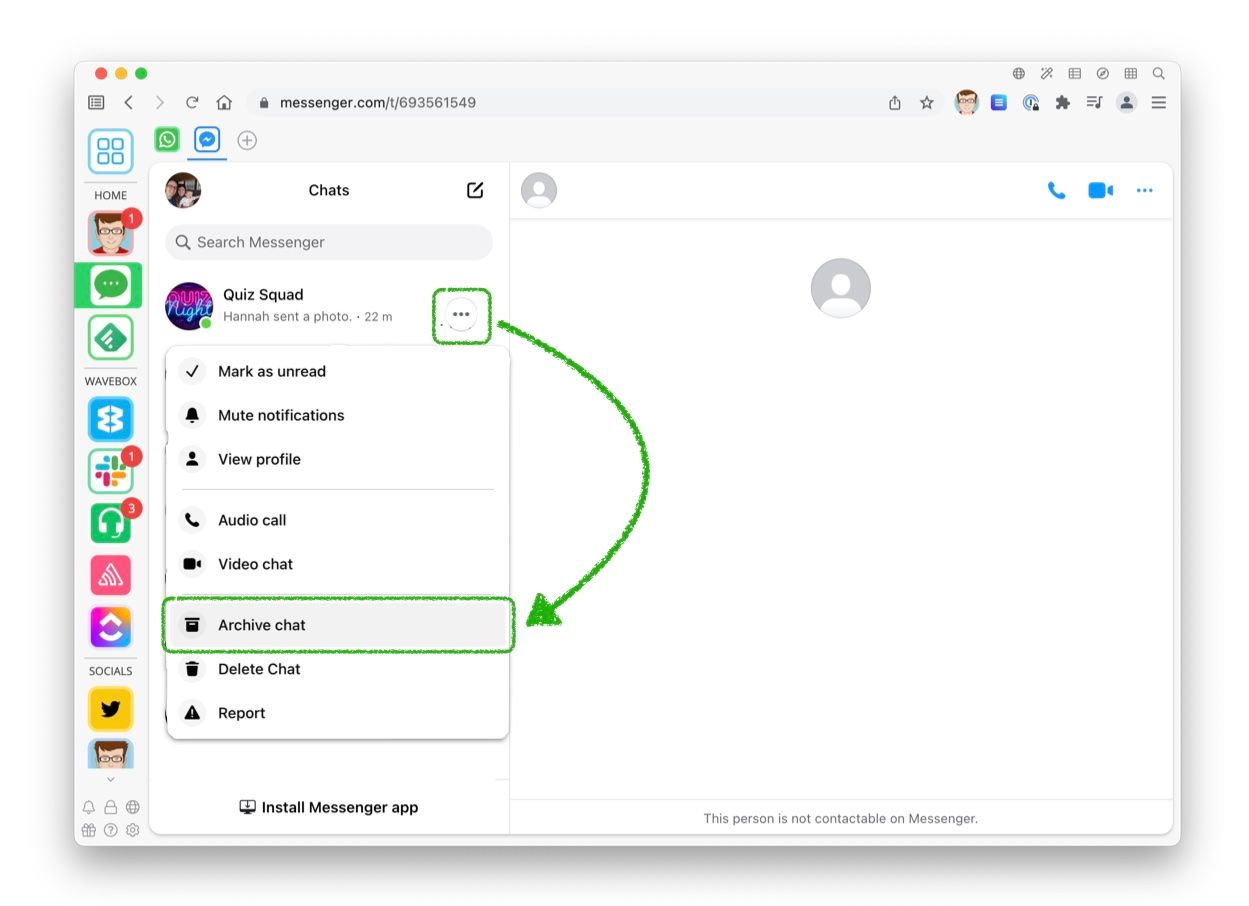
- Messaging Apps: Similarly, in platforms like Slack, Microsoft Teams, WhatsApp, or Telegram, chat histories can become extensive. Archiving conversations or individual messages removes them from the main list of active chats, which can be particularly useful for large teams or channels where a lot of discussion occurs daily. This helps users quickly identify and engage with the most relevant ongoing conversations.
Ensuring Access to Past Information
While decluttering is a significant benefit, the primary technological advantage of archiving lies in its preservation capabilities. Unlike deletion, which permanently removes data, archiving signifies a move to long-term storage.
- Searchability: Archived messages are almost always still searchable. This is a critical distinction. You haven’t lost the information; you’ve simply changed its location. When you need to recall a past conversation, a detail from an old email, or a specific piece of information shared in a chat, you can typically use the platform’s search function to retrieve it, even if it’s been archived for years.
- Record Keeping and Compliance: For businesses and individuals who need to maintain records for legal, regulatory, or personal historical reasons, archiving is essential. It provides a structured way to store communications that might be needed as evidence, for audits, or simply for future reference. This is particularly relevant in professional settings where email is a primary mode of communication.
How Archiving Differs from Deletion
The distinction between archiving and deleting is fundamental and lies in the intended outcome and the technical implementation. Understanding this difference is key to managing digital communications effectively.
Deletion: The Irreversible Path
When you delete a message, especially from an inbox or a primary chat list without subsequent action, the intent is usually to permanently remove it.
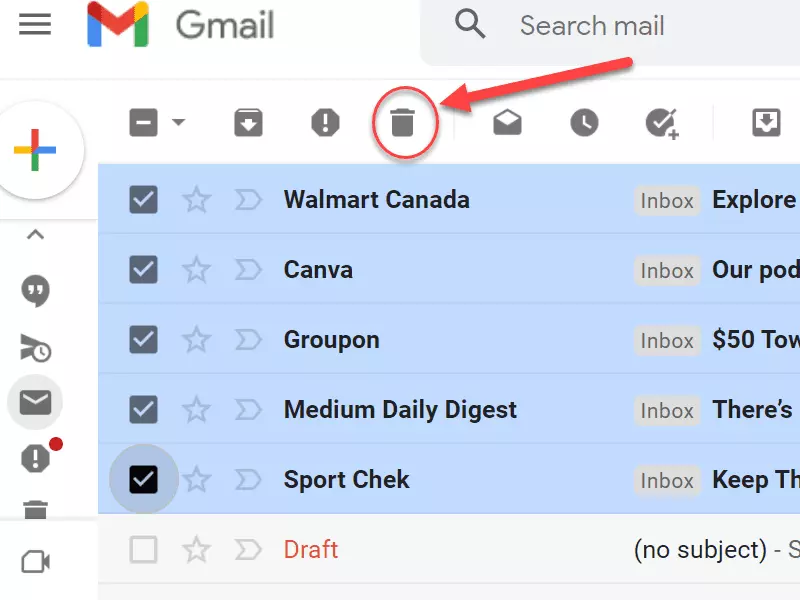
- Data Removal: In many systems, deletion triggers a process that removes the message from active servers. While some platforms may have a “trash” or “recycle bin” for a limited period, allowing for recovery, true deletion often means the data is purged.
- Storage Space: A primary motivation for deletion can be to free up storage space. This was more critical in the early days of digital communication when storage was a more limited and expensive resource.
- Permanence: The core characteristic of deletion is its perceived permanence. Once a message is truly deleted and purged from any recovery bins, it is generally considered gone forever, barring advanced data recovery services that are often costly and not guaranteed.
Archiving: The Managed Storage Solution
Archiving, in contrast, is about relocating data to a less accessible but still retrievable state.
- Data Retention: Archived data remains on the system or in a separate storage solution. It is not deleted from the platform’s overall data infrastructure. This ensures that the information is preserved.
- Accessibility: While archived messages are not in your immediate view, they are readily accessible through search or a dedicated “Archived” section within the application. The process of retrieving an archived message is typically quick and seamless.
- Storage Strategy: Archiving is a strategic approach to data management, prioritizing preservation and accessibility over immediate space-saving (though it does help declutter the active interface). It’s a middle ground between active use and permanent deletion.
Technical Implementations and User Experience Across Platforms
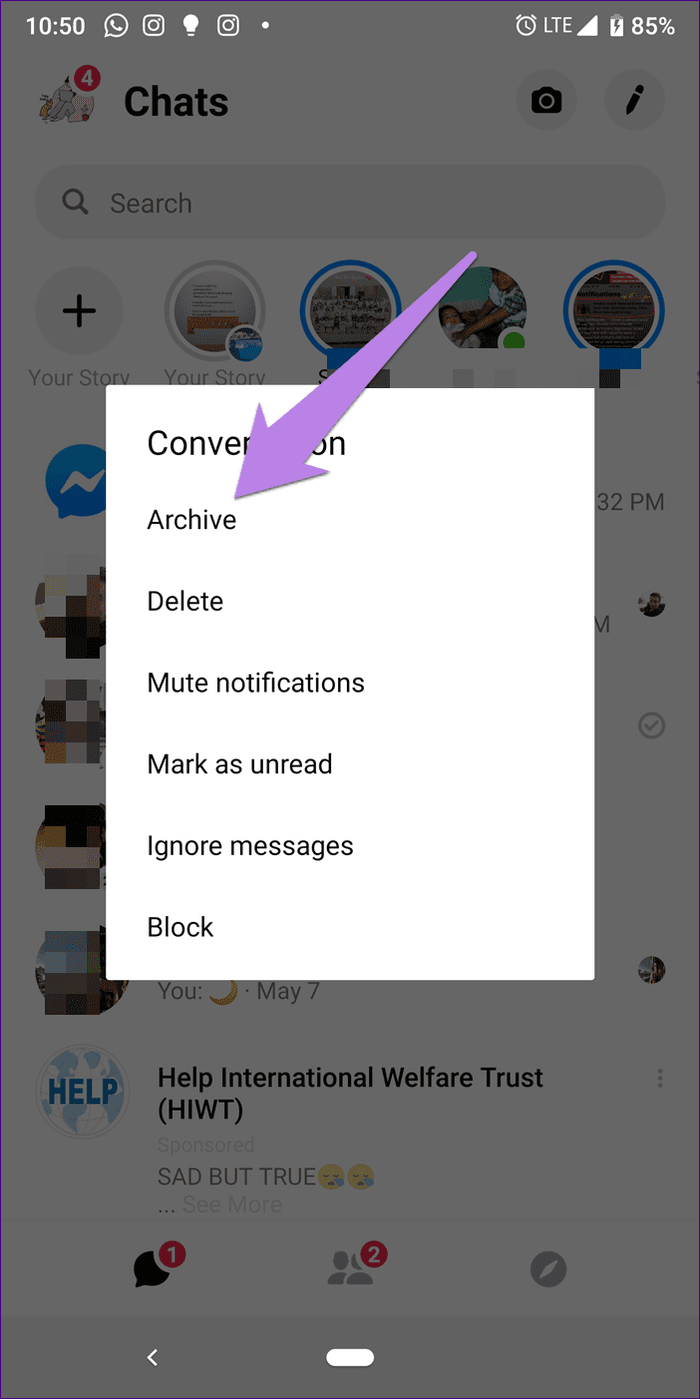
The concept of archiving is implemented across various digital communication tools, each with its nuances in user interface and underlying technology.
Email Archiving: A Long-Standing Feature
Email archiving has been a staple for decades, evolving from simple file-based storage to sophisticated cloud-based solutions.
- Gmail: Gmail offers a prominent “Archive” button. When clicked, an email disappears from the inbox but remains accessible in the “All Mail” folder, which can be searched. This allows users to maintain a clean inbox while never losing an email.
- Outlook: Microsoft Outlook also provides an “Archive” feature, often allowing users to specify an archive folder or location. This can be a dedicated folder within the mailbox or, in business contexts, a separate archive mailbox.
- Server-Side vs. Client-Side: Historically, archiving could be client-side (moving messages to a local PST file in Outlook) or server-side. Modern cloud-based email services predominantly use server-side archiving, ensuring data accessibility across devices and reducing the risk of data loss due to local device failure.
Instant Messaging and Collaboration Tools: Modern Archiving
In the realm of instant messaging and team collaboration, archiving has taken on new forms to manage the high volume of daily conversations.
- Slack: In Slack, archiving can be applied to channels or direct messages. Archiving a channel hides it from your channel list, but all its past messages remain searchable. You can unarchive a channel if needed. Direct messages can also be hidden or archived to clean up your sidebar.
- Microsoft Teams: Similar to Slack, Microsoft Teams allows users to archive chats and channels. Archived chats are removed from the main chat list but can be accessed and searched. Channels can also be archived to make them read-only and remove them from active lists, helping to reduce clutter in busy Team environments.
- WhatsApp/Telegram: These consumer-focused messaging apps often have an “Archive chat” function. This moves a chat from the main list to a separate “Archived Chats” section. Unlike some professional tools, unarchiving in these apps usually requires manually finding the chat again and selecting to unarchive, or receiving a new message in that chat which automatically unarchives it. The goal here is primarily to reduce visual noise from less active conversations.
Benefits and Best Practices for Message Archiving
Adopting a systematic approach to archiving can significantly enhance productivity, reduce digital stress, and ensure critical information is preserved.
Enhancing Productivity and Focus
The most immediate benefit of archiving is a cleaner, more manageable digital environment.
- Reduced Cognitive Load: A cluttered inbox or chat list can be overwhelming. By archiving messages that are no longer immediately relevant, users reduce their cognitive load, allowing them to focus on current priorities. This leads to increased efficiency and less mental fatigue.
- Faster Access to Urgent Information: When your primary view is clean, it’s easier and faster to spot new, important messages or identify ongoing critical conversations. This improves response times and ensures that critical communications don’t get lost in the noise.
Strategic Data Management and Compliance
Beyond personal organization, archiving plays a vital role in information governance.
- Data Retention Policies: Many organizations have formal data retention policies that dictate how long certain types of communications must be kept. Archiving is the primary mechanism for fulfilling these requirements, ensuring that messages are stored securely and can be retrieved if needed for legal or compliance purposes.
- Discovery and Auditing: In the event of legal discovery requests or internal audits, archived messages provide a crucial source of information. A well-managed archive makes this process significantly smoother and more cost-effective.
- Historical Record: For individuals, archiving can serve as a personal repository of important life events, professional achievements, or significant decisions documented through digital messages.
Best Practices for Effective Archiving
To maximize the benefits of archiving, consider these practical tips:
- Regular Decluttering: Make it a habit to regularly review your inbox or chat lists and archive messages that are no longer active or immediately needed. This could be a daily, weekly, or monthly task.
- Leverage Search: Familiarize yourself with the search functionalities of your communication platforms. Effective search skills are paramount to retrieving archived information quickly.
- Understand Platform Differences: Be aware of how archiving works on each platform you use, as the user experience and accessibility of archived content can vary.
- Consider Automation: Some platforms or third-party tools offer automation features for archiving, such as automatically archiving messages older than a certain date or those that have not been interacted with.
- Backup Your Archives (When Applicable): While most cloud services handle archiving robustly, for highly critical personal archives, consider if any local backups or alternative archival solutions are necessary, especially for sensitive or irreplaceable communications.
In conclusion, archiving messages is far more than just a button to hide conversations; it’s a fundamental technique for managing the ever-growing volume of digital communication. It strikes a balance between maintaining a clean and efficient workspace and ensuring that valuable information from the past remains accessible for future reference, compliance, or simply for the record. By understanding and implementing effective archiving strategies, users can significantly improve their digital organization and productivity.
aViewFromTheCave is a participant in the Amazon Services LLC Associates Program, an affiliate advertising program designed to provide a means for sites to earn advertising fees by advertising and linking to Amazon.com. Amazon, the Amazon logo, AmazonSupply, and the AmazonSupply logo are trademarks of Amazon.com, Inc. or its affiliates. As an Amazon Associate we earn affiliate commissions from qualifying purchases.