
In the rapidly evolving landscape of financial technology (FinTech), the ability to move capital digitally is no longer a luxury but a fundamental requirement for participating in the global economy. PayPal stands as a pioneer in this space, having revolutionized the way users interact with digital currency through its robust software architecture and intuitive user interfaces. For those looking to integrate into this digital ecosystem, understanding the technical nuances of creating and maintaining a PayPal account is essential. This guide provides a detailed walkthrough of the setup process, focusing on the software configurations, digital security protocols, and platform optimizations necessary for a seamless experience.
Understanding the PayPal Ecosystem and Platform Architecture
Before diving into the registration process, it is critical to understand the technical distinctions between the types of accounts PayPal offers. The platform is designed to serve two primary user demographics: individual consumers and commercial entities. Choosing the correct account type at the outset ensures that the user interface (UI) and the available software tools align with your specific needs.
Personal Accounts: The Consumer Interface
The Personal Account is optimized for peer-to-peer (P2P) transactions and online shopping. From a software perspective, this account type prioritizes ease of use and mobile integration. It allows users to link credit cards and bank accounts to a central digital hub, facilitating quick checkouts through tokenized payment systems. This means that when you pay a merchant, your sensitive financial data is not shared directly; instead, PayPal acts as a secure intermediary layer, utilizing advanced encryption to authorize the transaction.
Business Accounts: Commercial Integration and API Access
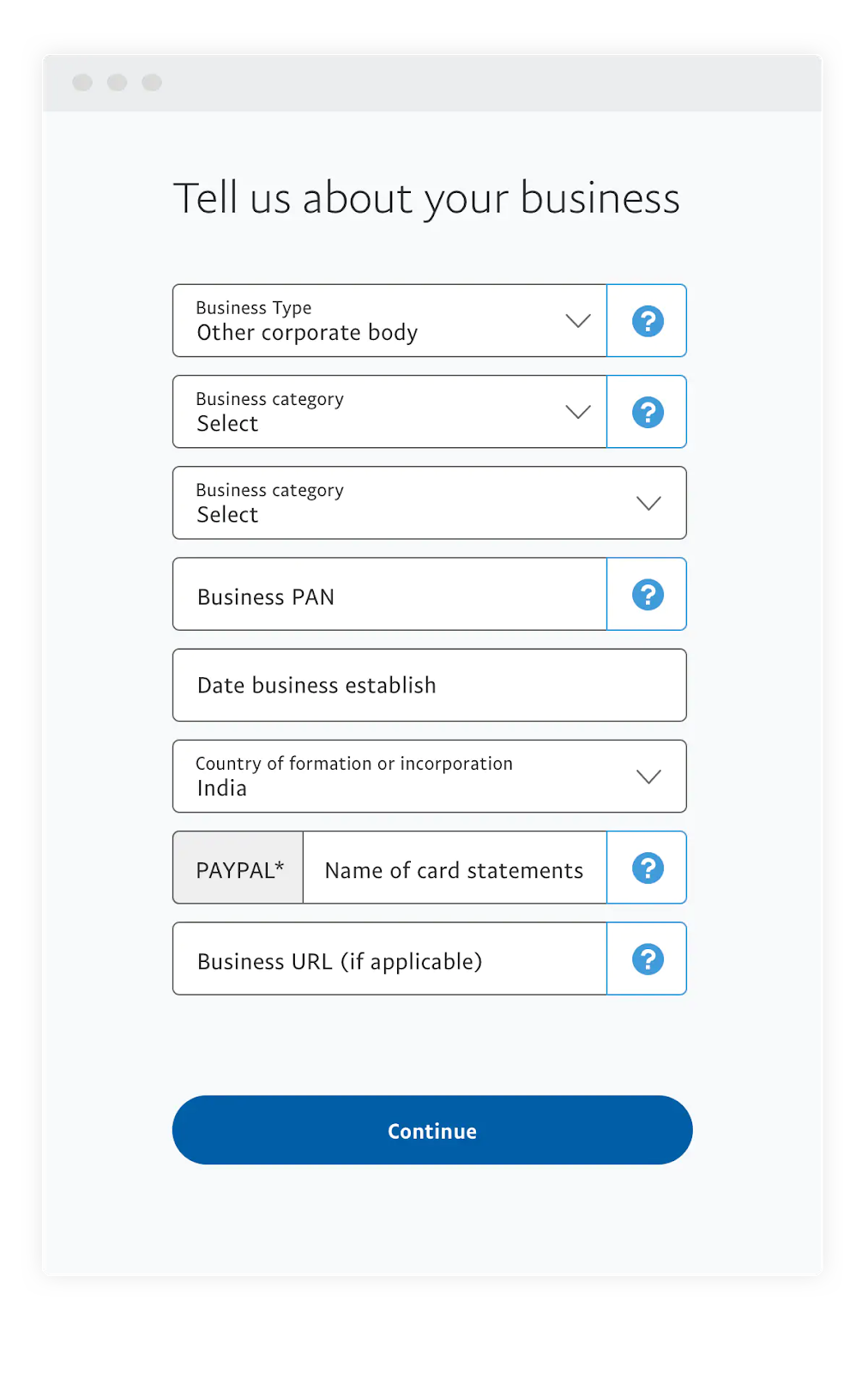
For entrepreneurs and organizations, the Business Account offers a more complex suite of technical tools. This version of the platform provides access to PayPal’s robust Application Programming Interfaces (APIs), allowing businesses to integrate PayPal’s payment gateway directly into their websites or mobile apps. Business accounts also support multi-user access, enabling technical teams to assign different permission levels to various employees, such as “Developer,” “Analyst,” or “Administrator,” without compromising the primary account credentials.
Step-by-Step Technical Setup and Verification Process
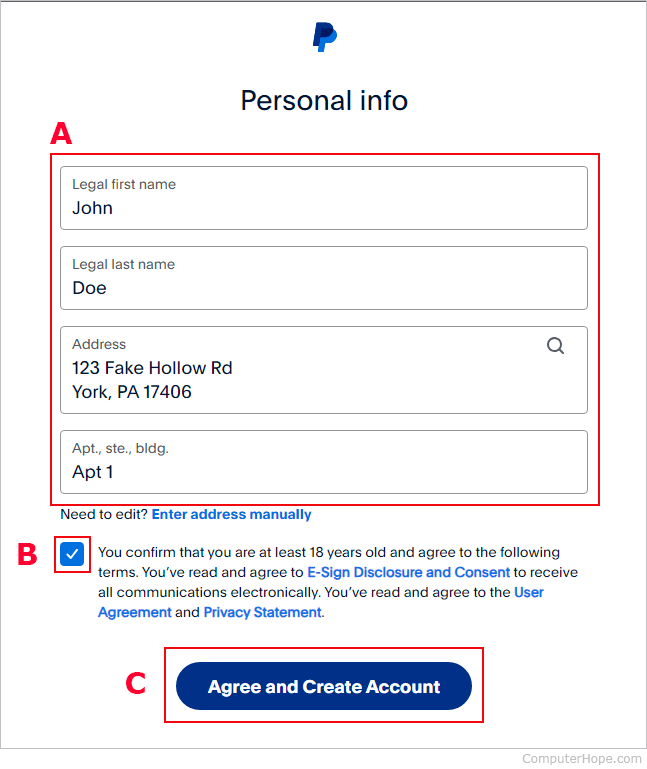
Creating a PayPal account is a systematic process of data entry, identity verification, and financial node linking. Each step is designed to satisfy both user experience (UX) requirements and rigorous regulatory compliance standards, such as Know Your Customer (KYC) and Anti-Money Laundering (AML) protocols.
Initial Registration and Data Entry
To begin, navigate to the official PayPal website or download the mobile application from the iOS App Store or Google Play Store. The initial screen will prompt you to select between a Personal or Business account. Once selected, you will be required to provide a valid email address—this serves as your unique identifier within the PayPal network.
From a technical standpoint, the password you select is your first line of defense. It is recommended to use a complex string generated by a dedicated password manager, incorporating alphanumeric characters and symbols. PayPal’s backend systems utilize hashing algorithms to store these passwords, ensuring that even in the event of a data breach, plain-text credentials remain inaccessible.
Email and Identity Verification
After submitting your basic information, the system triggers an automated verification email. This is a critical step in the “handshake” process between the user and the server. Clicking the link within the email confirms that the communication channel is active and controlled by the registrant.
Furthermore, depending on your geographic location and intended transaction volume, you may be required to provide a mobile phone number for SMS verification. This establishes a secondary layer of authentication, linking your digital account to a physical device—a common practice in modern digital security known as “binding.”
Linking Financial Nodes
The final stage of the basic setup involves linking your “funding sources.” This can be a traditional bank account, a debit card, or a credit card. When you input your bank routing and account numbers, PayPal often performs a “micro-deposit” verification. The system sends two small amounts (usually less than $1.00) to your bank. Once these appear in your bank statement, you must log back into PayPal and enter the exact amounts. This technical loop proves that you have authorized access to the external financial account, effectively “plugging” your traditional assets into the digital wallet.

Strengthening Your Digital Perimeter: Security Configurations
In the realm of digital finance, security is not a one-time setup but an ongoing technical configuration. PayPal provides several advanced tools designed to protect your account from unauthorized access and cyber threats.
Implementing Two-Factor Authentication (2FA)
One of the most effective ways to secure your software environment is by enabling Two-Factor Authentication (2FA). PayPal supports 2FA through SMS codes or, more securely, through Time-based One-Time Password (TOTP) applications like Google Authenticator or Authy. By requiring a secondary, time-sensitive code generated on a separate device, you significantly reduce the risk of account takeover via phishing or credential stuffing attacks.
Biometric Integration and Mobile Security
For users primarily utilizing the PayPal mobile app, integrating biometric data—such as FaceID or fingerprint scanning—adds a layer of hardware-level security. These features leverage the Secure Enclave (on iOS) or the Trusted Execution Environment (on Android) to store biometric signatures locally on the device. This ensures that even if someone gains physical access to your unlocked phone, they cannot open the PayPal app without your unique biological signature.
Managing Third-Party Permissions
As you use your PayPal account to log into various apps and websites, you create “permissions.” Over time, these integrations can become a security liability if an external service is compromised. Periodically auditing the “Security” tab in your PayPal settings allows you to revoke access to apps you no longer use. This minimizes your digital footprint and reduces the number of entry points available to potential attackers.
Navigating the Interface and Optimizing App Functionality
Once the account is secured and verified, understanding the layout and technical features of the dashboard will help you maximize the platform’s utility. PayPal’s UI is designed to provide a high-level overview of financial health while offering deep-dive data for individual transactions.
The Dashboard: A Centralized Data Hub
The primary dashboard serves as a command center. Here, users can view their “PayPal Balance,” which is the digital currency held within the platform, as well as recent activity. From a software perspective, the “Activity” log is a powerful tool for auditing. It provides transaction IDs, timestamps, and merchant metadata for every movement of funds. Users can export this data in various formats (such as CSV or PDF) for integration into accounting software or personal finance management tools.
Leveraging the Mobile App for On-the-Go Transactions
The PayPal mobile app is more than just a mirrored version of the website; it is a specialized tool optimized for mobile hardware. Features like “Scan to Pay” utilize the device’s camera to interpret QR codes at physical retail locations, bridging the gap between digital wallets and brick-and-mortar commerce. The app also utilizes push notification services to provide real-time alerts for every transaction, offering an immediate feedback loop that helps users spot unauthorized activity the moment it occurs.
Troubleshooting and Advanced Technical Features
Even with a well-configured account, users may encounter technical hurdles or require advanced features as their needs grow. Understanding how to navigate these challenges is a key part of digital literacy.
Resolving Account Limits and Verification Holds
Occasionally, PayPal’s automated risk-management algorithms may place a “hold” on funds or a “limit” on an account. This usually occurs when a transaction pattern deviates from the established baseline or when a new account receives a large influx of capital. To resolve this, the system typically requests additional documentation, such as a government-issued ID or proof of address. This process is part of the platform’s algorithmic “trust scoring,” where providing more data points increases the account’s credibility within the system.
Developer Tools and Sandboxing
For those interested in the more technical “under the hood” aspects of PayPal, the platform offers a “Developer Portal.” This allows users to create “Sandbox” accounts—test environments where developers can simulate transactions and test API integrations without using real money. This is an invaluable resource for anyone looking to build a custom e-commerce solution or a specialized app that requires a secure payment backend.
Conclusion: Embracing the Future of Digital Payments
Setting up a PayPal account is the first step toward mastering the digital tools that define modern commerce. By approaching the process with a focus on technical accuracy and security best practices, users can ensure their financial data remains protected while enjoying the convenience of global connectivity. Whether you are a casual shopper or a tech-savvy developer, understanding the software infrastructure behind PayPal empowers you to navigate the digital economy with confidence and precision. Through constant updates and the integration of new technologies like AI-driven fraud detection and blockchain exploration, PayPal remains at the forefront of the Tech niche, providing a reliable platform for the digital age.
aViewFromTheCave is a participant in the Amazon Services LLC Associates Program, an affiliate advertising program designed to provide a means for sites to earn advertising fees by advertising and linking to Amazon.com. Amazon, the Amazon logo, AmazonSupply, and the AmazonSupply logo are trademarks of Amazon.com, Inc. or its affiliates. As an Amazon Associate we earn affiliate commissions from qualifying purchases.