
In the rapidly evolving landscape of mobile applications and social communication, Snapchat has carved out a unique niche by prioritizing ephemeral content and gamified user interactions. Among its many visual cues, few icons carry as much weight for its core demographic as the “time glass”—commonly referred to as the hourglass emoji. While the interface appears minimalist, it is governed by complex algorithms designed to maximize user retention and engagement. Understanding what the hourglass icon signifies is not just about keeping a streak alive; it is about understanding the technical mechanics of one of the world’s most influential social software platforms.
The Technical Function of the Hourglass Icon
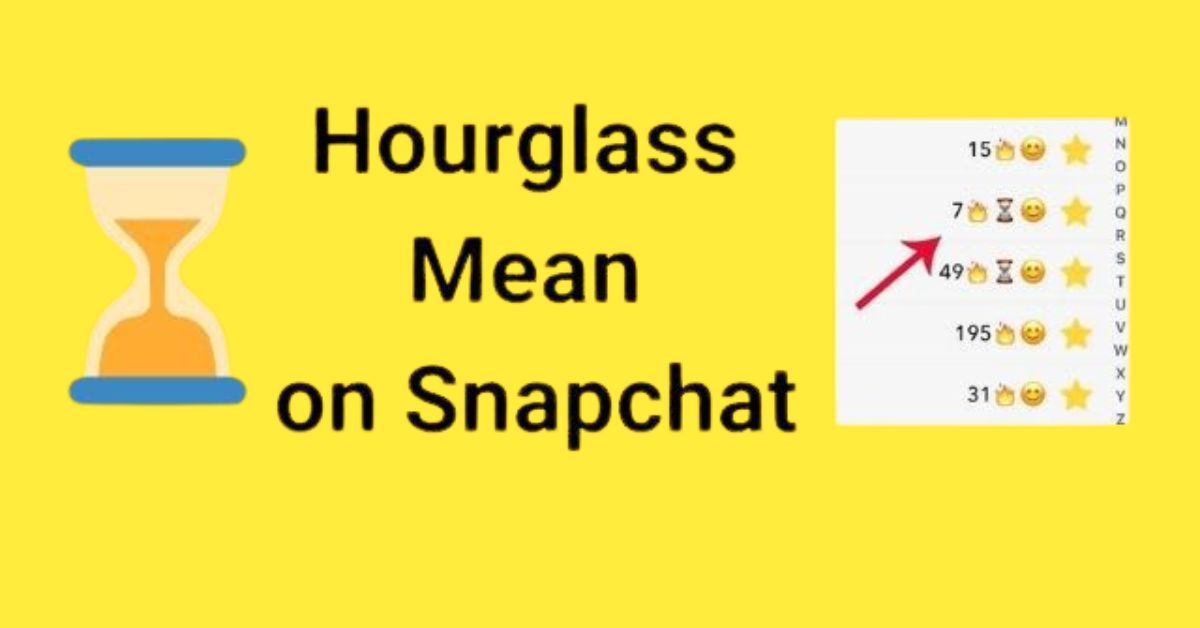
Snapchat’s user interface (UI) utilizes a variety of emojis to signal the status of relationships and interactions between users. These symbols are not static; they are dynamic data points reflected in the UI based on the frequency and timing of data packets (Snaps) sent between two accounts. The hourglass, or time glass, serves as a critical warning indicator within this system.
Identifying the “Time Glass” Emoji and Its Trigger
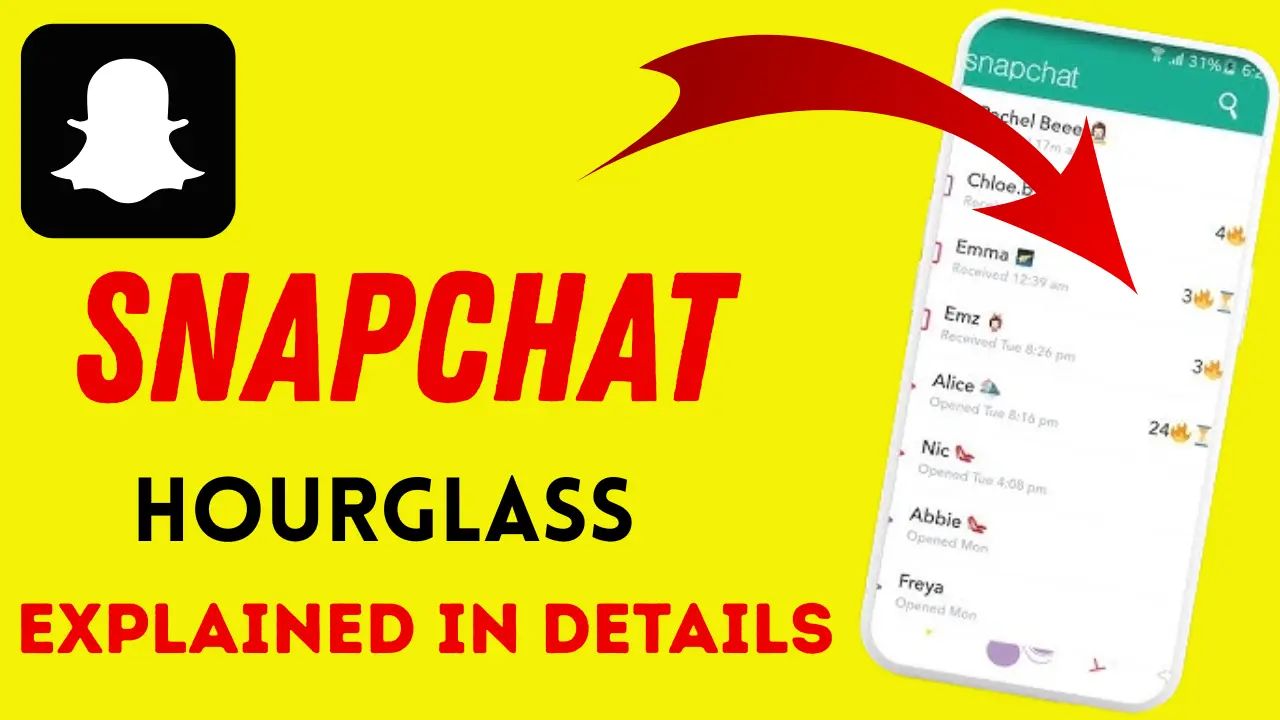
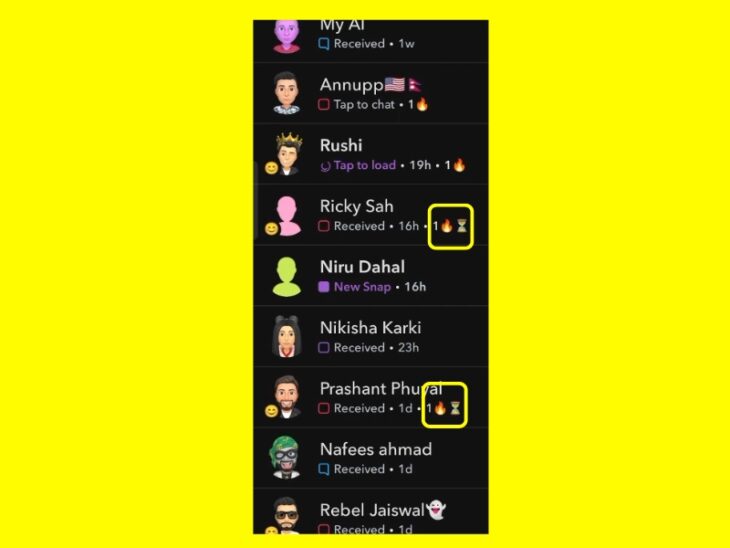
The hourglass emoji appears next to a friend’s name on the “Chat” screen. It specifically relates to the “Snapstreak” feature. A Snapstreak is established when two users send a Snap (a photo or video) to each other every day for at least three consecutive days. Once this threshold is met, a fire emoji appears. The hourglass icon is the software’s way of notifying both parties that the 24-hour window to maintain this streak is rapidly closing.
The 24-Hour Countdown Algorithm
From a technical perspective, Snapchat’s backend monitors the timestamp of the last Snap exchanged between two users. The “Snapstreak” logic requires a bidirectional exchange within a rolling 24-hour period. If the system detects that nearly 20 to 22 hours have passed since the last exchange, the algorithm triggers the hourglass icon to replace the fire icon. While Snapchat has never publicly disclosed the exact minute the hourglass appears, user testing and technical analysis suggest it generally surfaces 4 hours before the streak is set to expire.
The Relationship Between the Fire and Hourglass Icons
The fire emoji and the hourglass are mutually exclusive in the display field. The fire emoji represents “Active Streak Status,” while the hourglass represents “Imminent Expiration Status.” When the hourglass appears, it serves as a visual “interrupt” in the user’s feed, designed to prompt an immediate technical interaction—sending a Snap—to reset the 24-hour timer.
Snapstreaks and the Algorithm of Engagement
The existence of the time glass is a masterclass in software-driven user engagement. To understand the hourglass, one must understand the “Snapstreak” algorithm, which is a core component of Snapchat’s retention strategy.
Gamification in Social Media Software
Snapchat utilizes gamification—the application of game-design elements in non-game contexts—to encourage daily active usage (DAU). By assigning a numerical value to a streak and signaling its potential loss with the hourglass icon, the app creates a “loss aversion” psychological trigger. From a software design standpoint, this ensures that users return to the app at least once every 24 hours, maintaining high engagement metrics which are vital for the platform’s health and advertising ecosystem.
Technical Distinction: Snaps vs. Chats
A common point of confusion for users is what counts toward resetting the hourglass. The algorithm is programmed to recognize only two types of data: photo Snaps and video Snaps.
- Standard Text Chats: These do not trigger the streak-reset logic.
- Memories or Camera Roll Uploads: These are often excluded from the streak calculation depending on the version of the app’s API.
- Group Stories: Sending a Snap to a group does not count toward an individual streak.
This technical specificity forces users to engage with the app’s primary function—the camera—rather than just using it as a text-based messenger.
Data Synchronization and Latency
The appearance of the hourglass relies on real-time data synchronization. If a user is in an area with poor connectivity, their Snap may be timestamped on their device, but the server may not receive it before the 24-hour window expires. This latency can lead to “streak death” even if the user sent a Snap while the hourglass was visible. The app must reconcile the server-side timestamp with the client-side interaction to determine if the hourglass should be removed and the fire emoji restored.
Managing Your Digital Habits: A Tutorial on Streak Preservation
For power users and those interested in the technical nuances of the app, managing the hourglass is a daily ritual. When the time glass appears, specific steps must be taken to interact with the software’s logic correctly.
Strategies to Prevent Streak Expiration
To remove the hourglass and restore the fire emoji, both users do not necessarily need to send a Snap immediately, but the person who hasn’t sent one in the last 20+ hours must do so. However, the safest technical strategy is for both users to exchange a Snap as soon as the icon appears.
- Open the Camera: Capture a unique image or video.
- Select the Contact: Navigate to the user with the hourglass.
- Confirm Delivery: Ensure the status changes from “Sending” to “Delivered.”
Once the server processes this new data packet, the hourglass icon is programmatically replaced by the fire icon and the streak counter increments by one.
Dealing with Software Glitches and Technical Errors
Occasionally, the hourglass may persist even after a Snap has been sent, or a streak may disappear entirely despite timely interactions. These are often the result of cache errors or server-side lag.
- Clear Cache: Within the Snapchat settings, users can “Clear Cache” to force the app to redownload the latest status data from the server.
- Update the App: Outdated software versions may have bugs in how they render UI emojis like the hourglass.
- Check Server Status: If Snapchat’s central servers are down, the “streak logic” may pause or glitch.
The “Snapchat Restore” Technical Feature
In recent updates, Snapchat introduced a technical “safety net.” If the hourglass expires and the streak is lost, the app now offers a “Restore” button. This is a monetization and retention tool that allows users to use a “Streak Restore” (often one free per month or available via in-app purchase) to programmatically roll back the expiration. This feature demonstrates how Snapchat has monetized the technical “state” of user relationships.
The Evolution of UX: Visual Indicators in Modern Software
The hourglass is more than just a symbol; it represents a broader trend in User Experience (UX) design where software uses visual cues to dictate user behavior.
Ephemerality as a Design Philosophy
Snapchat’s entire architecture is built on the concept of ephemerality. The hourglass is the ultimate representation of this. Unlike traditional social media, where content sits statically, Snapchat’s UI is “alive.” The time glass introduces a sense of urgency that is rarely found in other software, such as email or traditional messaging apps. This “timed UI” is now being studied by designers as a way to create “sticky” applications.
The Future of Time-Based UI Feedback
As AI and machine learning become more integrated into apps, we can expect icons like the hourglass to become even more personalized. Imagine an algorithm that learns your specific snapping habits and adjusts the appearance of the “time glass” based on when you are most likely to be on your phone. We are moving toward a future where software doesn’t just provide a platform for communication but actively manages the cadence of that communication through visual feedback loops.
Technical Complexity Behind a Simple Emoji
While the user only sees a small hourglass, the backend operations involve constant timestamp checking, database updates, and notification triggers. Every time the hourglass appears, it is the result of thousands of lines of code executing a check against a database of billions of individual “streak” records. It is a testament to the scalability of modern cloud infrastructure that these indicators remain accurate for millions of users simultaneously.
Conclusion
The “time glass” on Snapchat is a sophisticated tool of modern technology, serving as the bridge between software logic and human interaction. It is a visual manifestation of a 24-hour countdown timer, a sentinel for user engagement, and a key component of the app’s gamified UX. By understanding the mechanics behind the hourglass—from the 24-hour algorithm to the technical requirements of “Snap” data packets—users can better navigate the digital landscape of ephemeral communication. Whether you are a casual user or a tech enthusiast, the hourglass serves as a reminder that in the world of modern apps, time is the most valuable data point of all.
aViewFromTheCave is a participant in the Amazon Services LLC Associates Program, an affiliate advertising program designed to provide a means for sites to earn advertising fees by advertising and linking to Amazon.com. Amazon, the Amazon logo, AmazonSupply, and the AmazonSupply logo are trademarks of Amazon.com, Inc. or its affiliates. As an Amazon Associate we earn affiliate commissions from qualifying purchases.