
M4A files, while not as ubiquitous as MP3, represent a significant advancement in audio compression and are a core component of modern digital audio. Often encountered in the Apple ecosystem, particularly with iTunes and iPods, M4A has evolved to offer superior audio quality and efficiency. This article delves into the technical underpinnings of M4A, exploring its origins, codecs, advantages, and practical applications within the realm of technology.
The Genesis and Evolution of M4A
The M4A file format is not an entirely new invention but rather a sophisticated evolution of existing audio compression technologies. Understanding its lineage is crucial to appreciating its technical merit.
From MPEG to AAC: The Foundation of M4A
The story of M4A begins with the Moving Picture Experts Group (MPEG), a committee that has been instrumental in developing digital compression standards for audio and video. MPEG-1 and MPEG-2 introduced the widely adopted MP3 (MPEG-1 Audio Layer III) format, which revolutionized digital music by significantly reducing file sizes without a drastic loss of perceived quality.
However, as technology progressed, the limitations of MP3 became apparent. Newer audio coding techniques emerged, offering better compression ratios and higher fidelity. One of the most significant successors to MP3 is the Advanced Audio Coding (AAC) format. AAC was developed by a collaborative effort involving Dolby Laboratories, AT&T, Bell Labs, Fraunhofer IIS, and the Fraunhofer Institute for Integrated Circuits. It was designed to be more efficient than MP3, particularly at lower bitrates, meaning it could achieve comparable or even better audio quality with smaller file sizes.
Apple’s Adoption and the M4A Extension
Apple played a pivotal role in popularizing the M4A format. When Apple’s iTunes Music Store launched in 2003, it adopted AAC as its primary audio codec. To distinguish its AAC-encoded files from other audio formats, Apple designated these files with the .m4a extension. This extension specifically signifies an audio-only file encoded using AAC or sometimes Apple Lossless Encoder (ALE), another proprietary Apple codec. It’s important to note that the .m4a extension was chosen to differentiate these audio files from .m4v and .mp4 files, which are container formats that can hold both audio and video. While technically M4A is a container format based on the MPEG-4 Part 14 standard (which also underlies .mp4 and .m4v), the .m4a extension is almost exclusively used for audio-only content.
This strategic move by Apple effectively established M4A as a distinct and prevalent format, especially within the vast user base of its devices like the iPod and iPhone. Over time, M4A has become a de facto standard for high-quality, compressed audio, offering a compelling alternative to the aging MP3.
Technical Specifications and Advantages of M4A
The technical underpinnings of M4A are what give it its advantages over older formats. Its reliance on advanced codecs and its container structure contribute to its efficiency and quality.
The Power of AAC and Apple Lossless
At its core, M4A files are typically encoded using either the Advanced Audio Coding (AAC) codec or Apple Lossless Encoder (ALE).
-
Advanced Audio Coding (AAC): As mentioned, AAC is a highly efficient lossy compression algorithm. Lossy compression works by discarding audio information that is less perceptible to the human ear. This process significantly reduces file size. AAC achieves this with greater efficiency than MP3, meaning it can achieve better sound quality at the same bitrate or the same sound quality at a lower bitrate. This makes AAC-encoded M4A files ideal for streaming and for storing large music libraries without sacrificing substantial audio fidelity. Common bitrates for AAC range from 128 kbps (good quality, comparable to MP3) up to 256 kbps or even higher for near-CD quality.
-
Apple Lossless Encoder (ALE): While most M4A files use AAC, some are encoded using Apple’s proprietary lossless codec. Lossless compression, unlike lossy compression, does not discard any audio data. Instead, it uses sophisticated algorithms to represent the audio data more compactly. The result is a file that, when decoded, is bit-for-bit identical to the original uncompressed audio source (like a WAV or AIFF file). This means no audio information is lost during the compression process, preserving the original sound quality perfectly. However, lossless compression results in larger file sizes compared to lossy formats like AAC. For audiophiles and archival purposes, M4A files encoded with Apple Lossless offer the highest fidelity.
Container Format and Metadata Support
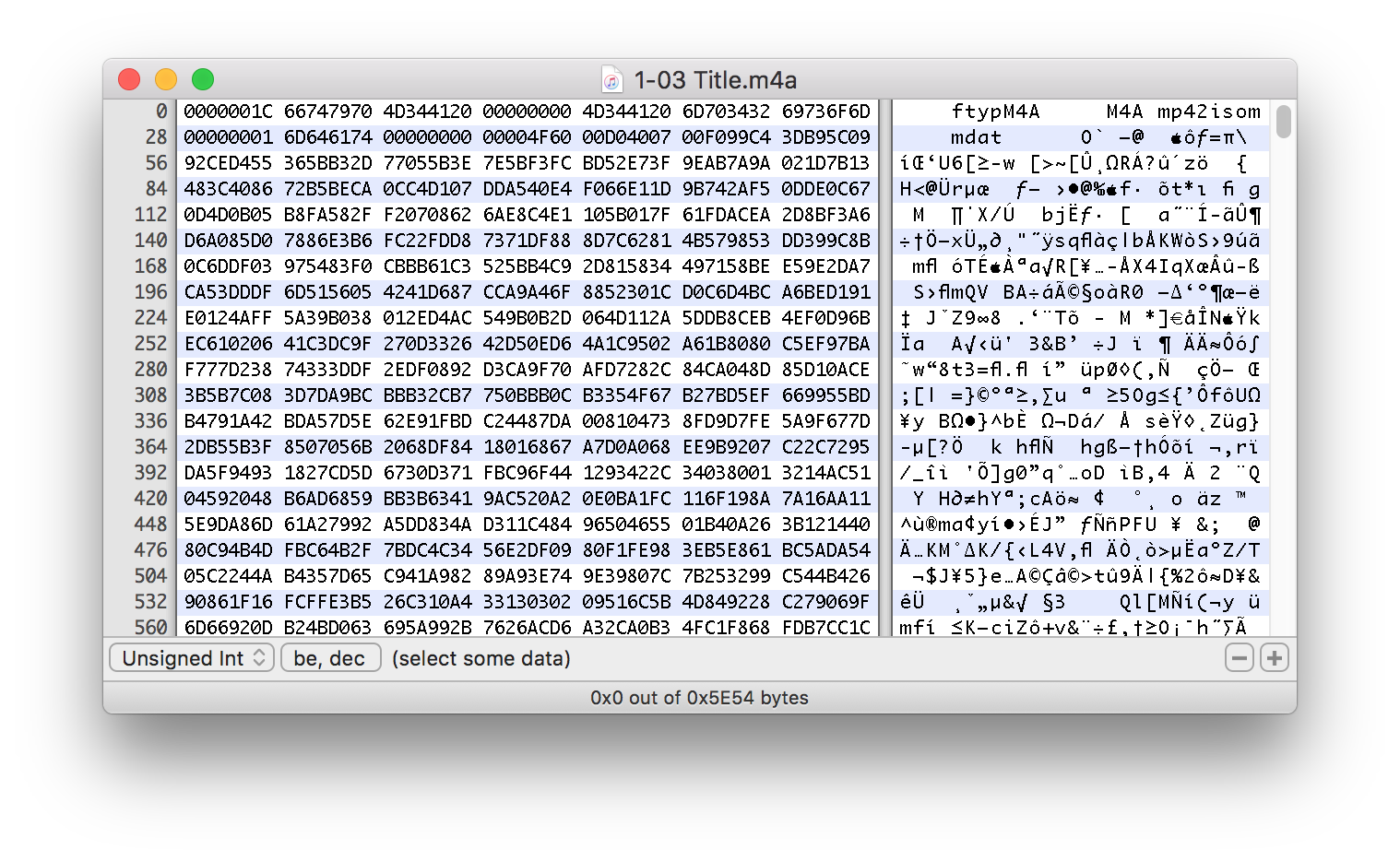
M4A files utilize the MPEG-4 Part 14 (MP4) container format. This means that the .m4a file is not just the encoded audio stream but a container that can hold various types of data, primarily the audio stream itself, but also metadata.
-
MPEG-4 Part 14 (MP4) Container: This is a flexible multimedia container format standardized as part of MPEG-4. It’s similar to the QuickTime file format (MOV) and is designed to store a variety of data types, including audio, video, subtitles, and metadata. For M4A, the container primarily holds the AAC or ALE audio stream. This containerization allows for robust metadata embedding.
-
Rich Metadata: M4A files excel at storing detailed metadata, which is information about the audio file. This includes standard tags like artist name, album title, song title, genre, year, and track number. Crucially, M4A also supports embedded album artwork, lyrics, and even more advanced information like composer, conductor, and copyright details. This rich metadata is essential for organizing large music libraries and for seamless playback on media players that can display and utilize this information.
Practical Applications and Compatibility
While M4A originated with Apple, its versatility and quality have led to broader adoption and integration across various platforms and devices.
Apple Ecosystem and Beyond
The most immediate and widespread use of M4A files is within the Apple ecosystem.
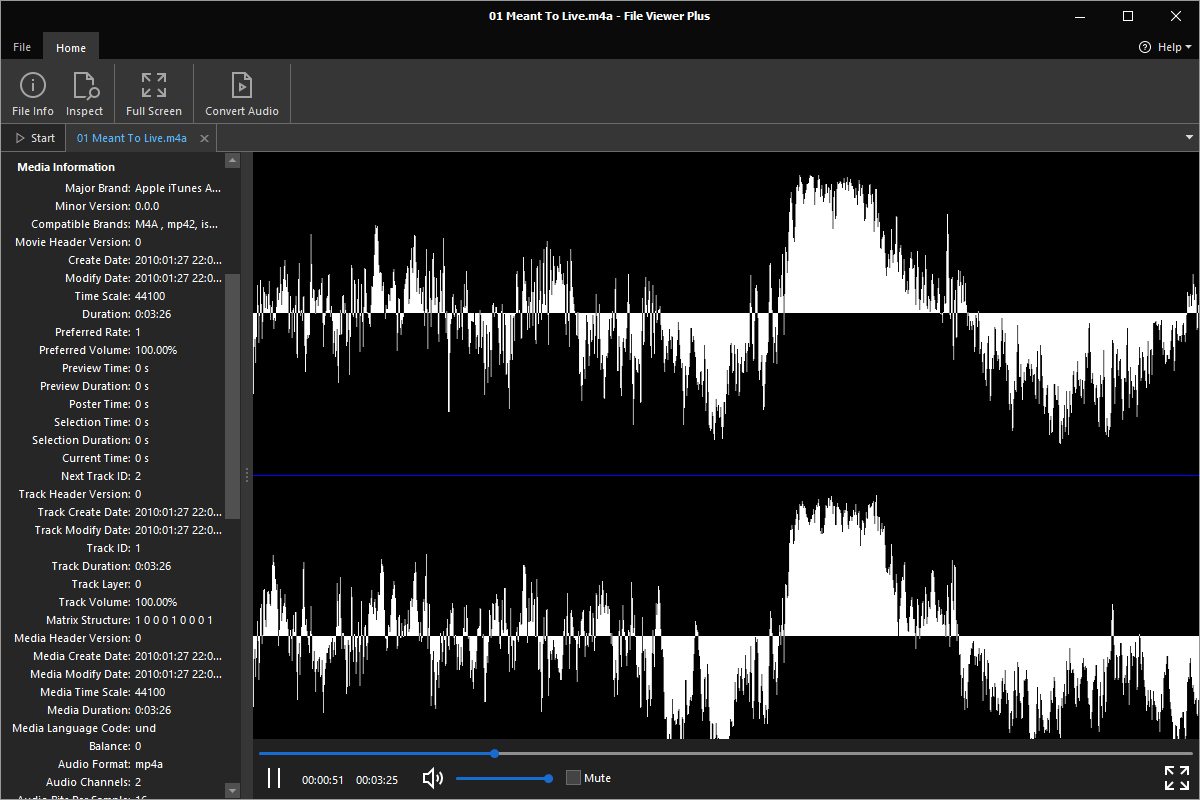
- iTunes and Apple Music: Historically, iTunes purchased music was in M4A format. Today, Apple Music continues to use AAC encoding, often distributed as M4A files. For users with Apple devices like iPhones, iPads, and Macs, M4A playback is native and seamless.
-
Podcasts: Many podcasts are distributed in M4A format due to its efficient compression and good audio quality, making it suitable for spoken word content where crispness and clarity are paramount.
-
Audiobooks: Similar to podcasts, audiobooks often leverage M4A for its efficient storage and clear playback of narration.
However, M4A’s compatibility has expanded significantly beyond Apple’s walled garden. Most modern media players, both software and hardware, now support M4A playback.
-
Windows and Android: Windows Media Player, VLC Media Player, Foobar2000, and numerous other audio players on Windows can readily play M4A files. On Android devices, native players and third-party apps like VLC, Poweramp, and Neutron Music Player offer excellent M4A support.
-
Web Browsers: Many web browsers, with the help of appropriate plugins or built-in codecs, can stream and play M4A audio directly.
-
Audio Editing Software: Professional and amateur audio editing software such as Adobe Audition, Audacity, and Logic Pro can import and export M4A files, allowing for seamless integration into audio production workflows.
Converting M4A Files
Despite its growing compatibility, there might still be instances where M4A files need to be converted to more universally recognized formats like MP3, especially for older devices or specific software requirements. Fortunately, numerous tools are available for this purpose.
-
Online Converters: Numerous websites offer free M4A to MP3 (or other format) conversion services. Users simply upload their M4A file, select the desired output format, and download the converted file. While convenient, it’s important to be mindful of privacy and security when using online converters for sensitive audio.
-
Desktop Software: Dedicated desktop applications provide more robust conversion capabilities. Many media players, such as VLC Media Player, have built-in conversion functions. Additionally, specialized audio converters offer batch processing, custom encoding settings, and more advanced options.
-
Audio Editing Suites: Professional audio editing software often includes export options for a wide range of formats, allowing for conversions as part of the editing process.
When converting M4A to a lossy format like MP3, users should be aware of the potential for a slight degradation in audio quality, especially if the target MP3 bitrate is significantly lower than the original M4A’s AAC bitrate. Conversely, converting from an M4A (AAC) to a lossless format like WAV or FLAC will not improve the audio quality but will result in significantly larger file sizes.
M4A vs. MP3: A Technical Comparison
The M4A format, largely through its AAC codec, often finds itself in direct comparison with the long-standing king of audio compression, MP3. Understanding their technical differences highlights why M4A has gained prominence.
Efficiency and Perceived Quality
The primary advantage of AAC (and thus M4A) over MP3 lies in its superior encoding efficiency.
-
Compression Algorithms: MP3 uses the older MPEG-1 Audio Layer III standard. AAC, on the other hand, benefits from advancements in psychoacoustic modeling and more sophisticated algorithms. This means that at the same bitrate, AAC can generally produce audio that is perceived as higher quality than MP3. Alternatively, to achieve the same perceived quality, AAC can use a significantly lower bitrate.
-
Bitrate Performance:
- Low Bitrates (e.g., 64-128 kbps): At these lower bitrates, the difference in quality between AAC and MP3 becomes most pronounced. AAC-encoded files will sound noticeably clearer, with better definition of high frequencies and less “mushiness” or artifacts compared to MP3s at the same bitrate.
- High Bitrates (e.g., 192-320 kbps): At higher bitrates, the perceived difference between well-encoded AAC and MP3 becomes less apparent to the average listener. However, even here, AAC often retains a slight edge in fidelity and dynamic range.
This efficiency means that M4A files can be smaller than equivalent quality MP3 files, making them ideal for streaming services, mobile devices with limited storage, and users who prioritize maximizing their music library size without a significant compromise in sound.
Audio Fidelity and Lossless Options
While AAC in M4A offers excellent lossy compression, M4A can also house lossless audio.
-
Lossless Capabilities: As previously discussed, M4A can use Apple Lossless Encoder (ALE). This provides a lossless audio option within the M4A container, offering perfect fidelity. While MP3 is exclusively a lossy format, other formats like FLAC and ALAC (Apple Lossless Audio Codec, the standard for ALE) are dedicated lossless formats. When comparing M4A (ALE) to FLAC, they offer comparable lossless quality, with differences primarily in proprietary vs. open-source nature and specific features.
-
Lossy vs. Lossless: It’s crucial to remember that most M4A files you encounter are lossy AAC. If the priority is preserving every single detail of the original recording, a lossless format (whether within an M4A container using ALE, or a dedicated lossless format like FLAC) is necessary. For everyday listening and digital distribution, lossy AAC offers an excellent balance of quality and file size.
Conclusion: The Enduring Relevance of M4A
M4A files represent a sophisticated and efficient approach to digital audio storage. Born from advancements in audio compression and popularized by Apple, M4A, particularly when utilizing the AAC codec, offers a superior listening experience compared to its predecessor, MP3, at comparable file sizes. Its ability to also contain lossless audio further solidifies its position as a versatile and high-quality format.
While the digital audio landscape continues to evolve with new codecs and streaming technologies, M4A remains a relevant and widely supported file format. Its robust metadata support, efficient compression, and excellent audio quality ensure its continued use in music playback, podcast distribution, and various other audio applications. Understanding what M4A files are, their technical basis, and their practical implications allows users to make informed decisions about audio encoding, file management, and optimal listening experiences in the digital age.
aViewFromTheCave is a participant in the Amazon Services LLC Associates Program, an affiliate advertising program designed to provide a means for sites to earn advertising fees by advertising and linking to Amazon.com. Amazon, the Amazon logo, AmazonSupply, and the AmazonSupply logo are trademarks of Amazon.com, Inc. or its affiliates. As an Amazon Associate we earn affiliate commissions from qualifying purchases.