
The rapid pace of the consumer electronics industry often leaves us with a drawer full of “obsolete” technology. Among these, the iPad stands out as a particularly resilient piece of hardware. Unlike many smartphones that suffer from rapid battery degradation or fragile screens, iPads are built to last. However, as iPadOS advances, older models eventually lose the ability to run the latest software or the most demanding applications.
Rather than letting these high-quality displays and capable processors gather dust or end up in a landfill, there are numerous ways to reintegrate them into your digital ecosystem. By shifting our perspective from viewing the iPad as a primary mobile computer to seeing it as a specialized, single-use tool, we can unlock significant value. This guide explores the most effective technical methods to repurpose your old iPad, ensuring your legacy tech continues to serve a purpose in a modern smart home or professional environment.

Transforming Your iPad into a Dedicated Smart Home Hub
One of the most effective ways to utilize an older iPad is to give it a permanent home on your wall or countertop as a centralized command center. Even a decade-old iPad has a significantly better display and interface than many dedicated smart home controllers sold today.
The Centralized Dashboard: HomeKit and Home Assistant
If you are invested in the Apple ecosystem, the “Home” app is the most logical starting point. By mounting an old iPad in a central location—such as a hallway or kitchen—you create a “tactical” interface for your lights, thermostats, and security cameras. For power users, the iPad serves as an excellent terminal for Home Assistant or Hubitat. Using these platforms, you can design custom dashboards that display weather data, energy consumption, and family calendars simultaneously. To ensure the device stays powered without damaging the battery, it is recommended to use a smart plug that cycles power or a specialized wall mount with integrated charging.
A Dedicated Security Monitor
An old iPad is an exceptional tool for monitoring surveillance feeds. Instead of constantly checking your phone or interrupting your workflow on a main computer, you can set the iPad to “Always On” (found in Settings > Display & Brightness > Auto-Lock > Never). Apps like Cloud Edge, Arlo, or Nest allow you to keep a 24/7 view of your front door, nursery, or backyard. Because these apps are generally not resource-intensive, even older processors can handle the video streaming comfortably over a stable Wi-Fi connection.
Enhancing Productivity as a Secondary Interface
As professional workflows become increasingly complex, screen real estate has become a valuable commodity. An old iPad can act as a force multiplier for your primary workstation, whether you are using a Mac or a Windows PC.
Sidecar and Third-Party Display Solutions
For users with relatively recent (but not cutting-edge) hardware, Apple’s Sidecar feature allows the iPad to function as a wireless second monitor for a Mac. However, if your iPad is too old to support Sidecar, third-party developers have solved this problem. Apps like Duet Display or Luna Display use the iPad’s charging cable to provide a low-latency, high-resolution second screen experience. This is ideal for offloading “passive” windows such as Slack, Spotify, or email clients, freeing up your main monitor for deep work.
The Ultimate Video Conferencing Station
In the era of remote work, our primary computers are often bogged down by resource-heavy video conferencing tools like Zoom, Microsoft Teams, or Google Meet. By offloading these calls to an old iPad, you reclaim your PC’s CPU and RAM for actual work. Using a simple desk stand, you can position the iPad at eye level, ensuring a professional camera angle. This setup also allows you to share your PC screen during a meeting while still being able to see the participants on the iPad, creating a more natural and engaging communication environment.
Specialized Media and Creative Repurposing
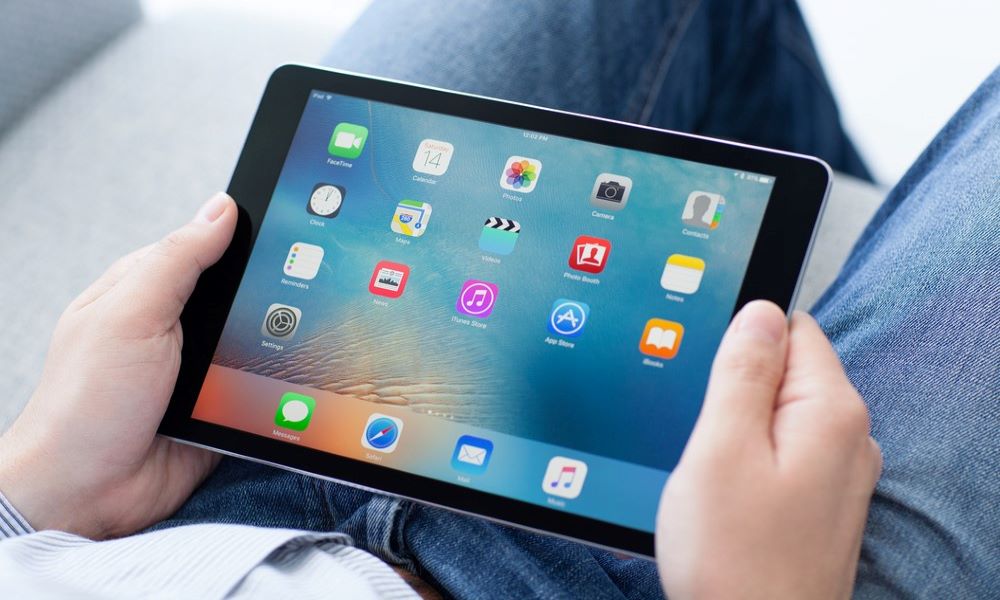
The iPad’s Retina display remains one of the best in the industry for viewing photos and text. When a device is no longer fast enough for gaming or heavy multitasking, it often remains perfectly adequate for media consumption.
The Dedicated E-Reader and News Terminal
While many prefer E-ink displays for long-form reading, the iPad is arguably superior for magazines, comic books, and technical PDFs where color and high-resolution zooming are essential. By stripping an old iPad of all distracting apps—social media, email, and notifications—you can transform it into a dedicated “Focus Tablet.” Using apps like Pocket, Instapaper, or the Kindle app, the device becomes a distraction-free zone for consuming long-form content.
A Digital Picture Frame with a Modern Twist
Standard digital photo frames are often clunky and difficult to update. An old iPad connected to an iCloud Shared Album or Google Photos is a vastly superior alternative. By enabling “Guided Access” (Settings > Accessibility > Guided Access), you can lock the iPad into a photo slideshow mode, preventing guests or children from exiting the app. This creates a dynamic, high-definition gallery of your family memories that updates automatically whenever you add photos to the linked album from your current phone.
High-Fidelity Music Streamer
If you have an old Hi-Fi system or a set of powered speakers, an iPad can serve as a sophisticated music streamer. By connecting the iPad via the 3.5mm jack (on older models) or a Lightning-to-USB DAC, you can run Spotify, Apple Music, or Tidal. Because the iPad has a large touchscreen, it is much easier to navigate your library than using a tiny remote or a smartphone. It can stay permanently connected to your audio rack, acting as a high-end jukebox for your living room.
Technical Maintenance and Performance Optimization
Before repurposing an old device, it is crucial to perform some “technical hygiene” to ensure the iPad runs as smoothly as possible. Over years of use, system caches and background processes can degrade performance.
The Factory Reset Strategy
The first step in any repurposing project should be a total factory reset. This wipes the storage and clears out years of digital debris. When setting the device back up, do not restore from an iCloud backup. Instead, “Set up as New.” This prevents the reinstallation of unnecessary apps and settings that might slow down the older hardware. Only install the 1–2 apps required for its new specific purpose.
Managing Battery Health and Safety
The primary concern with legacy hardware is the lithium-ion battery. If an iPad has been unused for a long time, the battery may have degraded. If you plan to leave the iPad plugged in permanently (e.g., as a smart home hub), be aware that constant charging can cause battery swelling in rare cases. Using a timer-based outlet to allow the battery to discharge occasionally, or using “Optimized Battery Charging” features in later versions of iOS, can help mitigate these risks.
Responsible E-Waste Management and Recycling
If your iPad is truly at the end of its life—perhaps the screen is shattered or it no longer powers on—the final step is responsible disposal. Technology contains rare earth metals and toxic components that should never enter a standard waste stream.
Trade-In Programs vs. Private Resale
Even if an iPad is too old for you, it may still have value for others. Platforms like Gazelle, Back Market, or Apple’s own Trade-In program offer credit or cash for older devices. If the device is in good condition, a private sale on platforms like Swappa can often yield a higher return than a trade-in. However, for devices with no resale value, Apple offers a free recycling program where they will take the device and ensure its components are reclaimed ethically.
The “Pass It Down” Methodology
Before recycling, consider if the device could serve as a “starter tablet” for a child or an elderly relative. With “Screen Time” controls and “Guided Access,” an old iPad can be a safe, controlled environment for a child to learn basic digital literacy or play educational games. For seniors, the iPad’s “Display Zoom” and “AssistiveTouch” features make it one of the most accessible pieces of technology for staying in touch via FaceTime.
In conclusion, an old iPad is rarely “trash.” Its value lies in its versatility. By narrowing its focus to a single, dedicated task—be it a second monitor, a smart home controller, or a digital frame—you extend the lifecycle of the product, save money on new gadgets, and contribute to a more sustainable tech ecosystem. Modern technology doesn’t always need to be replaced; often, it just needs a new job description.
aViewFromTheCave is a participant in the Amazon Services LLC Associates Program, an affiliate advertising program designed to provide a means for sites to earn advertising fees by advertising and linking to Amazon.com. Amazon, the Amazon logo, AmazonSupply, and the AmazonSupply logo are trademarks of Amazon.com, Inc. or its affiliates. As an Amazon Associate we earn affiliate commissions from qualifying purchases.