
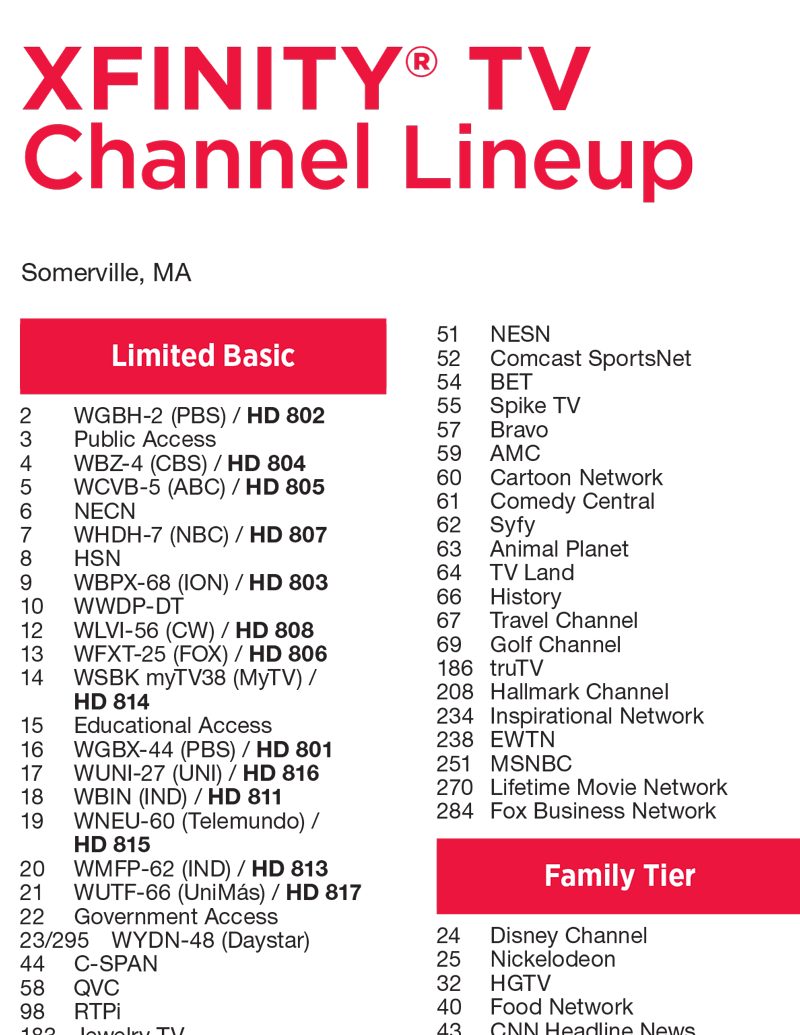
For millions of households across the United States, Xfinity stands as a primary gateway to a vast array of entertainment and information. Within this extensive offering, NBC, a cornerstone of American television broadcasting, holds a prominent position. However, the specific channel number for NBC on Xfinity can vary significantly depending on a subscriber’s geographic location. This seemingly simple question often leads to a surprising amount of confusion, prompting a need for a clear and comprehensive understanding of how to locate this beloved network. This article aims to demystify the process, exploring the factors that influence NBC’s channel placement on Xfinity and providing actionable steps for viewers to find it.
Understanding Channel Allocation on Cable Systems
The way cable television channels are assigned is a complex interplay of technical infrastructure, regulatory frameworks, and business agreements. Unlike over-the-air broadcasting, where channels are determined by frequency allocations and signal strength, cable systems involve a more structured and curated approach. Xfinity, as a major Multiple System Operator (MSO), manages a vast network of digital signals that are then distributed to its subscribers. The assignment of specific channel numbers is not arbitrary but rather a strategic decision influenced by several key elements.
The Role of Geographic Location
Perhaps the most significant factor influencing the channel number for NBC on Xfinity is the subscriber’s geographic location. Broadcasters, including NBC, are licensed to operate in specific regions. This regional licensing dictates which local affiliate station is responsible for delivering the NBC programming to a particular area. Xfinity, in turn, negotiates carriage agreements with these local affiliates to include their signal within its cable package. Consequently, the channel number assigned to NBC will correspond to the Xfinity system’s allocation for that specific local affiliate. For instance, if you live in New York City, your NBC affiliate will likely be WNBC, and its channel number will be different from the NBC affiliate in Los Angeles, KNBC, or the one in Chicago, WMAQ. This localization is crucial for delivering relevant news, weather, and community-specific programming alongside national NBC content.
Broadcast Rights and Carriage Agreements
The presence of any channel on an Xfinity lineup, including NBC, is ultimately determined by broadcast rights and carriage agreements between the cable provider and the network or its local affiliate. Xfinity, like all MSOs, must secure the legal right to transmit specific channels to its subscribers. These agreements involve negotiations over fees, technical standards, and sometimes even marketing commitments. For major networks like NBC, these carriage agreements are typically complex and can involve significant financial considerations. The terms of these agreements can also influence how and where a channel is placed within the Xfinity channel guide. While NBC is a national network, its local affiliates are independent entities with their own rights and agreements.
Xfinity’s Channel Lineup Structure
Xfinity organizes its channel offerings into various packages and tiers, catering to different subscriber needs and budgets. Within these packages, channels are assigned numerical positions in the electronic program guide (EPG). The aim is to create a logical and user-friendly navigation experience. However, the exact placement of NBC can also be influenced by its perceived value within a particular tier. Networks with high viewership or a broad appeal, like NBC, are often placed in more accessible or prominent channel numbers, particularly within the basic or standard entertainment packages. The goal is to ensure that popular channels are easy for subscribers to find and enjoy, thereby enhancing the overall customer experience and reducing frustration.
Methods for Discovering Your Local NBC Channel on Xfinity
Given the variability in channel assignments, Xfinity provides several straightforward methods for subscribers to locate their local NBC channel. These methods leverage the technological capabilities of the Xfinity platform and are designed for ease of use, ensuring that viewers can quickly access their desired programming.
Utilizing the Xfinity Remote and On-Screen Guide
The most immediate and common method for finding NBC is through the Xfinity remote control and its interactive on-screen guide. Every Xfinity remote is equipped with a dedicated button, often labeled “Guide” or featuring an icon resembling a grid. Pressing this button brings up the electronic program guide, a comprehensive listing of all available channels and their scheduled programming.
Navigating the Program Guide
Once the guide is displayed, subscribers can navigate through the channel listings. This can be done by using the directional arrows on the remote to scroll up or down through channels. For quicker access, many Xfinity remotes also feature numerical keypads. If you have a general idea of where NBC might be, or if you know the typical channel range for local affiliates (often in the single digits or low double digits), you can directly enter the channel number if you know it. However, if you don’t know the number, the most efficient approach is to scroll through the guide.
Using the Search Functionality
A more sophisticated and often faster method within the Xfinity EPG is the search functionality. Most modern Xfinity remotes and interfaces allow users to search for specific channels, programs, or networks. By pressing the appropriate button (often labeled “Search,” “Voice,” or accessible through a menu option) and speaking or typing “NBC,” the system will typically bring up the NBC channel available in your region. This is particularly useful for those who are new to the service or have recently moved, as it bypasses the need for manual scrolling and potential guesswork. Many voice-enabled Xfinity remotes allow for natural language commands, such as “Find NBC” or “What channel is NBC on?”
Accessing Xfinity’s Online Resources
Beyond the on-screen interface, Xfinity also provides comprehensive online resources that can help subscribers locate their local channels. These digital platforms are designed to offer support and information outside of the traditional TV viewing experience.
The Xfinity Website and My Account Portal
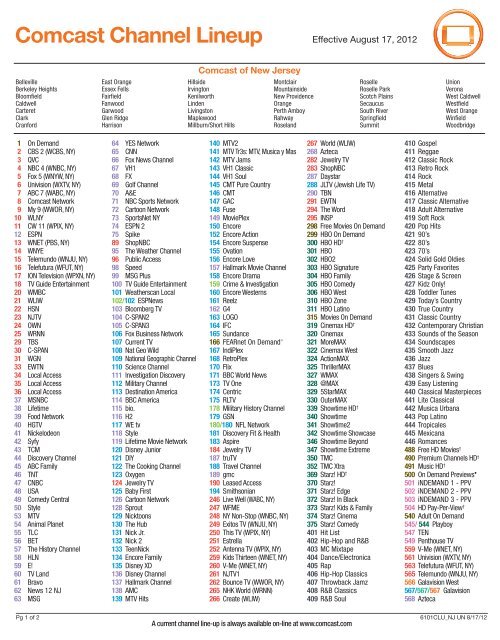
The official Xfinity website and the “My Account” portal are valuable hubs for managing your subscription and accessing service-related information. Once logged into your account, you can often find a detailed breakdown of your subscribed channel lineup. This includes the specific channel numbers assigned to each network. Look for sections related to “TV,” “Channels,” or “My Plan.” Within these sections, there is usually a tool or a downloadable list that displays all available channels and their corresponding numbers for your specific service address. This is an excellent resource for a comprehensive overview and for verifying channel numbers for all networks, not just NBC.
Xfinity Support and FAQs
Xfinity’s customer support section, accessible both online and through customer service representatives, also offers solutions to common queries like finding specific channels. The website typically features a robust FAQ (Frequently Asked Questions) section that addresses a wide range of user inquiries. Searching the FAQs for “NBC channel number” or “find local channels” will likely yield direct answers or links to relevant information. If online resources don’t provide a clear answer, contacting Xfinity customer support directly via phone or online chat is another reliable method. Support agents have access to the specific channel lineups for all service areas and can quickly provide the correct NBC channel number.
Maximizing Your NBC Viewing Experience on Xfinity
Once you’ve successfully located NBC on your Xfinity lineup, there are several ways to enhance your viewing experience and ensure you don’t miss any of your favorite programming. Xfinity offers a suite of features designed to make watching TV more convenient and personalized.
Utilizing On-Demand and DVR Capabilities
NBC, like other major networks, provides a wealth of content through its local affiliates and the national network. Xfinity’s On Demand service allows subscribers to access a library of recently aired episodes of popular NBC shows, often without any additional cost. This is a fantastic feature for catching up on episodes you may have missed or for rewatching favorites. The content available through On Demand is typically organized by network and show title, making it easy to browse and select what you want to watch.
Recording with Xfinity X1 DVR
For those who prefer to watch on their own schedule or want to ensure they never miss a live broadcast, Xfinity’s Digital Video Recorder (DVR) service, most notably the Xfinity X1 platform, is indispensable. With a DVR, you can record any program airing on NBC. This allows you to create your own personal library of shows, pause live TV, rewind, and fast-forward through commercials. Setting up a recording is typically done directly from the program guide by highlighting the desired show and selecting the “Record” option. You can often choose to record a single episode or set up a series recording to automatically capture every new episode of a show.
Exploring Additional NBC Content and Services
Beyond the linear broadcast, NBC offers a broader ecosystem of content and digital services that can be accessed through Xfinity. Understanding these offerings can further enrich your viewing experience.
The Peacock Streaming Service
Peacock, NBCUniversal’s own streaming service, offers a vast library of NBC content, including current seasons of popular shows, classic movies and TV series, live sports, and original programming. While some content on Peacock is free with ads, a premium subscription unlocks the full library. Xfinity subscribers may have access to special offers or bundled packages that include Peacock Premium, providing excellent value. Checking your Xfinity account or promotional materials can reveal if you have any such benefits, allowing you to extend your access to NBC content beyond the traditional live TV channel.

Network Apps and Online Streaming
Many NBC shows and the NBC News division also have dedicated apps and websites that offer supplementary content, full episodes, and live streaming of local broadcasts. While these might require separate logins or subscriptions, some may be accessible through your Xfinity credentials or offer limited free content. Familiarizing yourself with the NBC app or the websites of your local NBC affiliate can provide additional ways to engage with the network’s programming and news coverage, offering flexibility and convenience for modern viewers.
In conclusion, while the question “what channel NBC on Xfinity?” might seem straightforward, the answer is nuanced, hinging on your specific geographic location and Xfinity’s service area. By understanding the principles of channel allocation, utilizing the intuitive tools provided by Xfinity – from the remote’s program guide and search function to online account management and customer support – and by exploring the various content delivery methods like DVR and streaming services, viewers can confidently navigate their cable experience and ensure uninterrupted access to the high-quality programming that NBC consistently delivers.
aViewFromTheCave is a participant in the Amazon Services LLC Associates Program, an affiliate advertising program designed to provide a means for sites to earn advertising fees by advertising and linking to Amazon.com. Amazon, the Amazon logo, AmazonSupply, and the AmazonSupply logo are trademarks of Amazon.com, Inc. or its affiliates. As an Amazon Associate we earn affiliate commissions from qualifying purchases.