
In the modern digital landscape, the calculator is perhaps the most ubiquitous yet underutilized tool available on our devices. Whether it is a pre-installed app on a smartphone, a sophisticated software suite like Microsoft Excel, or a high-end physical scientific calculator used by engineers, understanding the precise mechanics of how to count percentages is a fundamental digital literacy skill. While the concept of a percentage—”per hundred”—is mathematically simple, the user interface (UI) and algorithmic logic of different calculators can vary significantly. This guide provides a deep dive into the technical methodologies of calculating percentages across various digital platforms, ensuring accuracy and efficiency in every computation.

1. Understanding the Logic Behind Digital Percentage Calculations
Before diving into specific button sequences, it is essential to understand how calculator software interprets the percentage symbol. In a digital environment, the percentage key is rarely just a label; it is a programmed function that typically triggers a specific mathematical operation: dividing the current value by 100.
The Fundamental Formula in Digital Syntax
At its core, a percentage represents a fraction of 100. To find the percentage of a number manually, the formula is:
(Part / Whole) × 100 = Percentage
However, when using a digital calculator, the software often streamlines this. If you want to find 20% of 500, the calculator treats the “20%” as “0.20.” The technical execution within the software’s logic gate usually follows the path of 500 * 0.20. Understanding this transition from a whole number to a decimal is the first step in mastering any mathematical interface.
How Hardware and Software Interpret the % Key
Not all percentage keys are created equal. On basic pocket calculators (and their digital counterparts), the % key often acts as a “terminator” or a “modifier.” For example, when you type 500 + 10 %, some software will automatically calculate 10% of 500 (which is 50) and add it to the original number, resulting in 550. Others may simply turn the 10 into 0.10. Recognizing whether your specific software uses “Contextual Logic” or “Direct Conversion Logic” is vital for avoiding errors in complex technical reporting or software development.
2. Step-by-Step Tutorials for Different Device Ecosystems
The way a user interacts with a percentage function depends heavily on the operating system and the complexity of the hardware. As we move from simple apps to complex scientific software, the input methods evolve.
Standard Smartphone Calculator Apps (iOS vs. Android)
Most smartphone users rely on the native calculator app for quick computations. On iOS (Apple), the percentage key is found on the main interface. To find 25% of 80, the sequence is 80 x 25 % =. The iOS software calculates the percentage the moment the % key is pressed, showing 20 as the result.
On Android devices, the UI can vary by manufacturer (Samsung, Google, Xiaomi), but the logic remains largely consistent. Many Android calculators allow for “natural string input,” meaning you can type 80 x 25% and see the entire expression before hitting the equals sign. This transparency is a hallmark of modern mobile UI design, allowing users to verify their input history.
Advanced Scientific and Graphing Calculator Software
For professionals in tech and engineering, physical devices like the TI-84 or Casio FX series, or software emulators like WolframAlpha, require a different approach. These devices often treat percentages as constants.
- TI-84 Plus: To use a percentage, you often have to access the “Catalog” or use the decimal equivalent, as these devices are designed for raw algebraic input.
- Casio Scientific: These often require pressing
Shiftthen the(or=key (where the % symbol is located in yellow) to apply the modifier.
The technical reason for this complexity is that scientific calculators prioritize the Order of Operations (PEMDAS/BODMAS), and a percentage sign can introduce ambiguity in complex equations if not handled with precise syntax.
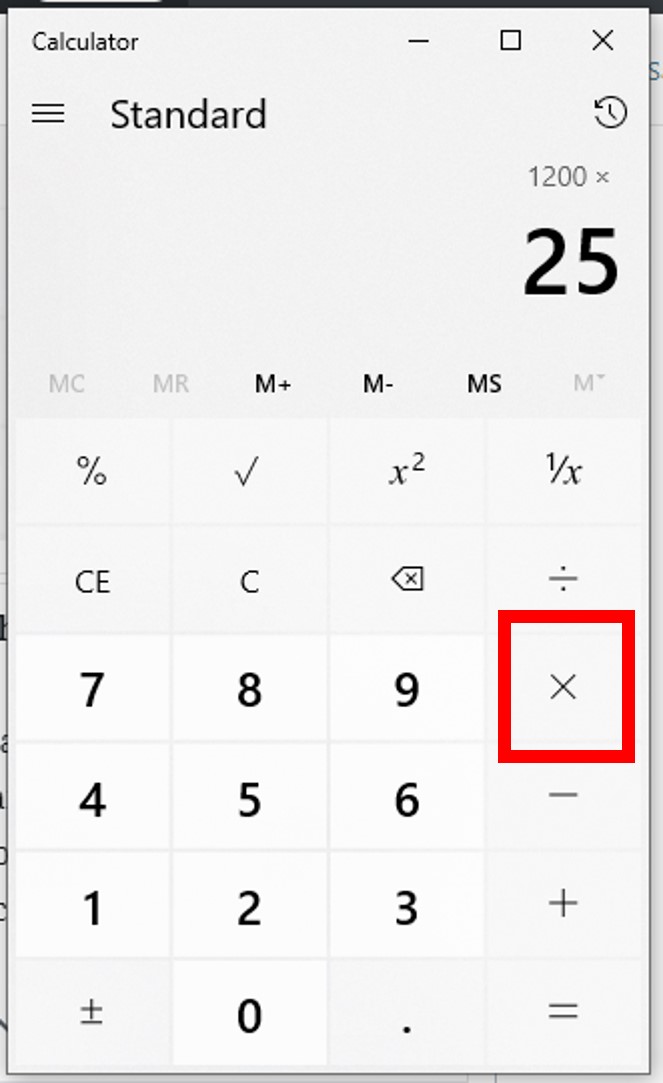
Web-Based Tools and Search Engine Shortcuts
A rising trend in the tech world is the move away from standalone apps toward browser-integrated tools. Both Google and Bing have “Instant Answers” functionality. If you type “20% of 150” directly into the search bar, the engine’s Natural Language Processing (NLP) algorithm parses the intent and displays a built-in calculator interface with the answer already computed. This represents the pinnacle of user-centric design, removing the need for manual button-mashing entirely.
3. Common Software Scenarios: Beyond Simple Arithmetic
In a professional tech environment, counting percentages often involves more than just finding a portion of a number; it involves analyzing data trends or programming logic.
Calculating Percentage Increases and Decreases in Spreadsheets
Microsoft Excel and Google Sheets are the world’s most powerful “calculators.” In these environments, percentage calculation is handled through cell formatting and specific formulas. To calculate the percentage growth between two values (e.g., last month’s traffic vs. this month’s traffic):
- Formula:
=(New_Value - Old_Value) / Old_Value - Formatting: You then click the “Percent Style” button in the toolbar.
Technically, the software keeps the raw decimal (0.15) in the backend but displays the user-friendly version (15%) in the UI. This distinction is crucial for data integrity; if you use the displayed percentage in another formula, the software uses the high-precision decimal to ensure accuracy.
Determining “What Percent Of” in Modern Coding Languages
For developers building apps that involve financial tech or data visualization, counting percentages is a frequent task in languages like Python or JavaScript.
- JavaScript Logic:
let percentage = (part / whole) * 100; - Python Logic:
percentage = (part / whole) * 100
In these cases, the “calculator” is the compiler or interpreter. A common technical pitfall is “Integer Division,” where the software rounds down to zero if the part is smaller than the whole. Tech professionals must ensure they use “floating-point” numbers (e.g., 50.0 instead of 50) to get an accurate percentage return.
4. The Evolution of Calculation Technology
The journey of the percentage key mirrors the broader evolution of technology, moving from mechanical gears to AI-driven mathematical engines.
From Physical Buttons to AI-Powered Mathematical Engines
Early calculators were hardware-limited. The addition of a percentage key was a significant innovation in the 1970s, saving users multiple keystrokes. Today, we are seeing the rise of AI-powered “calculators” like ChatGPT or Claude. These tools do not just calculate; they interpret context. If you ask, “I have a $500 budget and spent $120 on software, what is my remaining percentage?”, the AI identifies the multi-step process: subtraction, then division, then conversion.
Troubleshooting User Error in Digital Inputs
Despite the sophistication of modern software, “garbage in, garbage out” remains a rule in the tech world. Most errors when counting percentages on a calculator stem from a misunderstanding of the “Active State.” For instance, if you press 100 - 10 % on a basic calculator, you might get 90. But if you do it on a scientific calculator without proper syntax, it might interpret it as 100 - 0.1, resulting in 99.9.
The tech-savvy approach to using a calculator is to always verify the “syntax expectation” of the software. When in doubt, converting the percentage to a decimal (e.g., using 0.10 instead of 10%) is the most reliable way to ensure cross-platform accuracy, whether you are using a $5 app or a $5,000 workstation.

Conclusion: The Digital Mastery of Percentages
Mastering how to count percentages on a calculator is more than just a math trick; it is about understanding how digital interfaces process information. From the simple toggle of an iOS app to the complex cell referencing of a spreadsheet, the “percentage” is a bridge between raw data and actionable insight. By understanding the underlying logic, choosing the right tool for the specific task, and recognizing the nuances of different software ecosystems, users can leverage their devices to their fullest potential. As technology continues to evolve toward more intuitive, natural-language interfaces, the fundamental ability to verify and understand these calculations remains a cornerstone of digital proficiency.
aViewFromTheCave is a participant in the Amazon Services LLC Associates Program, an affiliate advertising program designed to provide a means for sites to earn advertising fees by advertising and linking to Amazon.com. Amazon, the Amazon logo, AmazonSupply, and the AmazonSupply logo are trademarks of Amazon.com, Inc. or its affiliates. As an Amazon Associate we earn affiliate commissions from qualifying purchases.