
Navigating the intricacies of store credit cards can often feel like deciphering a complex financial puzzle. For the millions of Amazon shoppers who utilize the Amazon Store Card (issued by Synchrony Bank), understanding the various payment methods and best practices is crucial for maintaining good financial health and maximizing the card’s benefits. This guide aims to demystify the payment process, providing clear, actionable steps and essential insights into managing your Amazon Store Card responsibly.
The Amazon Store Card offers a convenient way to finance purchases on Amazon, often providing special financing options or cashback rewards for Prime members. However, like any credit product, it comes with the responsibility of timely payments. Failing to understand how and when to pay can lead to late fees, accrued interest, and potential damage to your credit score. This article delves into every aspect of making payments, from setting up online payments to understanding your statement, ensuring you have all the knowledge to manage your Amazon Store Card effectively and confidently within the realm of personal finance.

Understanding Your Amazon Store Card
Before diving into the mechanics of making a payment, it’s essential to have a clear understanding of what your Amazon Store Card is, its purpose, and the implications of its use. This foundational knowledge empowers you to make informed financial decisions.
What is the Amazon Store Card?
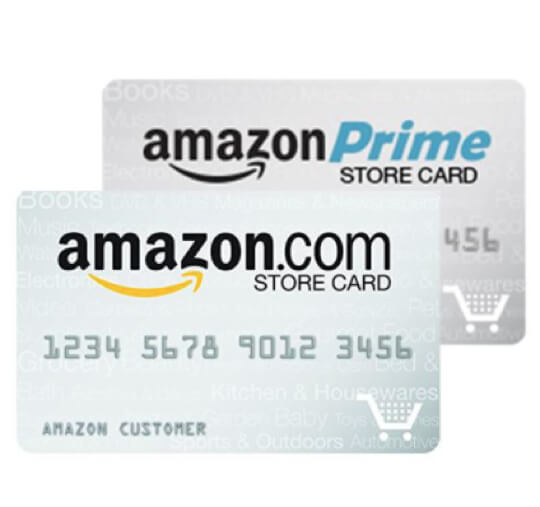
The Amazon Store Card is a private label credit card designed specifically for purchases made on Amazon.com. Unlike general-purpose credit cards, it can generally only be used within the Amazon ecosystem. It is issued and serviced by Synchrony Bank, a major provider of private label credit cards in the United States. Key features often include special financing offers on eligible purchases (deferred interest promotions) or, for Amazon Prime members, a percentage back on Amazon.com purchases. Understanding that Synchrony Bank is the financial institution behind the card is critical, as they are your primary point of contact for account management and payments, not Amazon directly. While you might apply for and manage some aspects of the card through your Amazon account, the underlying financial services are provided by Synchrony.
Why Timely Payments Matter
The importance of timely payments cannot be overstated when it comes to any credit product, including your Amazon Store Card. Consistently paying your balance on or before the due date has several significant benefits and avoids potential pitfalls. Firstly, it helps you avoid late payment fees, which can quickly add up and negate any savings or benefits you might have received from the card. Secondly, it prevents interest charges from accruing on your balance, especially if you’re utilizing a promotional financing offer where interest can be deferred but will be applied retroactively if the balance isn’t paid in full by the promotional period end. Most importantly, timely payments are a critical factor in building and maintaining a positive credit history. Your payment history accounts for a substantial portion of your credit score, and consistently missing payments can severely damage your creditworthiness, making it harder to obtain other forms of credit in the future.
Key Information You’ll Need
To successfully make a payment, you’ll need access to certain key pieces of information. The most crucial is your account number, which can typically be found on your monthly statement or by logging into your Synchrony Bank online account. If you’re setting up online payments, your login credentials (username and password) for your Synchrony Bank account will be paramount. For payments made via phone or mail, you might also need the last four digits of your Social Security Number for verification. When preparing to pay, always have your most recent statement handy, as it will clearly display your current balance, minimum payment due, and the payment due date. Keeping this information readily accessible streamlines the payment process and helps prevent errors.
Step-by-Step Payment Methods
Synchrony Bank offers several convenient ways to pay your Amazon Store Card bill. Choosing the method that best suits your lifestyle can save time and ensure payments are made promptly.
Online Payments Through Synchrony Bank
The most common and recommended method for paying your Amazon Store Card is online through the Synchrony Bank website. This method offers flexibility, instant confirmation, and the ability to schedule future payments.
- Access the Synchrony Bank Website: Go to www.SynchronyBank.com (or specifically the Amazon Store Card login page, which can usually be found via your Amazon account or a direct search).
- Log In: Enter your User ID and Password. If you haven’t registered for online access, you’ll need to do so first using your account number and personal details.
- Navigate to Payments: Once logged in, look for a section labeled “Payments,” “Make a Payment,” or similar.
- Select Payment Amount: You’ll typically have options to pay the “Statement Balance,” “Minimum Payment Due,” “Current Balance,” or “Other Amount.” Choose the amount you wish to pay. Paying your full statement balance by the due date avoids interest charges entirely, while paying the minimum keeps your account in good standing but will incur interest on the remaining balance.
- Choose Payment Date: You can usually select to pay immediately or schedule a payment for a future date, such as your due date.
- Enter Bank Information: You’ll need to provide your checking account number and your bank’s routing number. Ensure these are entered correctly to avoid failed payments. You can typically save this information for future payments.
- Review and Confirm: Double-check all the details – payment amount, date, and bank information – before submitting. You should receive a confirmation number or email.
Amazon Website/App Payments
While you manage your Amazon Store Card primarily through Synchrony Bank, Amazon does provide a pathway to access your card details. When you go to “Your Account” on Amazon.com and select “Amazon Store Card,” you will typically be redirected to the Synchrony Bank portal to manage your account, including making payments. This means that while the entry point might be Amazon, the payment transaction itself is processed by Synchrony Bank, utilizing the online payment steps outlined above. There isn’t a direct payment interface on Amazon.com that bypasses Synchrony’s system. Always ensure you are on a secure Synchrony Bank page when entering your banking information.
Paying by Phone
If you prefer to speak with someone or use an automated system, paying by phone is a viable option.
- Locate the Customer Service Number: The Synchrony Bank customer service number for your Amazon Store Card is usually printed on the back of your card, on your monthly statement, or can be found on the Synchrony Bank website. For Amazon Store Card, the number is typically 1-866-634-8379.
- Automated System: Many customers opt for the automated payment system, which requires you to input your account number and bank details using your phone’s keypad. This is often available 24/7.
- Customer Service Representative: You can also choose to speak with a customer service representative during business hours. They can assist you in making a payment, but be aware that some banks may charge a fee for payments processed by a representative. Always inquire about potential fees beforehand.
Paying by Mail
For those who prefer traditional methods, you can pay your Amazon Store Card by mailing a check or money order. This method requires careful planning due to mail delivery and processing times.
- Gather Payment Information: Write your account number clearly on your check or money order. Make sure the payment amount is accurate.
- Locate Mailing Address: The payment mailing address is provided on your monthly statement. It’s crucial to use the exact address to ensure timely delivery. (Example: Synchrony Bank, P.O. Box 960061, Orlando, FL 32896-0061 – always verify the current address on your statement).
- Mail Early: To avoid late fees, mail your payment at least 7-10 business days before your due date. Mail processing can take several days, and your payment must be received and processed by Synchrony Bank by the due date.
Using Bill Pay Through Your Bank
Most personal banking institutions offer an online bill pay service, allowing you to schedule payments to various companies, including credit card issuers.
- Log into Your Bank’s Online Banking Portal: Access your personal bank’s website or mobile app.
- Navigate to Bill Pay: Find the “Bill Pay” or “Payments” section.
- Add a New Payee: You’ll need to add Synchrony Bank (or Amazon Store Card, often found as a pre-existing payee) as a new payee. You’ll typically need Synchrony Bank’s mailing address (for payment processing, even if it’s sent electronically by your bank) and your Amazon Store Card account number.
- Schedule Payment: Enter the amount you wish to pay and the desired payment date. Your bank will then send the payment to Synchrony Bank on your behalf. Remember to schedule this a few days before your due date to account for processing time between banks.
Managing Your Payments Effectively
Beyond simply making payments, effective management of your Amazon Store Card payments involves understanding statements, utilizing tools like autopay, and knowing how to handle potential issues.
Setting Up Autopay
Autopay is an invaluable tool for ensuring your payments are always made on time, eliminating the risk of late fees and damage to your credit score due to forgetfulness.
- Access Autopay Settings: Log into your Synchrony Bank online account and navigate to the “Payments” or “Account Management” section. Look for options related to “Autopay” or “Automatic Payments.”
- Choose Payment Amount: You can typically set autopay to cover your “Minimum Payment Due,” “Statement Balance,” or a fixed “Other Amount” each month. For maximum financial benefit and to avoid interest, setting it to pay your full “Statement Balance” is often the best choice, provided you have sufficient funds.
- Select Payment Date: You can usually choose a date before or on your due date. It’s wise to set it a few days before the official due date to allow for any unforeseen processing delays.
- Confirm Bank Information: Ensure the correct checking account is linked for withdrawals.
- Monitor Your Account: Even with autopay, it’s crucial to regularly review your statements and account activity to ensure payments are being processed correctly and to catch any discrepancies. Also, ensure your linked bank account always has sufficient funds to cover the autopay amount to avoid overdraft fees from your bank or returned payment fees from Synchrony.
Understanding Your Statement
Your monthly statement is a critical financial document. It provides a snapshot of your account activity, balances, and payment obligations.
- Payment Due Date: This is the most critical date. Your payment must be received and processed by Synchrony Bank on or before this date to avoid late fees and interest.
- Minimum Payment Due: This is the smallest amount you can pay to keep your account in good standing. Paying only the minimum will result in interest charges on the remaining balance.
- New Balance/Statement Balance: This is the total amount owed as of the statement closing date.
- Promotional Balance: If you’ve made purchases using special financing, this section details those balances, their promotional period end dates, and potential deferred interest.
- Interest Charged: This section details any interest that has accrued on your balance.
- Transaction History: A detailed list of all purchases, payments, and credits made during the billing cycle. Review this carefully for accuracy.
Avoiding Late Fees and Interest
Proactive measures can save you from unnecessary costs.
- Pay in Full: Whenever possible, pay your statement balance in full each month. This is the only way to avoid interest charges entirely, especially if you are not on a promotional financing plan.
- Pay More Than the Minimum: If paying in full isn’t feasible, pay as much as you can above the minimum payment. This reduces your principal balance faster, thus reducing the amount of interest you’ll owe in the long run.
- Set Reminders: Utilize calendar reminders, email alerts, or Synchrony Bank’s notification services to remind you a few days before your payment is due.
- Understand Deferred Interest: For promotional financing offers (e.g., “0% APR for 12 months”), if the entire promotional balance is not paid off by the end of the period, all the deferred interest from the original purchase date will be retroactively charged to your account. This is a crucial point of managing store cards.
What to Do If You Miss a Payment
Missing a payment can be stressful, but it’s important to act quickly and responsibly.
- Contact Synchrony Bank Immediately: As soon as you realize you’ve missed a payment, call Synchrony Bank customer service. Explain your situation. They might be willing to waive a first-time late fee or work out a temporary payment arrangement.
- Pay As Soon As Possible: Make the payment as quickly as you can to minimize additional interest accrual and further damage to your credit score.
- Understand Consequences: A missed payment can incur a late fee and will likely be reported to credit bureaus if it’s 30 days or more past due, negatively impacting your credit score. Repeated missed payments can lead to higher interest rates or account closure.
Maximizing Your Amazon Store Card Benefits While Maintaining Financial Health
The Amazon Store Card can be a valuable tool when used wisely. Balancing its perks with sound financial practices is key.
Promotional Financing vs. Deferred Interest
Many users are drawn to the Amazon Store Card for its promotional financing offers. It’s crucial to understand the distinction between true 0% APR and deferred interest. The Amazon Store Card typically offers deferred interest promotions. This means that while no interest is charged during the promotional period, if the entire promotional balance is not paid in full by the end of that period, all the interest from the original purchase date will be retroactively applied to your account. This can result in a significant, unexpected charge. Always budget and plan to pay off the promotional balance completely before the deadline to avoid this pitfall. A true 0% APR card, conversely, would not charge retroactive interest if a balance remains after the introductory period.
Budgeting for Your Amazon Purchases
Integrating your Amazon Store Card payments into your overall personal budget is paramount for responsible use. Treat purchases made with this card like any other expense.
- Allocate Funds: Before making a large purchase with promotional financing, create a plan to pay it off. Divide the total purchase amount by the number of months in the promotional period to determine the monthly payment needed to avoid deferred interest.
- Track Spending: Regularly review your Amazon Store Card statements and reconcile them with your personal budget. Many budgeting apps or spreadsheets can help you categorize and track your spending.
- Prioritize Payments: Ensure that your Amazon Store Card payment, especially for deferred interest balances, is prioritized in your monthly budget alongside other essential bills.
Impact on Your Credit Score
Your Amazon Store Card is a line of credit, and its usage directly impacts your credit score.
- Positive Impact: Timely payments, keeping your credit utilization low (i.e., not using too much of your available credit), and maintaining the account in good standing will contribute positively to your credit history and score.
- Negative Impact: Late payments, high credit utilization (maxing out the card), or defaulting on the account can severely damage your credit score, making it harder to obtain loans, mortgages, or other credit products in the future.
- Credit Mix: Having a diverse range of credit (e.g., a store card, a general-purpose credit card, a loan) can also be a positive factor in your credit score, provided all accounts are managed responsibly.
When to Consider Other Payment Options
While convenient, the Amazon Store Card may not always be the best payment option.
- High Interest Rates: After any promotional period, the standard interest rate on the Amazon Store Card can be quite high. If you anticipate carrying a balance, a general-purpose credit card with a lower APR or a cash-back reward program for all purchases might be more financially advantageous.
- Limited Use: Its restriction to Amazon.com means it’s not useful for everyday spending. For broader purchasing power and diversified rewards, other cards are superior.
- Financial Strain: If you find yourself consistently unable to pay off your Amazon Store Card balance, or if using it leads to accumulating debt, it’s a sign to reassess its use and potentially look for alternative financing solutions or re-evaluate your spending habits. Sometimes, using a debit card or setting aside cash for purchases is a healthier approach.
Frequently Asked Questions and Support
Even with a comprehensive guide, specific questions or issues may arise. Knowing where to find answers and assistance is crucial.
How Long Does a Payment Take to Process?
- Online/Phone Payments: Payments made online or over the phone are typically processed within 1-2 business days. If made before the daily cutoff time (often 5 PM ET), they might be credited the same day. However, it can take a few extra days for the payment to fully reflect in your available credit or for your bank statement to show the deduction.
- Mail Payments: Payments sent by mail take the longest, typically 7-10 business days, sometimes more, depending on postal service speed and Synchrony Bank’s processing time. Always account for this when mailing a payment to ensure it reaches them by the due date.
- Bill Pay: Payments through your bank’s bill pay service can also take several business days, as your bank needs to send the funds to Synchrony. Check with your bank for their estimated processing times.
Can I Pay with a Gift Card?
No, you cannot use an Amazon Gift Card or any other gift card to pay your Amazon Store Card bill. Credit card payments, including for store cards, must be made using funds from a bank account (checking or savings) or, in some specific cases, a money order or check. Gift cards are considered a form of prepayment for purchases, not a method for settling credit debt.
Who Do I Contact for Payment Issues?
For any issues related to payments, account balances, transaction discrepancies, or general account management, you must contact Synchrony Bank directly. Amazon’s customer service cannot assist with these specific credit card-related inquiries.
- Synchrony Bank Customer Service: The number is typically 1-866-634-8379 for the Amazon Store Card. You can also find contact information by logging into your Synchrony Bank online account.
- Online Message Center: Many online banking portals for Synchrony Bank include a secure message center where you can send inquiries and receive responses directly within your account.

Where Can I View My Transaction History?
Your complete transaction history for your Amazon Store Card can be viewed by logging into your Synchrony Bank online account. Once logged in, look for sections like “Activity,” “Statements,” or “Transaction History.” Here, you can review past statements, see current purchases, and track payments made. Regularly reviewing this history is a good practice for budgeting and ensuring all transactions are legitimate.
In conclusion, managing your Amazon Store Card payments is a straightforward process when you understand the available methods and best financial practices. By consistently making timely payments, utilizing tools like autopay, and carefully understanding your statements and promotional offers, you can leverage the card’s benefits while maintaining robust financial health. Remember, diligent credit management is a cornerstone of personal finance, and your Amazon Store Card is an integral part of that journey.
aViewFromTheCave is a participant in the Amazon Services LLC Associates Program, an affiliate advertising program designed to provide a means for sites to earn advertising fees by advertising and linking to Amazon.com. Amazon, the Amazon logo, AmazonSupply, and the AmazonSupply logo are trademarks of Amazon.com, Inc. or its affiliates. As an Amazon Associate we earn affiliate commissions from qualifying purchases.