
In the rapidly evolving landscape of digital finance, applications like Cash App have revolutionized how individuals send, receive, and manage money. Its intuitive interface and swift transaction capabilities have made it a go-to platform for millions. However, with the convenience of instant digital payments comes the critical need for effective transaction management. One of the most common queries users have pertains to the ability to “delete” a transaction. Understanding the technical architecture and operational policies behind Cash App’s transaction system is crucial for navigating such situations effectively. This guide delves deep into the mechanisms governing transactions on Cash App, explaining why direct deletion isn’t typically an option and outlining the correct protocols for addressing erroneous, unwanted, or fraudulent activities within the application.

Understanding Cash App’s Transaction Management Policy
The idea of “deleting” a digital transaction might seem straightforward, but within the secure and regulated environment of financial technology platforms like Cash App, it’s a concept that requires careful clarification. The platform is designed with robust technical and regulatory safeguards that dictate how transactions are processed and recorded.
The Immutability of Completed Transactions
A core principle in financial systems, both traditional and digital, is the immutability of completed transactions. Once a payment is successfully processed and recorded on Cash App, it cannot be simply “deleted” from your transaction history. This isn’t a limitation of Cash App specifically but a fundamental characteristic of nearly all secure financial applications. The reasons for this are multi-faceted:
- Regulatory Compliance: Financial institutions and fintech apps are subject to stringent regulations (e.g., Anti-Money Laundering (AML), Know Your Customer (KYC)) that require a complete and unalterable audit trail of all financial movements. This ensures transparency and helps prevent illicit activities.
- Security and Fraud Prevention: The inability to delete transactions adds a critical layer of security. If users could unilaterally erase payment records, it would open doors to various forms of fraud, making it difficult to track funds, resolve disputes, or prosecute financial crimes.
- Record-Keeping and Accountability: Every transaction serves as a digital receipt. For both the sender and the recipient, this immutable record provides proof of payment, facilitating personal budgeting, tax purposes, and dispute resolution. Deleting such records would undermine accountability and create chaos in financial reconciliation.
Distinguishing Between Pending and Completed Transactions
The key to understanding what actions you can take regarding a transaction lies in its status: pending or completed.
- Pending Transactions: When you initiate a payment, it often goes through a brief “pending” phase. During this time, the funds might be debited from your account, but the transaction has not yet been fully processed and credited to the recipient. This interim state is crucial because it often represents the only window during which a transaction can be cancelled by the sender. Cash App’s system is designed to allow cancellations only before the payment is fully settled.
- Completed Transactions: Once a transaction is “completed,” the funds have been successfully transferred to the recipient’s Cash App balance, and the record is permanently logged in both parties’ transaction histories. At this point, the transaction is immutable. Your options shift from cancellation to seeking a refund or disputing the transaction through formal channels.
Why Direct Deletion is Not a Feature
From a technical and operational standpoint, the absence of a “delete transaction” button is a deliberate design choice aimed at upholding the integrity and security of the financial ecosystem. The architecture of a payment system prioritizes irreversible logging to ensure that all financial movements are traceable and verifiable. This design prevents users from selectively removing records that might be inconvenient or incriminating, thereby fostering trust and reliability within the platform. Essentially, the “delete” function, as it exists for messages or photos, does not translate to financial transactions due to the high stakes involved in money movement and the need for absolute transactional integrity.
Addressing Erroneous or Unwanted Transactions
While direct deletion isn’t an option for completed payments, Cash App provides specific mechanisms to address various scenarios involving unwanted transactions. Understanding these procedures is vital for effective management of your digital finances.
Cancelling Pending Payments
The opportunity to cancel a transaction is typically limited to payments that are still in a “pending” state. This is the closest you’ll get to “deleting” a payment before it fully processes.
- Access Your Activity Feed: Open your Cash App and navigate to the “Activity” tab (usually represented by a clock icon on the main screen).
- Locate the Pending Payment: Scroll through your transaction history to find the payment marked as “Pending.”
- Initiate Cancellation: Tap on the pending transaction. If the option is available, you will see a “Cancel Payment” button. Tap this button.
- Confirm Cancellation: Follow the on-screen prompts to confirm your decision. If successful, the payment will be reversed, and the funds returned to your Cash App balance or linked bank account.
It’s important to act quickly, as pending windows can be very short, sometimes mere seconds, especially if the recipient’s account is verified and active. Once the status changes from “pending” to “completed,” cancellation is no longer possible.
Requesting a Refund for Completed Transactions
For transactions that have already been completed, the primary method for resolving an accidental or unwanted payment is to request a refund from the recipient. This approach leverages the social aspect of Cash App’s design, treating it as a direct peer-to-peer interaction.
- Communicate with the Recipient: The most direct and often most effective method is to contact the person you sent money to directly. Explain the situation clearly and politely request that they send the money back.
- Request a Refund Through Cash App: If direct communication isn’t feasible or successful, Cash App provides an in-app “Request” feature that can be used to ask for the funds back.
- Go to your “Activity” tab.
- Tap on the specific completed transaction you wish to dispute.
- Scroll down and look for an option like “Refund” or “Contact Support.” If “Refund” isn’t directly visible as a button on the transaction details, you may need to use the “Request” feature on the main screen and manually enter the amount and recipient’s Cashtag, accompanied by a polite note.
- While Cash App can facilitate the request, it cannot force the recipient to send the money back. Their cooperation is essential.
Disputing Unauthorized or Fraudulent Transactions
If a transaction occurs that you did not authorize, or if you suspect fraudulent activity, the protocol changes significantly. This moves beyond simple error correction into the realm of security breaches and requires immediate action.
- Report to Cash App Support Immediately:
- Open Cash App and tap the profile icon on your home screen.
- Scroll down and select “Support” or “Cash Support.”
- Tap “Something Else.”
- Navigate through the options to “Cash App Policy” and then to “Report a Problem” or “Dispute a Transaction.”
- Provide detailed information about the unauthorized transaction, including the date, amount, and any suspicious circumstances.
- Change Your Account Password and Enable Security Features: Immediately after reporting, change your Cash App PIN and password. Enable all available security features, such as two-factor authentication (2FA) and Touch ID/Face ID login, to prevent further unauthorized access.
- Contact Your Bank (If Linked): If the fraudulent transaction was linked to your debit card or bank account, contact your bank or credit card company to report the unauthorized charge. They may be able to assist in recovering funds and issuing chargebacks, depending on their policies and the specifics of the fraud.
- Cease Communication with Suspected Scammers: If the fraudulent activity involved phishing or social engineering, block all communication with the perpetrators and do not share any further personal or financial information.
Cash App’s support team will investigate reported fraudulent transactions, but the resolution process can take time and may require additional information from you.
Maintaining Transactional Privacy and Security
While you cannot delete transactions for privacy reasons, robust security practices and careful transaction management are your best defense against unwanted financial activity and the need to address problematic payments.
Understanding Transaction Visibility and Privacy
Cash App transactions are inherently private between the sender and receiver. Unlike some social payment apps, Cash App does not publicly display individual transactions on a feed. Your activity feed is visible only to you. There is no feature to “hide” specific transactions from your own activity log, as this log serves as your official record. Therefore, ensuring the security of your Cash App account is paramount to protecting the privacy of your financial history.
Enhancing Account Security to Prevent Future Issues

Prevention is always better than cure, especially when it comes to financial security. Proactive measures can significantly reduce the likelihood of encountering unauthorized or accidental transactions.
- Strong, Unique Passwords/PINs: Use a complex password for your Cash App account and a unique PIN that is not easily guessable or reused across other services.
- Two-Factor Authentication (2FA): Enable 2FA, which requires a second form of verification (like a code sent to your phone) in addition to your password/PIN. This adds a critical layer of defense against unauthorized access.
- Biometric Security: Utilize Touch ID or Face ID if your device supports it, providing a convenient yet secure method for accessing your account.
- Regular Account Monitoring: Periodically review your Cash App activity feed. Spotting unusual or unauthorized transactions early can significantly improve the chances of successful resolution.
- Beware of Scams and Phishing: Be extremely cautious of unsolicited messages, emails, or calls claiming to be from Cash App support. Never share your PIN, password, social security number, or full debit card number with anyone. Cash App support will never ask for this information.
- Verify Recipients: Before sending money, double-check the recipient’s Cashtag, name, and profile picture to ensure you are sending funds to the correct person. A small typo can lead to an irreversible loss.
Best Practices for Digital Transaction Management
Adopting disciplined habits for managing your digital transactions can save you significant time and stress.
- Review Before Sending: Always take an extra moment to review the amount and recipient details before confirming any payment. This simple step can prevent most accidental transactions.
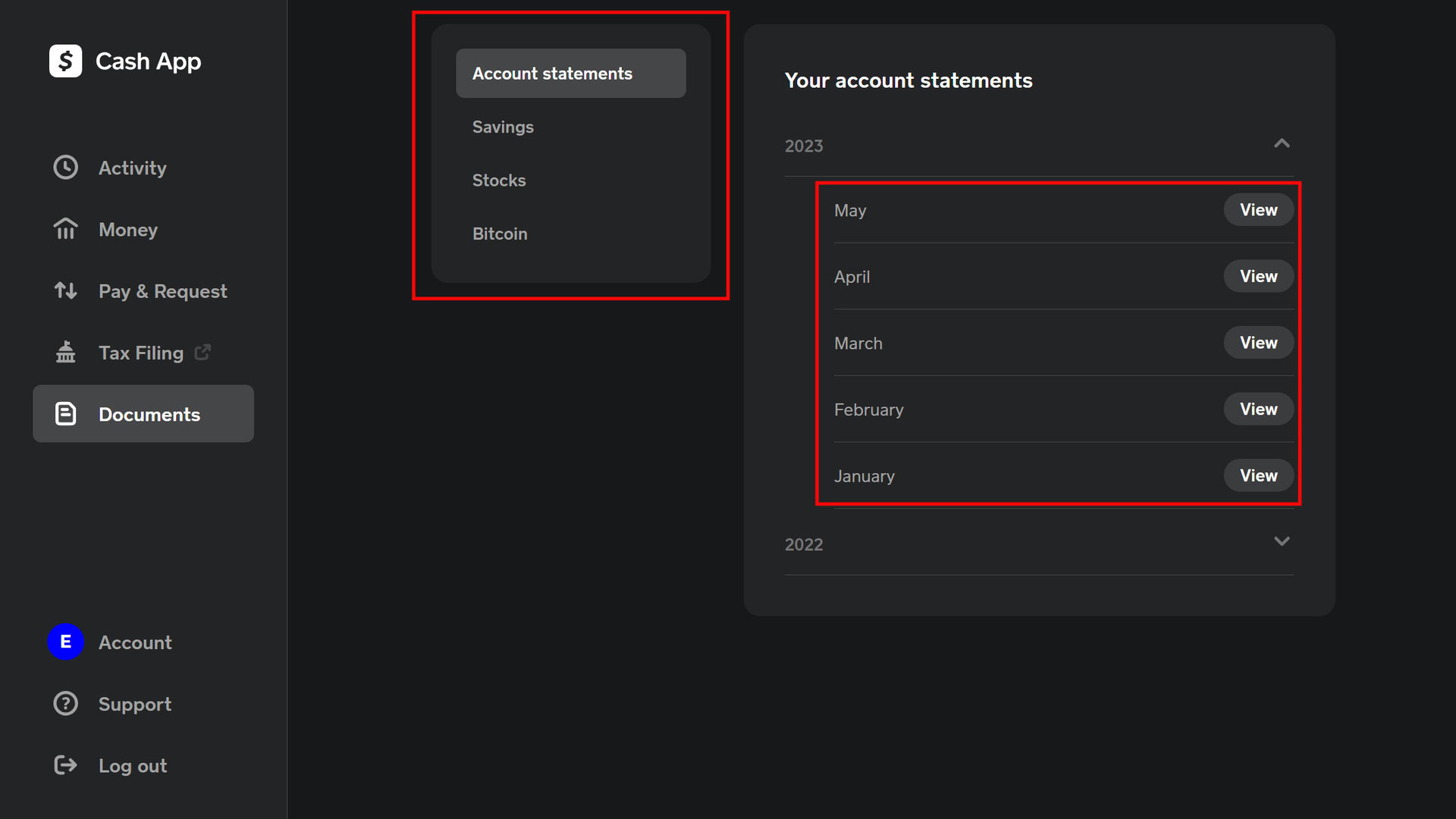
- Keep Records: Though Cash App maintains your transaction history, it’s wise to occasionally review and, if necessary, export your statements for your own records, especially for tax or budgeting purposes.
- Understand Linked Accounts: Be aware of which bank accounts and cards are linked to your Cash App and monitor statements from those financial institutions as well.
- Report Suspicious Activity: If you notice anything unusual, whether it’s a small charge you don’t recognize or a strange request, report it to Cash App support immediately.
Navigating Cash App Support for Transaction Issues
When issues arise with transactions, knowing how to effectively communicate with Cash App support is paramount. The platform offers several channels designed to help users resolve problems efficiently.
In-App Support Channels
The most direct and recommended method for seeking assistance with transaction-related issues is through the Cash App itself. The in-app support system is designed to guide you through common problems and connect you with a support agent if needed.
- Access the Support Section: From the Cash App home screen, tap the profile icon in the top right corner.
- Select “Support”: Scroll down the profile menu and tap “Support” or “Cash Support.”
- Browse Help Topics: You’ll find a searchable knowledge base covering a wide range of topics. Try searching for keywords related to your issue, such as “refund,” “dispute,” or “unauthorized transaction.”
- Contact Support Directly: If you can’t find a solution in the help topics, continue navigating through the options until you find “Something Else” or “Contact Support.” This will typically initiate a chat with a support agent, who can provide personalized assistance.
External Support Options
While the in-app support is often the quickest way to get help, Cash App also provides other avenues for contact, particularly for more urgent or complex matters.
- Phone Support: Cash App offers a dedicated phone line for support, which can be useful for time-sensitive issues. You can usually find the most current phone number on the official Cash App website or within the app’s support section. Be prepared for potential wait times.
- Website Help: The Cash App website (cash.app/help) hosts an extensive FAQ and support articles that mirror the in-app content. You might also find options to log in and manage certain aspects of your account or submit support requests directly from the website.
- Social Media: While not a primary support channel for sensitive issues, Cash App often has official social media accounts (e.g., Twitter) where they might respond to general inquiries or direct users to appropriate support channels. Avoid sharing personal account details on public social media platforms.
What Information to Prepare When Contacting Support
To expedite the resolution process, have the following information ready before contacting Cash App support:
- Transaction ID (if applicable): This unique identifier is crucial for locating the specific transaction. You can find it in your activity feed by tapping on the transaction.
- Date and Time of Transaction: The exact timestamp helps narrow down the search.
- Amount of Transaction: The precise amount involved.
- Recipient’s Cashtag or Name: The identifier of the other party involved in the transaction.
- Clear Description of the Issue: Explain what happened, why you believe it’s an error or unauthorized, and what resolution you are seeking. Be concise and factual.
- Any Relevant Screenshots: If you have screenshots of error messages or specific transaction details, they can be very helpful.
Providing comprehensive and accurate information upfront allows support agents to understand your situation quickly and guide you toward the appropriate solution, whether it’s facilitating a refund request or escalating a fraud investigation.
The Broader Implications of Transaction Immutability in Fintech
The inability to delete transactions on Cash App, and indeed across the entire fintech industry, is not an arbitrary restriction but a foundational principle with significant implications for regulatory compliance, trust, and user empowerment.
Regulatory Compliance and Audit Trails
At its core, the immutability of digital transactions serves as a critical mechanism for ensuring regulatory compliance. Financial regulations worldwide, such as the Bank Secrecy Act in the U.S. and similar frameworks internationally, mandate that financial service providers maintain meticulous records of all transactions. These records form an unbreakable audit trail, allowing regulators to monitor financial flows for illicit activities like money laundering, terrorist financing, and fraud. If transactions could be deleted, it would create gaping holes in these audit trails, severely compromising the ability to enforce financial laws and protect the broader economic system. For Cash App, adhering to these requirements isn’t just a best practice; it’s a legal obligation that underpins its operational license.
Trust and Accountability in Digital Payments
The permanence of transactions is a cornerstone of trust in digital payment systems. When you send money via Cash App, both you and the recipient can rely on the fact that the transaction record is definitive and cannot be unilaterally altered or erased by either party. This ensures accountability. If a dispute arises, there is a clear, unalterable digital ledger to reference, providing an objective basis for investigation and resolution. Without this immutability, the trustworthiness of digital payments would erode, as users would constantly fear that their records could vanish or be manipulated, making the platform unreliable for essential financial interactions. This technical design choice directly fosters a secure and reliable environment for millions of users.
User Empowerment Through Transparency
While the inability to delete transactions might initially feel restrictive, it ultimately empowers users through transparency. Every transaction in your activity feed represents an undeniable truth of your financial interactions. This transparent record allows you to:
- Track Spending: Easily review where your money goes, aiding in personal budgeting and financial planning.
- Verify Payments: Confirm that payments were sent and received as intended, providing peace of mind.
- Resolve Disputes: Have concrete evidence in case of a disagreement with another party or an issue with a merchant.
- Access Financial History: Download statements for tax purposes, loan applications, or personal financial analysis without worrying about missing records.
In essence, the permanence of transaction data on platforms like Cash App transforms each payment into a verifiable piece of financial history. This technical constraint, far from being a limitation, is a fundamental feature that underpins the security, compliance, and overall utility of modern digital payment systems, giving users a clear and reliable overview of their financial movements.
Conclusion
The query “how to delete a transaction on Cash App” often stems from a natural inclination to control one’s digital footprint. However, the fundamental architecture of financial technology platforms, driven by regulatory compliance, security imperatives, and the need for accountability, dictates that completed transactions cannot be directly deleted. Instead, they are immutable records, forming an essential audit trail of all financial activity.
For pending payments, the ability to cancel offers a narrow window for intervention. For completed transactions, the primary recourse is to politely request a refund from the recipient. In cases of unauthorized or fraudulent activity, immediate reporting to Cash App support and taking proactive security measures are the critical steps. By understanding these technical distinctions and adhering to recommended best practices for digital security and transaction management, Cash App users can navigate their financial interactions with confidence and ensure the integrity of their digital records, even in the absence of a “delete” button.
aViewFromTheCave is a participant in the Amazon Services LLC Associates Program, an affiliate advertising program designed to provide a means for sites to earn advertising fees by advertising and linking to Amazon.com. Amazon, the Amazon logo, AmazonSupply, and the AmazonSupply logo are trademarks of Amazon.com, Inc. or its affiliates. As an Amazon Associate we earn affiliate commissions from qualifying purchases.