
In an era defined by ubiquitous digital connectivity and personalized media consumption, the ability to seamlessly integrate advanced entertainment systems into our vehicles has become a standard expectation rather than a luxury. Among the most prominent of these systems is satellite radio, primarily offered by SiriusXM in North America. Unlike traditional terrestrial radio, which relies on local broadcast towers and suffers from signal degradation and limited channel selection, satellite radio delivers a vast array of crystal-clear audio content nationwide via satellite. This transformative technology has revolutionized the in-car audio experience, offering everything from ad-free music channels spanning every genre imaginable to live sports, exclusive talk shows, and breaking news.
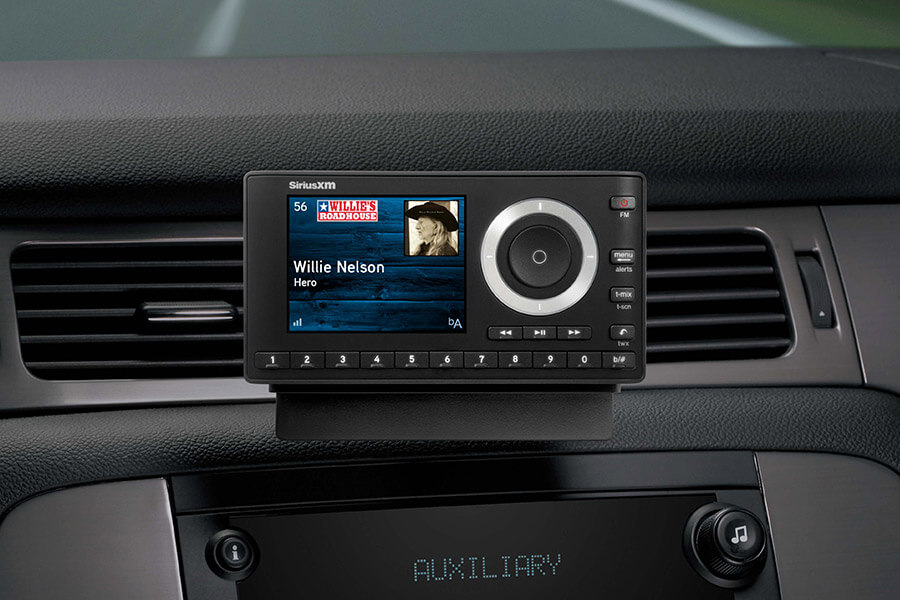
For many drivers, the allure of uninterrupted, high-fidelity audio and an expansive content library makes activating XM Radio a priority when acquiring a new or pre-owned vehicle equipped with the necessary hardware. However, the activation process, while generally straightforward, can sometimes present minor technical hurdles or leave users unsure of the correct steps. This comprehensive guide aims to demystify the activation of XM Radio (now part of SiriusXM) in your car, providing a clear, step-by-step tutorial, insightful troubleshooting tips, and a deeper understanding of the underlying technology that powers this engaging in-car entertainment solution. By following these instructions, you’ll be able to unlock the full potential of your vehicle’s satellite radio system and embark on a journey of unparalleled audio discovery.
Understanding SiriusXM In-Car Activation
Activating SiriusXM in your car is essentially the process of linking your vehicle’s satellite radio receiver to a valid subscription plan, enabling it to decode and play the encrypted audio signals broadcast from SiriusXM’s orbiting satellites. This technical handshake ensures that only paying subscribers can access the premium content.
What is SiriusXM and How It Works in Your Car?
SiriusXM operates a constellation of geosynchronous satellites that broadcast digital audio signals across North America. These signals are picked up by a small antenna, typically located on the roof of your vehicle. From the antenna, the signal travels to a dedicated satellite radio receiver integrated into your car’s infotainment system. This receiver unit decodes the signal, verifies your subscription status, and then outputs the audio to your car’s speakers. The system’s robustness lies in its ability to maintain a consistent signal even during long drives, through tunnels (thanks to terrestrial repeaters in urban areas), and across diverse geographical landscapes, a feat impossible for conventional FM/AM radio. The sheer volume of bandwidth available through satellite transmission allows for hundreds of unique, high-quality audio channels to be broadcast simultaneously.
Prerequisites for Activation
Before you begin the activation process, a few technical prerequisites must be met to ensure a smooth setup:
- SiriusXM-Equipped Vehicle: Your car must have a factory-installed or aftermarket SiriusXM-compatible radio receiver. Most modern vehicles (typically 2007 onwards) come with this hardware, often indicated by a “SAT” or “XM” button on the radio interface.
- Functional Hardware: The satellite antenna and receiver must be in good working order. If you’re experiencing a “Check Antenna” or “No Signal” message before even attempting activation, there might be a hardware issue requiring professional diagnosis.
- Power On: Ensure your vehicle is turned on, ideally in an open area with a clear view of the sky, to allow the radio to receive the satellite signal. This is crucial for the refresh signal to reach your receiver.
- Awareness of Trial Status: Many new vehicles come with a free trial of SiriusXM. If you’re activating after a trial has expired, you’ll need to choose a new subscription plan. If you’re within a trial, the activation steps primarily confirm the service.
The Benefits of Satellite Radio
From a technological standpoint, the advantages of satellite radio are compelling. The digital nature of the broadcast ensures superior sound quality compared to analog terrestrial radio, with reduced static and interference. The nationwide reach means you can drive from coast to coast without ever losing your favorite station or having to manually retune. Furthermore, the extensive channel lineup offers unparalleled diversity, catering to every taste imaginable, often with commercial-free listening, which enhances the user experience significantly. This continuous, high-quality audio stream fundamentally transforms the in-car environment into a personalized, uninterrupted media hub.
The Step-by-Step Activation Process
Activating your XM Radio service typically involves a few key steps: identifying your unique Radio ID, choosing your preferred activation method, and then sending a refresh signal to your receiver.
Locating Your Radio ID
The Radio ID (sometimes called ESN or SID) is a unique, 8-to-12 digit alphanumeric code that identifies your specific satellite radio receiver. It’s the equivalent of a serial number for your radio and is crucial for linking your car to your SiriusXM account.
- On the Radio Display: The most common method is to tune your radio to channel 0. In most SiriusXM-equipped vehicles, the Radio ID will be displayed on the screen. If it scrolls, wait for it to repeat.
- Via the SiriusXM App or Website: If your vehicle is connected via telematics (e.g., OnStar, Uconnect, FordPass), you might be able to find the Radio ID linked to your vehicle’s VIN within your connected car app or on the SiriusXM website after logging in.
- Vehicle Manual/Sticker: In some older vehicles, the Radio ID might be printed on a sticker in your glove compartment or listed in the owner’s manual.
- SiriusXM Preview Channel: If channel 0 doesn’t display it, tune to channel 1, the SiriusXM preview channel. The Radio ID might be announced or displayed there.
Once you have your Radio ID, write it down accurately, as any transcription error will prevent successful activation.
Choosing Your Activation Method
SiriusXM offers multiple convenient ways to activate your service, catering to different preferences:
-
Online Activation (Recommended for Speed and Control):
- Go to the SiriusXM activation website (siriusxm.com/activatenow).
- Enter your Radio ID in the designated field.
- Follow the on-screen prompts to select a subscription plan or confirm your trial.
- Provide your personal and billing information.
- Once complete, the website will initiate a refresh signal to your radio.
The online method offers the most detailed control over plan selection and account management.
-
Phone Activation (For Personalized Assistance):
- Call SiriusXM Listener Care at 1-866-635-2349.
- Inform the representative that you wish to activate your car radio.
- You will be asked to provide your Radio ID and choose a subscription plan.
- The representative can also troubleshoot any immediate issues you might encounter during the process. This method is ideal if you prefer human interaction or have complex questions about plans.
-
In-Car Activation (Requires Connectivity):
- Some newer vehicles with integrated telematics systems allow for in-car activation directly through the infotainment screen.
- Navigate to the SiriusXM app or menu within your car’s system.
- Follow the prompts, which often guide you through trial activation or direct you to complete the process online/by phone after identifying your Radio ID. This relies on the vehicle’s embedded cellular modem to communicate with SiriusXM.
Initiating the Service and Sending the Refresh Signal
After selecting your plan and providing your details, SiriusXM will send an activation signal, often referred to as a “refresh signal,” to your radio.

- Be Patient and Parked: Ensure your car is turned on and parked in an open area with a clear view of the sky (away from garages or large buildings).
- Tune to Channel 1: Tune your radio to channel 1, the SiriusXM preview channel, or any non-music channel. This helps the radio “listen” for the activation signal.
- Wait: The refresh signal typically arrives within a few minutes, but it can sometimes take longer, up to 15-20 minutes. During this time, the radio might display “Updating,” “Activation Pending,” or simply continue playing the preview channel.
- Confirmation: Once the activation is successful, you should be able to tune to all the channels included in your subscription plan. If you’re on a channel that was previously locked, it will now play audio.
If the service doesn’t activate within the expected timeframe, you can often request another refresh signal directly from the SiriusXM website by entering your Radio ID, or by calling Listener Care. This technology ensures that even if the initial signal is missed, subsequent attempts can re-initiate the handshake.
Troubleshooting Common Activation Issues
While the activation process is designed to be user-friendly, technical glitches can occasionally occur. Understanding common issues and their resolutions can save you time and frustration.
“Check Antenna” or “No Signal” Errors
These messages typically indicate a problem with the radio’s ability to receive the satellite signal.
- Location: Ensure your vehicle is outdoors with a clear view of the sky. Thick garage roofs, parking structures, dense foliage, or large buildings can block the satellite signal.
- Ignition Cycle: Turn off your vehicle, open and close the driver’s side door (to ensure all systems power down), wait 30 seconds, and then restart the car. This can sometimes reset the radio’s receiver.
- Hardware Check: If the problem persists, it might indicate a loose or damaged antenna cable, a faulty antenna, or an issue with the receiver unit itself. This usually requires a visit to a dealership or car audio specialist for diagnostic testing and repair. This is a hardware-level problem, not a subscription one.
Incorrect Radio ID
An incorrect Radio ID is a common reason for activation failure.
- Double-Check: Carefully re-enter your Radio ID. Each digit matters.
- Alternative Channels: If channel 0 isn’t working, try tuning to channel 1 or consulting your vehicle manual.
- Contact Support: If you’re still unsure or unable to find it, calling SiriusXM Listener Care is the best option. They can often retrieve it using your Vehicle Identification Number (VIN) if your car’s telematics are integrated.
Delayed Activation
Sometimes, the activation signal might take longer to reach your radio.
- Patience: As mentioned, wait at least 15-20 minutes in an open area.
- Request Another Refresh: You can usually send another refresh signal via the SiriusXM website (siriusxm.com/refresh) by entering your Radio ID. This sends a fresh command to the satellites to push the activation data to your receiver.
- Confirm Account Status: Log into your SiriusXM account online or call Listener Care to verify that your subscription is active and there are no billing issues. A pending payment or account hold can prevent activation.
Understanding Subscription Models and Billing
From a technical perspective, SiriusXM’s backend systems manage subscription entitlements. When you activate, your Radio ID is linked to a specific plan in their database. The refresh signal then updates the entitlement data stored on your car’s receiver. If there’s a discrepancy (e.g., your account shows an active subscription, but the radio isn’t playing), it’s often a communication issue that a refresh signal or a call to support can resolve. Managing your subscription also includes understanding the technology behind auto-renewal and billing cycles, which are handled by SiriusXM’s core enterprise systems.
Maximizing Your SiriusXM In-Car Experience
Once activated, your SiriusXM radio is just the beginning. Modern infotainment systems offer various ways to enhance and extend your satellite radio enjoyment.
Exploring Channel Lineups and Personalization
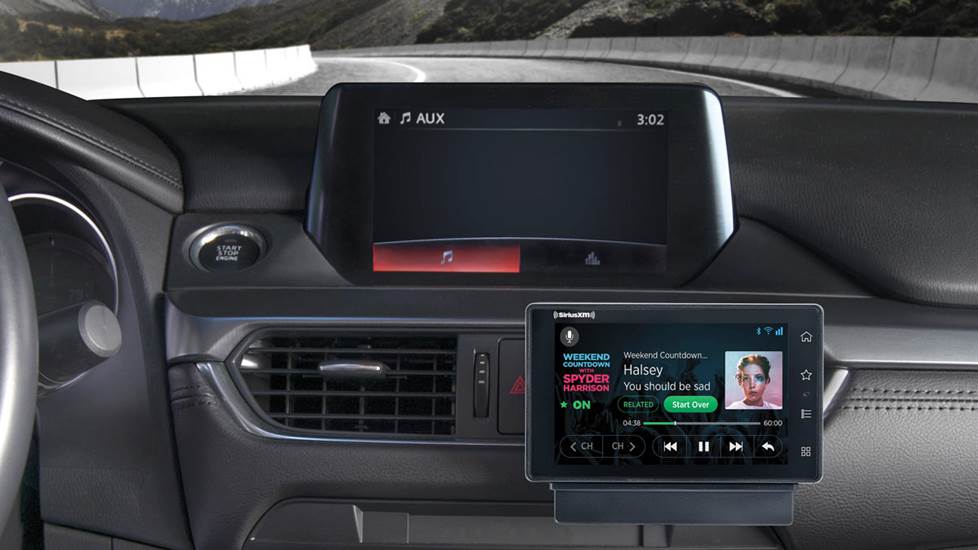
The vastness of SiriusXM’s content library can be overwhelming. Take time to explore the various channel categories, save your favorite channels as presets, and utilize any “favorite” features your car’s radio offers. Many infotainment systems allow you to browse channels by genre, making discovery easier. Some systems even integrate features like “TuneMix,” which combines songs from your favorite music channels into a personalized mix, or “Start Over,” allowing you to restart a song or show from the beginning on demand. These features leverage the digital nature of the broadcast and the processing power of your car’s head unit.
Integrating with Vehicle Infotainment Systems
Modern vehicle infotainment systems often provide deep integration with SiriusXM. This can include:
- Voice Control: Use voice commands to change channels, search for artists, or access specific shows. This hands-free operation enhances safety and convenience.
- On-Screen Information: Detailed album art, song titles, artist names, and program descriptions are displayed prominently on the car’s screen, enriching the listening experience.
- Sports Ticker/Game Alerts: For sports fans, some systems offer real-time scores or alerts for favorite teams, leveraging data streams alongside the audio broadcast.
- Personalization Profiles: In multi-driver vehicles, individual profiles can save specific SiriusXM presets and preferences, ensuring a tailored experience for each user.
Beyond the Car: Streaming and Mobile Access
A significant technological advantage of many SiriusXM subscriptions is the inclusion of streaming access. This means your satellite radio subscription isn’t confined to your car. You can download the SiriusXM app on your smartphone, tablet, or access it via a web browser on your computer. This extends your personalized audio experience to virtually any internet-connected device, providing on-demand content, podcasts, and live channels, effectively creating a ubiquitous entertainment ecosystem around your subscription. This multi-platform access highlights SiriusXM’s evolution from a purely broadcast service to a comprehensive digital media platform.
Conclusion
Activating XM Radio in your car is a straightforward process that unlocks a world of diverse, high-quality audio entertainment. By understanding the underlying technology, diligently following the activation steps, and knowing how to troubleshoot common issues, you can ensure a smooth transition from a silent radio to a vibrant soundscape. The evolution of satellite radio, combined with sophisticated in-car infotainment systems and mobile streaming capabilities, underscores a powerful trend in personal technology: the seamless integration of digital content into every facet of our lives, especially our daily commutes. Embracing this technology means transforming your driving experience into an uninterrupted journey of discovery, information, and enjoyment, free from the limitations of traditional broadcasting.
aViewFromTheCave is a participant in the Amazon Services LLC Associates Program, an affiliate advertising program designed to provide a means for sites to earn advertising fees by advertising and linking to Amazon.com. Amazon, the Amazon logo, AmazonSupply, and the AmazonSupply logo are trademarks of Amazon.com, Inc. or its affiliates. As an Amazon Associate we earn affiliate commissions from qualifying purchases.