
In an era defined by on-demand content and personalized media consumption, the concept of “live TV” might seem like a relic of the past. Yet, the desire to watch events unfold in real-time—be it breaking news, a nail-biting sports match, or the latest episode of a beloved reality show—remains as strong as ever. What has profoundly changed, however, are the methods through which we access this content. Gone are the days when a cable or satellite subscription was the sole gateway to live broadcasting. Today, a confluence of technological advancements, evolving consumer habits, and innovative service providers has created a diverse ecosystem of options, empowering viewers to tailor their live TV experience with unprecedented flexibility and, often, significant cost savings. This comprehensive guide will navigate the modern landscape of live television, exploring the myriad ways you can tune in, from traditional over-the-air broadcasts to cutting-edge internet streaming services, ensuring you never miss a moment of the action.

The Evolution of Live TV Consumption
The journey of live television has been a fascinating technological odyssey, constantly adapting to new paradigms and user demands. Understanding this evolution helps contextualize the plethora of options available today.
From Antennas to Internet Streams
For decades, the primary method for receiving live television was through over-the-air (OTA) broadcasts, captured by rooftop or indoor antennas. This was free, reliable, and the backbone of television until the advent of cable TV in the mid-20th century. Cable and, later, satellite TV offered a vast expansion of channels, premium content, and clearer signals, fundamentally changing how households consumed media. However, these services came with a significant monthly cost and often rigid contract terms.
The early 21st century ushered in the internet age, and with it, a slow but steady shift in media consumption. Initially, the internet was primarily for on-demand content, but as broadband speeds increased and streaming technology matured, the idea of delivering live television over the internet became not just feasible, but highly desirable. This pivot from physical infrastructure (antennas, cables) to digital streams delivered over IP (Internet Protocol) networks has revolutionized the industry, giving rise to “cord-cutting” and the virtual multichannel video programming distributors (vMVPDs) we know today.
Why the Shift?
Several factors have driven this monumental shift in how people access live TV. Firstly, cost savings are a primary motivator. Traditional cable and satellite packages often bundle hundreds of channels, many of which subscribers never watch, leading to inflated monthly bills. Internet-based alternatives frequently offer more à la carte options or streamlined packages that focus on core channels at a lower price point.
Secondly, flexibility and convenience are paramount in the digital age. Streaming services allow viewers to watch live TV on a multitude of devices—smart TVs, smartphones, tablets, computers, and dedicated streaming sticks—from virtually anywhere with an internet connection. This contrasts sharply with the fixed nature of traditional TV, typically confined to a television set in a specific room. The rise of on-demand culture, where content is available whenever the viewer chooses, also influences live TV, with many streaming services integrating robust DVR functionalities and on-demand libraries alongside live feeds. Finally, the desire for personalized viewing experiences and avoiding long-term contracts has made internet-based live TV a highly attractive proposition for modern consumers.
Official Streaming Services for Live TV
The most prominent way to watch live TV without a traditional cable or satellite subscription is through official streaming services. These services leverage your internet connection to deliver a robust selection of channels, often mirroring the experience of traditional TV but with added digital benefits.
Virtual MVPDs (Multichannel Video Programming Distributors)
These services are essentially “cable TV over the internet.” They bundle live channels from major broadcasters, sports networks, news channels, and entertainment hubs into packages, typically with tiered pricing. They generally offer:
- Live Channel Lineups: Access to dozens, if not hundreds, of popular channels in real-time.
- Cloud DVR: The ability to record live shows and store them in the cloud for later viewing, often with unlimited storage for a period.
- On-Demand Libraries: Access to a selection of shows and movies from the channels included in your subscription.
- Multi-Device Support: Watch on smart TVs, streaming devices, computers, tablets, and smartphones.
Key players in this space include:
- YouTube TV: Offers a wide array of popular channels, unlimited cloud DVR, and typically good user experience. It’s often considered one of the most comprehensive options.
- Hulu + Live TV: Combines Hulu’s extensive on-demand library (which includes original content) with a strong live TV channel lineup. It’s an excellent choice for those who want both live and on-demand content under one roof.
- Sling TV: Known for its more à la carte approach, Sling TV offers base packages (Orange and Blue) that can be combined or supplemented with add-on bundles, making it one of the more customizable and potentially cost-effective options, though its channel selection might be narrower than competitors.
- FuboTV: Heavily geared towards sports enthusiasts, FuboTV boasts an impressive array of sports channels, often including regional sports networks, alongside a solid general entertainment lineup.
- DirecTV Stream: Offers a more traditional cable-like experience with various tiers, including packages that feature regional sports networks that can be difficult to find elsewhere. It tends to be pricier but provides a broad selection.
Network-Specific Live Streams
Beyond the comprehensive bundles, many individual networks and media conglomerates now offer their own streaming services that often include a live component. These are typically more focused on specific types of content or a smaller selection of channels from their own family of brands.
- Peacock (NBCUniversal): Offers live access to NBC, Telemundo, and sometimes specific sporting events (e.g., Premier League, Olympics), alongside a vast on-demand library. Premium tiers are required for most live content.
- Paramount+ (Paramount Global): Provides live streams of CBS and local affiliates (in most markets) for premium subscribers, plus access to NFL games on CBS and other live events, in addition to its extensive on-demand content.
- ESPN+ (Disney): While not a traditional live TV service, ESPN+ offers thousands of live sporting events not found on ESPN’s linear channels, alongside exclusive original content. It often complements a vMVPD subscription rather than replacing it.
- Discovery+ (Warner Bros. Discovery): While primarily on-demand, it sometimes features live events and simulcasts of shows from its various networks (e.g., HGTV, Food Network, Discovery Channel).
- News-Specific Apps: Many news organizations like CNN, Fox News, or local news channels offer live streams through their dedicated apps or websites, often requiring a TV provider login, though some provide limited free access.
Free Ad-Supported Streaming TV (FAST) Services
For those looking to watch live TV without any subscription fees, Free Ad-Supported Streaming TV (FAST) services have emerged as a popular option. These platforms offer a curated selection of “channels” that stream content 24/7, much like traditional linear television, but are entirely supported by commercials.
- Pluto TV: Owned by Paramount Global, Pluto TV offers hundreds of channels across various genres (movies, TV shows, news, sports, comedy), meticulously organized into a familiar TV guide format.
- Tubi (Fox Corporation): While known for its extensive on-demand movie and TV show library, Tubi also features a growing collection of live linear channels, including news, sports, and genre-specific streams.
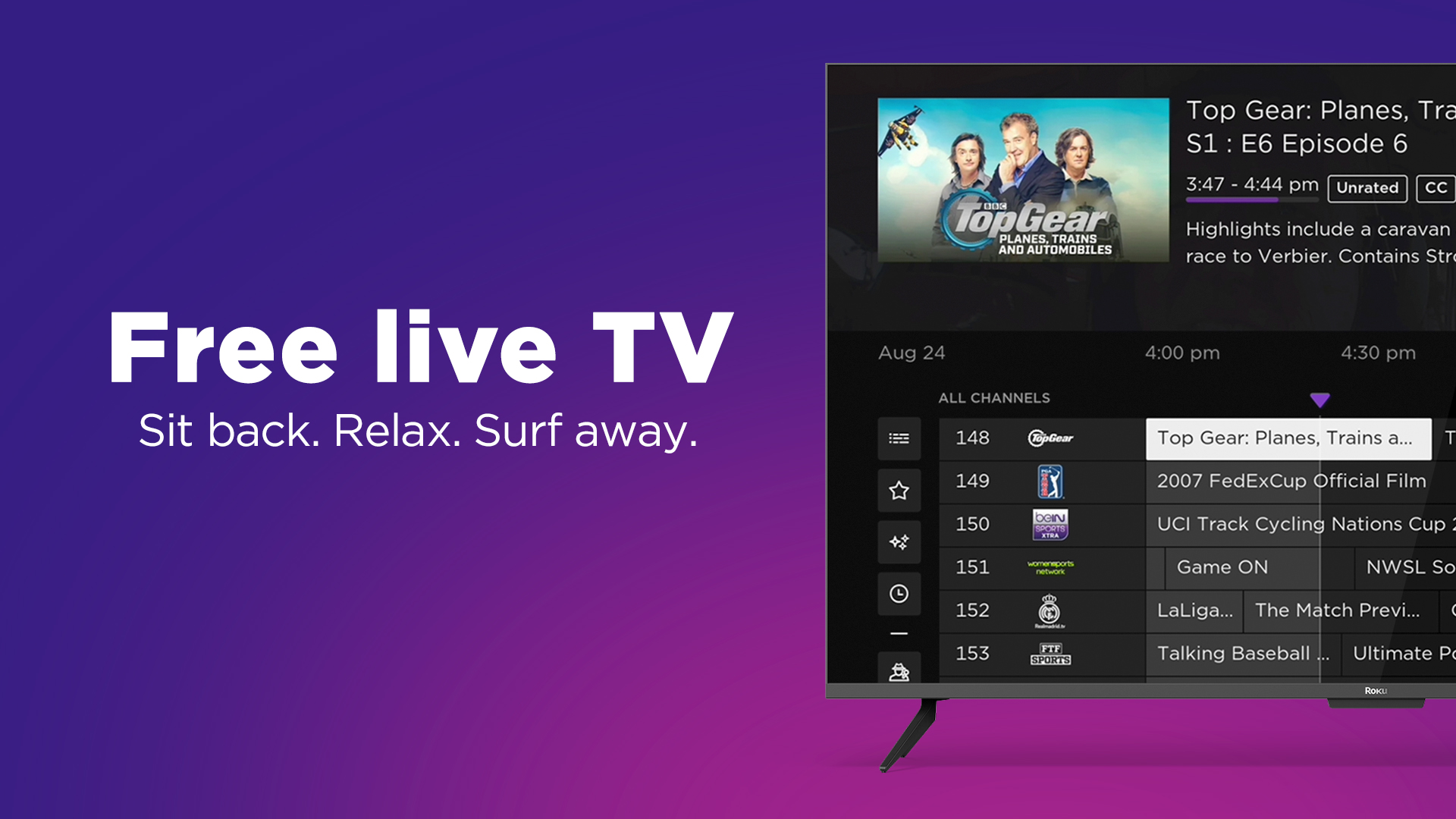
- The Roku Channel: Available on Roku devices and other platforms, it combines free on-demand content with a robust selection of live linear channels.
- Xumo Play (Comcast/NBCUniversal): Offers a wide range of free channels spanning news, sports, movies, and more.
- Plex: While primarily a media server software, Plex also offers its own library of free ad-supported movies, TV shows, and live TV channels.
These FAST services are excellent for casual viewing, exploring new content, or supplementing other streaming subscriptions. Their main limitation is often the lack of specific major network channels or premium sports, and, of course, the frequent commercial interruptions.
Leveraging Over-the-Air (OTA) Broadcasts
Before the internet or even cable became ubiquitous, television signals traveled through the air, picked up by antennas. This method of delivery is not only still viable but, thanks to digital broadcasting, offers a surprisingly high-quality and entirely free alternative for accessing major networks.
The Enduring Power of Antennas
With the transition to digital television (ATSC) in many countries, broadcast signals are now transmitted in crystal-clear high definition. A simple, one-time purchase of a digital antenna can provide access to all the major local network affiliates—ABC, CBS, NBC, FOX, PBS, The CW, and more—depending on your geographic location and proximity to broadcast towers. This means free, live access to prime-time shows, local news, and major sporting events (like NFL games on CBS, FOX, and NBC; or NBA Finals on ABC) without any monthly fees.
Antennas come in various forms: small indoor antennas that sit near your TV, larger outdoor models for better reception, and even attic-mounted options. Tools like AntennaWeb.org or the FCC’s DTV Reception Maps can help you determine which channels are available in your area and what type of antenna you might need. The picture quality from OTA broadcasts is often superior to compressed cable or even some streaming feeds, as it’s an uncompressed signal directly from the broadcaster.
Antenna + DVR Solutions
To enhance the OTA experience and bring it closer to modern streaming expectations, several devices bridge the gap between traditional antenna reception and digital convenience. These devices allow you to record live OTA broadcasts, pause and rewind live TV, and even stream those channels to other devices in your home network or, in some cases, remotely.
- Tablo: Tablo devices connect to your antenna and home network, acting as a network DVR. They stream live and recorded OTA TV to almost any smart TV, streaming stick, tablet, or smartphone via their dedicated app. This effectively turns your antenna into a multi-room, multi-device live TV solution with DVR capabilities.
- HDHomeRun: Similar to Tablo, HDHomeRun tuners connect to your antenna and network. They make the live OTA TV stream available to various apps and media server software (like Plex, Kodi, or Windows Media Center) across your devices. They often require third-party software for DVR functionality but offer excellent flexibility.
- TiVo with Antenna Support: Some TiVo models are designed to work with digital antennas, offering their renowned DVR features for free OTA channels, often with a subscription for the program guide data.
These solutions are ideal for cord-cutters who prioritize local news, major network shows, and sports, offering a one-time investment for ongoing free access combined with modern DVR and streaming conveniences.
Hardware and Software for Seamless Live TV Viewing
Accessing live TV in the modern era relies heavily on the right hardware and software working in tandem. From the device you watch on to the apps you use, each component plays a crucial role in delivering a smooth and enjoyable experience.
Streaming Devices (Sticks, Boxes, Smart TVs)
The foundation of most internet-based live TV consumption is a streaming device or a smart TV. These gadgets connect to your television and the internet, providing a platform to download and run the apps for various live TV services.
- Roku Devices (Sticks, Boxes, TVs): Known for their user-friendly interface and vast app selection, Roku streaming players and Roku-powered Smart TVs are among the most popular choices. They support virtually all major live TV streaming services.
- Amazon Fire TV Devices (Sticks, Cubes, TVs): Integrating Amazon’s Alexa voice assistant, Fire TV devices offer access to a wide range of apps, often with a focus on Amazon’s own Prime Video content. They are very popular for their affordability and features.
- Apple TV: Apple’s premium streaming box, offering a sleek interface, tight integration with the Apple ecosystem, and support for high-quality audio and video formats. It’s a more expensive option but provides a robust experience for users already invested in Apple products.
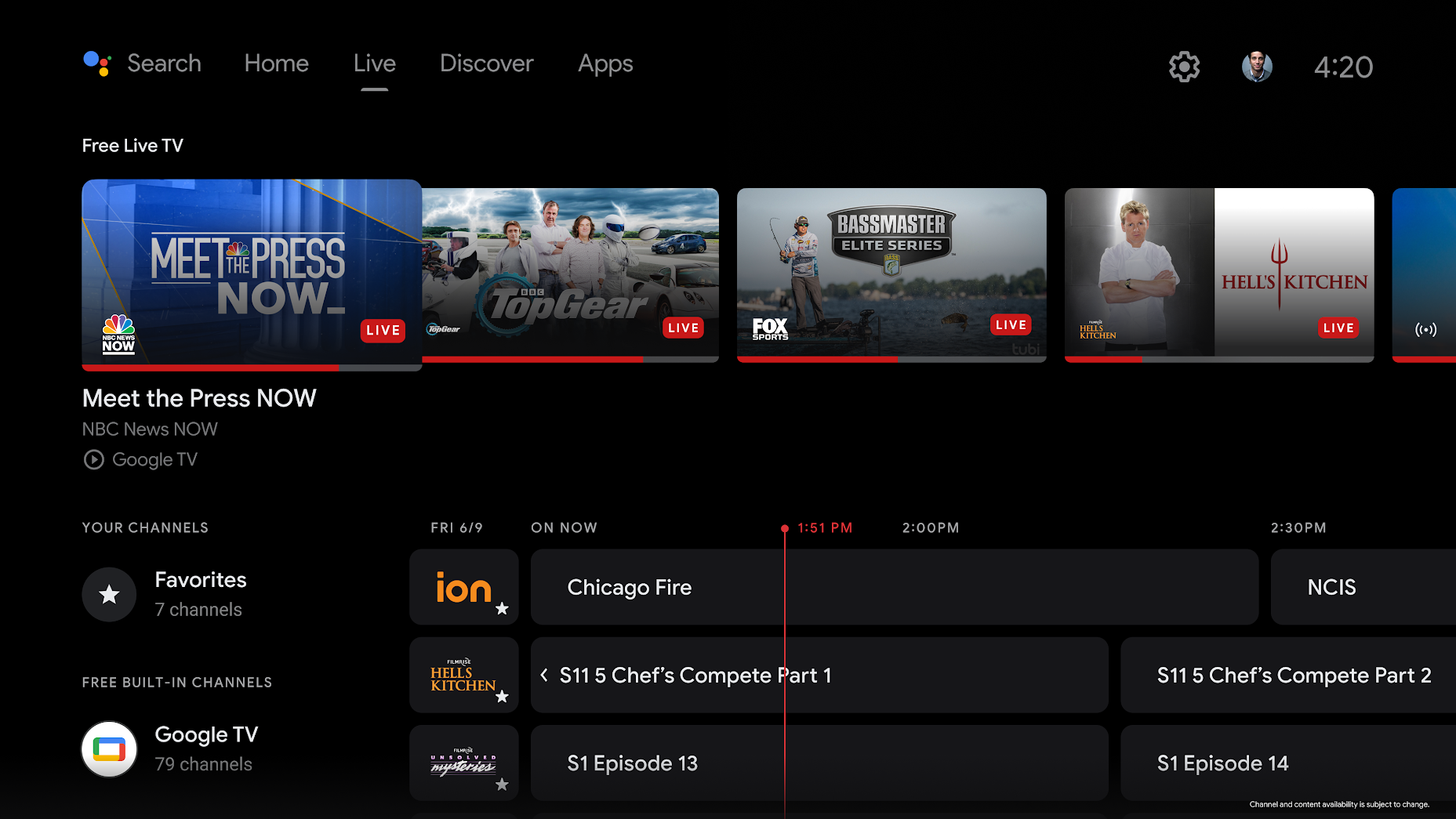
- Google TV (Chromecast with Google TV, Smart TVs): Google TV, built on Android TV, offers a content-first interface that aggregates recommendations from various services. Devices like the Chromecast with Google TV and many Sony, TCL, and Hisense Smart TVs leverage this platform, providing excellent app support and Google Assistant integration.
- Smart TVs (Built-in Platforms): Most modern televisions come with built-in smart platforms (e.g., Samsung Tizen, LG webOS, Vizio SmartCast). These often have pre-installed apps for major streaming services and allow you to download more, eliminating the need for an external streaming device, though dedicated streamers sometimes offer faster performance or more frequent updates.
Mobile Apps and Web Browsers
The flexibility of modern live TV extends beyond the living room. Dedicated mobile apps and web browsers transform your personal devices into portable televisions, allowing you to watch live content wherever you have an internet connection.
- Smartphone and Tablet Apps: Every major live TV streaming service (YouTube TV, Hulu + Live TV, Sling TV, FuboTV, etc.) offers dedicated apps for iOS and Android. These apps are typically well-optimized for touchscreens, allowing for easy navigation, channel switching, and access to DVR recordings. This makes commuting, traveling, or simply watching in another room incredibly convenient.
- Computer/Laptop Access (Web Browsers): All major live TV streaming services also provide access through their websites, meaning you can watch live TV directly from your computer or laptop using a web browser like Chrome, Firefox, Safari, or Edge. This is ideal for office workers, students, or anyone who prefers to watch on a larger screen than a phone without needing a dedicated TV. The web interface often mirrors the app experience, complete with program guides and DVR management.
The ability to seamlessly transition from watching on a smart TV to a tablet or a computer highlights the unparalleled convenience and multi-platform accessibility that modern live TV solutions offer, making traditional television’s single-screen limitation feel truly antiquated.
Choosing the Right Live TV Solution
Navigating the vast array of live TV options can be daunting. The “best” solution isn’t one-size-fits-all; it depends entirely on your specific needs, viewing habits, and budget. Here’s how to approach making the right choice.
Assess Your Viewing Habits
Before committing to any service, take stock of what you actually watch and what’s important to you:
- Must-Have Channels: List the absolute essential channels you cannot live without (e.g., specific sports networks, news channels, local affiliates, entertainment channels). Use this list to compare against the offerings of various vMVPDs and check OTA availability.
- Sports Enthusiast? If sports are a priority, look for services with robust sports channel lineups (including regional sports networks if available in your area) like FuboTV or DirecTV Stream. Also, consider complementary services like ESPN+.
- News Junkie? Many services offer strong news channel selections, and FAST services often have dedicated news channels. For local news, an OTA antenna is usually the best and cheapest option.
- Local Content: Do you rely heavily on local news, weather, and network programming? An OTA antenna is paramount, and many vMVPDs also include local channels based on your zip code.
- Number of Streams: How many people in your household will be watching live TV simultaneously? Most services offer multiple concurrent streams, but some have limits or require an add-on.
- DVR Needs: Do you need to record shows? Check the cloud DVR capabilities, storage limits, and how long recordings are kept for each service.
Budget Considerations
Cost is often the most significant factor in cutting the cord from traditional cable. Live TV streaming services vary widely in price:
- Free (OTA & FAST): A digital antenna offers free HD access to local channels (one-time hardware cost). FAST services like Pluto TV are entirely free but ad-supported. These are the most budget-friendly options.
- Mid-Tier (Sling TV): Services like Sling TV offer more curated, often lower-priced base packages, making them attractive for those with specific channel needs without the hefty price tag.
- Premium (YouTube TV, Hulu + Live TV, FuboTV, DirecTV Stream): These services offer a comprehensive cable-like experience with broader channel lineups, extensive DVRs, and often cost between $65-$80+ per month. While more expensive, they typically still represent a significant saving over traditional cable.
- Internet Costs: Remember that reliable high-speed internet is essential for any streaming live TV solution. Factor your internet bill into your overall entertainment budget.
Test Drives and Free Trials
Most reputable live TV streaming services offer free trials, typically ranging from 7 to 14 days. This is an invaluable opportunity to:
- Evaluate the User Interface: See if you find the navigation intuitive and user-friendly.
- Check Channel Availability: Ensure all your must-have channels are indeed present and stream reliably.
- Test Performance: Assess the streaming quality, buffering frequency, and overall reliability on your internet connection and devices.
- Experiment with Features: Try out the DVR, on-demand library, and multi-device streaming capabilities.
Utilizing these trials allows you to make an informed decision without financial commitment, helping you find the perfect blend of channels, features, and price for your live TV needs.
Conclusion
The quest to “see live TV” in today’s technological landscape is no longer a simple matter of plugging into a cable outlet. Instead, it’s an exciting journey through a diverse and ever-evolving ecosystem of options, each offering unique advantages tailored to different viewing preferences and budgets. From the enduring simplicity and cost-effectiveness of an over-the-air antenna to the comprehensive channel lineups and advanced features of virtual MVPDs, and the entirely free entertainment found on FAST services, viewers have an unprecedented degree of control.
This shift away from monolithic cable bundles toward personalized, internet-delivered solutions empowers consumers to craft a live TV experience that is flexible, accessible on multiple devices, and often significantly more affordable. By carefully assessing your viewing habits, prioritizing your must-have content, considering your budget, and leveraging the ubiquitous free trials, you can confidently navigate this modern media landscape. The future of live TV is not just alive; it’s thriving, offering more choices, more convenience, and more control than ever before. Embrace the technology, explore the possibilities, and enjoy the show!
aViewFromTheCave is a participant in the Amazon Services LLC Associates Program, an affiliate advertising program designed to provide a means for sites to earn advertising fees by advertising and linking to Amazon.com. Amazon, the Amazon logo, AmazonSupply, and the AmazonSupply logo are trademarks of Amazon.com, Inc. or its affiliates. As an Amazon Associate we earn affiliate commissions from qualifying purchases.