
QuickBooks, developed by Intuit, stands as a cornerstone in the realm of financial management software, serving millions of businesses worldwide. At its core, it is an accounting solution designed to streamline, automate, and centralize an organization’s financial operations. Far from being a mere digital ledger, QuickBooks leverages sophisticated technological infrastructure to transform complex financial data into digestible, actionable insights. Its primary utility lies in empowering businesses, from fledgling startups to established enterprises, to efficiently manage their money, track performance, and maintain regulatory compliance, all through an intuitive software interface.
The scope of QuickBooks extends beyond simple bookkeeping. It integrates various financial processes into a unified ecosystem, addressing challenges related to invoicing, expense tracking, payroll, inventory management, and tax preparation. Understanding “what QuickBooks software is used for” is to understand its multifaceted role as a critical technological enabler for modern business finance, fundamentally altering how companies approach their monetary health and strategic planning.

The Core Technological Functionality of QuickBooks
At the heart of QuickBooks’ utility is its robust technological framework designed to automate and simplify traditionally arduous financial tasks. The software acts as an intelligent system that processes, stores, and presents financial data with precision and efficiency, leveraging various algorithms and database management techniques.
Streamlining Financial Data Entry and Organization
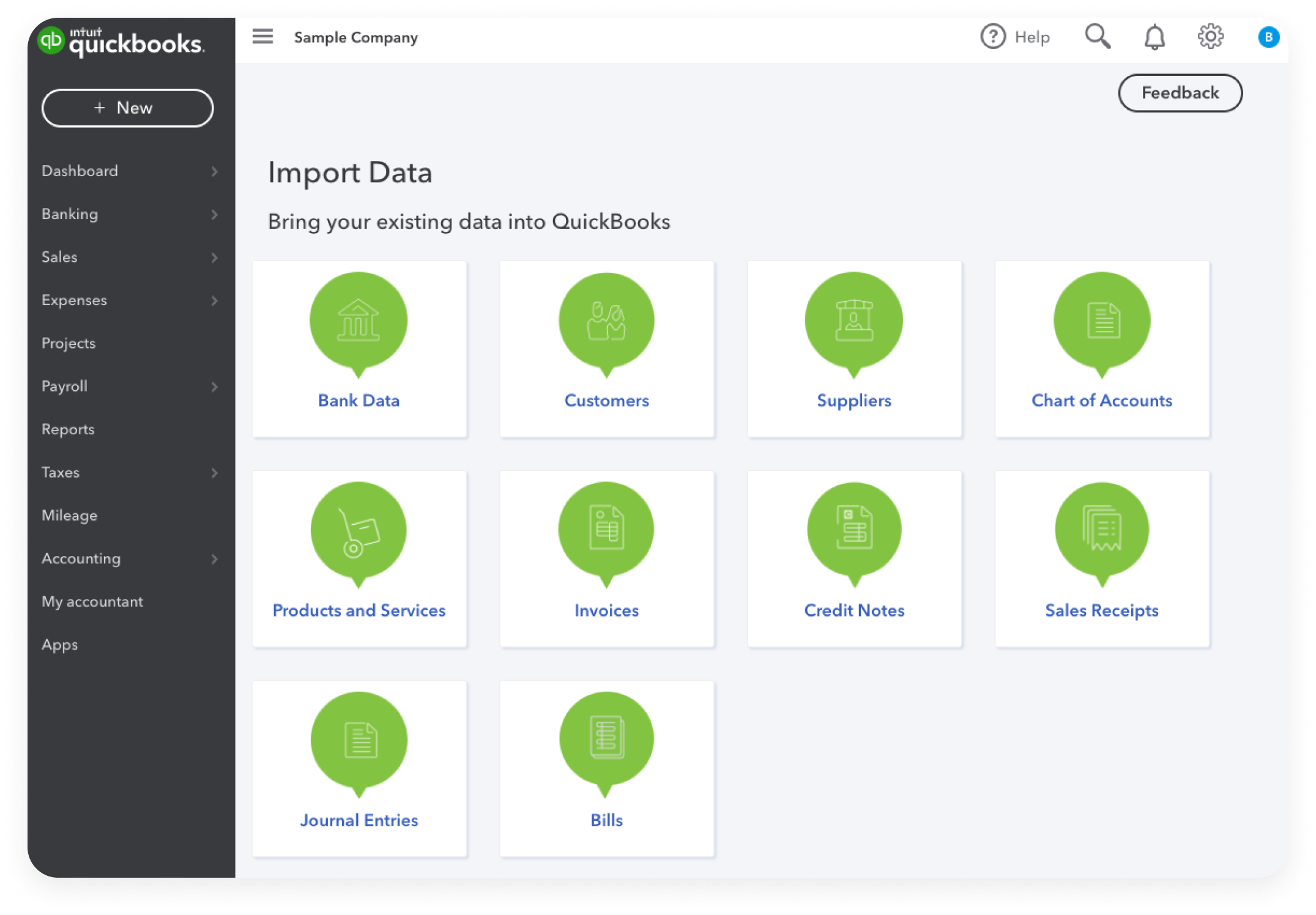
One of QuickBooks’ most significant contributions is its ability to radically simplify data entry. Historically, businesses relied on manual ledgers or spreadsheets, which were prone to human error and time-consuming. QuickBooks revolutionizes this by offering automated transaction imports directly from bank accounts and credit cards. Through secure API integrations with financial institutions, the software can pull in real-time transaction data, which it then attempts to categorize using machine learning algorithms. Users can set up rules for recurring transactions, further automating the classification process. This not only saves immense time but also drastically reduces the potential for transcription errors, ensuring a higher level of data accuracy from the outset. The software provides a structured environment where every financial event—a sale, a purchase, a payment—is systematically recorded and categorized within a predefined chart of accounts, creating an organized, searchable digital repository of all financial activity.
Comprehensive Bookkeeping Automation
Beyond basic data entry, QuickBooks provides a comprehensive suite for automating the core principles of double-entry bookkeeping. For businesses unfamiliar with accounting principles, the software abstracts away the complexities of debits and credits, ensuring that every transaction is balanced. When an invoice is created, QuickBooks automatically records it as an increase in Accounts Receivable and revenue. When a bill is paid, it updates Accounts Payable and cash accounts accordingly. This automated ledger management ensures that the general ledger, the central repository of all financial transactions, is always up-to-date and accurate. The software handles journal entries, reconciliations, and trial balances with minimal manual intervention, freeing up business owners and financial professionals to focus on analysis rather than meticulous data transcription. This automation is crucial for maintaining real-time financial accuracy, which is paramount for effective decision-making.
Report Generation and Analytical Tools
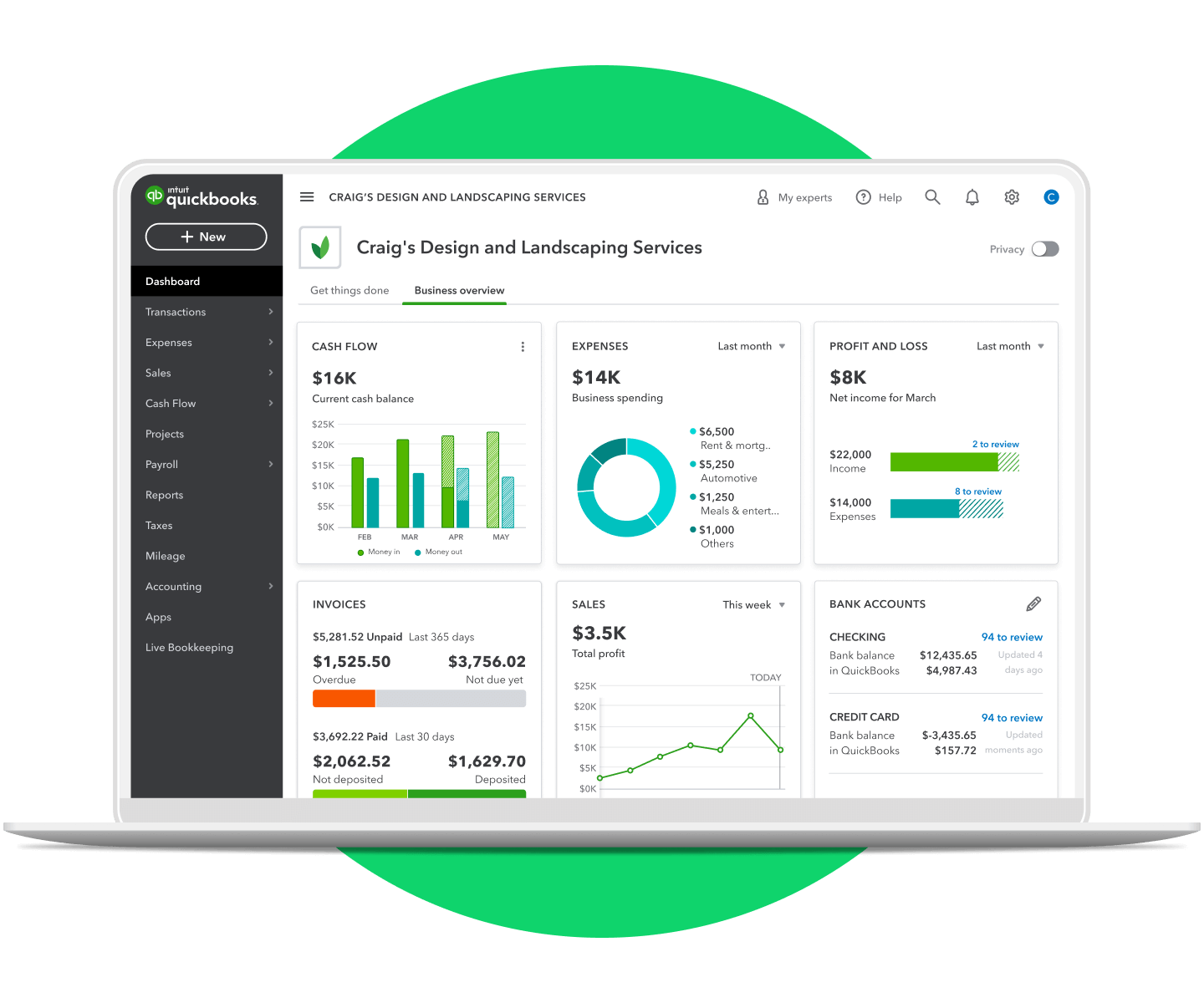
Perhaps one of the most powerful technological aspects of QuickBooks is its sophisticated reporting engine. The software transforms raw financial data into a wide array of insightful reports that provide a clear picture of a business’s financial health. With just a few clicks, users can generate Profit & Loss statements, Balance Sheets, Cash Flow statements, Accounts Receivable aging reports, Accounts Payable aging reports, and various sales and expense analyses. These reports are not static; they are dynamic, allowing users to drill down into specific transactions for more detail. The underlying algorithms are designed to aggregate, summarize, and present data in user-friendly formats, often with customizable parameters and graphical representations. This capability is critical for performance monitoring, identifying trends, forecasting, and making informed strategic decisions. The real-time nature of these reports means businesses always have an up-to-the-minute understanding of their financial standing.
Diverse Applications Across Business Ecosystems
QuickBooks is not a one-size-fits-all solution but rather a versatile platform with modules tailored to various operational needs within a business ecosystem. Its applications span across multiple departments, solidifying its role as an integrated business management tool.
Invoicing and Accounts Receivable Management
One of the most frequently used features is its robust invoicing system. Businesses use QuickBooks to create professional-looking invoices quickly and efficiently, complete with customizable templates, company branding, and detailed line items. The software enables automated invoice generation for recurring services, eliminating manual effort. More importantly, QuickBooks provides comprehensive accounts receivable management. It tracks outstanding invoices, automatically sends payment reminders via email, and facilitates online payments through integrations with various payment gateways (e.g., QuickBooks Payments, Stripe, PayPal). This technological capability significantly shortens the collection cycle, improves cash flow, and reduces the administrative burden associated with chasing payments. The system also offers insights into customer payment behavior and aging receivables, allowing businesses to identify and address potential cash flow issues proactively.
Expense Tracking and Accounts Payable Management
On the flip side of revenue management, QuickBooks excels in expense tracking and accounts payable. It allows businesses to record all purchases and expenses, whether paid via bank transfer, credit card, or cash. Users can photograph receipts with their mobile devices, and QuickBooks uses OCR technology to extract relevant information, attaching digital copies directly to transactions. This eliminates the need for physical receipt storage and simplifies expense categorization. For vendor management, QuickBooks facilitates the recording and management of bills received from suppliers. It provides a clear overview of amounts owed, due dates, and payment history. Businesses can schedule bill payments, set up recurring payments, and manage vendor contact information and payment terms efficiently. This systematic approach to accounts payable helps businesses manage cash outflow, avoid late payment penalties, and build stronger vendor relationships.
Payroll Processing and Employee Management
QuickBooks also extends its technological reach into human resources through its integrated payroll services. For many businesses, managing payroll is a complex and highly regulated task. QuickBooks Payroll automates the calculation of wages, overtime, deductions (like taxes, retirement contributions, and health insurance premiums), and employer contributions. It handles federal and state tax filings, ensures compliance with labor laws, and can facilitate direct deposits to employee bank accounts. The software also provides employees with secure online access to their pay stubs and year-end tax forms (W-2s), reducing administrative queries. This integration means that payroll expenses are automatically recorded in the general ledger, streamlining financial reporting and offering a holistic view of labor costs within the broader financial context. The sophisticated algorithms ensure accurate tax calculations and timely filings, significantly mitigating the risk of penalties for non-compliance.
Evolution and Ecosystem of QuickBooks Software
QuickBooks has not remained static; it has continuously evolved, adapting to technological advancements and changing business needs. This evolution has led to a diverse ecosystem of products and robust integration capabilities.
Desktop vs. Cloud: QuickBooks Online’s Technological Leap
Historically, QuickBooks was primarily a desktop-based application. While QuickBooks Desktop still serves a significant user base, particularly those with complex industry-specific needs or a preference for local control, the major technological shift has been towards QuickBooks Online (QBO). QBO is a cloud-based Software-as-a-Service (SaaS) solution, accessible from any internet-connected device. This represents a significant technological leap, offering unparalleled flexibility, collaboration, and scalability. Cloud hosting means automatic updates, eliminating the need for manual software installations or patches. Data is securely backed up in the cloud, reducing the risk of data loss due to local hardware failures. Furthermore, QBO facilitates real-time collaboration among multiple users, including accountants and bookkeepers, who can access and work on the same financial data simultaneously from different locations. This shift has democratized access to powerful accounting tools, making professional financial management accessible to even the smallest businesses with remote teams.
Integrations and API Connectivity
A key aspect of QuickBooks’ modern utility lies in its open API (Application Programming Interface), which allows it to integrate seamlessly with a vast array of other business applications. This connectivity creates a powerful, unified tech stack for businesses. For example, QuickBooks can integrate with CRM systems (e.g., Salesforce) to track customer interactions alongside sales data, e-commerce platforms (e.g., Shopify, Magento) to automate sales and inventory updates, time-tracking software (e.g., TSheets) for project costing and payroll, and industry-specific tools. These integrations eliminate redundant data entry, ensure data consistency across different systems, and provide a more comprehensive view of business operations. The API acts as a bridge, allowing different software solutions to “talk” to each other, sharing and syncing data in real-time. This interconnectedness is crucial for businesses looking to optimize their workflow and leverage data across various functions without manual data transfers.
Advanced Features for Scalability
QuickBooks offers various versions designed to cater to different business sizes and complexities. For larger businesses or those with specific industry requirements, QuickBooks Enterprise provides advanced features such as enhanced inventory management with advanced pricing rules and multiple warehouses, robust reporting for granular insights, multi-user access with granular permissions, and specific modules for manufacturing, wholesale, and contracting. These advanced technological capabilities allow businesses to scale their financial operations without outgrowing their accounting software. The software’s ability to handle higher transaction volumes, manage complex inventory workflows, and provide tailored solutions for specific sectors demonstrates its flexibility and robust architectural design, ensuring it can evolve with a growing business.
The Technological Advantage: Why Businesses Adopt QuickBooks
The widespread adoption of QuickBooks is not merely a testament to its market presence but to the tangible technological advantages it offers businesses, addressing critical challenges in financial management.
Enhancing Data Accuracy and Reducing Manual Error
One of the most compelling reasons for adopting QuickBooks is its ability to significantly enhance data accuracy. By automating data entry from bank feeds and integrating with other systems, it minimizes the human element that often leads to errors in manual bookkeeping. The software’s internal validation checks, automated reconciliation processes, and consistent application of accounting rules ensure that financial records are precise and reliable. Reducing manual errors saves businesses time and money that would otherwise be spent on error correction, audits, and potential non-compliance penalties. The technological infrastructure of QuickBooks acts as a guardian of financial data integrity, providing a solid foundation for all business decisions.
Real-time Financial Insights for Strategic Decision-Making
In today’s fast-paced business environment, timely access to accurate financial information is crucial. QuickBooks provides real-time financial insights through its automated reporting capabilities. Business owners and managers can view up-to-the-minute profit and loss statements, cash flow projections, and budget versus actual comparisons. This immediate access to critical data allows for quicker and more informed strategic decision-making. Whether it’s adjusting spending, identifying profitable product lines, managing cash flow during lean periods, or preparing for tax season, the technological ability to present dynamic, real-time data empowers businesses to react swiftly to changing market conditions and plan effectively for the future.
Security and Compliance Features
Security and compliance are paramount in financial management, and QuickBooks is built with these considerations at its core. The software employs robust security measures, including data encryption, multi-factor authentication, and strict user permissions, to protect sensitive financial data from unauthorized access. For cloud-based versions, Intuit invests heavily in cybersecurity infrastructure to safeguard data against breaches. Furthermore, QuickBooks aids in compliance by automating tax calculations, generating necessary tax forms (e.g., W-2s, 1099s), and providing audit trails that meticulously record every transaction and user activity. These audit trails are invaluable for internal controls and external audits, demonstrating transparency and accountability. By providing tools that help businesses meet regulatory requirements, QuickBooks reduces the administrative burden and legal risks associated with financial compliance.
In conclusion, QuickBooks software is primarily used as a comprehensive technological solution for managing all aspects of a business’s financial health. From automating basic bookkeeping tasks and simplifying invoicing to providing advanced payroll services and generating critical financial reports, it leverages sophisticated software engineering to deliver accuracy, efficiency, and actionable insights. Its evolution into a cloud-based, highly integrated ecosystem underscores its commitment to leveraging technology to meet the dynamic needs of modern businesses, making it an indispensable tool for financial oversight, strategic planning, and operational excellence across various industries.
aViewFromTheCave is a participant in the Amazon Services LLC Associates Program, an affiliate advertising program designed to provide a means for sites to earn advertising fees by advertising and linking to Amazon.com. Amazon, the Amazon logo, AmazonSupply, and the AmazonSupply logo are trademarks of Amazon.com, Inc. or its affiliates. As an Amazon Associate we earn affiliate commissions from qualifying purchases.