
In today’s digital economy, managing finances efficiently is paramount, whether you’re a freelancer, a small business owner, an online seller, or simply someone looking for more flexible ways to manage your money. PayPal has long been a cornerstone of online transactions, facilitating everything from peer-to-peer payments to e-commerce checkouts. But what about accessing those funds in the physical world or for everyday spending beyond online platforms? This is where a PayPal card becomes an invaluable financial tool.
A PayPal card bridges the gap between your digital PayPal balance and the broader financial ecosystem. It offers a tangible way to spend the money held in your PayPal account, make purchases, pay bills, and even withdraw cash, much like a traditional bank debit or credit card. For many, it represents a crucial step in streamlining their financial operations, providing immediate access to earned income and enhancing financial flexibility. This comprehensive guide will walk you through the various PayPal card options, the eligibility criteria, the application process, and how to maximize their financial benefits, ensuring you make an informed decision for your personal or business financial strategy.
Understanding the Different PayPal Card Options
Before delving into the application process, it’s crucial to understand that “PayPal card” isn’t a singular product. PayPal offers a range of financial instruments designed to meet diverse user needs, from individuals managing personal funds to businesses handling operational expenses. Each card serves a distinct purpose, offering unique benefits and features tailored to specific financial goals.
The PayPal Debit Mastercard®
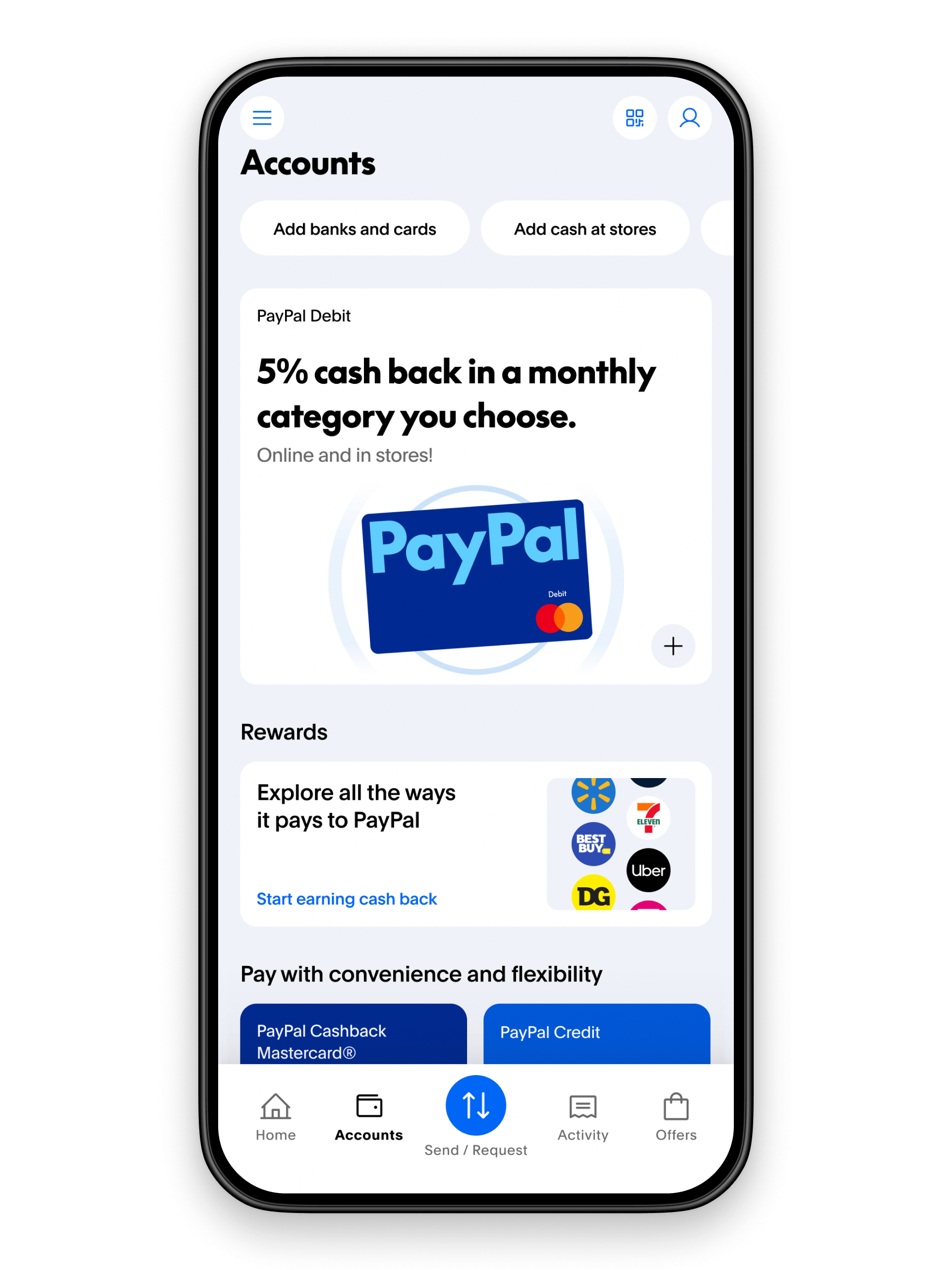
The most common and sought-after “PayPal card” is typically the PayPal Debit Mastercard®. This is a debit card directly linked to your PayPal balance, allowing you to spend funds held within your PayPal account anywhere Mastercard is accepted.
What it is: The PayPal Debit Mastercard acts much like a debit card from a traditional bank. When you make a purchase, the money is deducted directly from your available PayPal balance. If your PayPal balance is insufficient, you can set up a backup funding source (like a linked bank account) to ensure transactions go through, though this functionality can vary by user and account type. It is specifically designed for PayPal users who want convenient access to the money they receive through sales, freelancing, or other online activities directly in their PayPal account.
Key Benefits:
- Direct Access to Funds: Spend your PayPal balance instantly, without having to transfer funds to a traditional bank account first, which can often take several business days.
- Global Acceptance: Use the card anywhere Mastercard is accepted worldwide, for online and in-store purchases.
- ATM Access: Withdraw cash from ATMs (fees may apply, depending on the network and specific card terms).
- No Monthly Fees: The primary PayPal Debit Mastercard typically comes with no monthly maintenance fees, making it an attractive option for cost-conscious users.
- Enhanced Budgeting: By centralizing your online income and spending through PayPal, it can simplify tracking and budgeting, giving you a clearer picture of your financial inflows and outflows.
Target Audience: This card is ideal for individuals, freelancers, online sellers, and anyone who frequently receives payments via PayPal and wants direct, immediate access to those funds for everyday spending and cash withdrawals.
The PayPal Business Debit Mastercard®
For entrepreneurs and small business owners, the PayPal Business Debit Mastercard® is a powerful financial tool designed to streamline business operations and offer specific rewards.
What it is: This card is similar to the personal debit Mastercard but is specifically linked to a PayPal Business account. It allows business owners to spend their business PayPal balance on operational expenses, inventory, and other business-related purchases.
Key Differences and Benefits:
- Cash Back Rewards: A significant advantage of the Business Debit Mastercard is the potential to earn cash back on eligible purchases, offering a direct financial incentive for using the card for business spending. This can add up to meaningful savings over time.
- Business Expense Tracking: By keeping business transactions separate and linked to a business account, it simplifies expense tracking, reconciliation, and preparation for tax season.
- Higher Transaction Limits: Business accounts and their associated cards often come with higher transaction limits compared to personal accounts, accommodating the larger spending needs of a business.
Target Audience: Small businesses, online merchants, sole proprietors, contractors, and entrepreneurs who manage their business finances through PayPal and are looking for a convenient way to access their earnings and benefit from spending rewards.
PayPal Credit (Formerly Bill Me Later)
While not a physical “card” in the same vein as the debit options, PayPal Credit (formerly Bill Me Later) is an important financial instrument offered by PayPal that often gets grouped into discussions about PayPal-related spending options.
What it is: PayPal Credit is a digital, revolving line of credit that you can use to make purchases online wherever PayPal is accepted, and particularly with merchants that offer special PayPal Credit financing promotions. It’s an instant credit line that you can leverage for larger purchases without needing to apply for a traditional credit card from scratch each time.
Use Cases:
- Financing Larger Purchases: Often comes with promotional offers like “no interest if paid in full within 6 months” on purchases over a certain amount, making it attractive for financing significant buys.
- Flexible Payment Options: Provides flexibility in payments, allowing users to pay over time with interest if the promotional period is missed.
Key Distinction: It’s crucial to understand that PayPal Credit is a credit product, meaning you are borrowing money, and interest will accrue if not paid back according to terms. This is fundamentally different from a debit card, which spends your own money.
PayPal Prepaid Mastercard (Third-Party Option)
It’s also worth noting that some users might seek a “PayPal card” in the context of a prepaid card. While not directly issued by PayPal to access your PayPal balance in the same way the debit cards are, you can often load funds from your PayPal account onto third-party PayPal-branded prepaid Mastercards.
How it Works: These prepaid cards are typically offered by partners and allow you to transfer funds from your PayPal account to the prepaid card, which then functions like any other prepaid debit card.
Benefits/Drawbacks: They can be useful for budgeting, controlling spending, or for individuals without a traditional bank account. However, they often come with various fees (activation, monthly maintenance, ATM withdrawals, etc.) that the direct PayPal Debit Mastercards typically do not. Users should carefully review the fee schedule before opting for this solution.
Eligibility and Requirements for Applying for a PayPal Card
Before you can apply for any PayPal card, you’ll need to ensure you meet specific eligibility criteria and have your PayPal account in good standing. These requirements are standard financial practices designed to verify your identity, secure your funds, and comply with financial regulations.
Essential Prerequisites
The foundation for acquiring any PayPal card begins with your PayPal account itself.
- A Verified PayPal Account: This is non-negotiable. Whether it’s a personal or business account, it must be fully verified. Verification typically involves confirming your email address, linking and confirming a bank account or credit card, and providing necessary personal identification. A verified account signals to PayPal that you are a legitimate user, reducing fraud risk.
- Age Requirements: Applicants must generally be 18 years of age or older (or the age of majority in their specific jurisdiction) to apply for a financial product.
- Residency Requirements: The PayPal Debit Mastercard and PayPal Business Debit Mastercard are primarily available to residents of the United States with a confirmed U.S. address. Availability can vary by country for other PayPal products.
- Personal Information for Identity Verification: To comply with “Know Your Customer” (KYC) regulations, PayPal will require your Social Security Number (SSN) or Individual Taxpayer Identification Number (ITIN) for identity verification. This information is crucial for background checks and to prevent identity theft and financial fraud. You’ll also need to provide a confirmed physical address and other contact details.
Account Verification and Security
A robustly verified PayPal account not only makes you eligible for financial products but also enhances your overall financial security.
- Importance of a Fully Verified Account: Beyond simply meeting the minimum requirements, a fully verified account indicates a higher level of trust and security. This often involves more comprehensive checks, such as providing copies of government-issued IDs, which helps PayPal confirm your identity and protect your account from unauthorized access.
- Linking Bank Accounts and Credit Cards: While not always strictly required for the application itself, having linked and confirmed bank accounts and credit cards within your PayPal profile can significantly smooth the application process and provide backup funding for your debit card.
- Two-Factor Authentication (2FA): For enhanced security, enabling 2FA on your PayPal account is highly recommended. While not a direct requirement for a card application, it protects your account, and by extension, your funds and linked financial products, from unauthorized access.
Specifics for Business Debit Card
If you’re aiming for the PayPal Business Debit Mastercard, there are a few additional specifics:
- Verified PayPal Business Account: You must have a PayPal Business account. This type of account is designed for merchants, freelancers, and businesses, allowing them to accept payments under a business name and access business-specific features.
- Business Information: Depending on your business structure and location, you might need to provide additional business details, such as an Employer Identification Number (EIN) if you’re operating as a corporation or partnership, or simply your personal SSN if you’re a sole proprietor.
Meeting these prerequisites ensures a smoother application process and increases your chances of approval, setting the stage for you to leverage PayPal’s financial tools effectively.
The Step-by-Step Application Process
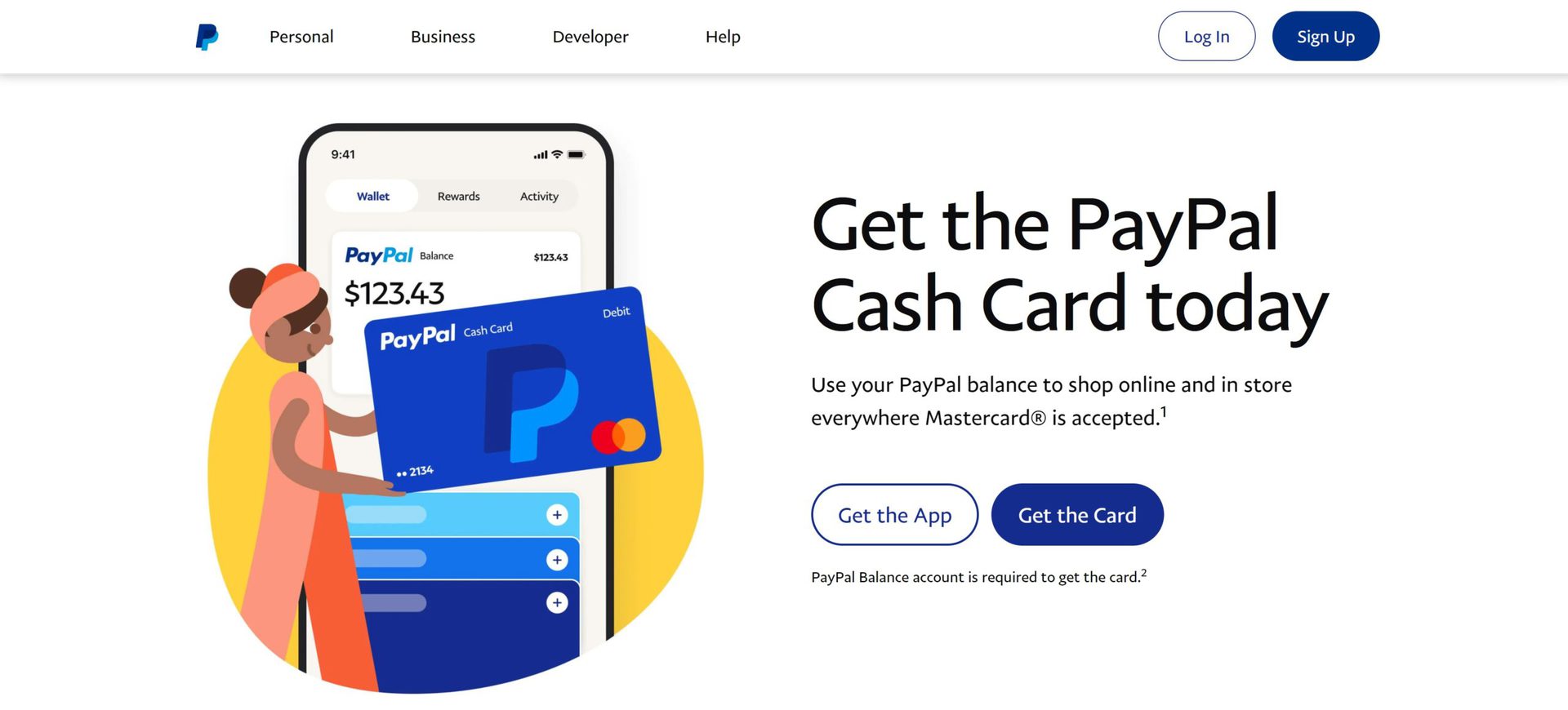
Once you’ve ensured you meet all the eligibility criteria, applying for a PayPal card is a straightforward process managed entirely online through your PayPal account. This digital application process is designed for convenience, allowing you to apply from anywhere with an internet connection.
Navigating to the Card Application Section
Your journey begins within your PayPal account interface.
- Logging into Your PayPal Account: Start by logging into your PayPal account on the official PayPal website. It’s always recommended to use the official site and avoid links from unverified emails to prevent phishing scams.
- Finding the “Wallet” or “Cards” Section: Once logged in, navigate to the section that deals with your financial instruments. This is typically labeled “Wallet,” “Money,” or “Cards” within the main navigation menu. Here, you’ll see options for linking bank accounts, credit cards, and applying for PayPal’s own financial products.
- Selecting the Desired Card Type: Within the Wallet/Cards section, look for links or banners advertising the PayPal Debit Mastercard or PayPal Business Debit Mastercard. Click on the option for the card you wish to apply for. This will initiate the application flow.
Filling Out the Application Form
The application form will require you to confirm and provide some essential details.
- Personal/Business Details: Much of your information (name, address, date of birth) will likely be pre-filled based on your existing PayPal account profile. You’ll need to verify that all this information is current and accurate. For a Business Debit Mastercard, ensure your business details are correctly associated with your account.
- Confirming Address, Contact Info: Double-check your mailing address, phone number, and email address. The physical card will be mailed to the confirmed address on file.
- Agreeing to Terms and Conditions: Before submitting, you’ll be required to read and agree to the cardholder agreement, terms of service, and privacy policy. It’s crucial to thoroughly review these documents as they contain vital information about fees, interest rates (for PayPal Credit), liability, and how your data is handled.
Identity Verification and Review
After submitting your application, PayPal will perform its due diligence.
- Potential for Additional ID Requests: In some cases, especially if your account isn’t fully verified or if there are discrepancies, PayPal may request additional documentation to verify your identity (e.g., a copy of your driver’s license or passport, or proof of address). Promptly providing these documents will help expedite the process.
- Automated Review Process: For most applicants who meet the criteria, the approval process for the PayPal Debit Mastercard is often quick, relying on automated systems to cross-reference your submitted information with existing records and credit bureaus (primarily for identity verification, not necessarily a credit check in the traditional sense for debit cards). PayPal Credit, being a credit product, will involve a credit check.
- Waiting Period for Approval: While some approvals are instant, others may take a few business days for manual review. You will typically receive an email notification regarding the status of your application.
Receiving and Activating Your Card
Once approved, the final steps involve receiving and activating your new card.
- Estimated Delivery Time: If approved, your physical PayPal card will be mailed to your confirmed address. Delivery times can vary but typically range from 7 to 10 business days.
- Instructions for Activation: The card will arrive with clear instructions on how to activate it. This usually involves logging into your PayPal account online or calling a dedicated activation phone number. Activation is a critical security step that ensures only you can use the card.
- Setting Up a PIN: During activation, you will also be prompted to set up a Personal Identification Number (PIN), which you’ll use for ATM withdrawals and some in-store purchases.
By following these steps, you can successfully apply for and receive your chosen PayPal card, unlocking a new level of financial flexibility and direct access to your PayPal funds.
Maximizing the Financial Benefits of Your PayPal Card
Acquiring a PayPal card is just the beginning. To truly leverage its potential, it’s important to integrate it strategically into your personal or business financial management. These cards are more than just spending tools; they are instruments for streamlining income, optimizing expenses, and enhancing financial security.
Streamlining Online Income Management
For anyone earning money online—be it from e-commerce sales, freelancing, or digital services—a PayPal card can revolutionize how you access and manage your income.
- Direct Access to Funds: Instead of waiting for bank transfers that can take several business days, your PayPal card gives you immediate access to funds as soon as they hit your PayPal balance. This is invaluable for managing cash flow, especially for businesses with recurring expenses or individuals who rely on prompt payments.
- Avoiding Bank Transfer Delays: Eliminate the friction and time lag associated with moving money between PayPal and traditional bank accounts. Your PayPal card makes your digital balance readily available for physical world transactions.
- Budgeting and Tracking Expenses: By funneling your online income through PayPal and spending with the associated card, you create a centralized record of your financial activity. The PayPal dashboard and statements provide a clear overview of your income and expenditures, simplifying budgeting and financial analysis. For businesses, this separation of funds makes tracking business-related expenses much more efficient.
Smart Spending and Savings
Beyond basic access, PayPal cards offer features that can help you spend smarter and potentially save money.
- Using the Card for Everyday Purchases: From groceries to gas to online subscriptions, using your PayPal card for everyday spending ensures your online earnings are put to work directly.
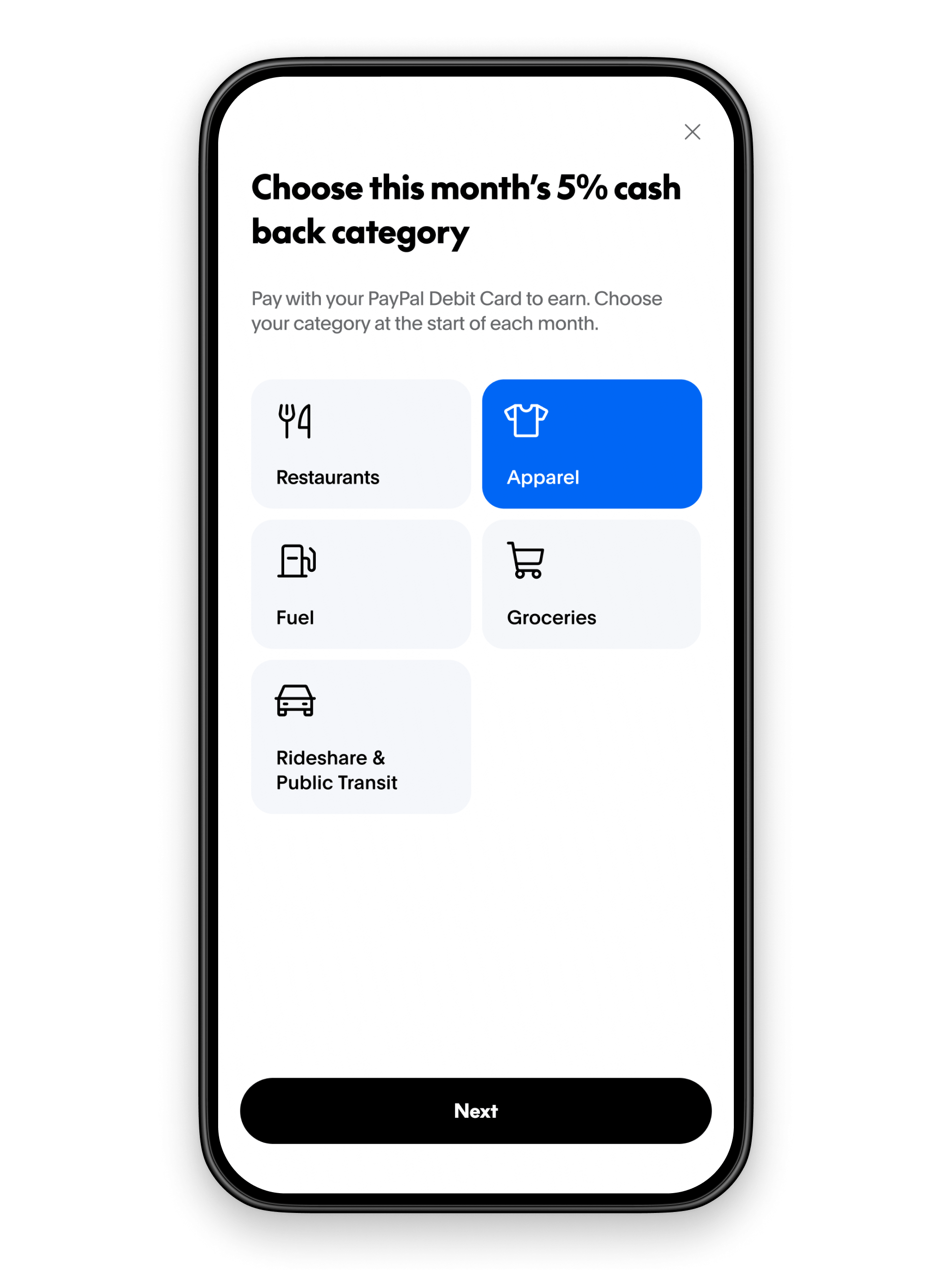
- Leveraging Cash Back Rewards: The PayPal Business Debit Mastercard, in particular, often provides a percentage of cash back on eligible purchases. For businesses, this means that every dollar spent on supplies, advertising, or services can translate into direct savings, improving the bottom line. Even for the personal debit card, keeping an eye out for any promotional offers or partner rewards can add value.
- Monitoring Spending Through PayPal Dashboard: Regularly review your transaction history within your PayPal account. This allows you to identify spending patterns, spot unauthorized transactions quickly, and ensure you’re staying within your budget. Many users find the real-time updates superior to waiting for monthly bank statements.
Financial Security and Fraud Prevention
Security is a cornerstone of any financial tool, and PayPal cards come with various protections designed to safeguard your funds.
- Mastercard’s Zero Liability Protection: As a Mastercard product, your PayPal card is typically covered by Mastercard’s Zero Liability Protection. This means you are not held responsible for unauthorized transactions if your card is lost or stolen, provided you report it promptly.
- PayPal’s Purchase Protection: For eligible purchases made through PayPal (which can extend to transactions made with your card), PayPal’s Purchase Protection program can offer an additional layer of security, allowing you to dispute issues with items not received or significantly not as described.
- Tips for Safe Online and Offline Use: Always protect your PIN, never share your card details with untrusted sources, and be wary of suspicious websites or phishing attempts. Using strong, unique passwords for your PayPal account and enabling two-factor authentication further enhances security.
- What to Do if Your Card is Lost or Stolen: Knowing the procedure for reporting a lost or stolen card is critical. Immediately contact PayPal customer service through the official channels or report it via your online account to freeze the card and prevent unauthorized use.
Integration with Financial Planning
A PayPal card can be a valuable component of a broader, well-rounded financial strategy.
- Fitting into a Broader Financial Strategy: For freelancers and small business owners, the PayPal card can act as an operating expenses card, neatly separating business finances from personal ones. For individuals, it can be a dedicated spending card for online income or a budgeting tool to control discretionary spending.
- Using Alongside Other Banking Tools: It doesn’t need to replace your primary bank account but can complement it. Use your PayPal card for specific purposes—like managing online income or certain expense categories—while your traditional bank handles larger savings or investments.
- Managing PayPal Balance Effectively: Be mindful of your PayPal balance. While convenient, large sums of money held solely in online payment platforms might not earn interest like traditional savings accounts. Consider periodically transferring excess funds to an interest-bearing savings account if long-term savings are a goal.
By proactively understanding and utilizing these benefits, your PayPal card can become more than just a piece of plastic; it transforms into a powerful financial ally, streamlining your money management and enhancing your control over your funds.
Common Questions and Troubleshooting
Even with a straightforward application and usage process, questions can arise. Understanding common queries and potential troubleshooting steps can save you time and ensure a smooth experience with your PayPal card.
What if my application is denied?
A denial can be frustrating, but it’s often due to easily identifiable reasons.
- Common Reasons:
- Unverified PayPal Account: Your PayPal account might not be fully verified, or some crucial information (like your SSN or confirmed address) might be missing or incorrect.
- Incomplete or Inaccurate Information: Any discrepancies between your application details and PayPal’s records (or public records) can lead to a denial.
- Age or Residency Restrictions: Not meeting the minimum age or residency requirements for the specific card you applied for.
- PayPal Credit Specifics: If you applied for PayPal Credit, a denial could be due to your credit history, score, or debt-to-income ratio not meeting their lending criteria. Debit card applications generally do not involve a traditional credit check but do verify identity.
- Steps to Take:
- Review Your PayPal Account: Ensure all your personal and financial information on your PayPal account is accurate, up-to-date, and fully verified.
- Contact PayPal Customer Service: If you’re unsure why your application was denied, contact PayPal’s customer support. They might be able to provide more specific reasons or guide you on what steps to take.
- Reapply After Rectifying Issues: Once you’ve addressed any identified issues, you may be able to reapply after a certain waiting period.
How to manage my PayPal Card online?
Managing your PayPal card is fully integrated into your existing PayPal account, offering convenience and control.
- Viewing Transactions and Statements: Log into your PayPal account and navigate to the “Wallet” or “Activity” section. Here you can view a detailed history of your card transactions, filter by date, and access monthly statements.
- Reporting Lost/Stolen Cards: In case of loss or theft, immediately log into your PayPal account. In the “Wallet” or “Cards” section, you’ll usually find an option to report a lost or stolen card, which will instantly deactivate it. Alternatively, contact PayPal customer service directly via phone.
- Managing PIN: You can typically manage your card’s PIN through your online PayPal account or by calling the customer service number provided on the back of your card or in your cardholder agreement.
- Dispute Transactions: If you notice an unauthorized or incorrect transaction, you can usually initiate a dispute directly through your PayPal account’s activity log for that specific transaction.
Are there any fees?
While the PayPal Debit Mastercard generally boasts “no monthly fees,” it’s important to understand the full fee structure.
- Common Fees to Be Aware Of:
- ATM Withdrawal Fees: While PayPal typically doesn’t charge a fee for ATM withdrawals at specific networks, out-of-network ATMs may charge their own fees. Foreign ATM withdrawals almost always incur a fee from both PayPal and the ATM owner.
- Foreign Transaction Fees: Using your card for purchases outside your home country (or in a foreign currency) will usually incur a foreign transaction fee.
- Card Replacement Fee: There might be a fee for replacing a lost or stolen card after the first instance.
- Distinguish from No Monthly Fees: The key benefit for the primary PayPal Debit Mastercards is the absence of recurring monthly service charges, which many traditional bank accounts or prepaid cards might impose. Always refer to your specific cardholder agreement for a complete and up-to-date list of all applicable fees.
Can I link my PayPal Card to mobile wallets?
Yes, for enhanced convenience and security, most PayPal Debit and Business Debit Mastercards can be linked to popular mobile payment platforms.
- Apple Pay, Google Pay, Samsung Pay Compatibility: Your PayPal card can typically be added to Apple Pay, Google Pay, and Samsung Pay, allowing you to make contactless payments with your smartphone or smartwatch at compatible terminals. This adds a layer of convenience and often additional security through tokenization. Check your phone’s wallet app or PayPal’s FAQ for specific instructions on how to add your card.
By familiarizing yourself with these common questions and solutions, you can efficiently manage your PayPal card and resolve any issues that may arise, ensuring it remains a seamless and effective tool in your financial arsenal.
Conclusion
The “PayPal card,” particularly the PayPal Debit Mastercard and PayPal Business Debit Mastercard, stands as a pivotal financial tool in the modern digital landscape. It seamlessly bridges the gap between your online PayPal balance and the necessities of everyday physical spending, offering a convenient, secure, and often rewarding way to manage your money. For freelancers, online entrepreneurs, and anyone receiving payments through PayPal, these cards provide immediate access to funds, streamline financial management, and enhance budgeting capabilities.
By understanding the distinct options available—from the versatility of the personal debit card to the cash-back benefits of the business version—and by meticulously navigating the application process, you can unlock a new level of financial agility. Furthermore, by actively leveraging the spending benefits, adhering to security best practices, and understanding the fee structure, you can maximize the value your PayPal card brings to your personal or business financial strategy.
In an economy increasingly reliant on digital transactions, having a tangible link to your online funds is not just a convenience, but a strategic advantage. Whether you’re paying for daily essentials, managing business expenses, or simply seeking better control over your earnings, getting a PayPal card offers a robust solution for accessing and utilizing your money with greater ease and confidence. Consider how it fits into your financial ecosystem and take the step to empower your financial future.
aViewFromTheCave is a participant in the Amazon Services LLC Associates Program, an affiliate advertising program designed to provide a means for sites to earn advertising fees by advertising and linking to Amazon.com. Amazon, the Amazon logo, AmazonSupply, and the AmazonSupply logo are trademarks of Amazon.com, Inc. or its affiliates. As an Amazon Associate we earn affiliate commissions from qualifying purchases.