
In the vast digital marketplace that is eBay, billions of transactions unfold daily, connecting buyers and sellers across the globe. While the platform is engineered for seamless interaction, the complexities of online commerce, from listing anomalies and payment disputes to shipping issues and account security concerns, inevitably lead users to seek direct assistance. However, for many, the seemingly straightforward task of “calling customer service” has become an elusive quest, hidden behind layers of FAQs, virtual assistants, and community forums.
In an era dominated by digital self-service, understanding how to navigate the support infrastructure of a tech giant like eBay is less about finding a readily visible phone number and more about mastering a strategic approach. This guide is crafted for the tech-savvy user who recognizes that efficient problem resolution on a complex online platform demands not just persistence, but also an informed understanding of the digital pathways designed for support. We’ll peel back the layers of eBay’s customer service architecture, offering a methodical walkthrough to ensure your concerns are heard and resolved, directly and efficiently.
Navigating the Digital Labyrinth: Why Direct Calls Aren’t Always Obvious
The landscape of customer support has undergone a profound transformation, driven largely by technological advancements and the sheer scale of user bases for platforms like eBay. Gone are the days when a company’s primary customer service gateway was a universally published toll-free number. Today, the initial point of contact is overwhelmingly digital, a shift that presents both efficiencies for companies and new challenges for users seeking direct human interaction.
The Shift to Self-Service and Digital Support
Modern tech companies, including eBay, invest heavily in comprehensive self-service resources. This strategy is multi-faceted: it empowers users to find solutions independently, reduces the operational costs associated with large call centers, and ensures that support agents can focus on more complex, intractable issues. This manifests in extensive knowledge bases, intuitive search functions, and AI-driven virtual assistants designed to triage queries before they ever reach a human representative.
For users accustomed to immediate phone access, this digital-first approach can feel like navigating a labyrinth. You’re often guided through a series of dropdown menus, suggested articles, and chatbot interactions, each step a potential filter to prevent a direct call. While this system can be highly effective for common problems, it can be frustrating when dealing with nuanced or urgent issues that require the contextual understanding and empathy of a human agent. Understanding this inherent design philosophy is the first step in successfully navigating eBay’s support system.
Understanding eBay’s Support Philosophy
eBay’s approach to customer service is a prime example of this digital-first philosophy. Their platform is designed to funnel users towards their extensive “Help & Contact” section, which serves as a central hub for all support queries. Here, you’ll find a vast repository of articles covering everything from account management and buying/selling basics to technical troubleshooting and policy enforcement. The intention is clear: empower users to resolve their issues independently, or at least to clearly define their problem before requesting further assistance.
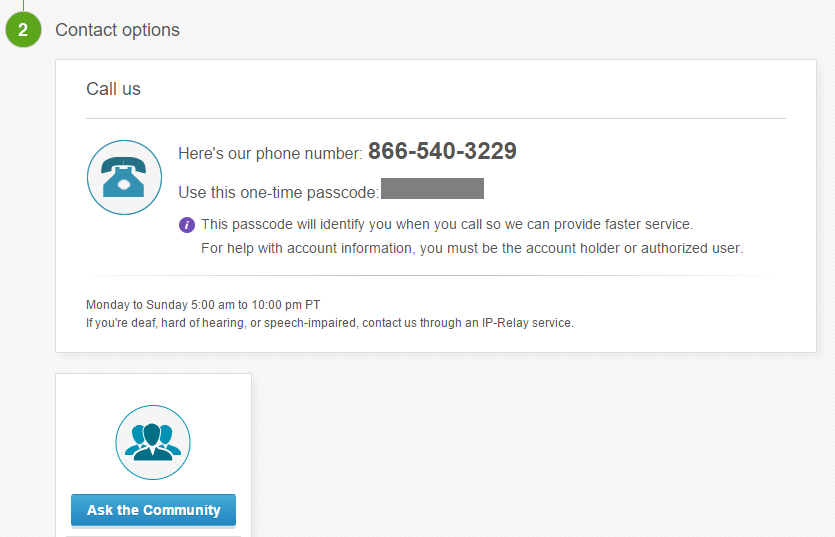
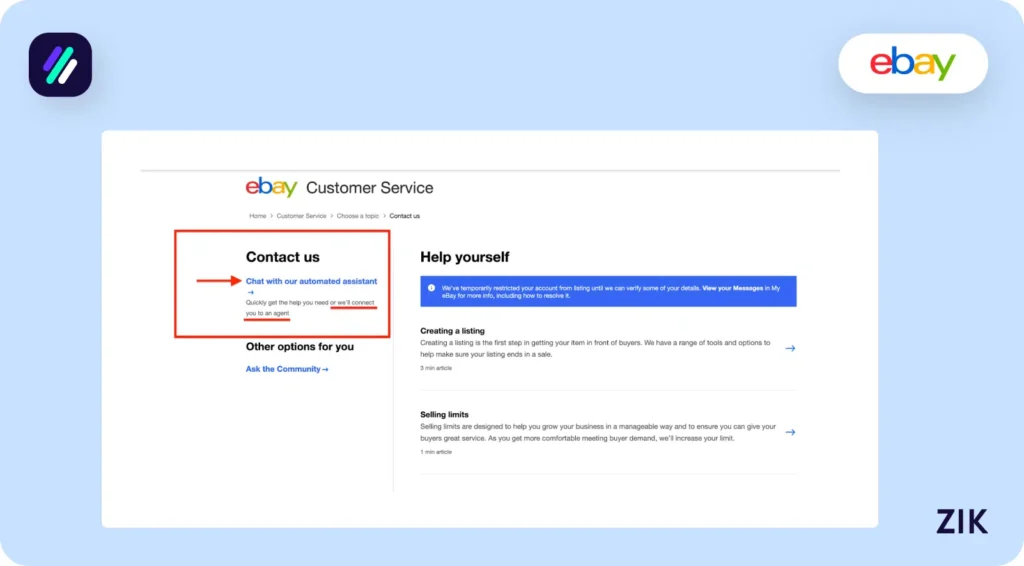
This emphasis on digital resolution extends to their contact options. Instead of prominently displaying a single, static phone number, eBay often provides context-specific contact methods. This means the option to call may only become visible after you’ve thoroughly described your issue through a series of prompts, allowing eBay to determine if a phone call is indeed the most appropriate and efficient support channel for your specific situation. This dynamic approach aims to route calls to the most qualified agent, minimizing transfer times and improving resolution rates, but it requires the user to engage with the digital interface strategically.
Step-by-Step: Unlocking the Direct Phone Line
While eBay’s system is designed to guide you through digital channels, there are specific steps you can take to access a direct phone conversation when necessary. This process is less about brute-force searching for a hidden number and more about understanding the logical flow eBay expects you to follow.
Accessing the Help & Contact Section
Your journey always begins on the eBay website or through their mobile app. Log in to your account, as personalized support options are often tied to your account status and recent activities. Locate the “Help & Contact” link, typically found at the top or bottom of the eBay homepage. This portal is your gateway to all support options.
Once in the “Help & Contact” section, you’ll be presented with various common topics and a search bar. Resist the urge to immediately type “call customer service.” Instead, think about the nature of your problem.
Identifying Your Issue for Tailored Support
eBay’s system is built on problem categorization. To get to a phone option, you must first accurately describe your issue. For example, if you have a problem with a recent purchase, navigate to “Buying” > “Resolving issues with sellers” or “Item not received.” If it’s an account-related query, go to “Account” > “Security & Privacy.”
As you click through these categories, eBay will present you with relevant articles and FAQs. Even if you’ve already tried these solutions, engaging with these steps is crucial. Often, after you’ve gone through a few layers of self-help options, the system will recognize that your issue might require human intervention.
Requesting a Call-back vs. Finding a Direct Number
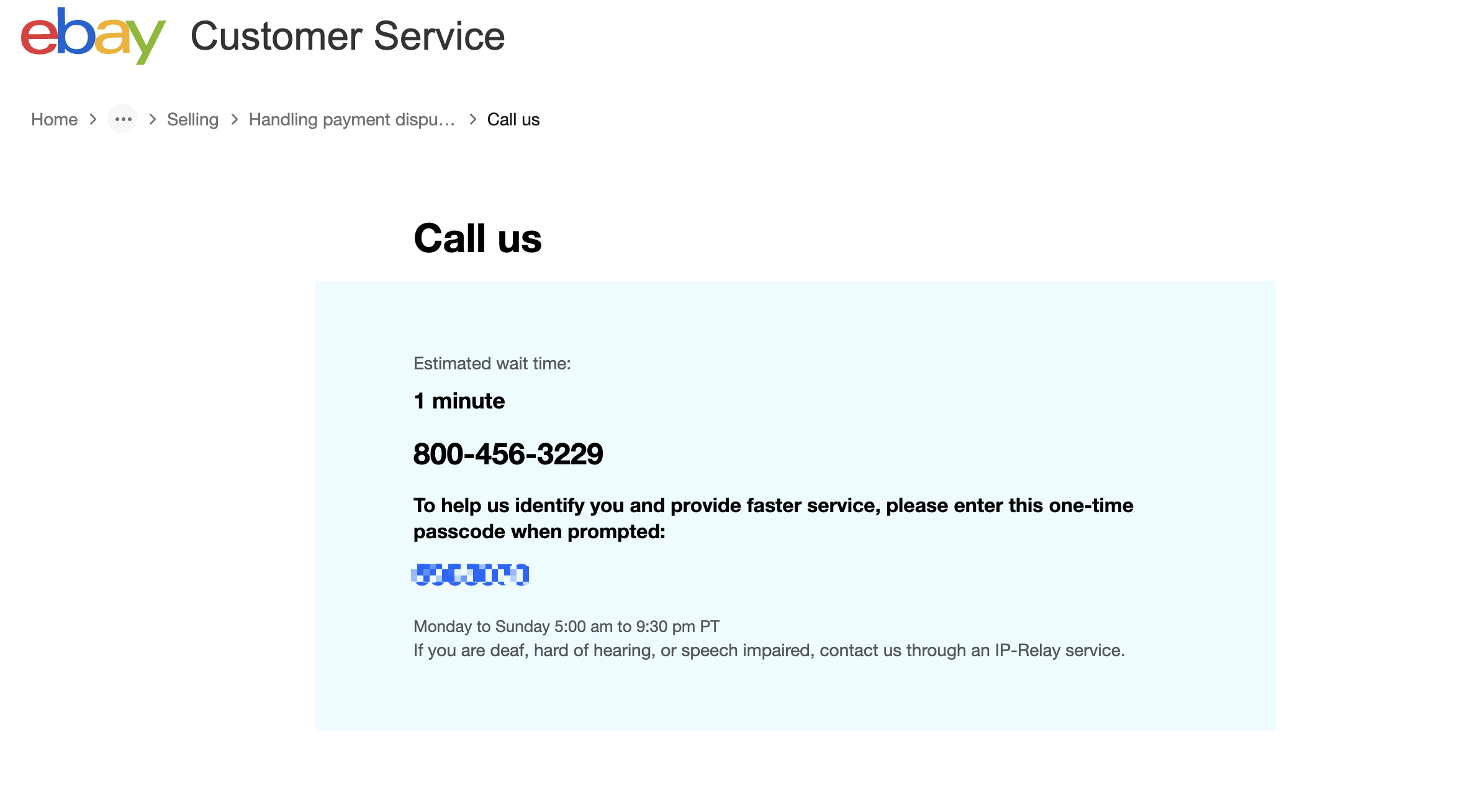
For many complex issues, eBay prefers to offer a “Call us” or “Have us call you” option rather than displaying a static, direct phone number. This call-back feature is designed for efficiency: you provide your phone number, and an eBay representative calls you back, often reducing your wait time and ensuring you’re connected to an agent specializing in your type of issue.
To find this:
- Navigate through the “Help & Contact” categories, drilling down to the specific issue you’re facing.
- After reviewing the suggested articles, look for a button or link that says something like “Contact us,” “Need more help?,” or “Call us.”
- If a direct call-back option is available, you’ll typically be prompted to enter your phone number and potentially a brief description of your issue. eBay will then give you an estimated wait time for the call-back.
- Ensure your phone is available and ready to receive the call.
What to Do If the Phone Option Isn’t Visible
Sometimes, even after carefully navigating through the categories, the phone option remains elusive. This can happen if eBay believes your issue is fully resolvable through self-service or other digital channels (like live chat).
If you’re still stuck:
- Refine Your Search: Try describing your problem differently in the search bar within the “Help & Contact” section. Sometimes, slightly altering keywords can lead you to a different set of options.
- Broaden Your Category: If a specific sub-category isn’t yielding a phone option, try going back to a broader category. For instance, if “Return an item” isn’t working, try “Buying” and see if a general “Contact us” appears there.
- Check Operating Hours: Direct phone support often has specific operating hours. If you’re trying to contact them outside these times, the option might not be available.
- Utilize Live Chat First: If a live chat option appears but no phone option, sometimes initiating a chat and explaining your need for a phone call can lead the chat agent to provide the necessary escalation or a direct call-back link.
- Consider a ‘General Inquiry’: In rare cases, if your issue doesn’t fit neatly into a category and you absolutely need to speak to someone, you might navigate towards a more general “Other” or “Account Issues” section, which sometimes broadens the contact options.
Optimizing Your Call: Best Practices for Technical Resolution
Once you’ve successfully navigated the digital channels and secured a phone conversation, the quality of your preparation and communication becomes paramount. Treating this interaction as a technical support session will significantly improve your chances of a quick and effective resolution.
Preparing Before You Dial
Before the eBay representative calls you back, gather all relevant information. This is critical for any technical or account-related issue:
- Account Details: Your eBay username and registered email address. Have your security answers or other verification details ready, as you’ll likely need to confirm your identity.
- Item Numbers: For issues related to specific listings, purchases, or sales, have the 12-digit item number(s) readily available.
- Transaction IDs: For payment-related problems, have PayPal transaction IDs or other payment gateway identifiers.
- Error Messages: If you encountered a technical glitch, write down the exact error message or code. Screenshots, while not directly shareable on a call, can help you remember details.
- Dates and Times: When did the issue occur? When did you attempt to resolve it? Specific timelines are invaluable.
- Previous Interactions: If you’ve already contacted support via chat or email, have reference numbers from those interactions.
- Device Information: If the problem is specific to the eBay app, note your device model and operating system version.
Articulating Your Problem Clearly
When the agent calls, state your issue clearly and concisely. Avoid emotional language and stick to the facts. Think of it as reporting a bug or a system anomaly:
- Start with a summary: “I’m calling about an issue with a specific listing not appearing in search results, despite being active.”
- Provide context: “This started happening after I revised the listing on [date/time].”
- Detail the steps taken: “I’ve already tried clearing my browser cache and trying a different browser/device, but the problem persists.”
- Explain the impact: “This is preventing potential buyers from finding my item, leading to lost sales.”
- Be specific: Refer to item numbers or specific functions that aren’t working as expected.
Documenting Your Interaction
Throughout the call, act like a diligent troubleshooter. Take notes on:
- Agent’s Name and ID: Always ask for the representative’s first name and, if available, their employee ID or a case reference number.
- Summary of Discussion: Briefly jot down the key points discussed and the diagnosis of your problem.
- Proposed Solution: What steps will the agent take? Is there a technical fix being applied?
- Next Steps: What do you need to do next? What follow-up should you expect?
- Timelines: When can you expect the issue to be resolved or to hear back?
This documentation is crucial, especially for complex or persistent issues. If you need to call back, having this information prevents you from having to repeat your story from scratch and ensures continuity of service.
Utilizing Follow-Up Options (Email/Chat)
Sometimes, a phone call might initiate a process that requires further digital interaction. The agent might ask you to send an email with screenshots or direct you to a specific chat link for a technical team. Be prepared to seamlessly transition between these channels, leveraging the strengths of each for a comprehensive resolution. The goal is to resolve the underlying technical or operational issue, not just to complete a phone call.
Beyond the Phone: Alternative Tech Support Channels on eBay
While the focus here is on accessing phone support, it’s vital to recognize and utilize eBay’s other robust tech support channels. Often, these alternatives can provide quicker solutions for common problems or offer documentation that a phone call might not.
The eBay Help Pages and Community Forums
For a vast array of technical queries, user guides, and common troubleshooting steps, eBay’s Help Pages are an indispensable first stop. They are meticulously organized and searchable, often providing immediate answers to questions about site features, listing tools, payment processing, or account settings.
Beyond the official guides, the eBay Community Forums are a powerful resource. Here, experienced buyers, sellers, and even eBay staff actively engage, sharing solutions, tips, and workarounds for various platform-related issues. If you encounter a niche technical glitch or need advice on optimizing a specific feature, a quick search of the forums often reveals solutions already discovered and documented by other users facing similar challenges. This peer-to-peer support can often be faster and more practical than waiting for official support.
Virtual Assistant and Live Chat
eBay’s virtual assistant, typically found within the “Help & Contact” section, is an AI-driven chatbot designed to understand your query and direct you to the most relevant information or contact option. While it might feel like another barrier to human interaction, it’s particularly effective for:
- Quick answers to common questions: “How do I print a shipping label?” or “What’s eBay’s return policy?”
- Account lookups: Checking recent activity or status updates.
- Initial problem triage: Guiding you towards the correct category for human support.
Live Chat, when available, offers a real-time text-based interaction with a human agent. This can be an excellent option for issues that are too complex for the virtual assistant but don’t necessarily require a phone call. It allows for easy sharing of links, item numbers, and even short descriptions of technical issues without the need for verbal articulation. Many users find chat more convenient for multi-tasking and for having a written transcript of the interaction.
Social Media Support
While less direct for complex technical issues, eBay does maintain an active presence on various social media platforms (e.g., X/Twitter, Facebook). For general inquiries, reporting widespread site issues, or expressing frustration that requires public visibility, reaching out via social media can sometimes yield a response. However, for account-specific problems requiring personal data, you’ll almost always be redirected to the secure channels within the eBay website or app for privacy reasons. It’s best used for broad system outages or general feedback rather than individual technical support.
Conclusion
Navigating eBay’s customer service in the digital age requires a blend of technological literacy, strategic thinking, and patience. The days of simply dialing a number are largely behind us, replaced by a sophisticated, multi-layered support infrastructure designed for efficiency and scale. By understanding eBay’s digital-first philosophy, meticulously preparing your information, and strategically engaging with their self-service tools before escalating to a direct phone call, you empower yourself to resolve issues far more effectively.
Remember that eBay’s design aims to guide you toward the most appropriate solution, whether that’s a comprehensive article, a chat with an AI, or a direct conversation with a specialized agent. Mastering these pathways not only saves you time and frustration but also positions you as a more adept user of one of the world’s largest and most dynamic online marketplaces. With this comprehensive guide, you are now equipped to confidently tackle any support challenge, ensuring your eBay experience remains as smooth and profitable as possible.
aViewFromTheCave is a participant in the Amazon Services LLC Associates Program, an affiliate advertising program designed to provide a means for sites to earn advertising fees by advertising and linking to Amazon.com. Amazon, the Amazon logo, AmazonSupply, and the AmazonSupply logo are trademarks of Amazon.com, Inc. or its affiliates. As an Amazon Associate we earn affiliate commissions from qualifying purchases.