
In the contemporary landscape of digital finance, the ability to monitor your liquidity in real-time is not just a convenience—it is a fundamental pillar of fiscal responsibility. PayPal has evolved from a simple peer-to-peer payment processor into a comprehensive financial ecosystem that serves as a primary bank alternative for millions of freelancers, entrepreneurs, and casual consumers. Understanding how to check your balance, interpret the nuances of pending funds, and integrate this data into your broader financial strategy is essential for anyone operating in the modern economy.
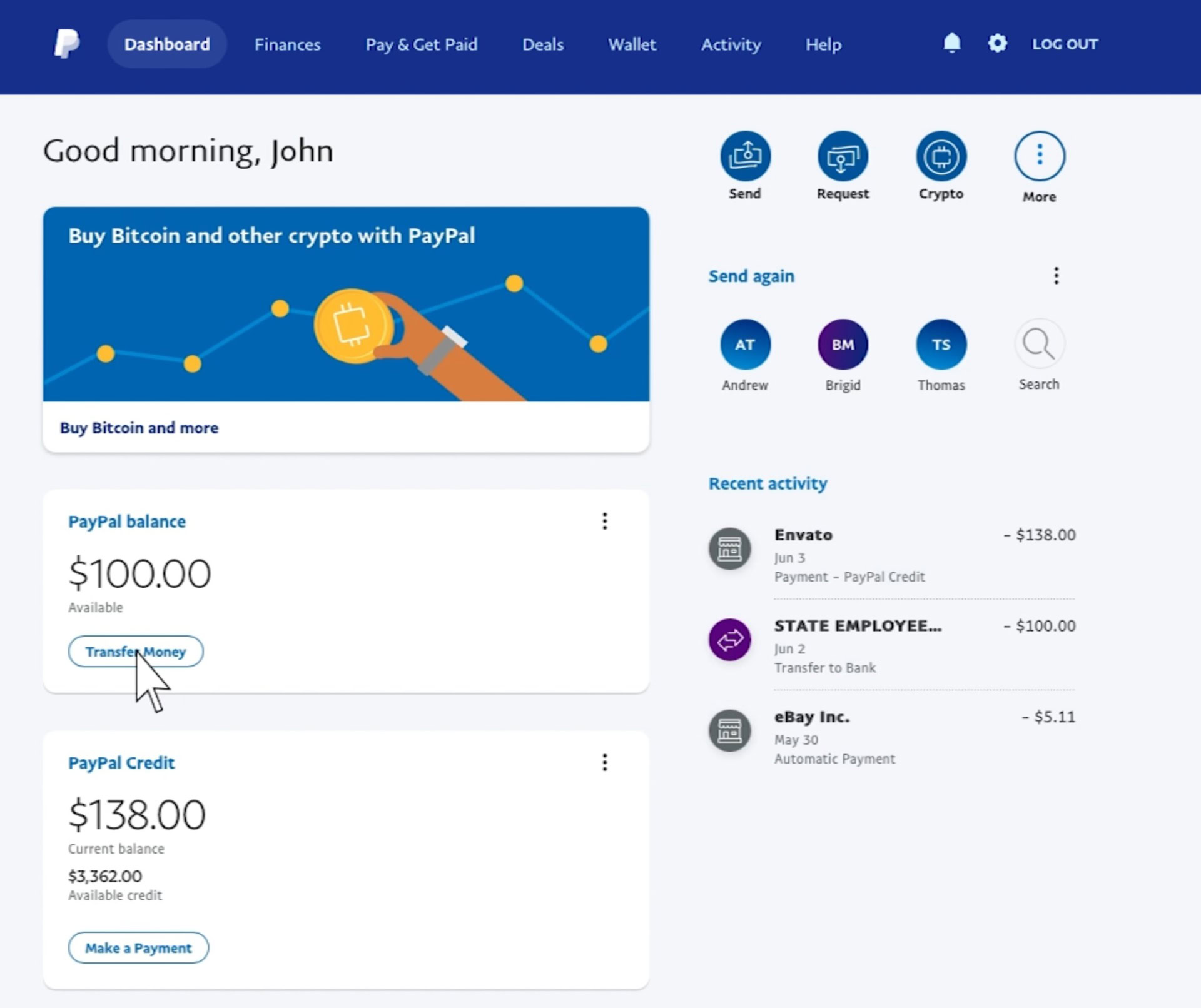
This guide provides a deep dive into the various methods of accessing your PayPal balance across different platforms, while offering professional insights into managing your digital assets effectively.
1. The Role of Digital Wallets in Modern Personal Finance
The transition from physical currency to digital ledgers has fundamentally altered how we perceive and interact with money. PayPal, as a pioneer in this space, acts as a “digital wallet” that bridges the gap between traditional banking and online commerce. Unlike a traditional bank account where transactions might take days to settle, PayPal offers a level of immediacy that requires a proactive approach to balance monitoring.
Understanding the PayPal Ecosystem
To manage your money effectively, you must first understand what the PayPal balance represents. It is not merely a number on a screen; it is a representation of your immediately available liquidity. Within the PayPal ecosystem, your balance can be composed of various “pots” of money, including personal holdings, business revenue, and even rewards points. For those utilizing PayPal for online income or side hustles, this balance often serves as the “holding tank” before funds are swept into high-yield savings accounts or used for business reinvestment.
Why Real-Time Balance Monitoring Matters
In the realm of personal finance, “leakage”—the small, unmonitored expenses that drain wealth—is a primary concern. Because PayPal is often linked to subscriptions, automatic renewals, and “one-click” checkout systems, failing to check your balance regularly can lead to unexpected overdrafts or the unintentional depletion of funds intended for other purposes. Professional financial management dictates that one should view their PayPal balance at least twice a week to reconcile recent activities against their monthly budget.
2. Navigating the Interface: Step-by-Step Balance Verification
Depending on your lifestyle—whether you are a mobile-first digital nomad or a desk-bound professional—the method you use to check your balance will vary. PayPal has streamlined its user interface (UI) to ensure that financial data is accessible within seconds of authentication.
Checking Your Balance via the PayPal Mobile App
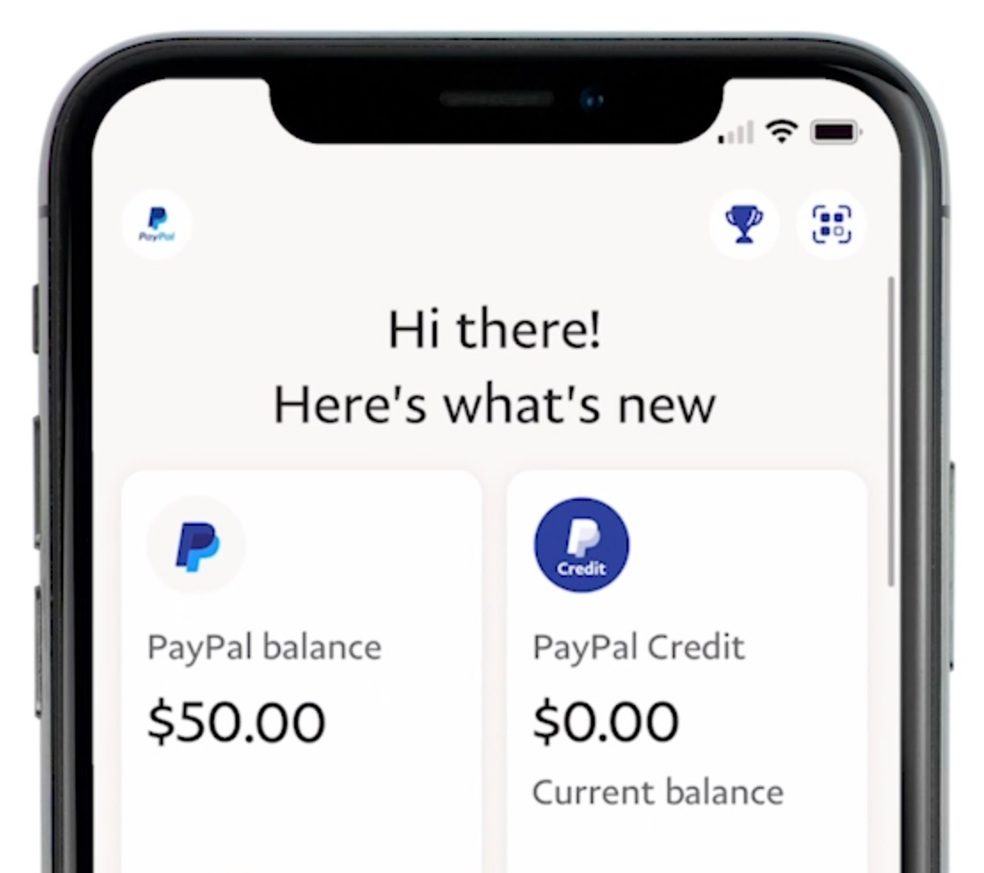
For most users, the mobile app is the primary touchpoint for financial monitoring. To check your balance:
- Biometric Authentication: Open the app and use FaceID, fingerprint, or your PIN to log in. In the world of digital money, security is the first step of any transaction.
- The Home Dashboard: Once logged in, your “PayPal Balance” is prominently displayed at the top of the “Home” screen. This figure represents your “Available” funds.
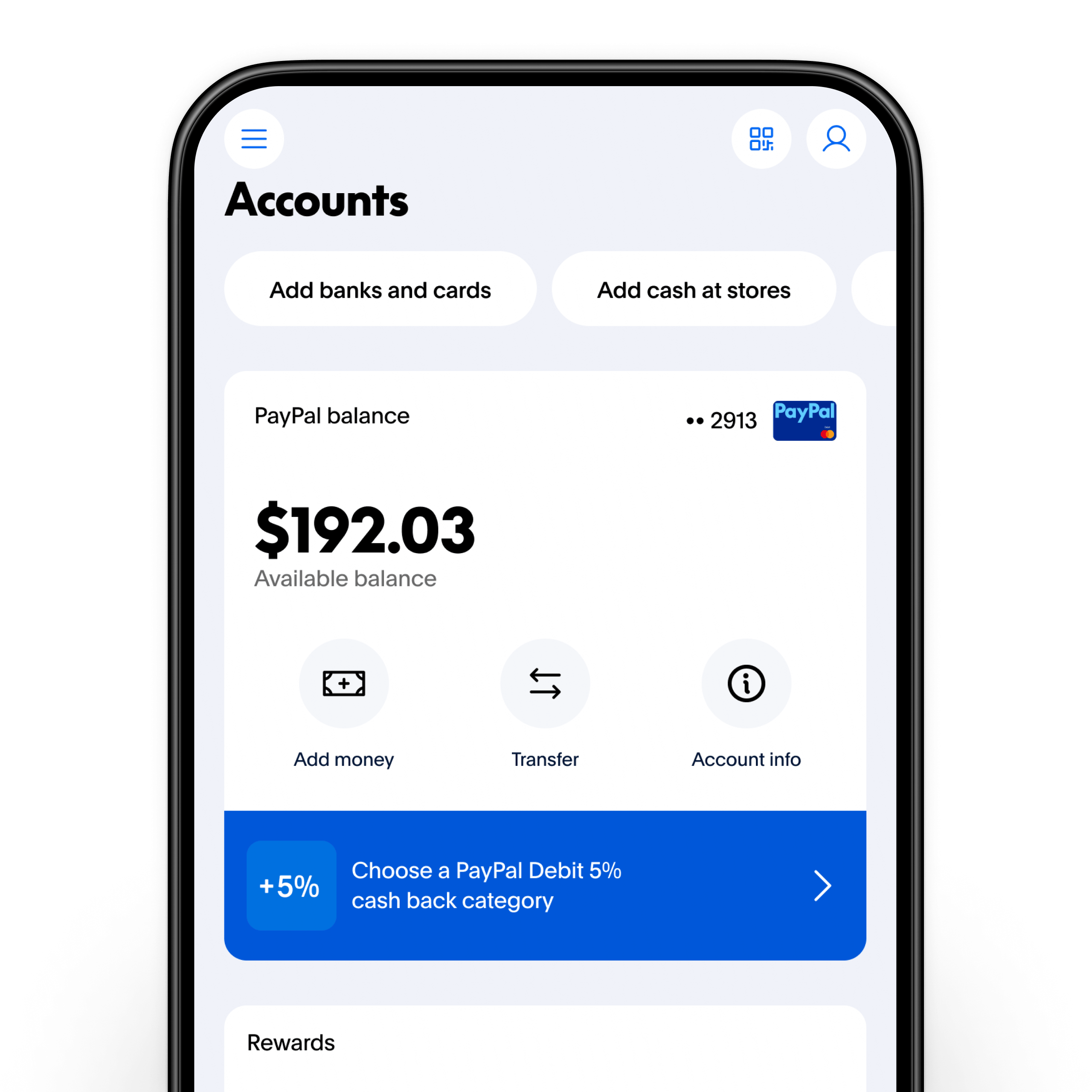
- Detailed Breakdown: By tapping on the balance, you can see a breakdown of different currencies if you hold funds in multiple denominations (e.g., USD, EUR, or GBP). This is crucial for international freelancers who need to time their currency conversions to take advantage of favorable exchange rates.
Desktop Navigation for Business and Personal Accounts
For those performing deep-dive financial reconciliations, the desktop browser version offers a more robust view of your financial standing.
- Login and Overview: After navigating to the official PayPal website and logging in, your balance is located on the left-hand side of the summary page.
- Wallet Management: Clicking on the “Wallet” tab at the top of the page provides a comprehensive look at your linked bank accounts, credit cards, and your liquid PayPal balance.
- Business Insights: If you operate a PayPal Business account, the interface provides additional metrics, such as “Money In” vs. “Money Out” over the last 30 days. This allows for immediate visual confirmation of your cash flow trends.
Utilizing the PayPal Cash Card and SMS Inquiries
For users who prefer offline methods or quick-glance updates, PayPal offers alternative ways to verify funds.
- The PayPal Cash Card: If you possess the physical debit card, you can check your balance at any supported ATM, though be mindful of potential inquiry fees that can chip away at your capital.
- SMS Updates: By enabling “PayPal Text” in your settings, you can send a short code (such as “BAL”) to PayPal’s dedicated number to receive an instant text message with your current balance. This is an excellent tool for those traveling in areas with limited data connectivity but active cellular service.
3. Interpreting Financial Data and Security Protocols
A common point of confusion for many users is the discrepancy between what they expect to have and what the balance shows. Understanding the technical and financial reasons for these differences is key to maintaining peace of mind.
Why Your Balance Might Look Different (Pending Transactions)
In the world of online income, “Total Balance” and “Available Balance” are two different metrics.
- Pending Funds: If you are a new seller or have a high-value transaction, PayPal may place a temporary hold on your funds for security purposes. While these appear in your account history, they are not part of your “Available Balance” for spending or withdrawal.
- Authorization Holds: When you book a hotel or rent a car using PayPal, the merchant may place an authorization hold. This reduces your available balance even though the money hasn’t technically left your account yet. Recognizing these nuances prevents the “phantom money” trap where a user spends funds that are already earmarked for other obligations.
Security Protocols for Financial Privacy
Checking your balance is a sensitive action. To protect your financial data, ensure you are practicing “Digital Hygiene.” Always use a Virtual Private Network (VPN) if checking your balance on public Wi-Fi, and never share your login credentials. PayPal will never ask you for your balance via email or unsolicited phone calls. If you notice a balance discrepancy, the “Resolution Center” is your primary tool for flagging unauthorized transactions and protecting your net worth.
4. Optimizing Your Online Income and Transfers
Once you have mastered the art of checking your balance, the next step in professional money management is optimizing how that balance is moved and utilized.
Managing Multiple Currencies
For the global entrepreneur, a PayPal balance is often a multi-currency portfolio. Checking your balance is the first step in “Currency Arbitrage.” By monitoring the fluctuations in the “Wallet” section, you can choose to hold your balance in a stronger currency and only convert it when the market is in your favor. This strategic patience can lead to a 1–3% increase in realized income over the course of a fiscal year.
Instant Transfer vs. Standard Withdrawal Strategies
Your PayPal balance is only as useful as its accessibility.
- Standard Transfers: These are typically free and take 1–3 business days. This is the preferred method for disciplined budgeters who plan their cash flow in advance.
- Instant Transfers: For a small percentage fee, you can move your PayPal balance to a linked debit card within minutes. While convenient, the professional approach to money management suggests using this sparingly, as repeated fees can erode your profit margins significantly over time.
5. Integrating PayPal into Your Broader Financial Strategy
The ultimate goal of tracking your PayPal balance is to ensure it aligns with your overarching financial goals, whether that is debt reduction, investment, or building an emergency fund.
Using Transaction History for Budgeting
Checking your balance is a snapshot; checking your transaction history is a story. PayPal allows you to download detailed CSV or PDF reports of your financial activity. By importing this data into budgeting software like You Need A Budget (YNAB) or Mint, you can categorize your spending and identify areas where your digital cash is being underutilized. For business owners, this historical data is indispensable for tax preparation and verifying deductible business expenses.
The Future of Digital Liquidity
As we look toward the future, the concept of a “balance” is expanding to include digital assets like cryptocurrency, which can now be held and monitored directly within the PayPal interface. The professional investor views their PayPal account not just as a place to pay for groceries, but as a dynamic component of their asset allocation. By regularly checking and rebalancing these funds, you ensure that your digital wealth is working as hard as possible.
In conclusion, checking your PayPal balance is the gateway to proactive financial management. By mastering the tools provided—from the mobile app to detailed desktop reporting—and understanding the underlying financial mechanics of pending holds and currency conversions, you position yourself as a savvy participant in the digital economy. Treat your digital wallet with the same rigor as a traditional investment portfolio, and you will find that “checking your balance” becomes the first step toward building lasting financial security.
aViewFromTheCave is a participant in the Amazon Services LLC Associates Program, an affiliate advertising program designed to provide a means for sites to earn advertising fees by advertising and linking to Amazon.com. Amazon, the Amazon logo, AmazonSupply, and the AmazonSupply logo are trademarks of Amazon.com, Inc. or its affiliates. As an Amazon Associate we earn affiliate commissions from qualifying purchases.