
The transition from traditional linear broadcasting to Internet Protocol-based delivery has fundamentally restructured the global media landscape. “Cord-cutting” is no longer a niche trend for early adopters; it is the standard for modern media consumption. However, the move away from coaxial cables and satellite dishes toward digital streaming requires a nuanced understanding of hardware, software, and networking infrastructure. To successfully stream TV in the current era, one must navigate a complex ecosystem of devices, delivery protocols, and optimization techniques.
This guide explores the technical components necessary to build a robust streaming environment, ensuring high-fidelity playback, seamless connectivity, and a secure viewing experience.
Understanding the Streaming Hardware Ecosystem
The physical interface between the user and the content is the first pillar of the streaming experience. While most modern screens are “smart,” the internal processing power and software longevity of these devices vary significantly.
Dedicated Streaming Devices and Microconsoles
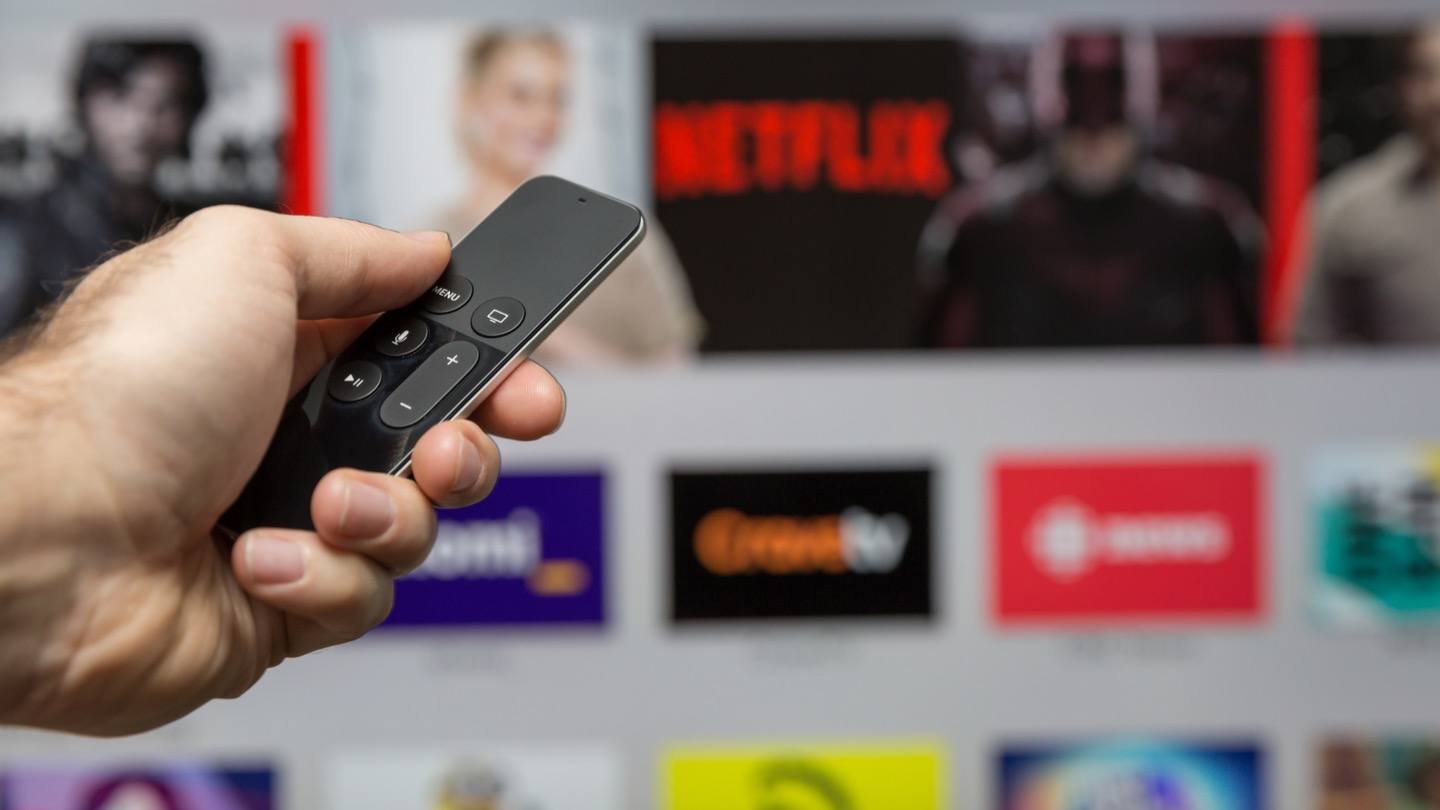
For many users, a dedicated streaming stick or box—such as an Apple TV 4K, Roku Ultra, or Amazon Fire TV Stick—offers a superior experience compared to built-in TV apps. These devices are equipped with specialized System-on-a-Chip (SoC) architectures designed specifically for video decoding. High-end devices often feature superior RAM and more frequent firmware updates, which are critical for supporting new video codecs like AV1 or high-dynamic-range (HDR) standards like Dolby Vision and HDR10+.
Microconsoles also provide the benefit of ecosystem integration. For example, an Apple TV integrates seamlessly with HomeKit and AirPlay, while an Nvidia Shield TV utilizes AI-upscaling technology to enhance lower-resolution content using a Tegra X1+ processor.
The Rise of Integrated Smart TV Operating Systems
Most televisions sold today come pre-installed with a smart operating system (OS). Major manufacturers utilize proprietary or licensed platforms: Samsung uses Tizen, LG utilizes webOS, and brands like Sony and Hisense often opt for Google TV.
The advantage of these integrated systems is convenience; there is no need for additional cables or remote controls. However, the technical limitation often lies in the hardware’s lifecycle. While a TV panel might last ten years, the internal processor may become sluggish within three years as apps become more resource-intensive. For a future-proof setup, users often pair a high-quality display panel with an external streaming peripheral that can be easily upgraded.
Gaming Consoles as Media Hubs
The PlayStation 5 and Xbox Series X/S are powerful media centers. Beyond gaming, these consoles support nearly all major streaming applications and offer some of the most robust networking hardware available, including Wi-Fi 6 support and Gigabit Ethernet ports. For users who already own these consoles, they serve as an excellent entry point into high-bitrate 4K streaming without the need for additional hardware.
Navigating the Software Landscape: SVOD, AVOD, and FAST
Once the hardware is established, the next layer is the software environment. The streaming world is categorized by how content is delivered and monetized, which dictates the user interface and the technical quality of the stream.
Subscription Video on Demand (SVOD) Architectures
SVOD services like Netflix, Disney+, and Max are the heavyweights of the industry. Technically, these platforms rely on massive Content Delivery Networks (CDNs) to cache data geographically close to the user. This minimizes latency and “buffer bloat.”
When you select a movie on an SVOD platform, the software performs an instantaneous “handshake” with your device to determine its maximum resolution and HDR compatibility. High-end SVOD tiers often utilize “Adaptive Bitrate Streaming” (ABR). This technology monitors your internet speed in real-time and adjusts the video quality dynamically; if your bandwidth drops, the software switches to a lower bitrate stream to prevent playback from stopping entirely.
Free Ad-Supported Streaming TV (FAST) and Hybrid Models
In recent years, the industry has seen a resurgence of “linear-style” viewing through FAST services like Pluto TV, Tubi, and the Roku Channel. These platforms mimic the traditional cable experience by offering “channels” that run on a schedule.
From a technical standpoint, FAST services use server-side ad insertion (SSAI). Unlike traditional web ads that might cause a loading spinner, SSAI stitches the advertisement directly into the video stream at the server level. This creates a seamless transition between the show and the commercial, mimicking the professional broadcast feel of traditional television.
Optimizing Your Network for High-Definition Streaming
The most common bottleneck in streaming TV is not the device or the service, but the local network. Streaming high-resolution video is one of the most data-intensive tasks a home network can perform.
Bandwidth Requirements and Data Management
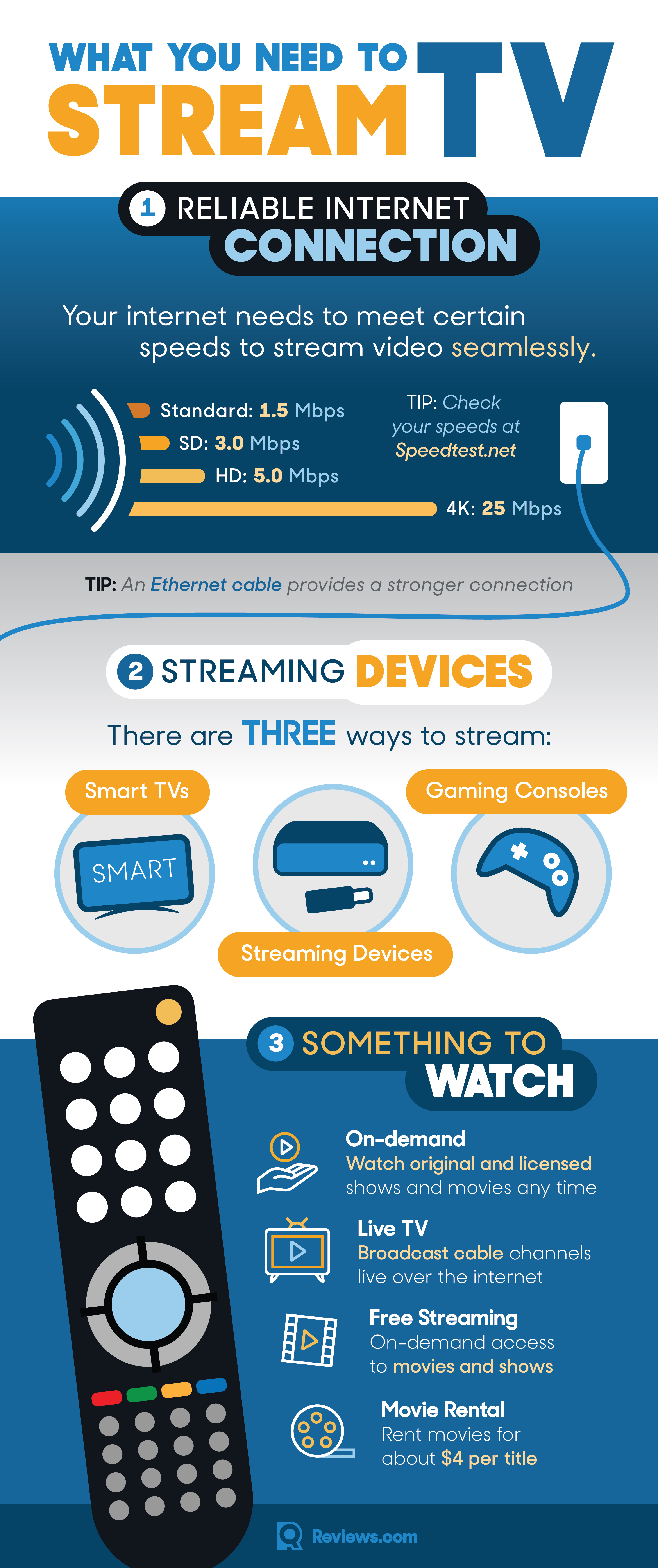
To stream content effectively, your internet service provider (ISP) must meet specific speed thresholds.
- Standard Definition (SD): 3 Mbps
- High Definition (HD/1080p): 5–10 Mbps
- Ultra High Definition (4K/UHD): 25 Mbps or higher
It is important to remember that these requirements are per stream. If a household has three different 4K streams running simultaneously, a minimum of 75 Mbps of dedicated bandwidth is required. Furthermore, many ISPs impose data caps. A 4K stream can consume up to 7GB of data per hour; users who stream heavily may need to monitor their consumption to avoid “throttling,” where the ISP intentionally slows down the connection once a certain limit is reached.
Enhancing Connectivity with Mesh Networks and Ethernet
While Wi-Fi is convenient, it is susceptible to interference from walls, furniture, and other electronic devices. For the most stable 4K or 8K experience, a hardwired Ethernet connection (Cat6 or higher) is the gold standard. It provides a dedicated pipeline with minimal latency (ping).
If wiring your home is not an option, upgrading to a Mesh Wi-Fi system (like Eero or Google Nest Wifi) is the next best solution. Mesh systems use multiple nodes to create a “blanket” of coverage, ensuring that your streaming device receives a strong signal even if it is far from the main router. Furthermore, prioritizing your streaming device through “Quality of Service” (QoS) settings in your router’s software can ensure that video traffic is given priority over background downloads or system updates.
Security and Privacy in the Age of Connected Media
As streaming devices become more integrated into our homes, they also become potential points of vulnerability. Managing digital security is an essential part of the modern streaming setup.
Managing Digital Rights and Geo-Restricted Content
Digital Rights Management (DRM) is the technology used by services to protect their content from piracy. Tools like Widevine (Google) or FairPlay (Apple) run in the background to ensure that the content is being played on authorized hardware.
However, users often encounter “geo-blocking,” where content is restricted based on the user’s IP address. To navigate this while maintaining security, many tech-savvy viewers use a Virtual Private Network (VPN). A VPN encrypts your data and allows you to mask your location. When choosing a VPN for streaming, it is vital to select one with high-speed protocols (like WireGuard) to ensure the encryption process doesn’t cause buffering.
Securing Your Smart Home IoT Devices
Smart TVs and streaming sticks are technically Internet of Things (IoT) devices. They often collect data on viewing habits and, in some cases, have microphone access for voice commands. To enhance privacy:
- Disable “Automatic Content Recognition” (ACR): This feature tracks what is on your screen to serve targeted ads.
- Use a Guest Network: Many modern routers allow you to create a secondary Wi-Fi network. Keeping your streaming devices on a separate network from your primary computer or NAS (Network Attached Storage) adds a layer of security against potential exploits.
- Firmware Updates: Always keep your streaming device software up to date to patch security vulnerabilities.
The Future of Streaming: AI, 8K, and Beyond
The technology behind streaming continues to evolve at an exponential rate. We are currently transitioning into an era where artificial intelligence and advanced compression are redefining what is possible on a standard home connection.
Machine Learning in Personalization and Content Delivery
AI tools are now used at both ends of the streaming pipeline. On the server side, AI-driven encoding allows services to compress video more efficiently without losing detail, making 4K streaming possible on slower connections. On the user side, recommendation engines use machine learning to analyze thousands of data points—viewing time, genre preferences, and even the time of day—to curate a personalized “home screen.”
The Roadmap to 8K and Cloud Integration
While 4K is the current standard, 8K technology is on the horizon. Streaming 8K content requires roughly 50–100 Mbps, which will necessitate the wider adoption of Wi-Fi 7 and 5G home internet.
Additionally, we are seeing a convergence of TV streaming and cloud gaming. Services like Xbox Cloud Gaming are being integrated directly into smart TV interfaces, allowing users to stream high-end video games just as easily as they stream a movie. This shift suggests a future where the “TV” is no longer just a display for video, but a thin-client interface for a vast array of cloud-based computational services.
By understanding the hardware requirements, the software ecosystems, and the networking demands of the digital age, viewers can move beyond the limitations of traditional cable and embrace a high-performance, personalized, and secure “How to Stream TV” strategy.
aViewFromTheCave is a participant in the Amazon Services LLC Associates Program, an affiliate advertising program designed to provide a means for sites to earn advertising fees by advertising and linking to Amazon.com. Amazon, the Amazon logo, AmazonSupply, and the AmazonSupply logo are trademarks of Amazon.com, Inc. or its affiliates. As an Amazon Associate we earn affiliate commissions from qualifying purchases.