
In the rapidly evolving landscape of fintech and mobile software, Google Pay (now often integrated within the Google Wallet ecosystem) stands as a cornerstone of the Android experience. As physical currency becomes increasingly secondary to digital transactions, understanding the technical nuances of Google’s payment infrastructure is essential for any modern smartphone user. This guide provides an in-depth exploration of how to configure, secure, and optimize Google Pay on the Android platform, moving beyond simple “tap-to-pay” mechanics into the robust technological framework that powers your digital wallet.
Setting Up the Infrastructure: Requirements and Initial Configuration
Before diving into the world of contactless payments, it is vital to ensure that your hardware and software environment meet the necessary technical specifications. Google Pay is not a standalone island; it relies on a specific synergy between your Android OS and the device’s internal components.
Device Compatibility and Hardware Requirements
The primary hardware requirement for in-store Google Pay transactions is Near Field Communication (NFC). NFC is a short-range wireless technology that allows for data exchange between devices within a 4cm radius. To check if your Android device is compatible, navigate to Settings > Connected Devices > Connection Preferences. If NFC is listed, your device is equipped for contactless payments.
On the software side, Google Pay generally requires Android 7.0 (Nougat) or higher. Furthermore, for security reasons, the device must not be “rooted” or running a custom ROM with an unlocked bootloader, as these states compromise the integrity of the Trusted Execution Environment (TEE) required to store sensitive payment tokens.
Installation and Google Account Integration
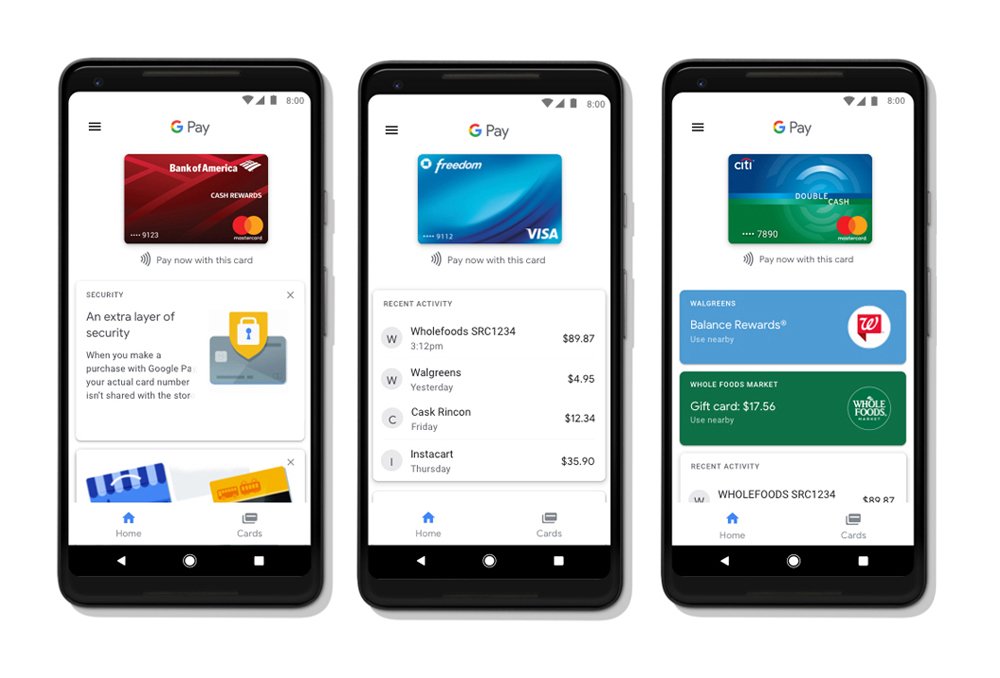
While many modern Android devices come with the app pre-installed, it can be downloaded via the Google Play Store. Once installed, the app leverages your primary Google Account. This integration is crucial because it allows for cross-platform synchronization; payment methods added on your Android phone will, in many cases, be available for use in the Google Chrome browser and other Google-integrated services. During the initial setup, the app will prompt you to set a screen lock—a non-negotiable security feature required to utilize the app’s payment capabilities.
Adding and Verifying Payment Methods
To add a card, you can either scan the physical card using your device’s camera or enter the details manually. Technically, what happens next is a background “handshake” between Google, your bank, and the card network (Visa, Mastercard, etc.). Your bank will usually require a Multi-Factor Authentication (MFA) step, such as an SMS code or an email verification, to authorize the digital digitization of the card. Once verified, the card is ready for use, but it is important to note that the card stored in the app is not the “actual” card number, but a digital representation known as a token.
Mastering Transaction Mechanics: In-Store and Online
The true power of Google Pay lies in its versatility. It transitions seamlessly from the physical point-of-sale (POS) terminal to the digital checkout of an e-commerce application.
The Mechanics of “Tap to Pay” via NFC
Using Google Pay in a retail environment is a masterclass in software efficiency. When you bring your phone near an NFC-enabled terminal, the device wakes the Google Pay service. You do not necessarily need to have the app open; you simply need to unlock your phone (depending on the transaction amount and local regulations).
The phone communicates with the terminal using the Host Card Emulation (HCE) architecture. HCE allows the Android OS to mimic a physical smart card, transmitting a one-time cryptographic code and a virtual account number (token) to the merchant. This ensures that your actual credit card number is never broadcast over the airwaves, providing a layer of security far superior to the traditional magnetic stripe.
E-commerce and In-App Integration
Google Pay streamlines the online shopping experience by acting as a centralized repository for payment data. When you encounter a “Buy with Google Pay” button on a website or within an app, the software invokes an API that securely passes your shipping information and a payment token to the merchant.
For the user, this eliminates the need to manually enter long card numbers and billing addresses on a mobile keyboard. Technically, this is achieved through the Google Pay API, which developers integrate into their apps to request payment credentials from the user’s Google Wallet in a secure, encrypted format.
Peer-to-Peer (P2P) Payments
In certain regions, Google Pay includes a robust P2P payment system. This feature allows users to send and receive money directly to and from contacts using their bank account or Google Pay balance. Unlike NFC transactions, P2P payments are handled through the Google Pay servers, acting as an intermediary to facilitate the transfer of funds between financial institutions. Users can also create groups to split bills, where the app calculates individual shares and sends automated requests to each participant.
Advanced Security Protocols and Data Privacy
In the tech world, convenience is often viewed as the enemy of security. However, Google Pay utilizes several sophisticated layers of protection to ensure that digital payments are significantly safer than carrying a physical wallet.
Tokenization: Protecting Your Primary Account Number (PAN)
The most critical security feature of Google Pay is tokenization. When you add a card to the app, Google creates a Virtual Account Number (also known as a token or a Digital Primary Account Number). When you make a payment, the merchant only receives this token, not your actual card details. If a merchant’s database is ever breached, the stolen tokens are useless to hackers because they are device-specific and require a unique, one-time dynamic security code generated by your phone’s hardware for every single transaction.
Biometric Authentication and the Secure Element
Google Pay leverages Android’s biometric prompts (fingerprint, facial recognition, or PIN) to authorize payments. This ensures that even if your phone is stolen, an unauthorized user cannot make a purchase. On a hardware level, many Android devices use a Secure Element (SE) or a Trusted Execution Environment (TEE). This is a dedicated, isolated area of the processor that manages cryptographic keys and sensitive data, keeping it separate from the main operating system where malware might reside.
Remote Management via Find My Device
If your device is lost or stolen, Google’s “Find My Device” ecosystem allows you to act quickly. You can remotely lock the device, sign out of your Google Account, or perform a factory reset to wipe all data. Because Google Pay requires a screen lock and uses tokenization, your financial information remains inaccessible. Furthermore, since your actual card details aren’t stored on the phone itself, you don’t necessarily need to cancel your physical credit cards if the phone is lost; you can simply remove the tokens from your Google Account settings on another device.
Beyond Payments: The Evolution of the Digital Wallet
Google Pay has transitioned from a simple payment tool into a comprehensive digital wallet. The modern iteration on Android allows users to digitize almost everything they would typically carry in a leather wallet.
Managing Digital Passes and Tickets
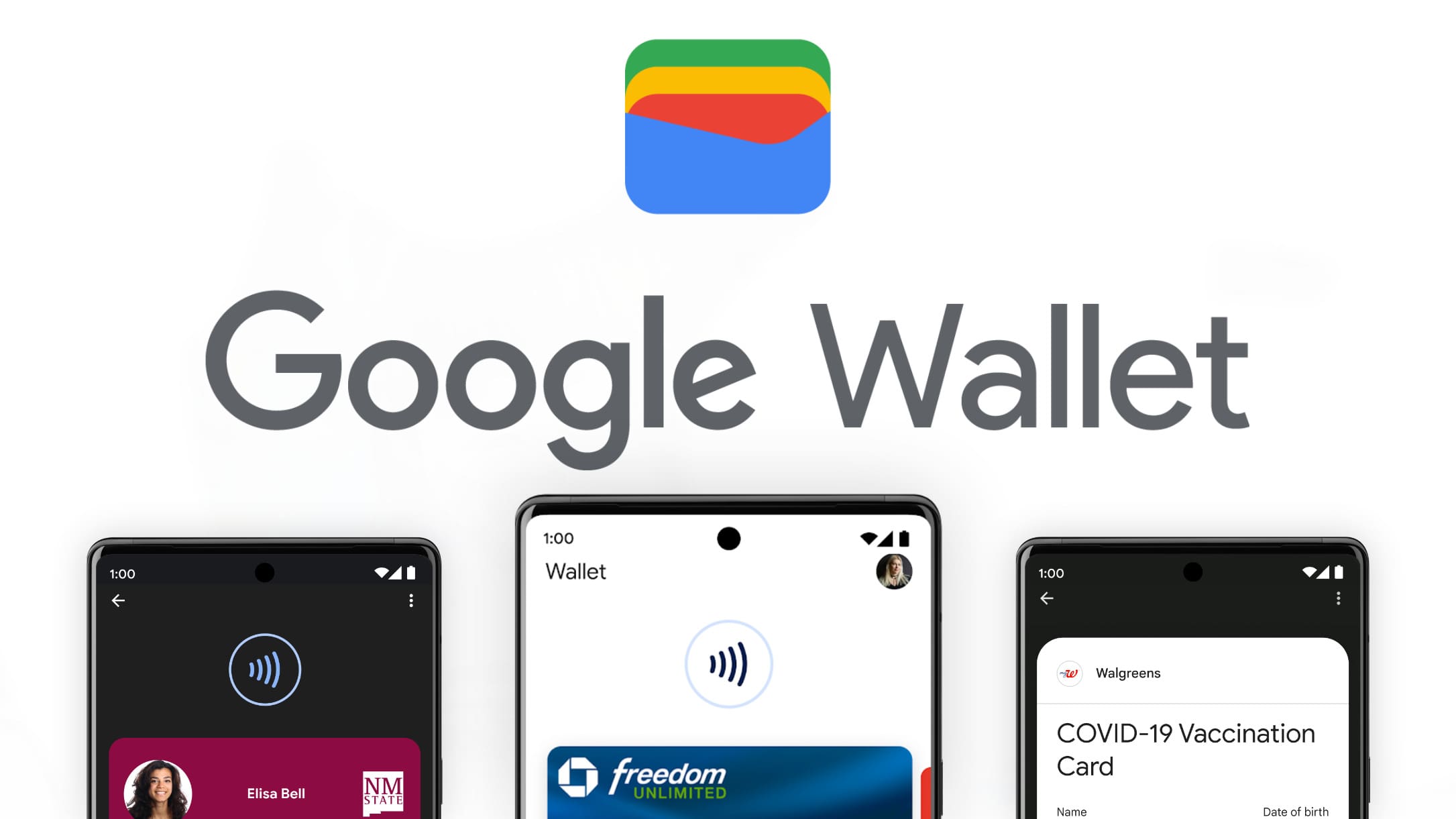
The app supports the integration of boarding passes, event tickets, and transit passes. Using standard file formats (like .pkpass) or specialized Google APIs, airlines and event organizers can send tickets directly to your Google Wallet. These passes often feature dynamic QR codes or utilize NFC for entry. One of the most “pro” features is the app’s ability to pull passes directly from your Gmail; if you receive a flight confirmation, Google Pay can automatically add the boarding pass to your wallet for easy access.
Loyalty Programs and Gift Cards
To declutter your physical wallet, Google Pay allows you to scan the barcodes of loyalty cards and gift cards. At the checkout, you simply pull up the card in the app, and the cashier scans the barcode on your screen. In some advanced retail environments, loyalty cards can be linked to your payment method via “Smart Tap” technology, allowing you to apply discounts and pay in one single tap of the phone.
Integration with Public Transit
In many major cities globally, Google Pay has replaced physical transit cards. Users can add a virtual transit card (like a London Oyster card or a New York OMNY account) or simply use their stored credit card to “Tap and Go” at the turnstile. The software is optimized for speed in these scenarios, often allowing for “Express Mode” where the phone does not even need to be unlocked to pass through the gate, ensuring that the technology does not slow down the flow of commuters.

Optimizing the User Experience
To get the most out of Google Pay on Android, users should familiarize themselves with the “Settings” menu within the app. Here, you can toggle “Purchase Credits” (if available in your region), manage your data privacy settings—deciding whether Google can use your transaction history to personalize other services—and set your “Default” payment app.
As the Android ecosystem continues to evolve, Google Pay remains the gold standard for mobile payments. By understanding the underlying tech—from NFC and HCE to tokenization and TEE—users can navigate the digital economy with both speed and total peace of mind. Whether you are splitting a dinner bill, boarding a cross-continental flight, or simply buying a coffee, Google Pay on Android represents the pinnacle of software-driven financial convenience.
aViewFromTheCave is a participant in the Amazon Services LLC Associates Program, an affiliate advertising program designed to provide a means for sites to earn advertising fees by advertising and linking to Amazon.com. Amazon, the Amazon logo, AmazonSupply, and the AmazonSupply logo are trademarks of Amazon.com, Inc. or its affiliates. As an Amazon Associate we earn affiliate commissions from qualifying purchases.