
In the rapidly evolving landscape of software development, the difference between a market-leading application and a failed project often comes down to one critical factor: quality assurance. At the heart of this assurance process lies functional testing. While non-functional testing explores how a system performs under stress or how secure its architecture is, functional testing focuses on the “what.” It asks the fundamental question: Does the software do what it is supposed to do?
Functional testing is a quality assurance (QA) process that bases its test cases on the specifications of the software component under execution. By providing specific inputs and examining the resulting outputs, testers can determine whether the application meets the functional requirements defined during the initial stages of development. As we move toward more agile and automated environments, understanding the nuances of functional testing is essential for any tech professional, developer, or project stakeholder.

1. The Core Levels of Functional Testing
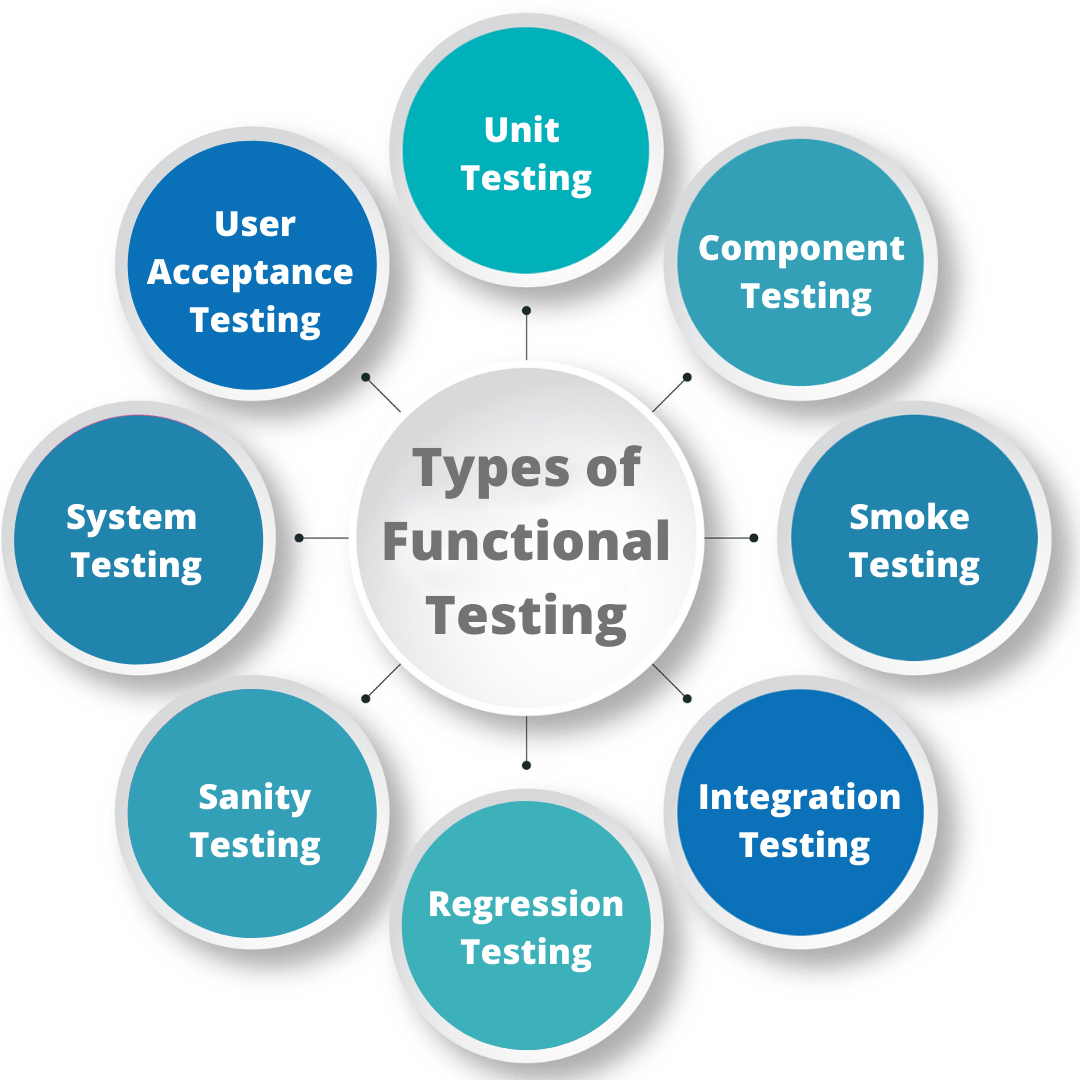
Functional testing is not a monolithic task; rather, it is a layered approach that mirrors the Software Development Life Cycle (SDLC). By breaking down testing into distinct levels, teams can catch bugs early—when they are cheapest to fix—and ensure that individual components work harmoniously as a complete system.
Unit Testing: The Foundation of Quality
Unit testing is the first line of defense. It involves testing the smallest testable parts of an application—such as functions, methods, or classes—in isolation. Usually performed by developers rather than dedicated QA teams, unit testing ensures that the internal logic of a specific code block is sound. In modern DevOps environments, unit tests are often automated and triggered every time code is committed, providing immediate feedback on whether a recent change has broken basic functionality.
Integration Testing: Bridging the Gaps
Once individual units are validated, they are combined into modules. Integration testing focuses on the communication between these modules. In complex tech ecosystems where microservices and APIs are the norms, integration testing is vital. It identifies issues like data format mismatches, incorrect API calls, or synchronization errors. Even if two units work perfectly in isolation, they may fail when data must pass from one to the other.
System Testing: Validating the Whole
System testing is the first point where the software is tested as a complete, integrated entity. At this stage, the QA team evaluates the end-to-end functional requirements of the entire system. This includes testing the user interface (UI), database connections, and back-end processing as a singular workflow. The goal is to ensure the software meets the business requirements and functions correctly within its intended environment.
User Acceptance Testing (UAT): The Final Approval
UAT is the final phase of functional testing before a product goes live. It is typically conducted by the end-users or the client. The focus here shifts from technical correctness to business relevance. Does the software solve the problem it was built for? Is the workflow intuitive for the person using it daily? UAT acts as a safety net, ensuring that the development team hasn’t misinterpreted the original vision of the stakeholders.
2. The Functional Testing Process: From Requirement to Result
To execute functional testing effectively, a structured approach is required. It is not enough to simply “click around” an application; a rigorous methodology ensures that all features are covered and that results are reproducible.
Requirement Analysis and Test Planning
The process begins with a deep dive into the Functional Requirement Specifications (FRS). Testers must understand every intended behavior of the software. Based on these requirements, a Test Plan is developed. This document outlines the scope of testing, the tools to be used, the environment setup, and the specific features that will be prioritized. Without a clear plan, testing becomes haphazard, leading to missed edge cases.
Test Case Design and Data Preparation
Once the plan is in place, testers write detailed test cases. A test case typically includes an ID, a description of the function, the steps to execute the test, the input data, and the expected output. Choosing the right “test data” is critical. It must include not only standard “happy path” data but also boundary values and invalid inputs to see how the system handles errors. For example, if a software field accepts a date, the test data should include valid dates, leap years, and impossible dates like February 30th.
Execution and Defect Tracking
During execution, the tester (or an automated script) follows the steps defined in the test cases. If the actual output matches the expected output, the test passes. If there is a discrepancy, a “defect” or “bug” is logged. Modern tech teams use tools like Jira or Bugzilla to track these issues. A good bug report includes screenshots, logs, and a step-by-step guide to reproducing the error, allowing developers to diagnose and fix the issue efficiently.

3. Essential Techniques for Effective Functional Testing
To maximize coverage without testing every single possible permutation—which is often impossible—testers use specific techniques to identify high-risk areas within the code.
Equivalence Partitioning
This technique involves dividing the input data of a software unit into partitions from which test data can be derived. The logic is that if one value in a partition works, all other values in that same partition will also work. For instance, if an app accepts a numeric age between 18 and 60, testers would test one value in the 18-60 range, one value below 18, and one value above 60. This reduces the number of tests needed while maintaining confidence in the results.
Boundary Value Analysis (BVA)
BVA is based on the observation that bugs often lurk at the “edges” of input ranges. Using the same age example (18 to 60), a tester using BVA would specifically test the values 17, 18, 19, 59, 60, and 61. It has been proven that errors are more likely to occur at the minimum and maximum boundaries of a functional limit than in the middle.
Decision Table Testing
For functions that involve complex business logic with multiple variables, decision tables are invaluable. This technique maps out different combinations of inputs and their corresponding outputs in a matrix. It ensures that every logical path—such as a combination of user roles and permission levels—is accounted for, preventing “dead ends” in the software’s logic where a user might get stuck.
4. Manual vs. Automated Functional Testing in the Modern Era
One of the most debated topics in the tech industry is the balance between manual and automated testing. Both have their place in a robust functional testing strategy.
The Role of Manual Testing
Manual testing involves a human being interacting with the software just as a user would. It is indispensable for exploratory testing, where a tester uses their intuition to find bugs that a script might miss. It is also essential for testing usability and the visual aspects of the UI. For one-off tests or features that are constantly changing, manual testing is often more cost-effective than writing a script that will be obsolete in a week.
The Rise of Automation and CI/CD
In the world of Agile and DevOps, automated functional testing is the standard. Using tools like Selenium, Playwright, or Cypress, testers write scripts that can execute hundreds of test cases in minutes. This is particularly useful for Regression Testing—re-testing existing features whenever a new update is made to ensure nothing has broken. By integrating these automated tests into a Continuous Integration/Continuous Deployment (CI/CD) pipeline, teams can release updates daily or even hourly with the confidence that the core functionality remains intact.
Selecting the Right Tools
The tech market is flooded with functional testing tools. Choosing the right one depends on the application’s stack. For web applications, Selenium remains the industry standard due to its cross-browser compatibility. For mobile apps, Appium is the preferred choice. For teams looking for “low-code” solutions, tools like TestComplete offer record-and-playback features that allow non-developers to create automated functional tests.
Conclusion: The Strategic Value of Functional Testing
Functional testing is more than just a technical necessity; it is a vital business strategy. In an era where users have zero tolerance for glitches, a single functional failure—like a “Buy” button that doesn’t work or a login screen that freezes—can lead to immediate churn and a damaged reputation.
By implementing a rigorous functional testing framework that spans from unit tests to user acceptance, technology teams can ensure they are delivering products that are not only innovative but also reliable. Whether through the meticulous eye of a manual tester or the lightning speed of an automated script, functional testing provides the validation required to turn a collection of code into a valuable digital asset. As software grows more complex and AI-driven tools begin to assist in the testing process, the core principles of functional testing will remain the bedrock of high-quality software development.
aViewFromTheCave is a participant in the Amazon Services LLC Associates Program, an affiliate advertising program designed to provide a means for sites to earn advertising fees by advertising and linking to Amazon.com. Amazon, the Amazon logo, AmazonSupply, and the AmazonSupply logo are trademarks of Amazon.com, Inc. or its affiliates. As an Amazon Associate we earn affiliate commissions from qualifying purchases.