
In a world increasingly dominated by screens, from our smartphones to our giant gaming monitors, the quality of our visual experience is paramount. We chase higher resolutions, vibrant colors, and deep contrasts, but often overlook a crucial specification that dictates how smooth and fluid our on-screen content appears: the refresh rate. Far more than just a number, refresh rate is the silent force behind the perceived motion and responsiveness of almost every digital display. Understanding it isn’t just for tech enthusiasts or gamers; it’s fundamental to making informed decisions about our digital devices and appreciating the subtle nuances that elevate a good visual experience to an exceptional one.
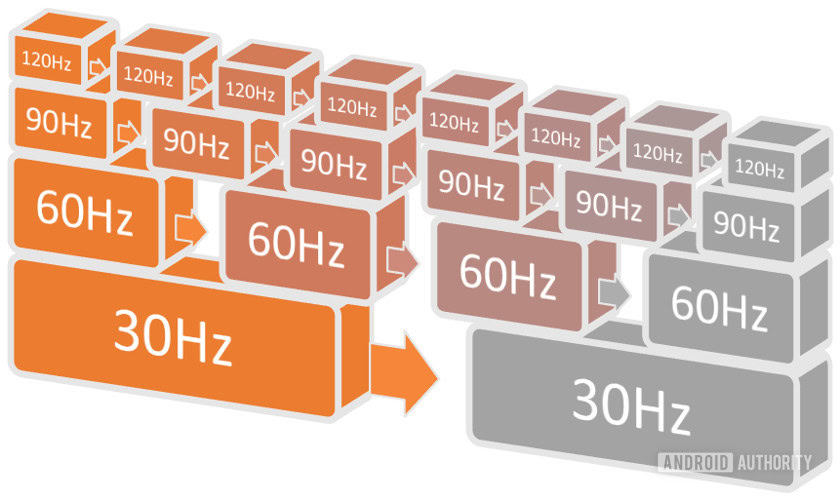
At its core, a refresh rate tells you how many times per second a display redraws its image. Measured in Hertz (Hz), this specification directly influences everything from the fluidity of scrolling text to the responsiveness of competitive gameplay. In this comprehensive guide, we’ll demystify refresh rates, explore their technological underpinnings, and shed light on why they matter so much in our increasingly visual-centric digital lives.
The Fundamentals of Display Technology
Before diving deep into refresh rates, it’s essential to grasp the basic principles by which modern digital displays render images. Every screen, whether an LED monitor, an OLED television, or an LCD panel on your laptop, operates on a similar foundational concept: creating an illusion of continuous motion from static images.
Pixels and Frames: Building Blocks of Visuals
At the smallest level, a digital display is a grid of tiny light-emitting elements called pixels. Each pixel can be individually controlled to display a specific color and intensity. When combined, millions of these pixels form an image. However, these images aren’t static; they change rapidly to create motion.
This rapid sequence of static images is what we call frames. Think of it like a flipbook: each page is a slightly different image, and when you flip through them quickly, the individual images blend into a smooth animation. In the digital realm, a frame is a single, complete image displayed on your screen at a given moment. The rate at which new frames are generated by your computer’s graphics card (GPU) or a video source is known as the frame rate, typically measured in frames per second (FPS).
The Illusion of Motion: How Displays Work
The human eye and brain have a remarkable ability to perceive continuous motion when presented with a rapid succession of still images. This phenomenon is known as the persistence of vision. Displays leverage this biological quirk by rapidly updating the image presented on the screen.
When your computer sends a signal to your monitor, it’s essentially sending a series of these frames. The monitor then takes these frames and draws them onto the physical display. The speed at which it performs this drawing process is precisely what the refresh rate defines. It’s crucial to distinguish between the frame rate (how fast your source creates images) and the refresh rate (how fast your display shows those images). Both are vital for a smooth visual experience, but they represent different stages in the display pipeline. A high frame rate from your GPU paired with a low refresh rate monitor will result in a bottleneck, where the monitor cannot display all the new frames quickly enough. Conversely, a high refresh rate monitor with a low frame rate source will simply show the same frame multiple times, offering no visual benefit.
Understanding Refresh Rate: The Heartbeat of Your Screen
With the basics established, we can now zero in on the core concept: refresh rate itself. It’s not just a technical term; it’s a critical performance indicator for any display device.
Defining Refresh Rate (Hz)
Refresh rate is simply the number of times per second a display updates its image. It’s measured in Hertz (Hz), where 1 Hz means one update per second. So, a 60Hz monitor updates its screen 60 times every second, and a 144Hz monitor updates 144 times per second.
Each “refresh” is a full redraw of the entire screen’s content. This doesn’t necessarily mean a new frame is being displayed with every refresh; if the source (e.g., your graphics card) isn’t sending new frames fast enough, the monitor will simply redraw the same frame multiple times. However, a higher refresh rate capability means the monitor can display new information more frequently, provided that information is available from the source.
How Refresh Rate Affects Visuals (Smoothness, Responsiveness)
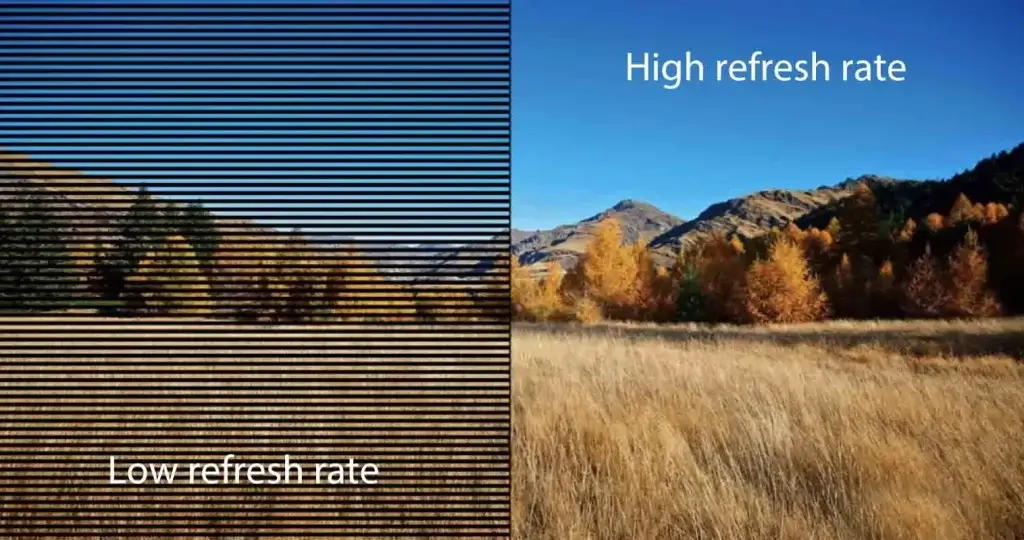
The most immediate and noticeable impact of refresh rate is on the perceived smoothness of motion. When you scroll through a webpage, move your mouse cursor across the screen, or watch a fast-paced action scene, a higher refresh rate makes these movements appear much more fluid and less stuttery. This is because the gaps between updates are shorter, reducing the visible “jump” from one frame to the next.
Beyond smoothness, a higher refresh rate also contributes to responsiveness. In interactive applications, particularly gaming, the delay between your input (e.g., mouse click, keyboard press) and the visual feedback on screen is critical. A higher refresh rate means the display is showing the most up-to-date information more frequently, thereby reducing perceived input lag and making interactions feel more immediate and precise. For example, if your graphics card is producing 120 FPS, a 60Hz monitor can only show every other frame, introducing a delay. A 120Hz monitor, however, can show every single frame, presenting the visual outcome of your actions almost instantly.
Common Refresh Rates: From 60Hz to High-Refresh Displays
For decades, 60Hz was the industry standard for most monitors and TVs. It’s still perfectly adequate for general computing tasks, watching movies, and many casual games. The human eye can certainly perceive the difference beyond 60Hz, but 60Hz provides a decent baseline for motion perception.
However, the past decade has seen a dramatic shift towards high-refresh-rate displays.
- 75Hz-90Hz: Often found in budget gaming monitors or some mainstream professional displays, offering a noticeable but subtle improvement over 60Hz.
- 120Hz-144Hz: These are the sweet spot for many gamers and enthusiasts. They offer a significant leap in smoothness and responsiveness, making fast-paced games feel far more fluid. They are also increasingly common in higher-end laptops and premium monitors.
- 165Hz-240Hz: For competitive esports players and those seeking the absolute peak in responsiveness, these rates provide an even finer level of detail in motion, further minimizing motion blur and input lag.
- 360Hz+: The bleeding edge of display technology, primarily targeting professional esports where every millisecond counts. While the visual difference beyond 240Hz becomes less dramatic for most users, it can provide a competitive edge in specific scenarios.
Why Higher Refresh Rates Matter (And When They Don’t)
The pursuit of higher refresh rates isn’t just a marketing gimmick; it offers tangible benefits across a spectrum of applications. However, it’s equally important to understand the context in which these benefits truly shine and when they might be overkill.
Gaming: The Unquestionable Advantage
This is where high refresh rates truly earn their stripes. For gaming, particularly competitive titles like first-person shooters (FPS), MOBAs, and racing games, a higher refresh rate is a game-changer.
- Reduced Motion Blur: Fast-moving objects appear sharper and more defined, allowing players to track targets more easily.
- Improved Target Tracking: Enemies or objects moving quickly across the screen are easier to follow with your crosshair or gaze.
- Lower Input Lag: As discussed, the quicker updates mean less delay between your action and what you see, leading to more precise and reactive gameplay.
- Smoother Visuals: The overall experience feels more immersive and less jarring, reducing eye strain during intense play sessions.
For a gamer, moving from 60Hz to 144Hz is often described as one of the most impactful upgrades they can make, often more so than a resolution bump.
Everyday Use and Productivity: Subtle But Significant Improvements
While not as critical as for gaming, higher refresh rates still offer benefits for general computing:
- Smoother Scrolling: Scrolling through long documents, web pages, or social media feeds feels significantly more fluid and less choppy.
- Fluid Cursor Movement: Your mouse cursor glides across the screen with uncanny smoothness, making desktop navigation feel more responsive.
- Reduced Eye Strain: The smoother motion can reduce flickering and visual artifacts, potentially leading to less eye fatigue over long periods, although this benefit is somewhat subjective.
These improvements might seem minor individually, but they contribute to an overall more polished and comfortable user experience that, once experienced, is hard to give up.
Content Creation and Professional Applications
For content creators—video editors, animators, graphic designers—the benefits are somewhat mixed but still present:
- Animation Playback: Animators can observe their work with greater fluidity, making it easier to spot subtle timing issues.
- Video Editing: While most video content is 24, 30, or 60 FPS, having a high refresh rate display can still make scrubbing through timelines and manipulating elements feel smoother.
- General Workflow: The overall responsiveness of the operating system and creative applications can enhance productivity and reduce friction.
However, for tasks like still image editing or graphic design where precise color accuracy and resolution are paramount, refresh rate takes a backseat to other display characteristics.
The Importance of Frame Rate (FPS) vs. Refresh Rate
It’s crucial to reiterate that a high refresh rate display is only truly beneficial if your source (typically your computer’s graphics card) can output a sufficient frame rate (FPS) to match it.
- If your GPU can only render a game at 60 FPS, a 144Hz monitor will simply display the same frame multiple times, leading to 60 unique frames per second and no real benefit beyond what a 60Hz monitor offers in terms of unique image updates. You’d still get the benefit of reduced input lag, however, as the monitor is ready to display the next frame sooner.
- Conversely, if your GPU outputs 144 FPS but you’re on a 60Hz monitor, you’re only seeing roughly half the frames your GPU is generating, leading to missed visual information and potential screen tearing.
Ideally, your frame rate should meet or exceed your refresh rate for the smoothest experience.
Sync Technologies: G-Sync, FreeSync, and VRR
To address the potential mismatch between variable frame rates from a GPU and a fixed refresh rate monitor, adaptive synchronization technologies were developed:
- NVIDIA G-Sync: Developed by NVIDIA, G-Sync modules are built into monitors and allow the monitor’s refresh rate to dynamically match the GPU’s frame rate. This eliminates screen tearing and stuttering, even when the frame rate fluctuates.
- AMD FreeSync: AMD’s open-standard alternative, FreeSync, achieves similar results but typically relies on industry-standard DisplayPort Adaptive Sync. It’s more widely adopted and often found in a broader range of monitors.
- Variable Refresh Rate (VRR): This is a generic term for the underlying technology, now supported by HDMI 2.1 and becoming standard in many modern TVs and consoles (like PS5 and Xbox Series X/S).
These technologies ensure that the display updates only when a new frame is ready from the GPU, resulting in incredibly smooth and tear-free visuals across a wide range of frame rates, optimizing the experience for both high and fluctuating FPS.
Choosing the Right Refresh Rate for Your Needs
Given the array of options, selecting the right refresh rate for your next display can seem daunting. The best choice ultimately depends on your individual usage patterns, budget, and other system components.
Identifying Your Primary Use Case
- Casual User / Office Work / Media Consumption: A standard 60Hz monitor is perfectly adequate. You won’t miss out on much, and these displays are generally more affordable.
- Casual Gaming / Enthusiast: 75Hz-120Hz provides a noticeable upgrade without breaking the bank, enhancing fluidity in both games and general desktop use.
- Serious Gamer / Esports Enthusiast: 144Hz-240Hz (or higher) is highly recommended. Pair this with a capable graphics card and adaptive sync technology for the best competitive edge and immersive experience.
- Content Creator / Professional: While high refresh rates offer general workflow benefits, prioritize color accuracy, resolution, and panel type (e.g., IPS for wide viewing angles and color consistency) over extreme refresh rates unless your specific creative work involves high-frame-rate animation or interactive design.
Budgetary Considerations and Value Proposition
High refresh rate monitors typically come at a premium. While 144Hz displays are now much more affordable than they once were, pushing into 240Hz+ territory still requires a significant investment. Consider the total cost of ownership, including the graphics card required to drive such high frame rates. A 144Hz monitor with a mid-range GPU might offer better value than a 240Hz monitor paired with an underpowered GPU that can’t achieve those frame rates.
Balancing Resolution, Panel Type, and Refresh Rate
Refresh rate is just one specification among many. When choosing a display, you’re often balancing a trifecta of features:
- Resolution: (e.g., 1080p, 1440p, 4K) dictates the sharpness and detail of the image. Higher resolutions are harder for GPUs to drive at high frame rates.
- Panel Type: (e.g., IPS, VA, TN) affects color accuracy, viewing angles, and response times. IPS panels offer great colors and viewing angles but sometimes have slower response times. TN panels are fast but have poorer color and viewing angles. VA panels offer great contrast but can suffer from ghosting.
- Refresh Rate: Affects smoothness and responsiveness.
The ideal display often involves finding a sweet spot. For instance, a 1440p 144Hz IPS monitor is often considered an excellent balance for many gamers, offering a sharp image, good colors, and great fluidity. Trying to achieve 4K at 240Hz, while possible, requires an incredibly powerful and expensive setup.
Practical Tips for Configuration and Testing
Once you have a high refresh rate monitor, ensure it’s configured correctly:
- Check Display Settings: In your operating system’s display settings (Windows: Settings > System > Display > Advanced display settings; macOS: System Settings > Displays > Refresh Rate), ensure the highest available refresh rate is selected.
- Use the Right Cable: DisplayPort is generally preferred for high refresh rates and adaptive sync. HDMI 2.0 and newer can also support high refresh rates, but always check the specific port’s capabilities on both your GPU and monitor. An older HDMI cable might bottleneck your display.
- Test It Out: Use online refresh rate tests (e.g., TestUFO) or simply scroll through a webpage to visually confirm the difference. In games, use an FPS counter to ensure your GPU is producing frames at or near your monitor’s refresh rate.
The Future of Display Refresh Rates
The relentless pursuit of a more immersive and responsive visual experience continues to drive innovation in display technology. While the law of diminishing returns certainly applies beyond a certain point for most users, research and development push the boundaries further.
Pushing Beyond Current Standards
We’re already seeing monitors with refresh rates exceeding 360Hz, targeting niche professional esports markets. While mass adoption of such extreme rates for everyday use may be slow, these advancements pave the way for more efficient display technologies and lower latency components. The focus isn’t just on raw Hz, but also on minimizing total system latency from input to photon emission.
Emerging Technologies and Their Impact
- Mini-LED and Micro-LED: These advanced backlight technologies promise even greater control over local dimming, improving contrast and potentially enabling faster pixel response times, which indirectly enhances the perception of refresh rate.
- OLED and QD-OLED: These self-emissive technologies already offer near-instantaneous pixel response times, making the effective motion clarity exceptionally high, even at lower refresh rates, and truly stunning when combined with higher refresh rates.
- Dynamic Overclocking: Some monitors now feature dynamic overclocking capabilities, allowing them to temporarily exceed their advertised refresh rate for brief periods, offering an extra boost when needed.
As these technologies mature and become more affordable, the overall visual experience will continue to evolve, making displays even more vital and seamless extensions of our digital interactions.
In conclusion, refresh rate is a critical, yet often underestimated, specification that profoundly impacts the quality and responsiveness of your visual experience. Whether you’re a competitive gamer, a creative professional, or simply someone who appreciates a smooth digital interaction, understanding refresh rates empowers you to make smarter choices about your display technology. While 60Hz remains functional, embracing higher refresh rates opens up a new dimension of fluidity, precision, and immersive engagement in our increasingly screen-centric world.
aViewFromTheCave is a participant in the Amazon Services LLC Associates Program, an affiliate advertising program designed to provide a means for sites to earn advertising fees by advertising and linking to Amazon.com. Amazon, the Amazon logo, AmazonSupply, and the AmazonSupply logo are trademarks of Amazon.com, Inc. or its affiliates. As an Amazon Associate we earn affiliate commissions from qualifying purchases.