
In an era dominated by digital wallets, instant wire transfers, and peer-to-peer payment apps, the humble paper check remains a cornerstone of the American financial system. Whether you are a small business owner paying a vendor who prefers traditional records, a tenant paying rent to a landlord, or an individual managing significant life milestones like a home down payment, knowing how to efficiently manage your checkbook is a vital component of personal finance.
Chase Bank, as one of the largest financial institutions in the world, offers a streamlined process for ordering checks. However, navigating the various options—from styles and security features to cost-effective third-party alternatives—requires a strategic approach. This guide provides a comprehensive breakdown of how to buy checks through Chase, ensuring you balance convenience, security, and financial prudence.
The Strategic Importance of Paper Checks in Modern Personal Finance
While digital payments are fast, they do not always offer the same level of paper trail or “hard” documentation that some financial transactions require. For many Chase account holders, maintaining a supply of physical checks is about more than just old-fashioned habits; it is about versatile financial management.
When to Use a Check Over Digital Methods
Digital payments often have limits. For example, Zelle or Venmo may restrict the amount of money you can send in a single day. If you are paying a contractor $5,000 for a home renovation, a physical check is often the most straightforward way to handle the transaction without triggering security holds or exceeding app limits. Furthermore, checks serve as an immediate receipt and a tangible record for your accounting software or tax preparation.
Business vs. Personal Checking Requirements
The type of check you order depends heavily on your account type. Chase offers specific formats for personal checking accounts (like Chase Total Checking®) and business accounts (like Chase Business Complete Banking®). Business checks often come in “three-to-a-page” formats with stubs for payroll and tax record-keeping, whereas personal checks are designed for portability and occasional use.
How to Order Checks Directly Through Chase: A Step-by-Step Process
Chase makes the ordering process relatively seamless through its digital ecosystem. By leveraging the Chase Mobile® app or the online banking portal, you can replenish your checkbook in minutes.
Ordering via the Chase Online Portal
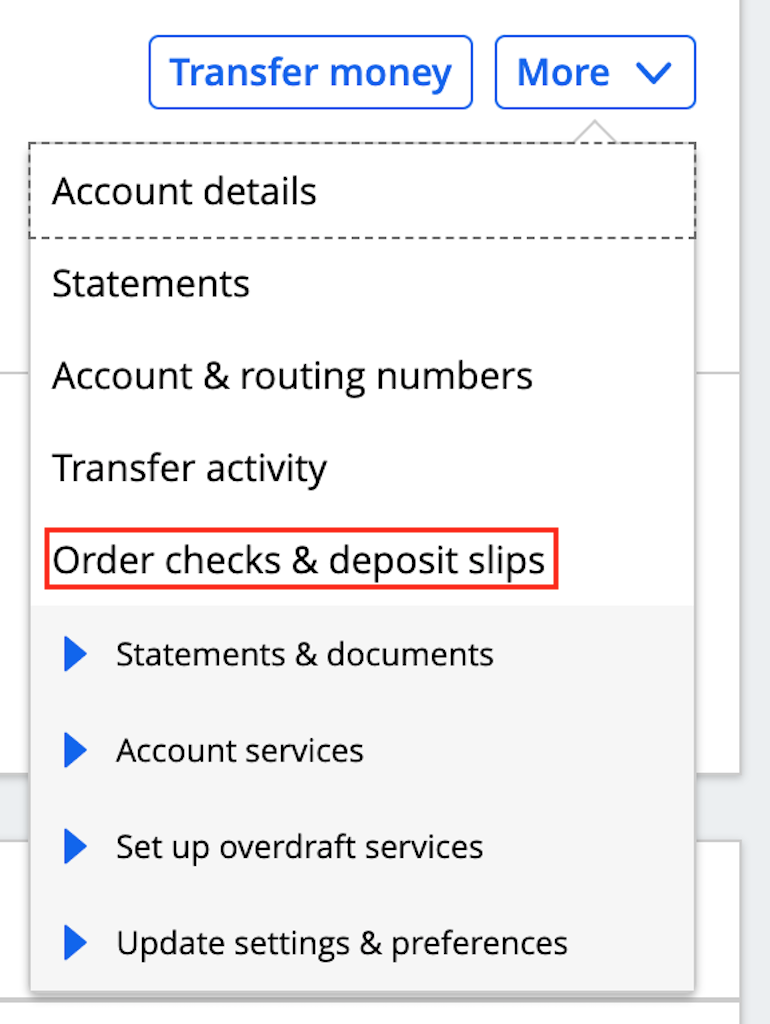
The most common way to order checks is through the Chase website. Once you log in to your account, navigate to the “Account Services” section. Under the “Checks & Supplies” tab, you will find the option to “Order Checks.”
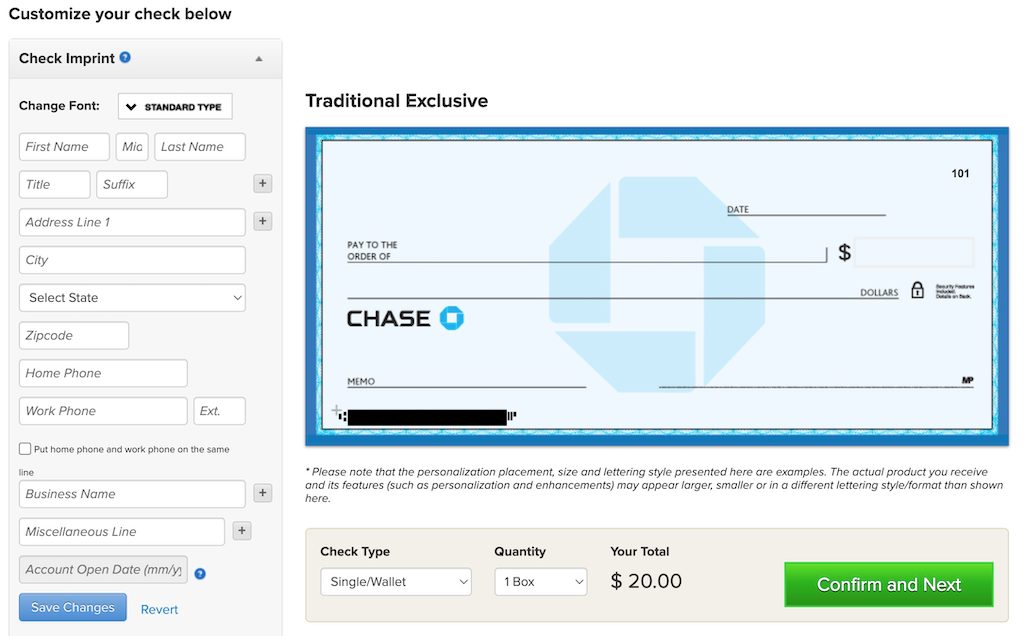
Chase partners with Deluxe, a leading check printer, to fulfill these orders. When you click the link, you will be redirected to the Deluxe website, which is integrated with your Chase account information. This ensures that your routing number and account number are automatically populated, reducing the risk of clerical errors that could lead to bounced payments.
Using the Chase Mobile® App
For those on the go, the Chase Mobile® app offers a simplified version of the ordering process.
- Open the app and sign in.
- Select the specific checking account for which you need checks.
- Scroll down to “Account Services” and tap on “Order Checks.”
- You will be prompted to confirm your identity via a one-time passcode for security.
- Review your address and shipping details before finalizing the order.
Ordering in Person at a Chase Branch
If you prefer a human touch or are setting up a new account, visiting a local Chase branch is an excellent option. A personal banker can assist you in choosing the right check style and can sometimes offer “starter checks” on the spot. While starter checks are limited (usually only 3 to 5 checks), they provide an immediate solution if you have an urgent payment to make before your full order arrives in the mail.
Comparing Chase Direct Orders vs. Third-Party Check Printers
When buying checks, many consumers assume they must buy directly from their bank. While convenient, this is not a financial requirement. Understanding the pros and cons of different sourcing strategies can save you significant money over the long term.
The Convenience of Direct Ordering
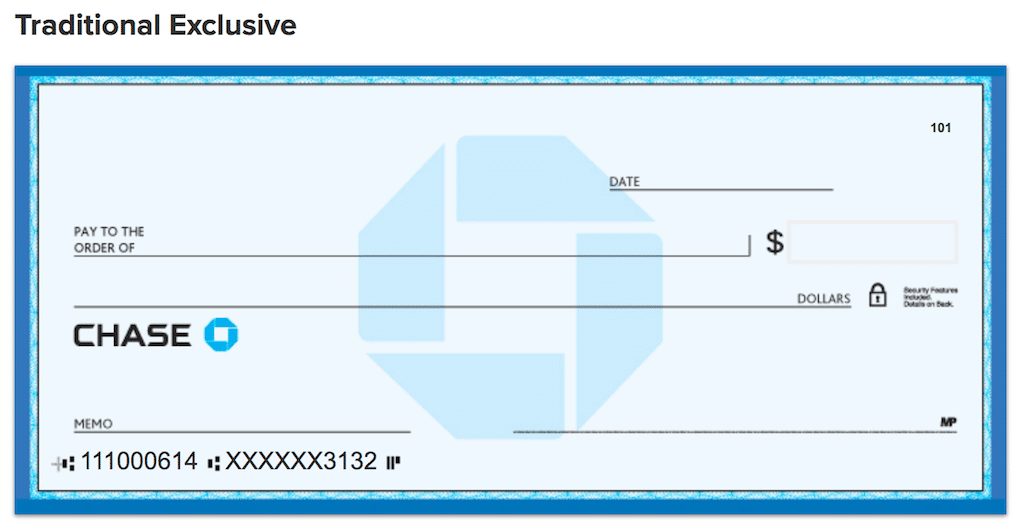
Ordering through Chase (via Deluxe) ensures 100% compatibility with the bank’s scanning systems. These checks use high-quality Magnetic Ink Character Recognition (MICR) technology, which allows the bank’s automated systems to read your account data accurately. The primary advantage here is peace of mind; you know the checks will be accepted without issue.
Exploring Cost-Effective Third-Party Vendors
If you are looking to optimize your business expenses or personal budget, third-party printers like Costco Checks, Vistaprint, or Check Advantage can be significantly cheaper. These vendors allow you to input your Chase routing and account numbers manually.
- Price Comparison: A standard box of checks from a bank-affiliated printer might cost $25–$35, whereas third-party vendors often offer the same quantity for $15–$20.
- Customization: Third-party vendors often provide a wider array of designs, from professional minimalist styles to branded patterns for small businesses.
The Risks of Manual Data Entry
The primary risk when buying checks outside of the Chase ecosystem is the potential for typos. If you misplace a single digit in your account or routing number, every check in that box becomes useless and could lead to returned check fees if you attempt to use them. If you choose this route, always double-check your numbers against a monthly statement or your Chase mobile app.
Security Features and Risk Management for Your Checkbook
In the world of personal finance, security is paramount. Physical checks contain sensitive information, including your full name, address, and bank account details. Therefore, when you buy checks, you must also invest in the security measures that protect your liquidity.
Advanced Security Features to Look For
When ordering your checks, you will often see options for “High Security” versions. These include:
- Microprint Lines: Text so small it cannot be accurately photocopied.
- Chemical Protection: Paper that changes color if someone tries to use chemicals to “wash” the check (erase the payee or amount).
- Watermarks and Holograms: Physical markers that prove the check is an original document rather than a scan.
For business owners, investing in these features is a smart insurance policy against fraud, which remains a significant threat to commercial accounts.
Proper Check Disposal and Storage
Once your new checks arrive, store them in a secure, locked location. If you have old checks from a closed account or an old address, do not simply throw them in the trash. Use a cross-cut shredder to destroy them. Fraudsters can use the account information from discarded checks to initiate unauthorized ACH transfers or create counterfeit checks.
Monitoring and Positive Pay
For Chase Business customers, buying checks should be paired with “Positive Pay” services. This is a fraud-prevention system where you provide the bank with a list of checks you have actually issued. When a check is presented for payment, Chase compares it against your list. If the details don’t match, the bank flags it for your review. This is an essential tool for managing business cash flow securely.
Maximizing the Value of Your Chase Account Features
The process of buying checks is also an opportune time to review your Chase account tier. Depending on your relationship with the bank, you may be eligible for free checks, which completely changes the “where to buy” calculation.
Accounts with Free Check Benefits
Chase offers several premium accounts that include free standard checks as a perk of membership. These often include:
- Chase Sapphire℠ Checking: Designed for high-balance clients, this account usually waives fees for personal checks.
- Chase Private Client: Members of this elite tier receive various waived fees, including those for check orders and cashier’s checks.
- Chase Business Premier Savings or Checking: Certain high-tier business accounts may offer complimentary checkbooks to facilitate operations.
If you maintain a high balance, check your account terms before paying for an order; you might be entitled to them at no cost.
Moving Toward Digital Check Alternatives
Finally, it is worth considering if you need to buy a large volume of checks at all. Chase offers “Online Bill Pay,” a service where you direct the bank to send a payment to a vendor. If the vendor does not accept electronic payments, Chase will actually print and mail a physical check on your behalf at no cost to you. For many individuals, this service eliminates the need to own a personal checkbook entirely, saving both money and the time spent writing and mailing checks manually.
Conclusion: Integrating Checks into a Modern Financial Strategy
Ordering checks for your Chase account is a straightforward task, but doing it correctly involves more than just a few clicks. By understanding the various channels—online, mobile, and third-party—you can choose the method that best fits your budget and security needs.
Whether you opt for the convenience of Chase’s integrated Deluxe portal or the cost-savings of a third-party printer, the goal remains the same: maintaining a reliable, secure, and professional method of transferring funds. By pairing physical checks with Chase’s robust digital security tools and monitoring services, you ensure that your financial toolkit is as versatile and resilient as possible in today’s complex economic landscape.
aViewFromTheCave is a participant in the Amazon Services LLC Associates Program, an affiliate advertising program designed to provide a means for sites to earn advertising fees by advertising and linking to Amazon.com. Amazon, the Amazon logo, AmazonSupply, and the AmazonSupply logo are trademarks of Amazon.com, Inc. or its affiliates. As an Amazon Associate we earn affiliate commissions from qualifying purchases.