
The digital transformation of the media landscape has moved beyond simple broadcast signals to complex, app-based ecosystems that require robust hardware and software synergy. Paramount Plus, the flagship streaming service from Paramount Global, represents a significant evolution in how content is delivered over the internet. To answer the question of what Paramount Plus is on, one must look beyond a simple list of devices and examine the underlying technical infrastructure, operating system requirements, and the digital integrations that allow the service to function seamlessly across a fragmented technological landscape.

As streaming services replace traditional cable, the technical compatibility of an app becomes its most critical feature. Paramount Plus is built on a cross-platform framework designed to deliver high-bitrate video to everything from low-power mobile processors to high-end home theater PCs. Understanding where the service lives requires a deep dive into the smart TV ecosystems, mobile environments, and gaming hardware that support its sophisticated software architecture.
The Smart TV Ecosystem and Native OS Integration
The primary destination for most Paramount Plus users is the living room television. Unlike the early days of streaming where external boxes were mandatory, modern smart TVs integrate the Paramount Plus application directly into their proprietary operating systems. This integration requires specific hardware acceleration capabilities to handle modern video codecs like HEVC (H.265) and VP9.
Samsung Tizen and LG webOS
Paramount Plus maintains dedicated builds for the two largest proprietary smart TV platforms. On Samsung Smart TVs (models from 2017 and newer), the app runs on the Tizen OS. The technical requirement here involves the TV’s ability to handle the encrypted media extensions (EME) necessary for digital rights management (DRM). Similarly, LG’s webOS (versions 4.0 and higher) supports a native Paramount Plus app that leverages LG’s “Magic Remote” functionality for navigation. These versions are optimized for the specific silicon found in these sets, ensuring that the user interface remains fluid even when high-resolution thumbnails are being cached in the background.
Vizio SmartCast and Sony’s Android TV
Vizio TVs utilize a web-based platform known as SmartCast. Because SmartCast is essentially a specialized browser environment, the Paramount Plus “app” on these devices functions differently, often relying on cloud-based rendering of the interface. Conversely, Sony, Hisense, and TCL models that utilize Google TV or Android TV offer the most “native” experience. These devices pull the application directly from the Google Play Store, allowing for deeper integration with system-wide features like “Play Next” rows and Google Assistant voice commands.
Streaming Media Players and Peripheral Hardware
For users without a modern smart TV, or those who prefer a more powerful interface, dedicated streaming media players are the primary vehicle for Paramount Plus. These devices often feature superior processors and more RAM than integrated TV boards, leading to faster load times and more responsive navigation.
Roku and Amazon Fire TV
Roku remains one of the most popular platforms for Paramount Plus due to its lightweight “BrightScript” programming language. The Paramount Plus channel on Roku is optimized for efficiency, allowing it to run on everything from the entry-level Roku Express to the high-end Roku Ultra.
Amazon’s Fire TV ecosystem, which is based on a forked version of Android, offers one of the most integrated Paramount Plus experiences. Because Amazon and Paramount have deep technical partnerships, the service is often integrated into the Fire TV’s “Live” tab, allowing Paramount Plus local CBS feeds to appear alongside over-the-air channels in the system’s electronic programming guide (EPG).
Apple TV and the Power of tvOS
Apple TV (4th Generation and 4K models) represents the high-end technical tier for Paramount Plus. Running on tvOS, the app takes advantage of the A-series chips to provide a highly polished UI. Technically, the Apple TV version is notable for its integration with the “Apple TV App” (the aggregator). Through “Universal Search” and “Up Next” APIs, Paramount Plus shares metadata with the Apple ecosystem, allowing users to launch content directly from the home screen without manually opening the Paramount Plus app first.
Mobile Platforms and Portable Technology
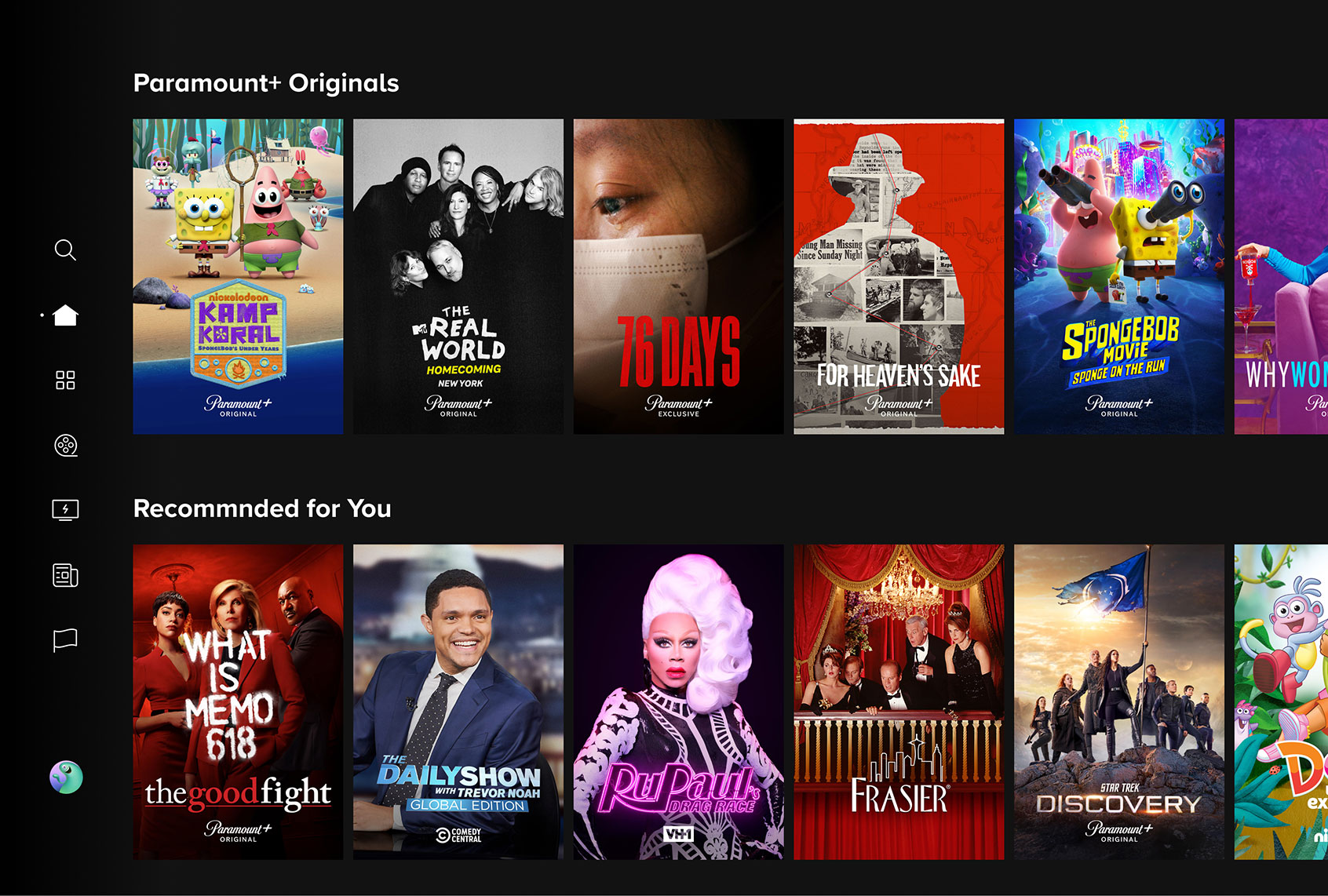
The portability of Paramount Plus is handled through dedicated applications for iOS and Android. This is where the technical challenges of variable bitrates and offline viewing come into play.
iOS and iPadOS Specifications
On Apple mobile devices, Paramount Plus requires a relatively modern version of iOS (typically the last two major releases). The app is engineered to utilize Apple’s AVFoundation framework, which manages the transition between Wi-Fi and cellular data without dropping the video stream. For users on the “Premium” tier, the app also handles the complex task of downloading encrypted content to the device’s local storage for offline playback, a process that involves temporary DRM licenses that expire after a set period.
The Android Fragmented Landscape
Because Android runs on thousands of different hardware configurations, the Paramount Plus app for Android must be incredibly versatile. It utilizes Adaptive Bitrate Streaming (ABR), which constantly monitors the device’s CPU load and available bandwidth. If the device’s processor struggles with a 1080p stream, the app dynamically scales the resolution down to 720p or 480p in real-time to prevent buffering. This is particularly important for budget Android tablets and older smartphones.
Gaming Consoles and High-Performance Environments
Gaming consoles are essentially high-powered computers optimized for graphical output, making them excellent hosts for streaming services. Paramount Plus is available on the PlayStation and Xbox ecosystems, though the technical implementation varies.
PlayStation 4 and PlayStation 5
On the Sony PlayStation 5, Paramount Plus leverages the console’s high-speed SSD and advanced GPU to provide a snappy interface. While the PS5 is capable of 4K output, the Paramount Plus app must be specifically optimized to trigger the console’s HDR (High Dynamic Range) flags. Users on the older PS4 hardware still have access, though they may experience slower UI transitions due to the aging mechanical hard drives and older Jaguar CPU architecture found in those machines.
Xbox One and Xbox Series X|S
The Xbox ecosystem offers a unique technical advantage: the Universal Windows Platform (UWP). The Paramount Plus app on Xbox is built on a framework similar to what one might find on a Windows PC, allowing for consistent updates across the Microsoft family of devices. On the Series X, the app supports 4K Dolby Vision and Dolby Atmos, provided the user has a compatible display and sound system.
Web Browsers and Desktop Compatibility
For desktop and laptop users, Paramount Plus does not typically require a standalone application. Instead, it lives within the web browser. This environment relies heavily on HTML5 video players and Widevine DRM.
-
Google Chrome and Microsoft Edge: These browsers provide the most stable experience due to their high-performance V8 JavaScript engines. They support the highest resolutions available for web streaming.
-
Safari: On macOS, Safari is optimized for power efficiency. Paramount Plus on Safari utilizes Apple’s native video layers, which helps preserve battery life on MacBooks compared to Chrome.
-
Firefox: While supported, Firefox occasionally requires manual configuration of its “Digital Rights Management” settings to allow the Paramount Plus player to initialize the encrypted stream.
Technical Requirements for Ultra HD and Spatial Audio
Simply having a device that “has” Paramount Plus does not guarantee the highest quality experience. The technical tier of the device determines whether a user can access 4K UHD, HDR10, or Dolby Atmos.
To stream in 4K, the hardware must support HDCP 2.2 (High-bandwidth Digital Content Protection). If a user connects a 4K-capable Roku to an older HDMI port on a TV that only supports HDCP 1.4, Paramount Plus will technically run, but it will restrict the resolution to 1080p to prevent potential piracy. Furthermore, spatial audio formats like Dolby Atmos require the device to support “bitstream pass-through,” allowing the raw audio data to be sent to an external A/V receiver or soundbar for decoding.

Conclusion: A Multi-Platform Architecture
In summary, Paramount Plus is “on” a vast array of technology, but its performance is dictated by the synergy between the app’s code and the host device’s hardware. From the specialized Tizen OS on Samsung TVs to the robust tvOS on Apple TV, and the flexible Android framework on mobile devices, the service is a masterclass in cross-platform software engineering. As the industry moves toward even more integrated smart home ecosystems, the presence of Paramount Plus on these devices will continue to evolve, likely moving toward even deeper OS-level integration and cloud-based processing to ensure that the “app” is available on every screen a user touches.
aViewFromTheCave is a participant in the Amazon Services LLC Associates Program, an affiliate advertising program designed to provide a means for sites to earn advertising fees by advertising and linking to Amazon.com. Amazon, the Amazon logo, AmazonSupply, and the AmazonSupply logo are trademarks of Amazon.com, Inc. or its affiliates. As an Amazon Associate we earn affiliate commissions from qualifying purchases.