
In the rapidly evolving landscape of personal finance, the transition from physical currency to digital ecosystems has fundamentally altered how we perceive liquidity and transaction speed. Among the various tools available to the modern consumer, Google’s payment ecosystem stands as a pillar of convenience and integration. While the branding of Google’s financial tools has shifted over the years—transitioning between Google Pay and Google Wallet—the core functionality of moving money from person to person remains a vital skill for anyone looking to optimize their financial management.
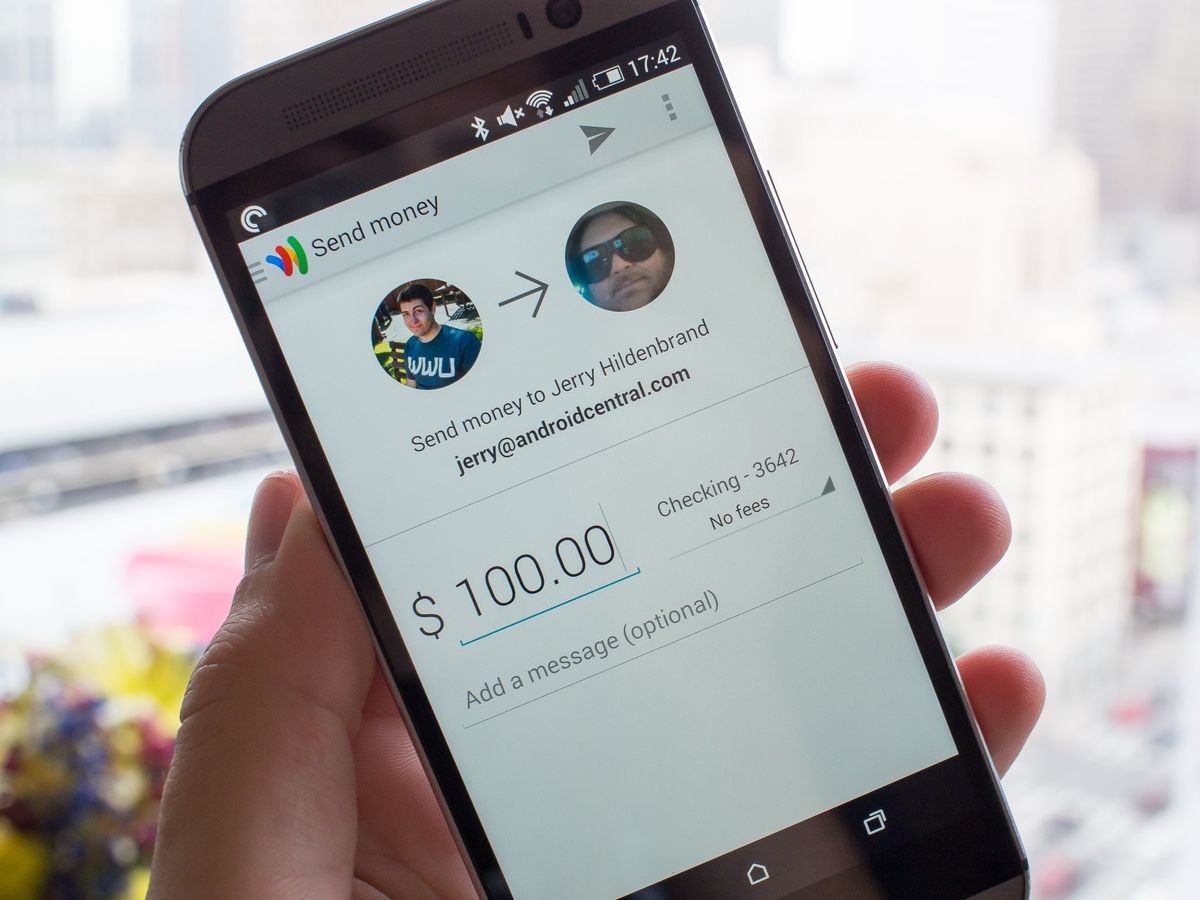
Understanding how to send money with Google Wallet is not merely about clicking a few buttons; it is about understanding the security protocols, the integration with your existing banking infrastructure, and the strategic role that digital wallets play in a comprehensive personal finance plan.
The Role of Digital Wallets in Modern Personal Finance
Before diving into the mechanics of the transaction, it is essential to contextualize why tools like Google Wallet are transformative for your financial health. Historically, sending money required physical proximity or the high fees associated with wire transfers and money orders. Digital wallets have democratized the movement of capital, allowing for instantaneous peer-to-peer (P2P) transfers that are often free of charge.
For the savvy financial manager, Google Wallet serves as a central hub. It acts as a digital container for your debit cards, credit cards, and even loyalty programs, creating a bridge between your traditional bank account and the digital marketplace. By utilizing this tool, you can track spending more effectively, minimize the risk of carrying physical cash, and ensure that your funds are available exactly when and where they are needed.
Liquidity and Immediate Access
One of the greatest advantages of using Google Wallet for sending money is the speed of liquidity. In a world where side hustles and freelance work are increasingly common, the ability to settle debts or pay contractors in real-time is invaluable. Unlike traditional checks that may take days to clear, digital transfers often reflect in the recipient’s account balance almost immediately, depending on the underlying banking institution’s support for instant transfers.
Cost-Efficiency in Transactions
From a wealth-building perspective, avoiding unnecessary fees is paramount. Many traditional banking services charge for official checks or expedited transfers. Google Wallet leverages the Automated Clearing House (ACH) network and modern encryption to facilitate transfers that are typically free for personal use. This makes it an ideal tool for splitting dinner bills, paying rent to a roommate, or sending a gift to a family member without eroding the principal amount through service charges.
Step-by-Step Guide to Facilitating a Transfer
To send money effectively, you must first ensure your digital infrastructure is properly configured. While the specific user interface may vary slightly depending on your region and the version of the app you are using, the underlying financial logic remains consistent.
Setting Up Your Funding Source
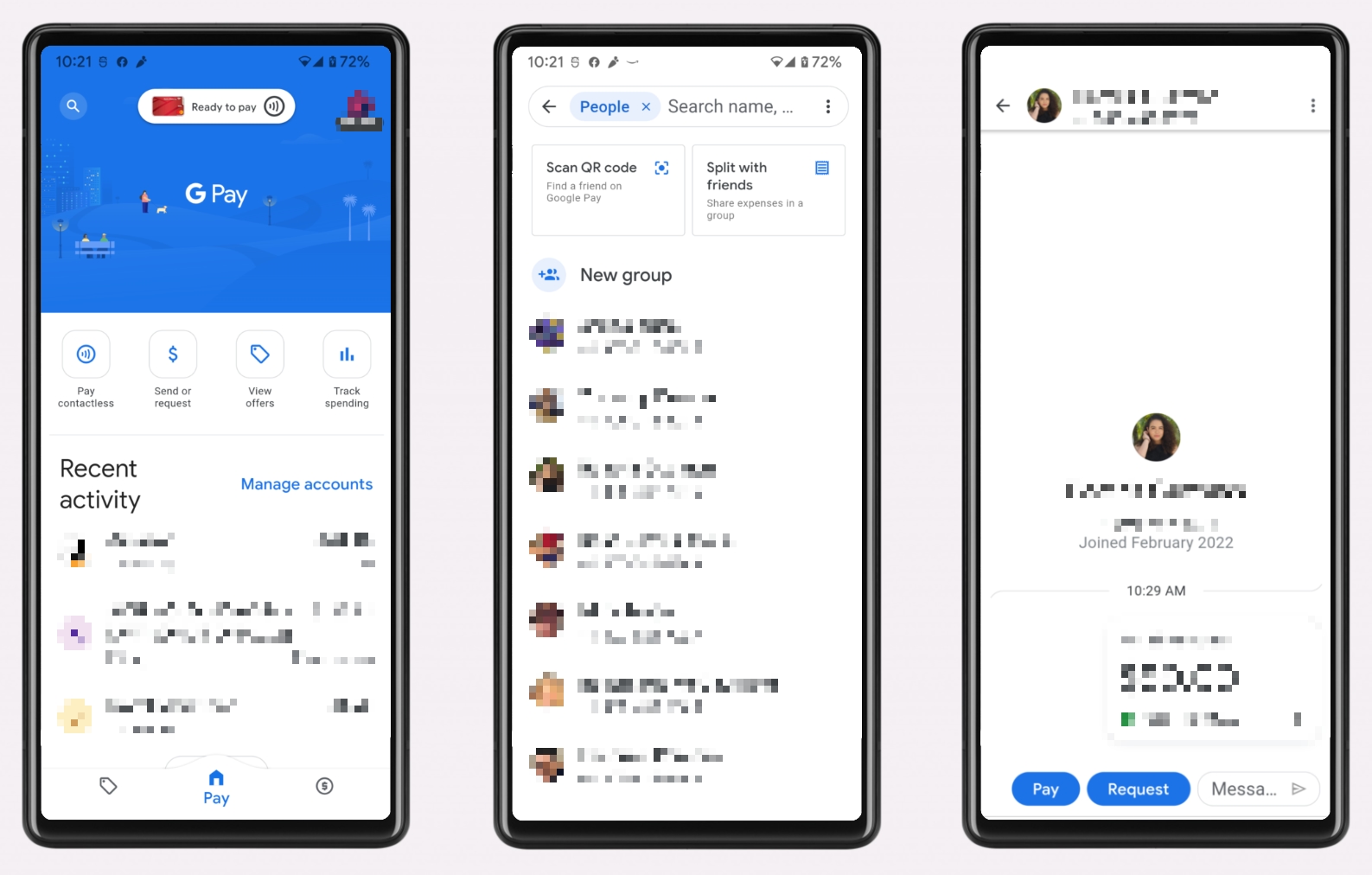
The first step in sending money is linking a verified funding source. Within the app, navigate to the payment methods section. Here, you can add a debit card or link a bank account directly.
For the purposes of P2P transfers, using a debit card is often the most efficient route. While credit cards can be linked to Google Wallet for retail purchases, using them for P2P transfers often incurs “cash advance” fees from your credit card issuer. To maintain optimal financial health, it is generally recommended to fund transfers through a debit card or a direct balance to avoid high-interest debt and additional processing fees.
Executing the Send Command
Once your funding source is verified, the process of sending money is streamlined:
-
Initiate the Transaction: Open the application and look for the “Send” or “Pay” prompt. In many regions, this is integrated into the Google Pay interface which works in tandem with the Wallet.
-
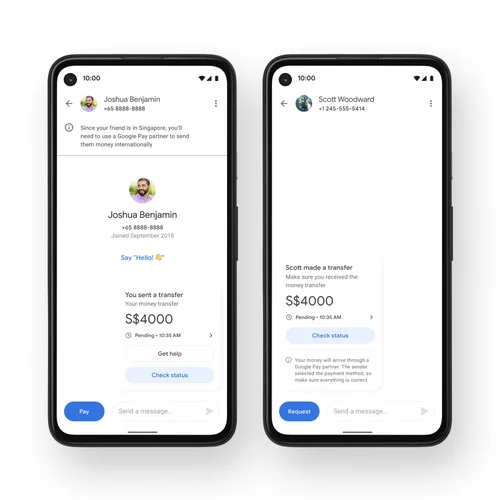
Select the Recipient: You can search for a recipient via their name, phone number, or email address. For security purposes, always double-check the contact details. A common financial pitfall is sending funds to the wrong individual, which can be difficult to reverse in the P2P space.
-
Enter the Amount: Specify the exact amount you wish to transfer. Most users find it helpful to add a memo or note (e.g., “Monthly Rent” or “Dinner Reimbursement”) to assist with record-keeping and future budgeting.
-
Confirm and Authenticate: Google utilizes multi-factor authentication (MFA). You will likely be asked to verify the transaction using biometric data (fingerprint or face scan) or a secure PIN. This layer of security is a critical defense against unauthorized access to your capital.
Withdrawing Funds to Your Bank
If you are on the receiving end of a transfer, the money will initially sit in your Google balance. To incorporate these funds into your broader financial strategy, you should “cash out” to your linked bank account. You can choose between a standard transfer (which typically takes 1–3 business days) or an instant transfer to a debit card, which may involve a small percentage-based fee.
Security Protocols and Financial Protection
In the digital age, financial security is synonymous with financial success. When you send money with Google Wallet, you are trusting a sophisticated encryption framework designed to shield your sensitive banking information from third parties.
Virtual Account Numbers and Tokenization
One of the most profound security features of Google’s payment system is tokenization. When you add a card to your wallet, Google does not share your actual 16-digit card number with the recipient or the merchant. Instead, it creates a “Virtual Account Number.” This means that even if a transaction is intercepted, your primary financial credentials remain hidden. This significantly reduces the risk of identity theft and unauthorized secondary charges.
Protecting Yourself from P2P Scams
While the technology itself is secure, the “human element” remains a vulnerability. As a rule of personal finance, you should only send money to individuals you know and trust. Google Wallet transfers are often treated like cash; once the money is sent and accepted, it is very difficult to claw back.
Be wary of requests for payment from strangers claiming to be government officials, utility companies, or tech support. No legitimate agency will demand payment via a P2P app. By maintaining a strict “friends and family only” policy for your digital wallet transfers, you safeguard your assets against the most common forms of digital fraud.
Integrating Google Wallet into Your Broader Financial Strategy
A tool is only as effective as the strategy behind it. To truly master your money, you should look at Google Wallet not as an isolated app, but as a component of your financial ecosystem.
Budgeting and Expense Tracking
Most modern budgeting software (like YNAB, Mint, or Monarch Money) can sync with your bank accounts to track transactions made through Google Wallet. By consistently using a digital wallet, you create a digital paper trail that makes it easier to categorize spending at the end of the month. Instead of wondering where your cash went, you can review your transaction history to see exactly how much you are spending on discretionary items versus fixed costs.
Managing Side Hustle Income
If you operate a small side business or sell items on digital marketplaces, Google Wallet can serve as an entry-point for your revenue. However, it is important to distinguish between personal “Friends and Family” payments and “Goods and Services” payments. For those using digital tools for business, keeping accurate records is essential for tax compliance. Google provides transaction histories that can be exported, making tax season significantly less stressful for the entrepreneurial user.
Emergency Liquidity
Part of a robust financial plan is having access to emergency funds. While an emergency fund should ideally sit in a High-Yield Savings Account (HYSA), having a portion of your liquid assets accessible via a digital wallet can be helpful in a pinch—such as needing to pay for an emergency repair when you don’t have your physical wallet present.
Comparing Google Wallet with Other Financial Tools
In the competitive landscape of financial technology, Google Wallet is often compared to Venmo, PayPal, and Zelle. Choosing the right tool depends on your specific financial needs and the habits of your social circle.
-
Versus Venmo: Venmo is highly social and dominant in the United States. However, Google Wallet offers deeper integration with the Android operating system and Google’s suite of services, making it a more “invisible” and seamless experience for many users.
-
Versus Zelle: Zelle is integrated directly into banking apps and moves money bank-to-bank. Google Wallet acts more as an intermediary layer, offering the advantage of storing loyalty cards and transit passes alongside your payment methods.
-
Versus PayPal: PayPal is a global powerhouse for e-commerce and international transfers. Google Wallet is often preferred for quick, local P2P transfers and tap-to-pay functionality at physical retail locations.
Ultimately, the best financial tool is the one that fits into your workflow without adding unnecessary complexity or cost. By leveraging Google Wallet for your P2P needs, you are utilizing a secure, fast, and cost-effective method of managing your daily capital flow. Whether you are settling a small debt or managing the finances of a busy household, mastering the art of the digital transfer is a significant step toward modern financial literacy.
aViewFromTheCave is a participant in the Amazon Services LLC Associates Program, an affiliate advertising program designed to provide a means for sites to earn advertising fees by advertising and linking to Amazon.com. Amazon, the Amazon logo, AmazonSupply, and the AmazonSupply logo are trademarks of Amazon.com, Inc. or its affiliates. As an Amazon Associate we earn affiliate commissions from qualifying purchases.