
Yahoo Mail remains one of the most enduring platforms in the history of digital communication. Despite the emergence of numerous competitors, it maintains a massive global user base that relies on its services for personal, professional, and promotional correspondence. However, with a user base of this scale, technical friction is inevitable. Whether it is an account lockout, a forgotten password, or a more complex synchronization error across devices, knowing how to navigate Yahoo’s support infrastructure is a critical skill for any modern user.
Contacting Yahoo for support is not as straightforward as dialing a single universal number. Over the years, the company has refined its support model to prioritize self-service and automated recovery tools, reserving direct human interaction primarily for its premium subscribers. This guide provides a comprehensive technical breakdown of how to reach Yahoo support, troubleshoot common access issues, and secure your digital identity within their ecosystem.

The Architecture of Yahoo Help Central
The primary gateway for any user seeking assistance is Yahoo Help Central. This is a centralized knowledge base designed to address the vast majority of technical issues through documentation, guided tutorials, and automated diagnostic tools. Before attempting to reach a human representative, users are encouraged to navigate this system, as it is often the fastest path to a resolution.
Leveraging the Self-Service Database
Yahoo Help Central is organized by product and issue type. When you arrive at the portal, you are presented with a series of categories: Account Security, Mail for Desktop, Mail for Mobile, and Subscription Management. The technical documentation provided here is updated regularly to reflect changes in the user interface and security protocols.
For instance, if you are experiencing issues with the “Search” function within your inbox, the help portal provides specific indexing troubleshooting steps. By selecting the relevant topic, the system provides a decision tree that narrows down the root cause—be it a browser cache issue, a temporary server-side glitch, or an incorrect filter setting. This systematic approach is designed to reduce the load on live support channels while empowering users with technical literacy.
Using the Yahoo Sign-in Helper for Recovery
Perhaps the most frequent reason users attempt to contact Yahoo is due to a loss of account access. Whether a password has been forgotten or an account has been compromised, the “Sign-in Helper” is the definitive technical tool for recovery.
The Sign-in Helper operates on the principle of multi-factor authentication (MFA). To regain access, the system requires a secondary verification method that you previously linked to the account, such as a mobile phone number or an alternate email address. Upon entering your Yahoo ID, the helper sends a one-time verification code. Once verified, the system allows for a password reset. This automated process is the only way for free users to recover access, as Yahoo’s security policies prevent support agents from manually resetting passwords over the phone or via email to prevent social engineering attacks.
Direct Communication Channels: Premium Support vs. Social Platforms
While self-service tools handle routine issues, some problems require direct intervention. The method of contact depends significantly on whether you are a free user or a subscriber to Yahoo’s premium services.
Yahoo Plus Support: The 24/7 Phone Option
Yahoo has transitioned to a model where personalized, live technical support is a premium feature. This service, known as Yahoo Plus Support, is available for a monthly subscription fee. It offers 24/7 access to live agents who can assist with complex technical issues that the automated tools cannot resolve.
Subscribers to Yahoo Plus Support receive a dedicated phone line and chat access. These agents can help with advanced troubleshooting, such as reconciling billing discrepancies, resolving intricate sync issues between Yahoo Mail and third-party clients (like Outlook or Apple Mail), and providing specialized security audits for your account. If your email is critical for your business or daily life, the investment in a premium support tier ensures that you have a human lifeline when technical failures occur.
Social Media Assistance via Yahoo Care
For those who do not subscribe to a premium tier but still require assistance that the knowledge base cannot provide, social media has become an essential secondary channel. Yahoo maintains an official presence on platforms like X (formerly Twitter) through the @YahooCare handle.
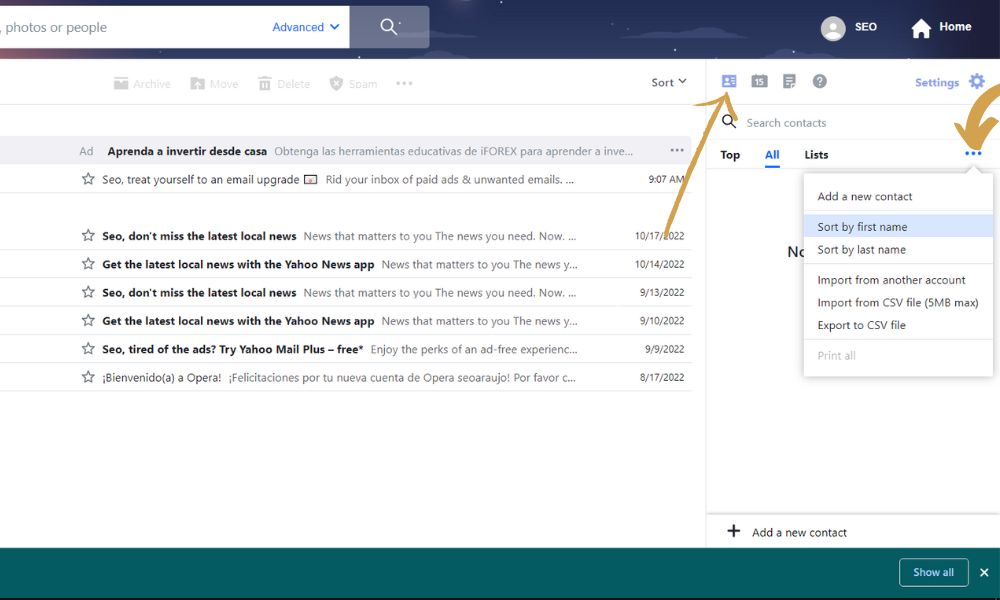
The technical support team monitoring these channels is adept at providing real-time status updates on service outages and offering public-facing advice. While they cannot perform account-specific actions (like password resets) over a public platform due to privacy laws and security protocols, they can direct users to the specific internal forms or help articles needed for their unique situation. Engaging with @YahooCare is often the best way to get a response regarding widespread technical bugs or system-wide latency issues.
Advanced Troubleshooting for Technical Issues
Beyond basic login problems, many users encounter technical hurdles related to how Yahoo Mail interacts with other software and hardware. Understanding the underlying protocols can often eliminate the need to contact support entirely.
Resolving SMTP, IMAP, and POP3 Configuration Errors
If you are using a third-party email client to manage your Yahoo account, communication between the client and the Yahoo servers is governed by SMTP (Simple Mail Transfer Protocol), IMAP (Internet Message Access Protocol), or POP3 (Post Office Protocol). Errors in these settings are a leading cause of “Cannot Send/Receive Mail” messages.
For a modern, seamless experience, IMAP is the recommended protocol as it synchronizes actions across all devices. The technical settings for Yahoo Mail are:
-
Incoming Mail (IMAP) Server: imap.mail.yahoo.com (Port 993, SSL required)
-
Outgoing Mail (SMTP) Server: smtp.mail.yahoo.com (Port 465 or 587, SSL/TLS required)
If you encounter authentication errors despite using the correct settings, the issue likely stems from Yahoo’s security requirements regarding “Less Secure Apps.” Most modern clients require the use of an “App Password”—a unique, 16-character code generated within your Yahoo Account Settings—rather than your primary password.
Managing Third-Party App Access and Security Keys
In an era of increasing cyber threats, Yahoo has implemented sophisticated security layers that can sometimes interfere with standard usage. One such feature is the Yahoo Account Key. This replaces traditional passwords with a push notification sent to your mobile device. While this increases security, it can complicate contact if you lose access to the device holding the Key.
To manage these settings, users must navigate to the “Account Security” tab within their profile. Here, you can review “Recent Activity” to see every device and IP address that has accessed your account. If you see unauthorized access, the first technical step is to “Sign out of all locations” and immediately revoke access to any third-party apps that look suspicious. This proactive management often resolves “ghost” issues where emails are being deleted or moved without the user’s direct action.
Security and Fraud Prevention in Tech Support
A significant risk in the tech support landscape is the prevalence of fraudulent services. Because many users are desperate to regain access to their accounts, they often fall prey to scammers who claim to be “Yahoo Technical Support.”
Identifying “Support Scams” and Fake Helplines
A common tactic used by cybercriminals is to purchase search engine advertisements for keywords like “Yahoo Support Phone Number.” These ads lead to third-party websites that look official but are actually designed to steal credentials or solicit payment for services that should be free or are never rendered.
It is vital to remember that Yahoo does not have a free, public phone number for general support. Any website claiming to provide a toll-free number for free Yahoo password recovery is almost certainly a scam. These entities may ask for remote access to your computer via software like AnyDesk or TeamViewer. Under no circumstances should you grant remote access to your system or provide your password to anyone claiming to be a support agent. Official Yahoo support will never ask for your password.

Best Practices for Account Hardening
The best way to avoid the need for intensive support is to implement robust account hardening. This reduces the likelihood of technical failures and security breaches.
-
Enable Two-Step Verification: This is the single most effective way to protect your account. Even if a malicious actor obtains your password, they cannot enter without the secondary code.
-
Keep Recovery Information Current: Periodically check that your recovery email and phone number are active. Most support issues become unresolvable because the user no longer has access to the backup email they created ten years ago.
-
Monitor Account Activity: Regularly check the “Recent Activity” log. This allows you to spot technical anomalies—such as a login from an unknown browser—before they escalate into an account lockout.
By understanding the tiered support structure of Yahoo and utilizing the technical tools provided, users can navigate the complexities of digital communication with confidence. Whether through the Sign-in Helper, Yahoo Plus Support, or official social media channels, the path to resolution is always available for those who know where to look and how to protect themselves.
aViewFromTheCave is a participant in the Amazon Services LLC Associates Program, an affiliate advertising program designed to provide a means for sites to earn advertising fees by advertising and linking to Amazon.com. Amazon, the Amazon logo, AmazonSupply, and the AmazonSupply logo are trademarks of Amazon.com, Inc. or its affiliates. As an Amazon Associate we earn affiliate commissions from qualifying purchases.