
Managing digital assets in the modern economy requires a proactive approach to financial literacy and tool management. As one of the world’s most pervasive fintech platforms, PayPal serves as a primary hub for millions of freelancers, e-commerce entrepreneurs, and casual consumers. Checking your PayPal account is not merely about verifying a balance; it is about auditing your financial health, ensuring transaction security, and leveraging reporting tools to optimize your cash flow. Whether you are reconciling business receipts or monitoring personal spending, understanding the nuances of the PayPal ecosystem is essential for sound financial management.
Navigating the PayPal Dashboard for Effective Financial Management
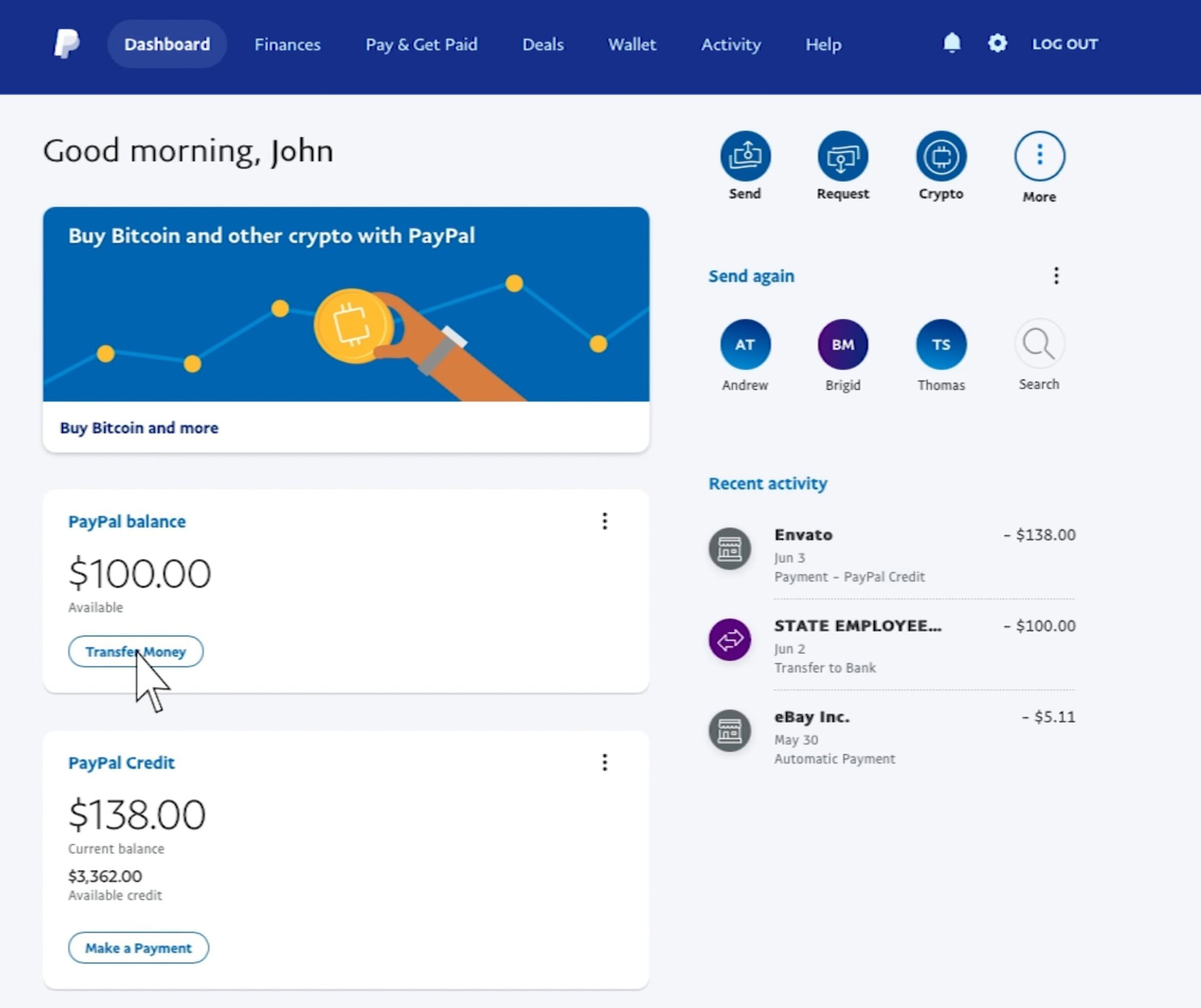
The PayPal dashboard functions as the command center for your digital finances. Accessing this interface is the first step in maintaining oversight of your capital. To check your account, you can utilize two primary gateways: the web-based portal and the mobile application. While both offer similar core functionalities, they serve different strategic purposes for the user.
Accessing Your Account via Web and Mobile
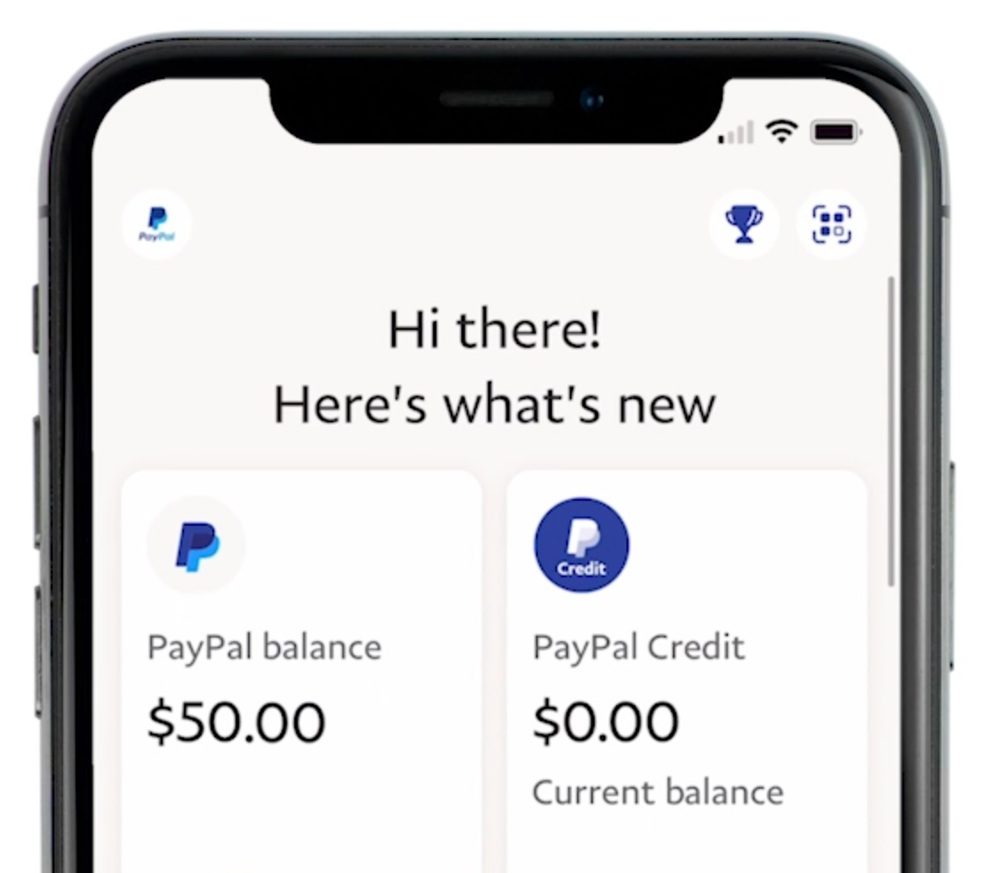
The web portal, accessible through any secure browser, is designed for deep-dive financial analysis. When you log in at PayPal’s official site, the “Summary” page provides a comprehensive snapshot of your financial standing. This view is preferred for business owners who need to export data or manage complex settings. Conversely, the mobile app is optimized for real-time monitoring and “on-the-go” verification. It offers biometric security features—such as fingerprint or facial recognition—that make frequent check-ins more efficient. In a world where digital fraud is a constant threat, checking your account daily via the app can help you identify unauthorized movements before they escalate.
Understanding Your Available Balance and Currency Conversions
When you view your “PayPal Balance,” it is crucial to distinguish between available funds and total assets. Your available balance represents capital that is ready for immediate transfer or payment. However, if you are an international freelancer or a global merchant, your account may hold multiple currencies simultaneously.
Checking your account involves looking at the “Currencies” section. PayPal does not automatically convert all incoming funds into your primary currency unless specified. Monitoring these sub-balances allows you to time your currency conversions strategically, potentially saving significant sums on exchange rate fluctuations. High-volume users often wait for favorable market conditions before moving funds from a secondary currency (like EUR or GBP) into their home currency (like USD), effectively treating their PayPal account as a multi-currency management tool.
Interpreting Transaction History and Pending Payments
A common point of confusion for many users is the distinction between “Completed,” “Pending,” and “On Hold” transactions. When you check your activity feed, a “Pending” status usually indicates that the sender’s bank has yet to clear the funds—a process that can take several business days for e-checks. “On Hold” status is often applied to newer sellers to ensure buyer protection. Regularly reviewing these statuses is vital for cash flow forecasting. If you are expecting a payment that hasn’t arrived, checking the “Activity” tab and filtering by “Status” provides the granular detail needed to follow up with clients or customer support.
Optimizing Security Protocols for Your Digital Wallet
In the realm of personal finance, security is the foundation of growth. Checking your PayPal account is as much about auditing your security settings as it is about checking your balance. Given that PayPal is linked directly to bank accounts and credit cards, it represents a high-value target for phishing and unauthorized access.
Enabling Multi-Factor Authentication (MFA)
The most critical security check you can perform is verifying that Multi-Factor Authentication (MFA) is active. By navigating to the “Security” tab within your account settings, you can ensure that a secondary verification step—such as a text message code or an authenticator app—is required for every login. This creates a robust barrier against credential stuffing attacks. In a professional financial context, relying solely on a password is considered a significant risk; MFA is the industry standard for protecting digital liquidity.
Monitoring Account Activity for Fraud Detection
A habitual review of your “Recent Activity” is your first line of defense against “micro-theft.” Fraudsters often test stolen credentials by making very small, inconspicuous transactions to see if they go unnoticed. By checking your account details weekly, you can spot these anomalies. PayPal provides a “Report a Problem” feature for every individual transaction. Early detection not only protects your current balance but also safeguards your standing with the platform, as reporting issues promptly demonstrates responsible account ownership.
Managing Authorized Third-Party Applications
Over time, many users link their PayPal accounts to various third-party services—subscription platforms, e-commerce tools, or loyalty programs. These “permissions” allow external entities to interact with your financial data. Part of a thorough account check involves visiting the “Data & Privacy” section to review which apps still have access. Revoking permissions for services you no longer use is a critical step in reducing your “digital attack surface” and ensuring that your financial data remains private.
Leveraging PayPal’s Reporting Tools for Personal and Business Finance
For those using PayPal as a primary financial tool, the platform offers sophisticated reporting features that go far beyond a simple balance check. These tools are indispensable for budgeting, tax preparation, and business scaling.
Generating Monthly Statements and Financial Summaries
To get a holistic view of your financial trajectory, you should move beyond the summary page and utilize the “Reports” center. Here, you can generate official monthly statements in PDF format. These documents serve as verified proof of income, which is often required when applying for loans, mortgages, or apartment leases. By downloading and reviewing these statements, you can track your net income (total inflows minus PayPal’s transaction fees), providing a clearer picture of your actual profitability.
Analyzing Spending Habits with PayPal Insights
PayPal’s built-in analytics provide a breakdown of where your money is going. By categorizing your outflows, the platform allows you to see how much is spent on “Travel,” “Business Services,” or “Utilities.” For individuals focused on personal finance optimization, this “Money In/Money Out” visualization is a powerful budgeting tool. If your “Miscellaneous” spending is trending upward, a quick check of these insights can prompt the necessary behavioral shifts to keep your savings goals on track.
Tax Documentation and Year-End Reporting
As the fiscal year concludes, the importance of checking your account for tax purposes cannot be overstated. For U.S.-based users, PayPal issues 1099-K forms to those who meet specific transaction thresholds. However, even if you do not meet the legal threshold for an automated form, you are still responsible for reporting your income. Using the “Activity Download” tool allows you to export your entire year of transactions into a CSV or Excel file. This raw data can then be imported into accounting software like QuickBooks or handed to a CPA, ensuring that your financial reporting is accurate and compliant with tax laws.
Troubleshooting Access and Account Verification Issues
Occasionally, checking your account becomes difficult due to technical hurdles or administrative freezes. Understanding how to navigate these challenges is essential for maintaining constant access to your capital.
Recovering Login Credentials Securely
If you are locked out of your account, the recovery process must be handled with extreme caution to avoid phishing traps. Always ensure you are on the legitimate paypal.com domain before entering any recovery information. PayPal’s “Forgot Password” protocol typically uses email verification combined with a secondary phone code. If you have updated your phone number recently, ensure this is reflected in your account settings while you still have access, as losing both your password and your recovery phone number can lead to a lengthy manual identity verification process with PayPal’s compliance team.
Resolving Account Holds and Disputes
A “frozen” account is one of the most stressful experiences in digital finance. This usually occurs when PayPal’s risk algorithms detect unusual activity, such as a sudden spike in high-value transactions or a login from a high-risk geographic location. When you check your account and see a notification regarding a “limitation,” you must navigate to the “Resolution Center.” Here, you will find a list of required actions, which often include providing a photo ID, proof of address, or supplier invoices. Resolving these issues promptly is the only way to restore the liquidity of your funds.
Verifying Linked Bank Accounts and Cards
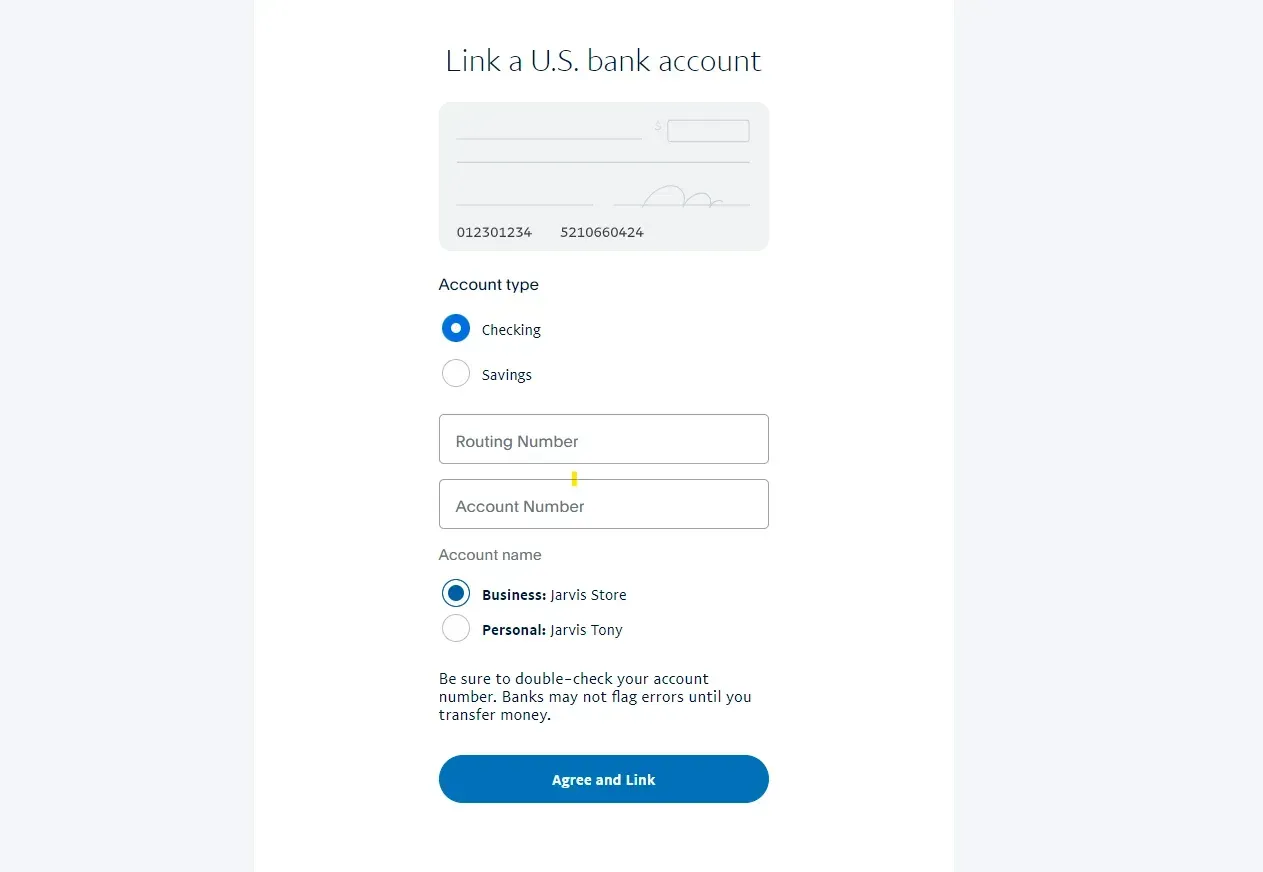
To ensure seamless movement of money, your linked financial instruments must remain verified. PayPal periodically requires users to re-verify their bank accounts to comply with “Know Your Customer” (KYC) and Anti-Money Laundering (AML) regulations. Checking the “Wallet” section of your account allows you to see if any linked cards are nearing their expiration date. Proactively updating these details prevents transaction declines during critical moments, such as paying a recurring business invoice or making an urgent purchase.
In conclusion, checking your PayPal account is a multi-faceted process that sits at the intersection of technology and financial discipline. By moving beyond a simple balance inquiry and engaging with the platform’s security settings, reporting tools, and verification requirements, you transform a digital wallet into a powerful instrument for financial growth and stability. Regular oversight ensures that your money remains secure, your records stay accurate, and your access to global liquidity remains uninterrupted.
aViewFromTheCave is a participant in the Amazon Services LLC Associates Program, an affiliate advertising program designed to provide a means for sites to earn advertising fees by advertising and linking to Amazon.com. Amazon, the Amazon logo, AmazonSupply, and the AmazonSupply logo are trademarks of Amazon.com, Inc. or its affiliates. As an Amazon Associate we earn affiliate commissions from qualifying purchases.