
In the modern automotive landscape, the shift from terrestrial FM/AM broadcasting to satellite-delivered content represents a significant leap in signal reliability and audio variety. SiriusXM, the primary provider of satellite radio in North America, utilizes a network of high-powered satellites in both geosynchronous and highly elliptical orbits to beam digital signals directly to specialized receivers. Setting up this technology in your vehicle—whether you are working with a factory-integrated system or an aftermarket gadget—requires an understanding of signal paths, hardware integration, and digital activation protocols. This guide provides a deep dive into the technical steps required to bring high-fidelity satellite audio into your cockpit.
Understanding the Hardware: Integrated Systems vs. Aftermarket Gadgets
The first step in any technical setup is auditing your existing hardware. The installation path diverges significantly depending on whether your vehicle is “Satellite Radio Ready” from the factory or requires an external hardware interface.
Factory-Installed Satellite Radio
Most vehicles manufactured within the last decade come equipped with a head unit that includes a built-in satellite tuner. In these systems, the hardware—including the antenna and the tuner module—is already integrated into the vehicle’s CAN bus (Controller Area Network). For the user, the setup is primarily a software and subscription activation process. You can identify these systems by looking for a “SXM,” “SAT,” or “Radio” source button on your dashboard interface. If the screen displays a “Preview” channel (usually Channel 1), your hardware is functional and ready for digital provisioning.
Aftermarket Tuner Kits and Dock-and-Play Units
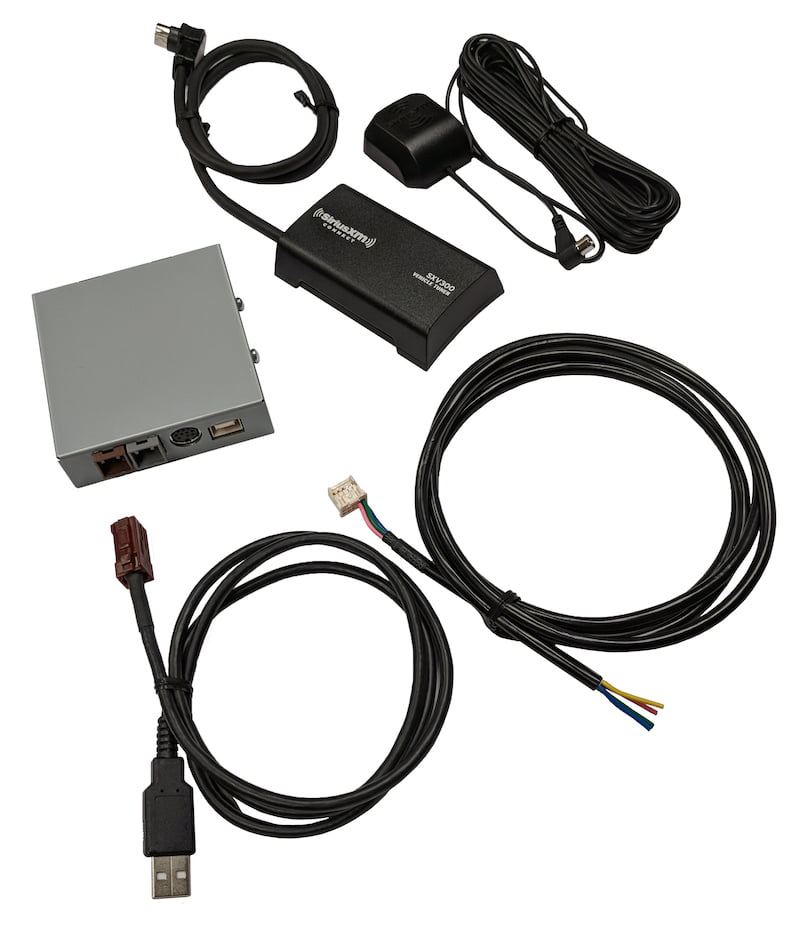
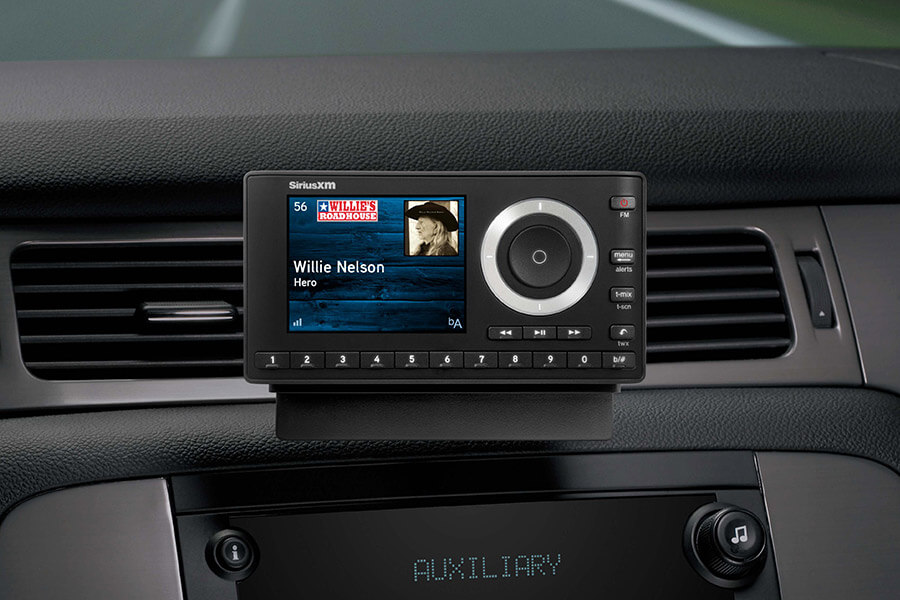
For older vehicles or base models lacking integrated tech, aftermarket solutions are necessary. These range from hidden tuners that plug into the back of an existing head unit to “Dock-and-Play” gadgets like the SiriusXM Onyx series.
-
Integrated Tuner Kits: These devices, such as the Vais Technology adapters or the SiriusXM SXV300V1, connect directly to the “Satellite Ready” port of an aftermarket stereo (like those from Pioneer, Kenwood, or Alpine). This allows for a clean, factory-like experience where the satellite controls are mapped to the car’s existing touchscreen.
-
Dock-and-Play Units: These are standalone receivers that mount to the dashboard or air vents. They require three connections: power (usually via a 12V cigarette lighter adapter), an antenna connection, and an audio output connection to the car’s speakers.
The Installation Process: Connecting Your Vehicle to the Satellite Network
If your car does not have an integrated system, the physical installation of the hardware is the most critical phase. Satellite radio operates on the S-band (between 2.3 GHz and 2.33 GHz), which requires a clear line of sight to the sky.
Mounting the Antenna for Optimal Signal Reception
The antenna is the most sensitive component of the satellite radio ecosystem. Unlike traditional whip antennas used for FM radio, satellite antennas are small, magnetic, and highly directional.
-
Placement: The ideal location is the roof of the vehicle, centered near the front or rear windshield. For maximum signal gain, there should be at least 3 inches of metal surface around the antenna to act as a ground plane.
-
Cable Routing: The thin coaxial cable must be routed from the roof into the cabin. This is typically achieved by tucking the wire under the rubber weatherstripping of the door frame or the trunk lid. It is vital to avoid sharp bends or “pinching” the cable, as this can cause signal attenuation or a complete break in the copper core.
-
Interior Hidden Placement: In some modern vehicles with advanced glass technology (non-metallic tint), antennas can sometimes be mounted on the dashboard. However, this often results in “signal dropouts” when driving near tall buildings or dense foliage.
Powering the Device and Audio Integration
Once the antenna is positioned, you must interface the receiver with the car’s audio system.
-
The Power Source: Standard aftermarket units use a 12V DC adapter. For a cleaner look, many users opt for a “hardwire kit,” which taps into the vehicle’s fuse box (specifically an “accessory” fuse that turns off when the engine is killed) to provide constant power without visible wires.
-
Audio Output Methods: There are three primary ways to send the audio signal to your speakers. The gold standard is a Direct Aux Connection using a 3.5mm cable, which provides the highest bitrate and lowest interference. If your car lacks an Aux port, you can use an FM Transmitter, which broadcasts the satellite signal over a dead FM frequency. While convenient, this is susceptible to local radio interference. The third option is Bluetooth Integration, though this is generally only available on the highest-end standalone receivers or via smartphone app streaming.
Activating Your Subscription: The Digital Handshake
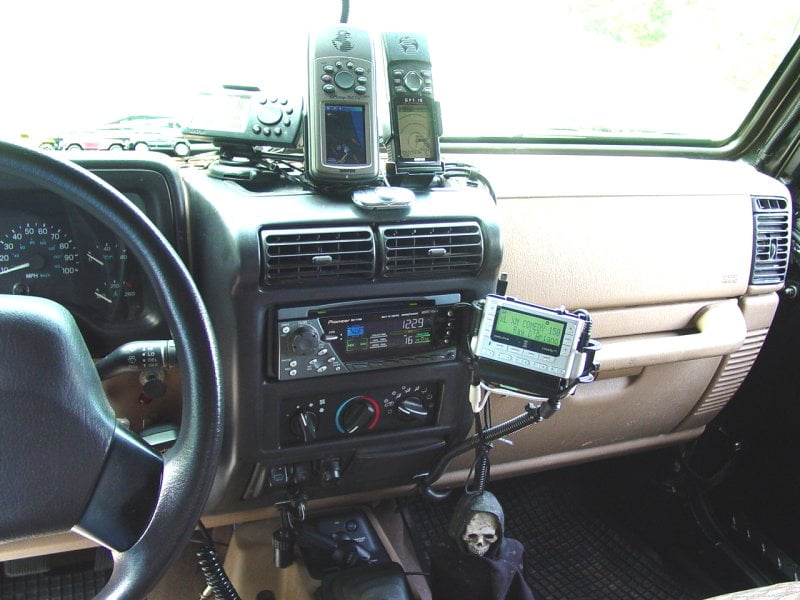
Once the hardware is installed and powered on, the system will remain in a “Preview” state. To unlock the full spectrum of channels, the receiver must undergo a digital handshake with the SiriusXM satellite constellation.
Locating Your Radio ID (ESN or SID)
Every satellite tuner has a unique Electronic Serial Number (ESN) or System Identifier (SID), commonly referred to as the Radio ID. This eight-character alphanumeric code is the “address” to which the satellites will beam the activation signal.
-
On most systems, you can find this by tuning the radio to Channel 0.
-
On aftermarket units, the ID is often printed on a sticker on the back of the device or the original packaging.
-
For integrated factory systems, the ID can often be found within the “Settings” or “System Information” menu of the infotainment screen.
Executing the Activation Signal
With the Radio ID in hand, you must navigate to the provider’s website or contact their automated activation line. After choosing a subscription tier, the service provider puts an activation command into the broadcast stream.
-
The Environment: Ensure your vehicle is parked outside with a totally unobstructed view of the sky. Do not attempt activation in a garage, under a carport, or in a parking structure.
-
The Wait: Once the “Refresh” signal is sent from the web portal, the radio must remain powered on and tuned to the preview channel. The satellites broadcast this activation packet repeatedly.
-
The Update: You will see the screen change from “Preview” to “Updating” or “Acquiring Signal.” Within 2 to 10 minutes, the channel list will expand, and the subscription becomes active.
Troubleshooting Signal Loss and Connectivity Issues
Satellite technology is robust, but it is not immune to environmental and hardware failures. Understanding the “why” behind a “No Signal” message is key to maintaining a consistent listening experience.
Dealing with Multipath Interference and Obstructions
Satellite radio is a line-of-sight technology. If you are driving through a deep canyon, a tunnel, or a forest with a heavy canopy, the signal will drop.
-
Terrestrial Repeaters: In major metropolitan areas, SiriusXM employs ground-based repeaters to fill in “gap” areas where skyscrapers block the satellites. If you experience signal loss only in rural areas but not in cities, your antenna might be failing, and you are relying solely on these ground-based towers.
-
Antenna Aiming: Ensure the antenna hasn’t shifted. Even a slight tilt can reduce the decibel gain below the threshold required for the digital-to-analog converter (DAC) to process the audio stream.
Firmware Updates and Software Maintenance
For integrated factory systems, “Loading” or “Linking” errors are often software-based rather than hardware-based. Car manufacturers occasionally release firmware updates for infotainment systems that improve the buffer cache of the satellite tuner. If your system frequently freezes, check the manufacturer’s website for a USB-based software update. For aftermarket units, ensure the “Power Save” mode isn’t accidentally cutting off the tuner’s ability to maintain its “keep-alive” signal during short stops.
The Future of Satellite Radio: Integration with Modern Infotainment Systems
As we look toward the future of in-car tech, the line between satellite-delivered data and internet-delivered data is blurring. The newest hardware, such as the SiriusXM with 360L platform, utilizes a hybrid approach.
360L: The Hybrid Ecosystem
Modern high-end vehicles (particularly from brands like BMW, Ford, and GM) now utilize the 360L system. This tech combines satellite delivery for the main audio stream with a 4G/5G LTE return path. This allows for:
-
On-Demand Content: Browsing a library of recorded shows that are downloaded via the car’s data connection.
-
Personalized Recommendations: Using AI algorithms to suggest channels based on listening habits, synced across your car and mobile app.
-
Enhanced Bitrate: Using IP-delivery to supplement the satellite signal in areas with poor sky visibility.
Moving Toward Software-Defined Radio (SDR)
The industry is moving toward “Software-Defined Radio,” where the hardware is a generic high-speed processor, and the “satellite tuner” is simply a piece of software running on the vehicle’s central computer. This reduces the weight and complexity of the vehicle’s wiring harness while allowing for over-the-air (OTA) updates that can add new features or audio codecs without requiring a trip to the dealership.
By following these technical protocols—selecting the right hardware interface, ensuring a high-gain antenna placement, and executing a clean digital activation—you can transform your vehicle into a mobile command center for global digital media. Whether you are navigating urban canyons or remote highways, the technical foundation of satellite radio ensures a consistent, high-quality audio experience that terrestrial radio simply cannot match.
aViewFromTheCave is a participant in the Amazon Services LLC Associates Program, an affiliate advertising program designed to provide a means for sites to earn advertising fees by advertising and linking to Amazon.com. Amazon, the Amazon logo, AmazonSupply, and the AmazonSupply logo are trademarks of Amazon.com, Inc. or its affiliates. As an Amazon Associate we earn affiliate commissions from qualifying purchases.