
The landscape of modern audio entertainment has shifted significantly from hardware-dependent broadcasting to software-driven ecosystems. SiriusXM, once primarily a satellite-based hardware service for vehicles, has evolved into a sophisticated digital platform accessible across a multitude of devices. Accessing your SiriusXM account today involves navigating a cross-platform infrastructure that synchronizes preferences, billing data, and listening history via the cloud. This guide provides a deep dive into the technical pathways for accessing your account, securing your digital footprint, and optimizing your user experience across the SiriusXM software suite.

The Digital Evolution of SiriusXM Infrastructure
To understand how to access and manage your SiriusXM account, it is essential to first understand the dual nature of its current infrastructure. SiriusXM operates on two primary delivery systems: the traditional Satellite Radio (SDR) and the modern Internet Protocol (IP) streaming service.
The Shift from Hardware to Software-as-a-Service
In the early days of satellite radio, account access was tethered almost exclusively to the Electronic Serial Number (ESN) or Radio ID of a physical tuner. Today, SiriusXM has transitioned toward a “Software-as-a-Service” (SaaS) model. When you access your account, you are not just interacting with a radio signal; you are engaging with a centralized database that manages digital rights management (DRM), user profiles, and personalized recommendation algorithms. This shift allows for a seamless transition between a vehicle’s head unit and a smartphone app, provided the user knows how to navigate the authentication protocols correctly.
Understanding the Importance of the Radio ID and ESN
Despite the move toward digital streaming, the Radio ID (or ESN) remains a critical technical identifier for many accounts. This 8-character alphanumeric code is the unique fingerprint of your hardware. For users who primarily listen in their vehicles, the Radio ID serves as the primary link between the physical device and the digital account. Accessing your account often requires this ID to verify ownership and synchronize satellite-based subscriptions with digital streaming credentials.
Step-by-Step Access Protocols for Multiple Platforms
Accessing your SiriusXM account is no longer a one-dimensional process. Depending on your hardware and your subscription tier, you may need to utilize different authentication methods across the web, mobile applications, and integrated third-party hardware.
Accessing the Web-Based Management Portal
The most comprehensive way to manage your account is through the official web portal. This is the “Command Center” for your subscription, where you can modify billing, update security settings, and manage connected devices.
-
URL Navigation: Navigate to the official SiriusXM website and locate the “Manage My Account” or “Sign In” button, usually positioned in the top-right corner of the interface.
-
Credential Entry: Enter your registered email address or username and your password. If you have not yet set up digital access—common for those who only recently purchased a vehicle with a trial—you will need to click on the “Register” or “Set Up Online Account” link.
-
Validation: During the registration process, the system will prompt you for your Radio ID or the phone number associated with the account. This step is crucial for linking your hardware subscription to a digital login.
Utilizing the SiriusXM Mobile Application
For the majority of users, account access happens through the iOS or Android application. The app uses OAuth-style authentication to keep users logged in across sessions while ensuring data security.
-
App Installation: Download the latest version of the SiriusXM app from the Apple App Store or Google Play Store. Keeping the software updated is vital, as legacy versions may experience handshake failures with the server during login.
-
Biometric Integration: Modern versions of the app support biometric authentication, such as FaceID or TouchID. Once you have logged in for the first time with your standard credentials, you can enable these features in the “Settings” menu to streamline future access.
-
Data Synchronization: Once logged in, the app syncs your “Favorites,” “Listening History,” and “Personalized Stations” from the cloud. This data is tied to your account profile rather than the device, allowing for a consistent experience across multiple mobile units.
Integration with Smart Home and Third-Party Devices
SiriusXM’s API allows for account integration with smart speakers (Amazon Alexa, Google Home, Sonos) and smart TVs. Accessing your account on these devices typically involves a process known as “Device Pairing” or “Account Linking.”
-
Skill Activation: In the respective smart home app (like Alexa), search for the SiriusXM “Skill” or “Service.”
-
Linking Protocol: You will be redirected to a secure SiriusXM login page within the third-party app. After entering your credentials, an authentication token is shared with the smart device, granting it permission to stream content under your account.
-
Voice-Activated Access: Once linked, the account is accessed via voice commands, where the hardware identifies your profile and retrieves your custom presets.
Solving Authentication Barriers and Technical Glitches
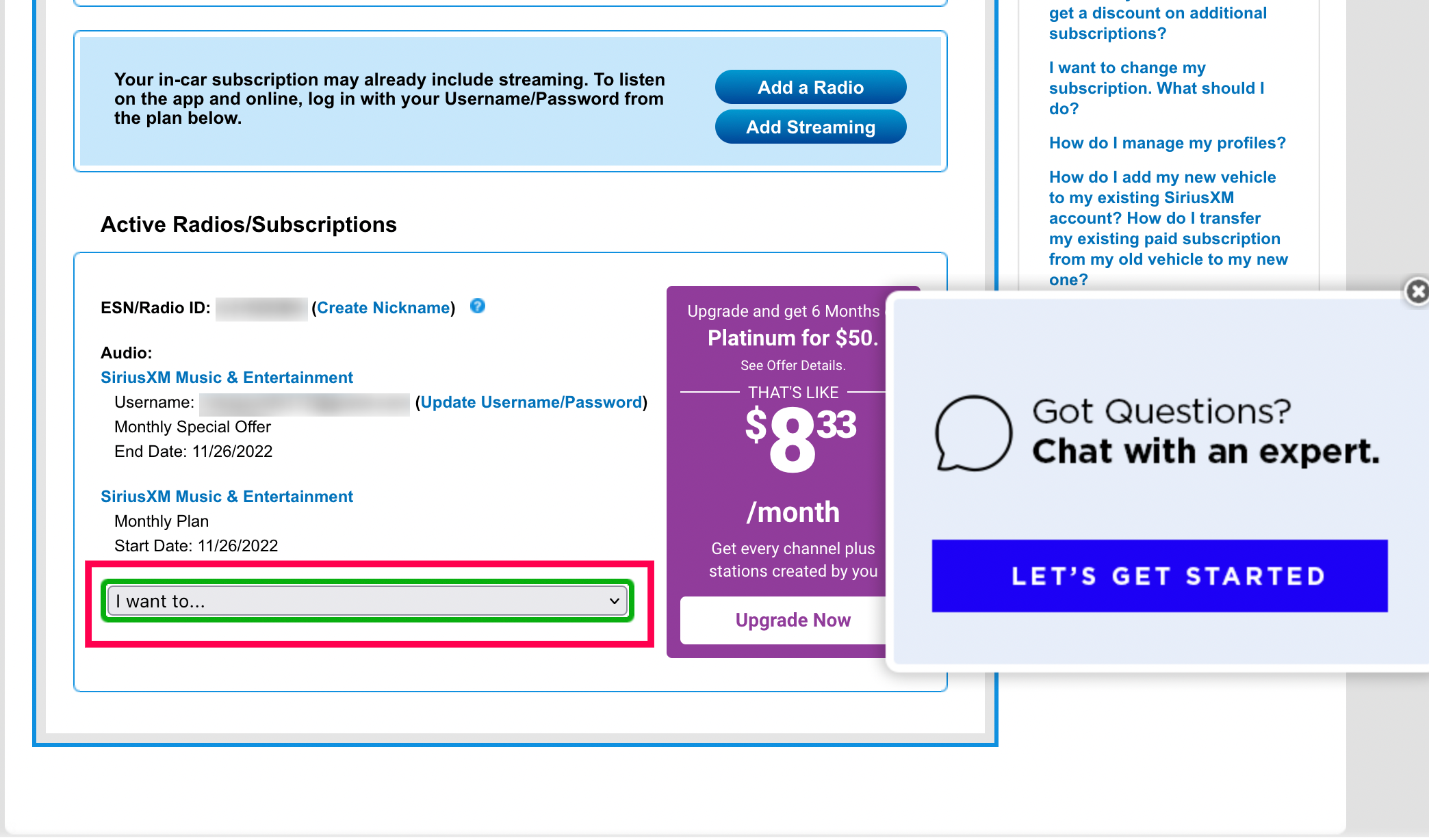
Technical hurdles can often prevent smooth access to an account. Understanding how to troubleshoot these issues from a technical perspective can save time and frustration.
Resolving Credential Failures
The most common barrier to entry is forgotten credentials or “Account Not Found” errors. This often occurs when there is a mismatch between the email used for billing and the email used for the streaming profile.
-
Password Reset Logic: If a login fails, utilize the “Forgot Password” flow. This triggers an automated script that sends a time-sensitive reset token to the email on file. If the email does not arrive, check your spam filters, as automated system emails are frequently flagged by aggressive security protocols.
-
The “Refresh Signal” Tool: Sometimes, the account is accessible online, but the hardware (the radio) is not receiving the subscription data. In this case, you can send a “Refresh Signal” via the account portal. This sends a targeted data packet via satellite to your specific Radio ID to re-authorize the device.
Clearing Cache and Managing Browser Compatibility
If you are unable to access the account portal via a desktop browser, the issue may lie in stored cache or cookie conflicts. Web developers at SiriusXM frequently update the portal’s UI; if your browser is trying to load a cached version of an older login script, the authentication may fail.
- Troubleshooting Step: Attempt to log in using an “Incognito” or “Private” window. This bypasses stored cookies. If the login works in private mode, clearing your browser’s cache and cookies for the SiriusXM domain will likely resolve the issue permanently.
Handling “Maximum Device Reached” Errors
SiriusXM accounts have limits on the number of concurrent streams. If you receive an error stating that your account is in use elsewhere, it means the server has detected an active session on another device. You can manage and “De-authorize” devices through the “Login & Security” section of the online dashboard to regain access on your primary device.
Advanced Account Management and Security Configuration
Once you have successfully accessed your account, maintaining the security of your digital identity is paramount. Your account contains sensitive information, including PII (Personally Identifiable Information) and financial data.
Strengthening Account Security
In an era of frequent data breaches, relying on a simple password is a risk. While SiriusXM manages the backend security, users should take proactive steps.
-
Password Complexity: Use a unique, high-entropy password for your SiriusXM account. Avoid reusing passwords from social media or email accounts.
-
Credential Monitoring: Periodically check the “Linked Devices” section of your account. If you see a device you do not recognize, it is a sign that your credentials may have been compromised. De-authorize the device immediately and update your password.
Managing Privacy and Data Usage
The SiriusXM app collects data to improve its recommendation engine. Users who are conscious of their digital footprint can access the “Privacy Settings” within their account to manage how their data is used. This includes opting out of certain types of tracking or managing how personalized ads are delivered.
Enhancing the User Experience through Cloud-Sync and Personalization
Accessing your account is the gateway to a highly personalized media experience driven by machine learning and cloud synchronization.
Utilizing Profiles for Multi-User Households
Many SiriusXM subscription tiers now support multiple profiles under a single account, similar to Netflix or Spotify. By accessing the “Profiles” section after logging in, you can create distinct identities for different family members. This ensures that your “For You” recommendations and “Recently Played” lists are not influenced by someone else’s listening habits.

Leveraging Cross-Device Handoff
One of the most powerful features of the modern SiriusXM account is the ability to resume content exactly where you left off. This “State Persistence” is managed in the cloud. If you are listening to a podcast or a recorded show on your desktop, the metadata—including the exact timestamp of the audio file—is saved to your account. When you later access the app in your car, the system retrieves this metadata and offers to resume the program, demonstrating the sophisticated synchronization made possible by modern account management.
In conclusion, accessing your SiriusXM account is a multi-faceted process that spans various hardware and software interfaces. By understanding the underlying technical requirements—from Radio IDs to OAuth tokens—and knowing how to troubleshoot common authentication issues, you can ensure a seamless and secure listening experience. Whether you are managing your subscription via a web portal or streaming through a mobile app, your digital account serves as the central hub for your personalized entertainment ecosystem.
aViewFromTheCave is a participant in the Amazon Services LLC Associates Program, an affiliate advertising program designed to provide a means for sites to earn advertising fees by advertising and linking to Amazon.com. Amazon, the Amazon logo, AmazonSupply, and the AmazonSupply logo are trademarks of Amazon.com, Inc. or its affiliates. As an Amazon Associate we earn affiliate commissions from qualifying purchases.