
In the modern era of consumer technology, the expectation for immediate, seamless, and effective technical support has never been higher. Apple, a pioneer in hardware and software integration, has transitioned its support model from traditional phone-based queues to a sophisticated digital ecosystem centered on real-time chat. Understanding how to navigate this ecosystem is essential for any user looking to resolve technical glitches, manage Apple IDs, or troubleshoot hardware issues without visiting a Genius Bar. Whether you are using a Mac, iPhone, or even a non-Apple device, the infrastructure for “chatting with Apple” is designed to be accessible, secure, and deeply integrated into the operating system.
The Evolution of the Apple Support Ecosystem
Apple’s approach to customer service has historically been defined by the physical presence of the Apple Store. However, as the user base has scaled to billions of devices, the digital-first approach has become the primary conduit for technical resolution. Chatting with Apple is no longer just about a text box on a website; it is a multi-platform experience that utilizes proprietary protocols like Messages for Business and integrated diagnostic tools.
The shift toward chat-based support reflects a broader trend in the tech industry: asynchronous communication. Unlike a phone call, which requires a user’s undivided attention, a chat session allows for the exchange of screenshots, crash logs, and links to support documentation that can be reviewed in real-time or saved for later. This method also allows Apple Support advisors to handle multiple inquiries simultaneously while maintaining a high standard of precision, leveraging internal knowledge bases to provide verified solutions.
The Accessibility of Web-Based Support
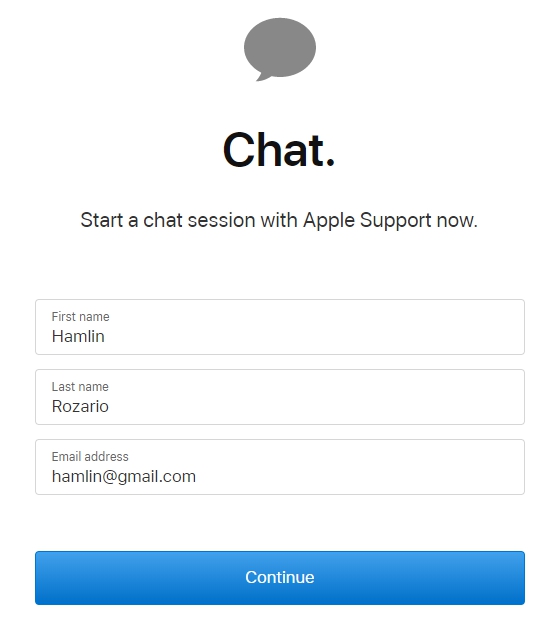
For those who may not have a functional iOS device—perhaps due to a lockout or hardware failure—the primary entry point is the official Apple Support website. By navigating to the “Get Support” portal, users are prompted to identify their specific hardware or service issue. This categorization is crucial because it routes the chat to a specialized department, such as the iCloud security team or Mac hardware technicians. Once the issue is identified, the option to “Chat” becomes available, initiating a secure session within the browser.
Cross-Device Synchronicity
One of the most significant technical advantages of Apple’s chat system is the role of the Apple ID. When a user initiates a chat while signed into their account, the advisor has immediate access to the device’s warranty status, model specifications, and previous repair history. This eliminates the “discovery phase” of support, where users traditionally had to repeat serial numbers and basic configuration details.
Utilizing the Integrated Apple Support App
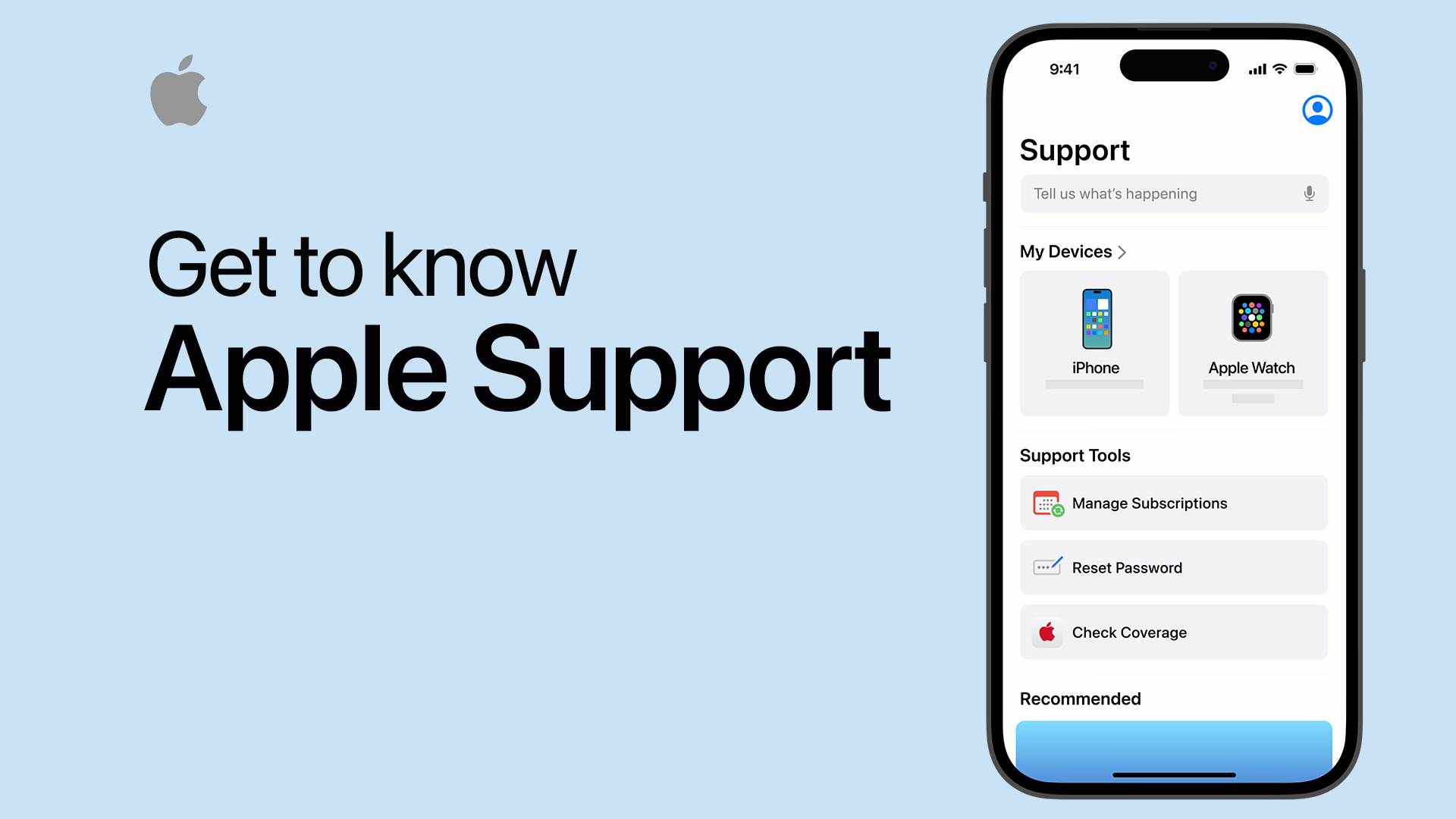
For users with a functioning iOS or iPadOS device, the Apple Support app represents the most robust way to communicate with the company. It is not merely a documentation library but a dedicated communication hub designed to facilitate direct technical intervention.
Personalized Support Interface
Upon launching the app, the software automatically detects all devices linked to the user’s Apple ID. This “device-centric” UI allows a user to tap on their specific MacBook Pro or Apple Watch and see a curated list of common technical problems. When the user selects “Chat,” the app initializes a session that is optimized for mobile viewing, allowing for easy multitasking. A user can switch between the chat and their settings to toggle switches or verify serial numbers as directed by the technician.
Real-Time Diagnostic Sharing
One of the “hidden” technical features of the Apple Support app is the ability to run remote diagnostics. During a chat session, an advisor may send a request to run a diagnostic suite on the device. The user receives a prompt within the app, and once authorized, the device sends a packet of telemetry data—battery health, sensor logs, and software crash reports—directly to the advisor. This level of technical transparency allows for a “chat” that is backed by hard data, leading to faster resolutions than traditional verbal descriptions.
Tracking and History
The Apple Support app maintains a comprehensive log of all interactions. If a chat session is disconnected due to a poor internet connection, the app typically allows the user to resume or references the previous case ID automatically. This persistence is a hallmark of Apple’s software design, ensuring that the technical narrative of a problem is never lost between different support tiers.
Apple Messages for Business: A Seamless Experience
Beyond the dedicated support app, Apple has leveraged its own iMessage infrastructure to create “Messages for Business.” This is perhaps the most convenient way to chat with Apple, as it treats the tech giant like any other contact in a user’s thread list.

Initiating Support through Maps and Safari
Apple has integrated “Chat” buttons directly into the operating system’s search functions. If a user searches for an Apple Store in the Maps app or looks up Apple Support in Safari, a small message icon often appears. Tapping this icon opens a standard iMessage window. This is not a bot-driven interaction; it connects the user to a live specialist within the Messages framework.
The Power of Rich Features
Messages for Business supports advanced features that standard web chats do not. Users can use Apple Pay within the chat to authorize out-of-warranty repairs, use the camera to send high-resolution photos of physical damage, and receive “Rich Links” that provide interactive previews of troubleshooting steps. Because the conversation lives in the Messages app, it is end-to-end encrypted, maintaining the high standard of digital security that Apple is known for.
Asynchronous Troubleshooting
The primary benefit of using the Messages interface is its asynchronous nature. A user can send a question, go about their day, and receive a notification when the advisor responds. The history of the conversation remains on the device indefinitely, allowing the user to refer back to specific technical commands or instructions provided by the specialist weeks or months later.
Technical Troubleshooting and Remote Diagnostics via Chat
Chatting with Apple is often the first step in a larger technical journey. While many software issues can be resolved through text instructions, more complex problems require a deeper technical dive.
Screen Sharing Protocols
In specific scenarios involving macOS, an Apple Support advisor may request to view the user’s screen. While the conversation begins in a chat window, it can escalate to a secure screen-sharing session. The technician can see the interface in real-time, helping the user navigate through System Settings or Terminal commands. It is important to note that the user remains in control; the advisor cannot click buttons or access files without explicit permission, and the session can be terminated by the user at any time.
Triage and Escalation
The chat interface serves as a sophisticated triaging system. Most initial chats are handled by Tier 1 advisors who deal with general software configurations and account issues. However, if the technical logs indicate a kernel panic or a hardware failure, the advisor can escalate the chat to Tier 2 (Senior Advisors) or schedule a “Call Back” or “Genius Bar” appointment. The transition is seamless—the chat transcript is attached to a “Case ID,” which is then visible to the hardware technician at the physical Apple Store, ensuring a continuous chain of information.
Security Protocols and Data Privacy in Support Chats
In an era of increasing digital threats, the security of a support chat is as important as the technical advice provided. Apple employs several layers of security to ensure that the person chatting is the rightful owner of the account and that the data shared remains private.
Identity Verification
Before sensitive account changes can be made via chat—such as resetting an Apple ID or authorizing a repair—Apple requires verification. This usually involves a “Support PIN” generated from the user’s device or a push notification sent via Two-Factor Authentication (2FA). This ensures that the chat session is authenticated against the hardware, preventing social engineering attacks where unauthorized individuals attempt to gain access to an account through support channels.
Avoiding “Vishing” and Fraudulent Chats
It is critical for users to initiate chats through official channels (the Apple Support website, the App, or verified Maps entries). Scammers often use SEO poisoning to create fake support pages. A legitimate Apple chat will never ask for a user’s password, credit card security code (CVV), or gift card codes as a form of payment for “diagnostic services.” By staying within the Apple-designed apps, users are protected by the platform’s native security certificates.
Data Minimization
Apple’s privacy policy extends to its support interactions. Advisors only see the data necessary to solve the problem. For example, while they may see that a device is out of storage, they cannot see the contents of the user’s Photos library or read their personal emails. This “privacy-by-design” approach ensures that technical support does not become a gateway to data intrusion.
Conclusion
Chatting with Apple is a sophisticated blend of software engineering and customer service. By utilizing the Apple Support app, Messages for Business, and integrated diagnostic tools, users can access high-level technical expertise with minimal friction. The system is designed to be proactive, using the Apple ID to bridge the gap between a user’s hardware and the advisor’s knowledge base. As Apple continues to refine its AI and machine learning capabilities, we can expect these chat interfaces to become even more predictive, identifying potential hardware failures before the user even realizes they need to start a conversation. For now, the ability to engage in a secure, media-rich, and authenticated chat remains the gold standard for tech support in the consumer electronics industry.
aViewFromTheCave is a participant in the Amazon Services LLC Associates Program, an affiliate advertising program designed to provide a means for sites to earn advertising fees by advertising and linking to Amazon.com. Amazon, the Amazon logo, AmazonSupply, and the AmazonSupply logo are trademarks of Amazon.com, Inc. or its affiliates. As an Amazon Associate we earn affiliate commissions from qualifying purchases.