
The integration of Amazon’s digital ecosystem into Whole Foods Market locations represents one of the most significant shifts in modern retail technology. For the consumer, “scanning Prime” is a simple gesture at the checkout counter, but beneath the surface lies a complex web of cloud computing, real-time data synchronization, and sophisticated hardware-software interfaces. Understanding how to navigate this technology not only ensures you receive your Prime benefits but also provides a glimpse into the future of frictionless commerce.
The Digital Infrastructure: How Prime Scanning Works
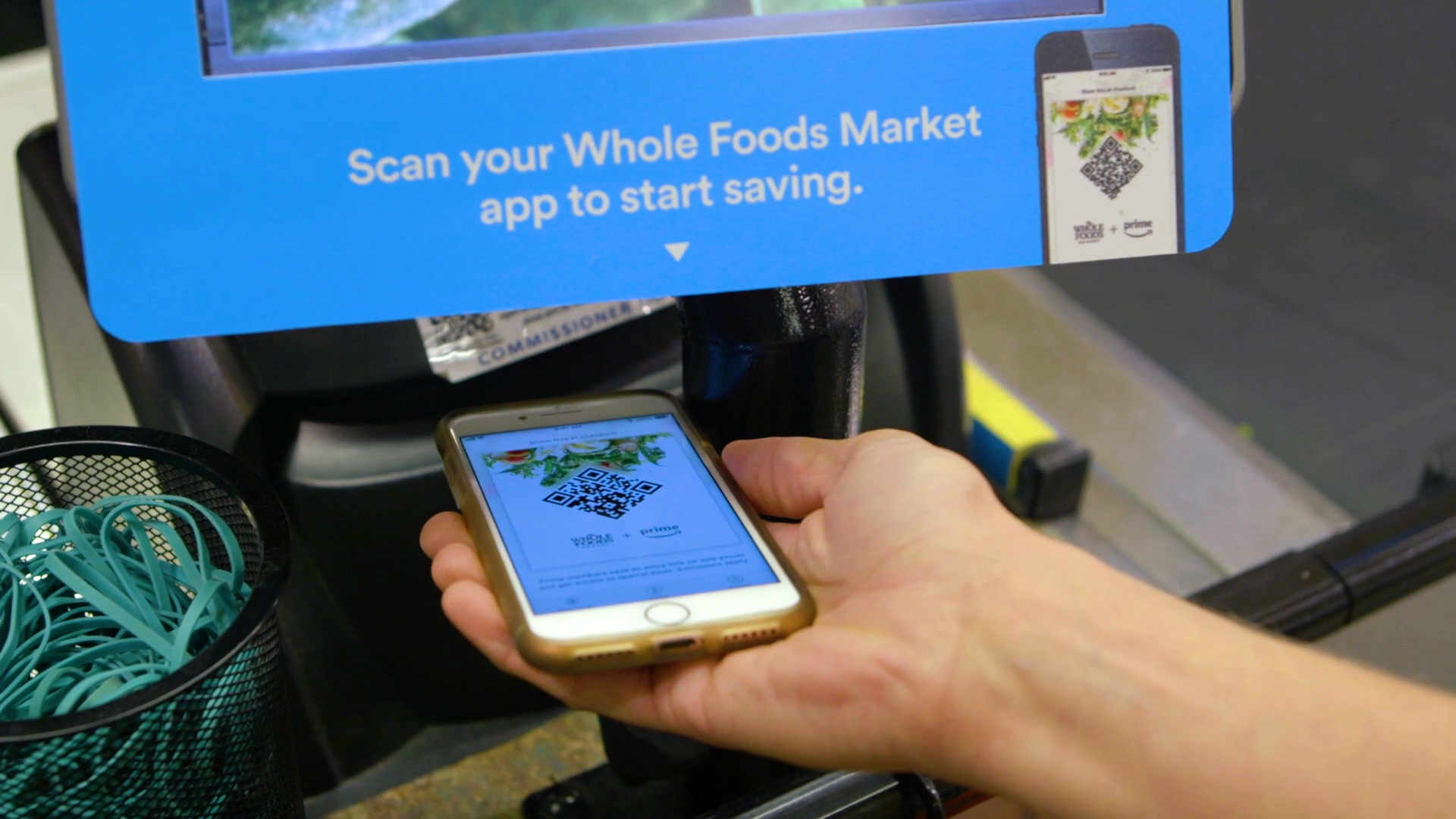
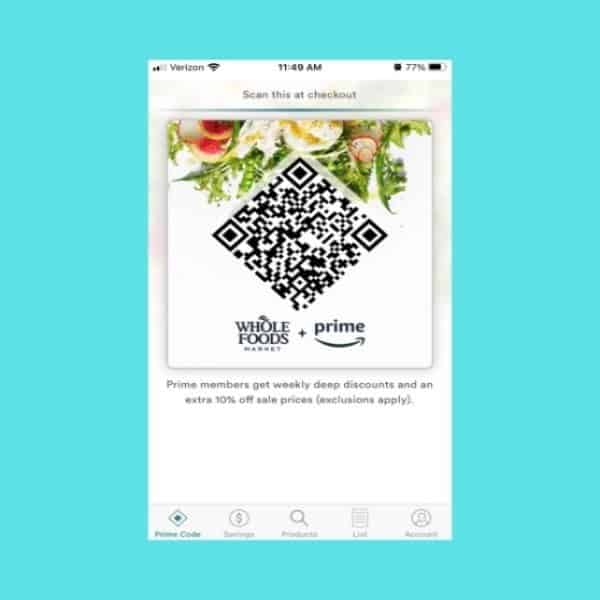
At its core, scanning your Prime code is an exercise in data authentication. When you open your Amazon or Whole Foods app to reveal a QR code, you are not just displaying a static image; you are interacting with a dynamic security token designed to bridge your digital identity with a physical point-of-sale (POS) system.

Dynamic QR Code Technology
The QR code used for Prime scanning is typically dynamic. Unlike a traditional barcode on a cereal box, which remains constant, the Amazon “In-Store Code” often refreshes periodically for security purposes. This technology utilizes a time-based algorithm that ensures the code displayed on your screen is unique to your session. When the optical scanner at the Whole Foods register reads this code, it sends a request to Amazon’s backend servers—largely powered by Amazon Web Services (AWS)—to verify the user’s membership status and active benefits in real-time.
The POS Integration
Whole Foods utilizes advanced POS hardware designed to communicate instantly with Amazon’s retail database. When the scanner captures the QR code, the system must perform a “handshake” between the local store’s transaction server and the global Amazon customer database. This allows the register to instantly apply Prime-exclusive discounts and record the transaction to the user’s account history. This level of integration requires high-speed low-latency networking within the store to prevent delays during the checkout process.
A Step-by-Step Tutorial: Utilizing the App Interface
To successfully scan your Prime code, you must navigate the user interface (UI) of either the Amazon shopping app or the dedicated Whole Foods Market app. While both achieve the same result, the technical path through the menus differs slightly.
Using the Amazon Shopping App
For most users, the Amazon shopping app is the primary tool for retail integration. To access your code:
-
Launch the App: Ensure you are signed into the account associated with your Prime membership.
-
Navigate to the Profile or Shortcut Tab: On the bottom navigation bar, tap the “person” icon or the “In-Store Code” shortcut if it has been added to your home screen.
-
Access the “In-Store Code”: Tap the button labeled “In-Store Code.” This will generate the QR code.
-
Hardware Interaction: Hold your phone screen approximately 4 to 6 inches away from the optical scanner at the register. The scanner will emit an audible beep once the data has been successfully parsed.
Using the Whole Foods Market App
The Whole Foods app offers a more specialized experience, often including store-specific digital coupons that stack with Prime benefits.
-
Sync Your Account: Upon first launch, the app will require you to link your Amazon account. This creates a secure API bridge between the two platforms.
-
Locate the “Scan” Tab: There is usually a centralized “In-Store Code” or “Scan” button at the bottom center of the interface.
-
Display and Scan: The app will increase your phone’s screen brightness automatically to ensure the optical scanner can read the high-contrast pixels of the QR code.
Optimizing Device Settings for Successful Scanning
Technological hurdles often arise at the physical point of contact. To ensure a seamless scan, consider these device-level optimizations:
-
Screen Brightness: Optical scanners require high contrast to distinguish the modules of a QR code. If your screen is too dim, the CMOS sensor in the scanner may fail to register the pattern.
-
Dark Mode Conflicts: In some instances, system-wide “Dark Mode” can invert colors in unexpected ways. While modern apps are designed to override this for QR codes, ensuring your app is updated to the latest version prevents rendering errors.
-
Screen Protectors: Thick or cracked privacy screen protectors can distort the light emitted from the display, making it difficult for the register’s laser or camera to interpret the code.
Advanced Authentication: Amazon One and Biometric Integration
While the smartphone app is the most common method for scanning Prime, Amazon has introduced even more advanced hardware solutions to Whole Foods locations, most notably Amazon One. This technology moves away from the mobile device entirely, utilizing biometrics to identify the Prime member.
The Tech Behind Amazon One
Amazon One is a palm-recognition service. From a technical standpoint, it uses computer vision and infrared imaging to create a “palm signature.” It does not just look at the lines on your hand; it captures the unique vein patterns under the skin, which are virtually impossible to replicate.
-
Registration: Users link their palm signature to their Amazon account and a credit card at a dedicated kiosk.
-
The Scanning Process: When checking out, a user simply hovers their hand over the Amazon One device. The device’s sensors capture the image, encrypt it, and send it to a secure “area of the cloud” where it is matched against the user’s stored signature in milliseconds.
-
Prime Recognition: Because the palm signature is linked to the Amazon account, the system automatically recognizes the user as a Prime member, applying discounts and processing payment simultaneously without the need to pull out a phone.
Linking a Credit Card for Automatic Scanning
For those who prefer a less biometric approach but still want to bypass the app, Amazon allows users to link their Prime membership to a specific credit card. When that card is swiped or tapped at a Whole Foods register, the POS system recognizes the card’s tokenized ID as being associated with a Prime account. This “passive scan” technology simplifies the user experience by merging the authentication and payment steps into a single action.
Troubleshooting and Technical Support
Even with robust systems, digital friction can occur. Understanding the technical reasons for a “failed scan” can help you resolve issues quickly.
Connectivity and App Cache
If the “In-Store Code” fails to load, it is often a matter of data connectivity. Whole Foods stores are often constructed with significant amounts of steel and concrete, which can interfere with cellular signals. Utilizing the store’s guest Wi-Fi can resolve this, but it may require a quick authentication step. Additionally, a corrupted app cache can prevent the dynamic QR code from refreshing. In these cases, force-closing the app or clearing the cache in your phone’s settings will re-initialize the authentication handshake.
Scanner Hardware Issues
The scanners at the checkout are optical devices. Over time, the glass surface of the scanner can become smudged or scratched, leading to refraction issues. If a scan fails repeatedly, a quick cleaning of the scanner glass or a slight adjustment of the angle at which you hold your phone can rectify the problem. The scanners are designed to read codes at various angles, but a perpendicular orientation at a 5-inch distance is the technical “sweet spot.”
Security and Data Privacy in the Retail Ecosystem
Scanning Prime at Whole Foods is not just a convenience feature; it is a data-driven interaction that relies on high-level security protocols to protect user information.
Tokenization and Encryption
When you scan your code, your actual Amazon password or sensitive account details are never transmitted to the local register. Instead, the system uses tokenization. The QR code represents a “token”—a string of characters that has no intrinsic meaning but acts as a temporary key to unlock your Prime benefits for that specific transaction. This ensures that even if the store’s local network were compromised, a hacker would only find useless tokens rather than actionable consumer data.
The Role of Metadata
Every time a Prime code is scanned, metadata is generated. This includes the time of the scan, the location ID, and the items associated with that specific session. This data is encrypted in transit using TLS (Transport Layer Security) protocols as it moves from the store to Amazon’s centralized servers. This technical loop allows Amazon to provide features like digital receipts and personalized recommendations while maintaining a secure audit trail of the transaction.
By mastering the technology behind the Prime scan, shoppers can navigate the Whole Foods ecosystem with greater efficiency. Whether through the refined UI of the Amazon app, the biometric innovation of Amazon One, or the seamless integration of tokenized credit cards, the bridge between your digital Prime identity and physical retail is a testament to the power of modern software engineering.
aViewFromTheCave is a participant in the Amazon Services LLC Associates Program, an affiliate advertising program designed to provide a means for sites to earn advertising fees by advertising and linking to Amazon.com. Amazon, the Amazon logo, AmazonSupply, and the AmazonSupply logo are trademarks of Amazon.com, Inc. or its affiliates. As an Amazon Associate we earn affiliate commissions from qualifying purchases.